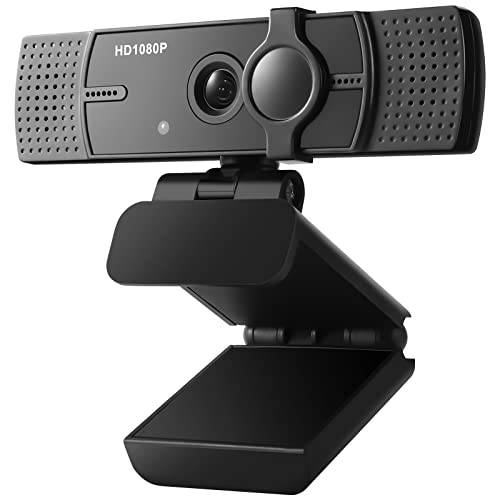
D-Link Broadband Video Phone


Key features
- •Device Type - ARM-9 ASIC Communications processor
- •Dimensions WxDxH - 8.07" x6.08" x1.50"
- •Weight - 14 oz. (.398kg)
D-Link Broadband Video Phone
List Price: $29.08$26.17DEALYou Save: $2.91 (10%)
Free shippingFree Returns – 30 daysFree Order CancellationSecure Payment2–3 Days DeliveryGet It October 25, 2026In Stock (3)No marketing spamNo account requiredFulfilment by FedEx / Amazon / UPS / ShipwirePayPal / Card Buyer Protection
Customer Reviews
Reviews sourced from verified Amazon purchasers3.0
out of 5
Based on 10 reviews
5★
30%
4★
20%
3★
10%
2★
10%
1★
30%
It is not guaranteed! It does not work with any other videophone. They did not stand behind their product. Highly dissatisfied.
Pam Hood•March 8, 2015
This does not work with any other videophones. It is useless to purchase one. They do not stand behind their product with money back guarantee. They said they will only accept return and give me back only half of the purchase price. I am highly dissatisfied.
Five Stars
L.M. GREEN•November 27, 2014
AAAAAAAAAAAA
Four Stars
Leo Y Castellon•January 12, 2013
Works well
Great product
Val•September 30, 2008
I received the equipment and had to call customers support to get it set properly. customer servce was helpful and patient and the system is up and functioning. Picture could be a litter better, but overall it is okay
Poor framerate, tricky setup
GIS Hokie•July 12, 2006
I really wanted to like this gadget, but I've ultimately been disappointed. The idea is COOL, being able to see your family and carry on a FREE Internet phone conversation with them, and the price is much less than other videophone solutions out there. Alas, there are a few problems still to be worked out with this device.
Here's the saga of trying to just get the device to work with my network setup. I tried calling Dlink (the i2eye manufacturer), Linksys (for my router setup), Comcast (broadband connection) and SunRocket (VOIP) for support on this issue. I eventually got the device to work connecting to my parents' wireless version of the i2eye (which I setup through a USR wireless broadband router by opening the required ports) by connecting my i2eye (the wired ethernet version) directly to my cable modem (without my Linksys broadband router or SunRocket VOIP box in the equation). I then tested various configurations until I was able to determine that the Linksys router (model WRTGS) was not forwarding ports correctly (I HAD properly configured port forwarding). Linksys tech support tried but failed to help me out. I swapped routers with my girlfriend who had a Dlink router and the problem went away (after also configuring port forwarding). Would have been nice if Dlink could have told me when I called them for support that my router wasn't compatible with their device (though it's possible that my Linksys router has a "broken" port forwarding feature). I also had to forward ports through my VOIP box which the SunRocket tech support people quickly told me how to do. So I eventually got the damn thing working after a month and a half of trying. Of course that is two weeks after the standard return policy of ANTonline expires (who I bought the device from through Amazon).
Now to performance. Even when the i2eye is connected directly to my broadband cable modem my framerate never rises above 5 frames per second. That's both for the transmitted and received data stream. (On my parents' end I have to connect wirelessly through their wireless router as their TV is too far from their cable modem.) I've tried tweaking the "speed" settings on the i2eye to adjust the amount of data the device is configured to send and receive, but I never got an improvement. Dlink advertises that you can get up to 30 frames per second using a high quality broadband connection (like mine and my parents'). I haven't tested my broadband connection's total upload and download speed because I simply don't know how (probably need some third party utility program). Regardless I SHOULD be getting at least 500kbps upload speed and at least 1Mbps download speed (at both mine and my parent's end) as that is typical of cable broadband connections. Also the image quality from the i2eye's "lens" and CCD is horrendous. The brightness, contrast and general overall "sharpness" of the image is lousy. That's simply not acceptable. You can get better framerates (along with much better image quality) from a good webcam using one of the "messenger" applications out there. Which is what I'm going to explore doing next.
I'm going to attempt to return the devices now (both mine and my parents' i2eye) through ANTonline and Amazon with the argument that the i2eye devices don't perform as advertised and that I'm "late" returning them because of the difficulty in testing the devices (you have to coordinate with the people at the other end of the connection to determine if your own configuration is working). I'll try to post an update to this review with the results of that attempt.
(Update: I was able to return the unit I bought from Amazon with few questions asked. I was NOT able to return the unit bought from ANTOnline and wound up selling it on EBay for half the price I paid for it. Lesson: if you have doubts but still want to try it, buy through Amazon.)
Unless they can improve framerate throughput through some kind of data compression technology upgrade, I can't recommend this device to anyone. Less critical improvements would be a better quality camera (and microphone) onboard and better support for setting up the devices (a dedicated i2eye server you can connect to test your i2eye configuration settings) including a list of supported and non-supported routers.
Hope this helps someone else avoid the headaches and hassles I've been subjected to by this device.
Andrew
Here's the saga of trying to just get the device to work with my network setup. I tried calling Dlink (the i2eye manufacturer), Linksys (for my router setup), Comcast (broadband connection) and SunRocket (VOIP) for support on this issue. I eventually got the device to work connecting to my parents' wireless version of the i2eye (which I setup through a USR wireless broadband router by opening the required ports) by connecting my i2eye (the wired ethernet version) directly to my cable modem (without my Linksys broadband router or SunRocket VOIP box in the equation). I then tested various configurations until I was able to determine that the Linksys router (model WRTGS) was not forwarding ports correctly (I HAD properly configured port forwarding). Linksys tech support tried but failed to help me out. I swapped routers with my girlfriend who had a Dlink router and the problem went away (after also configuring port forwarding). Would have been nice if Dlink could have told me when I called them for support that my router wasn't compatible with their device (though it's possible that my Linksys router has a "broken" port forwarding feature). I also had to forward ports through my VOIP box which the SunRocket tech support people quickly told me how to do. So I eventually got the damn thing working after a month and a half of trying. Of course that is two weeks after the standard return policy of ANTonline expires (who I bought the device from through Amazon).
Now to performance. Even when the i2eye is connected directly to my broadband cable modem my framerate never rises above 5 frames per second. That's both for the transmitted and received data stream. (On my parents' end I have to connect wirelessly through their wireless router as their TV is too far from their cable modem.) I've tried tweaking the "speed" settings on the i2eye to adjust the amount of data the device is configured to send and receive, but I never got an improvement. Dlink advertises that you can get up to 30 frames per second using a high quality broadband connection (like mine and my parents'). I haven't tested my broadband connection's total upload and download speed because I simply don't know how (probably need some third party utility program). Regardless I SHOULD be getting at least 500kbps upload speed and at least 1Mbps download speed (at both mine and my parent's end) as that is typical of cable broadband connections. Also the image quality from the i2eye's "lens" and CCD is horrendous. The brightness, contrast and general overall "sharpness" of the image is lousy. That's simply not acceptable. You can get better framerates (along with much better image quality) from a good webcam using one of the "messenger" applications out there. Which is what I'm going to explore doing next.
I'm going to attempt to return the devices now (both mine and my parents' i2eye) through ANTonline and Amazon with the argument that the i2eye devices don't perform as advertised and that I'm "late" returning them because of the difficulty in testing the devices (you have to coordinate with the people at the other end of the connection to determine if your own configuration is working). I'll try to post an update to this review with the results of that attempt.
(Update: I was able to return the unit I bought from Amazon with few questions asked. I was NOT able to return the unit bought from ANTOnline and wound up selling it on EBay for half the price I paid for it. Lesson: if you have doubts but still want to try it, buy through Amazon.)
Unless they can improve framerate throughput through some kind of data compression technology upgrade, I can't recommend this device to anyone. Less critical improvements would be a better quality camera (and microphone) onboard and better support for setting up the devices (a dedicated i2eye server you can connect to test your i2eye configuration settings) including a list of supported and non-supported routers.
Hope this helps someone else avoid the headaches and hassles I've been subjected to by this device.
Andrew
Page 1 of 2