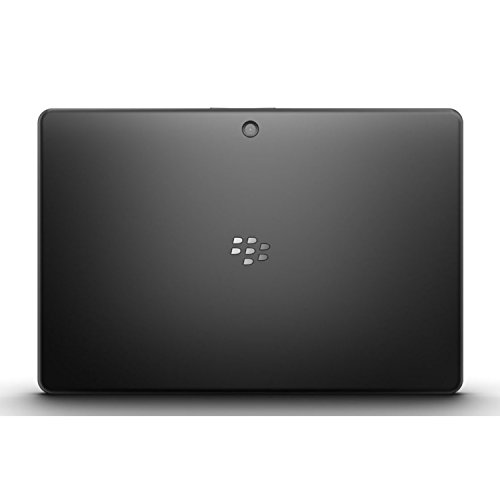
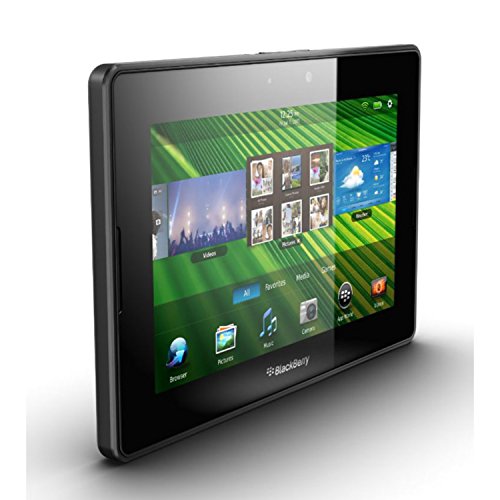
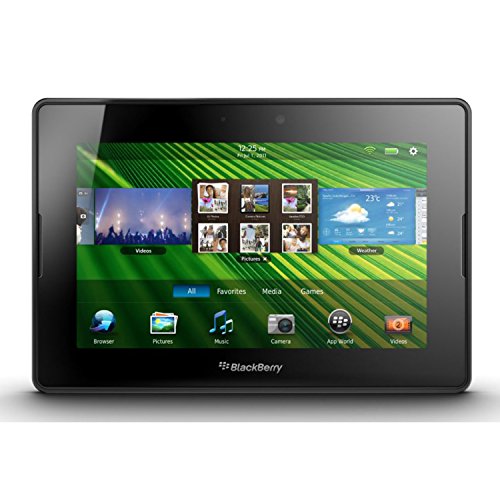
BlackBerry PlayBook 32GB 7" Multi-Touch Tablet PC with 1 GHz Dual-Core Processor, 5MP Camera and Secondary 3MP Camera, Video, GPS, Wi-Fi and Bluetooth - Black


Key features
- •BlackBerry Tablet OS, 1 GHz dual-core processor
- •32 GB for storage
- •7 inch multi-touch capacitive LCD screen, 1024 x 600-pixel resolution
- •Wireless-N Wi-Fi (802.11a/b/g/n), 3 MP forward facing, 5 MP rear
- •0.9 pounds (15 ounces)
BlackBerry PlayBook 32GB 7" Multi-Touch Tablet PC with 1 GHz Dual-Core Processor, 5MP Camera and Secondary 3MP Camera, Video, GPS, Wi-Fi and Bluetooth - Black
List Price: $262.99$236.69DEALYou Save: $26.30 (10%)
Free shippingFree Returns – 30 daysFree Order CancellationSecure Payment2–3 Days DeliveryGet It October 25, 2026In Stock (1)No marketing spamNo account requiredFulfilment by FedEx / Amazon / UPS / ShipwirePayPal / Card Buyer Protection
Customer Reviews
Reviews sourced from verified Amazon purchasers3.6
out of 5
Based on 10 reviews
5★
60%
4★
40%
3★
0%
2★
0%
1★
0%
Playbook didn't work at first. Now works Great
Amazon customer✓ Verified Purchase•May 28, 2015
My playbook didn't work when I got it. It showed a red light followed by four or so blinking yellow lights. It wouldn't charge no matter how long I tried. After being really angry for an hour or so, I finally found the answer on you tube. Take your tablet and hook it up to a computer. Go to blackberry.com/software and download the blackberry desktop software on to your computer. Do not unplug your tablet. The desktop software will search for an update. This is software that make the hardware work. It will take about an hour to install. After install it will tell you to unplug your tablet and charge it, mine was dead. After the battery reaches 20 percent, takes forever, take it back to your computer and finish the process. Mine works GREAT now. Some blackberrys arrive fine, some arrive like mine. I replaced my playbook because my older one was breaking. The main port that the cell phone like charger goes into broke and I thought I would have to throw it away but there's another port to the right that is magnetic so I bought the blackberry playbook rapid travel charger off Amazon and I love it. I can't believe how fast it charges. I don't even use the other charger for my new one. Hope this helps.
Good value 2nd tablet
kiwi girl✓ Verified Purchase•March 23, 2014
I'm in my early 50s. We've got Apple galore at our household with the two teens and me and my husband. I decided to get the Playbook as I read on a travel blog from a streetwise couple that used theirs to go travelling (the barefoot nomads.com if anyone's interested). I am planning to use it as a secondary tablet. So I looked into it and found a lot of negative review but also quite a few fans. Then I saw it was only $116 on Amazon for a 16gb wifi, new one.
I use my iPad 95% of the time for checking email on the go and surfing the web. I rarely use it for apps - that's my age :-(. Anyway I figure learning to use the Playbook will be my new skill learnt for the year... I've found so far, a very nice quality tablet, good screen, has a flash player for videos when travelling that iPad can't do, can run gmail, battery seems to run for longer than the iPad, quite intuitive and the crackberry website has a lot of tips and info. Anyway all good so far. Another good thing is that there seems to be a lot of discounted accessories on Amazon. Even if it only lasts a couple of years it will have been quite good value.
I use my iPad 95% of the time for checking email on the go and surfing the web. I rarely use it for apps - that's my age :-(. Anyway I figure learning to use the Playbook will be my new skill learnt for the year... I've found so far, a very nice quality tablet, good screen, has a flash player for videos when travelling that iPad can't do, can run gmail, battery seems to run for longer than the iPad, quite intuitive and the crackberry website has a lot of tips and info. Anyway all good so far. Another good thing is that there seems to be a lot of discounted accessories on Amazon. Even if it only lasts a couple of years it will have been quite good value.
Almost a lapttop substitute and an excellent tool for grad school
Amazon Customer✓ Verified Purchase•September 20, 2013
I purchased my Playbook 64 GB version on Amazon.com about seven months ago and have basically been very impressed with it as a tool for doing online grad school course work. With no real muss or fuss, my Playbook lets me get into the FULL version of my grad school's course room in order to paste my course posts into the course room from the Docs to Go word processor it comes with. Additionally, the version of Acrobat Reader is first rate: PDF files for class open quite nicely and can easily be re-sized by making an expanding motion with two fingers so as to view peer-reviewed journal articles for class.
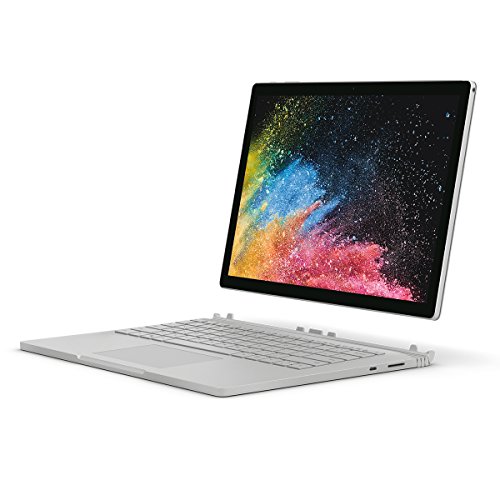
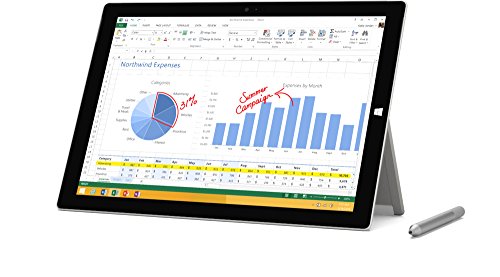
The front- and rear-facing cameras take some decent quality photos, where you can zoom in before snapping your pic. While not Single Lens Reflex (SLR) quality, the pics you take are not terribly grainy. All in all, this is a nice feature that competes nicely with a much pricier Microsoft Surface tablet, for instance.
The Playbook's digital voice recorder is first-rate. I've made a couple of digital voice recordings off an audio cassette player/recorder connected to some good-quality Logitech speakers and was very favourably impressed by the (apparently) stereo microphone's sensitivity - and, subsequently, the unit's playback via its own built-in stereo speakers (which do give my Kindle Fire's speakers a run for their money in terms of quality of sound output).
The BlackBerry World shop is an excellent ecosystem that impresses me as being comparably secure to Amazon's for their Kindle Fire/HD lines of products. You can find additional apps covering anything from medicine to computer games, to general reference texts and apps to enhance the Playbook's functionality. (Since I'm not a gamer, I make no comment on the games available for the Playbook.)
The Playbook has Bluetooth connectivity, which means you can connect devices such as a Bluetooth keyboard and mouse (something which I've been known to do on occasion), in effect making it *almost* a laptop, just in a deconstructed form. If you live somewhere where people can relate to desktop and laptop computers, you'll see some heads turn in a coffee shop when you set up a Playbook to work almost like a laptop, in part because of its cool, sleek design.
My Playbook is ruggedly built and has a very sensitive capacitive touch screen. If you want something that will last you, look at a Playbook and you will not be disappointed.
The only really substantive issue I've had with my Playbook is the fact that the versions of Docs to Go and Acrobat Reader use a search engine that works fine for finding recently created and/or viewed files, but for my grad school uses I have to create folders in order to keep both my course work and course materials organised. The best solution I've found is an app that I recall being called File Folders in BlackBerry World for a bit over US $3.00 (tax included) that basically works like My Computer in Windows XP, for instance. With it, files that I email myself and end up on the Playbook's Temp folder (after downloading them) that's buried within the tablet's apparently Android-based operating system (OS). This app allows me to move such files over into the proper folder for grad school.
What's rather quirky about the Playbook is the fact that I've had a deuce of a time getting the BlackBerry Desktop and self-install from the Playbook software to work on my netbook's 64-bit version of Windows 8. However, for my old Mac laptop with a Power PC chip running OS 10.5, the Playbook's self-install software worked like a charm, so copying and pasting files for grad school is no big deal all the same.
Bottom line: If the only real quirk about using my Playbook is the last item mentioned above, I can say it's a pretty good unit indeed.
The front- and rear-facing cameras take some decent quality photos, where you can zoom in before snapping your pic. While not Single Lens Reflex (SLR) quality, the pics you take are not terribly grainy. All in all, this is a nice feature that competes nicely with a much pricier Microsoft Surface tablet, for instance.
The Playbook's digital voice recorder is first-rate. I've made a couple of digital voice recordings off an audio cassette player/recorder connected to some good-quality Logitech speakers and was very favourably impressed by the (apparently) stereo microphone's sensitivity - and, subsequently, the unit's playback via its own built-in stereo speakers (which do give my Kindle Fire's speakers a run for their money in terms of quality of sound output).
The BlackBerry World shop is an excellent ecosystem that impresses me as being comparably secure to Amazon's for their Kindle Fire/HD lines of products. You can find additional apps covering anything from medicine to computer games, to general reference texts and apps to enhance the Playbook's functionality. (Since I'm not a gamer, I make no comment on the games available for the Playbook.)
The Playbook has Bluetooth connectivity, which means you can connect devices such as a Bluetooth keyboard and mouse (something which I've been known to do on occasion), in effect making it *almost* a laptop, just in a deconstructed form. If you live somewhere where people can relate to desktop and laptop computers, you'll see some heads turn in a coffee shop when you set up a Playbook to work almost like a laptop, in part because of its cool, sleek design.
My Playbook is ruggedly built and has a very sensitive capacitive touch screen. If you want something that will last you, look at a Playbook and you will not be disappointed.
The only really substantive issue I've had with my Playbook is the fact that the versions of Docs to Go and Acrobat Reader use a search engine that works fine for finding recently created and/or viewed files, but for my grad school uses I have to create folders in order to keep both my course work and course materials organised. The best solution I've found is an app that I recall being called File Folders in BlackBerry World for a bit over US $3.00 (tax included) that basically works like My Computer in Windows XP, for instance. With it, files that I email myself and end up on the Playbook's Temp folder (after downloading them) that's buried within the tablet's apparently Android-based operating system (OS). This app allows me to move such files over into the proper folder for grad school.
What's rather quirky about the Playbook is the fact that I've had a deuce of a time getting the BlackBerry Desktop and self-install from the Playbook software to work on my netbook's 64-bit version of Windows 8. However, for my old Mac laptop with a Power PC chip running OS 10.5, the Playbook's self-install software worked like a charm, so copying and pasting files for grad school is no big deal all the same.
Bottom line: If the only real quirk about using my Playbook is the last item mentioned above, I can say it's a pretty good unit indeed.
Love it
Lakes2494✓ Verified Purchase•October 25, 2012
For the price, the playbook can't be beat. It records HD video too and the quality is surprisingly superb. We have an HD Camcorder and the playbook recorded just as we'll. in terms of use, it does everything we want it to do. The speakers are loud, much louder than the IPAD, which we also own. The apps are abundant despite what yu hear. You can get many android apps loaded free such as flicker, maps, adobe, tons of games, through several free websites. The screen quality is solid and the form factor makes typing much easier than my Ipad3. , I actually enjoy typing on it as opposed to my IPAD. Flash also plays and loads on websites great. In terms of speed, the IPAD3 Loads web pages slightly faster but the playbook is no slouch either. Wen considering the price of the playbook is 4x cheaper than an Ipad, I'd choose a playbook every time. I actually find myself using the playbook more than the Ipad as it's more comfortable to use due to the smaller form factor and easier typing. 10" tablets are too cumbersome when compared to the 7" version,
Great suprise
Amazon Customer✓ Verified Purchase•September 27, 2012
Well to tell you the truth I hesitated when purchased this tablet. I had either owned or borrowed many many tablets, so checking this one was a matter of professional curiosity. I did not expect much, but the price was right, so I gave it a try. I always like when what you get exceeds your expectations. Before that I thought that WebOS is so much more ahead of competition in terms of UI, after I played with Playbook I think they are par with each other. What makes the UI amazing is the sensitive areas which go beyond the display. The bottom one used to switch between the open apps like in WebOS, and you can swype the app card away almost like in WebOS. Another unique element is if you swype from the top you get to the app menu, really cool! You can switch between the open apps if you swype from left or right bezel inwards. Speed of UI is great! Another great advantage you can install Android apps either through appetite or sideload them. Not the greatest choice here and they run in the same card, but it's better than nothing. I've managed to put every app I need including Adobe Photoshop Express and Amazon Kindle. The only problem I have encountered was installing Skype, it starts but does not work.
One thing missing compared to galaxy is the absence of the microSD card slot, but I've managed to bypass it with Eye-fi sd card in my camera and it works seamlessly.
At the moment it's the best tablet I own and owned, better than nooks, kindle fire, galaxy tabs, touchpads and ipads. I still find galaxy tab the best hardware design wise, but it seems like UI and great screen make the difference for me.
PS looking forward to the BlackBerry new smartphone. It's sad that the best products are not always commercially successful as well
One thing missing compared to galaxy is the absence of the microSD card slot, but I've managed to bypass it with Eye-fi sd card in my camera and it works seamlessly.
At the moment it's the best tablet I own and owned, better than nooks, kindle fire, galaxy tabs, touchpads and ipads. I still find galaxy tab the best hardware design wise, but it seems like UI and great screen make the difference for me.
PS looking forward to the BlackBerry new smartphone. It's sad that the best products are not always commercially successful as well
Page 1 of 2