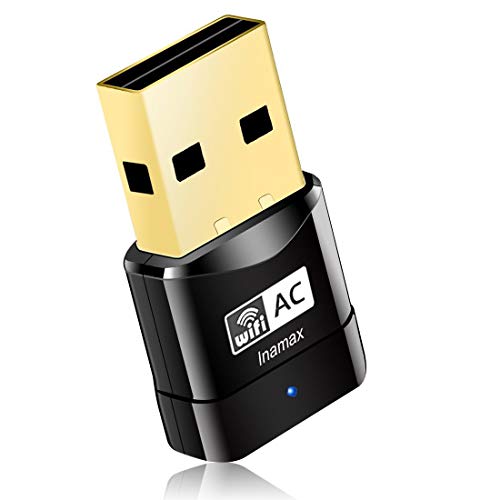
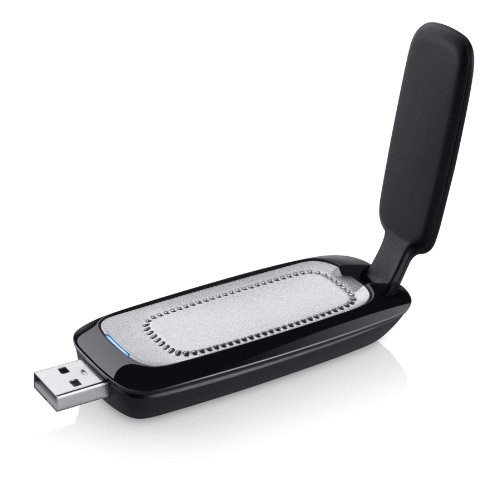
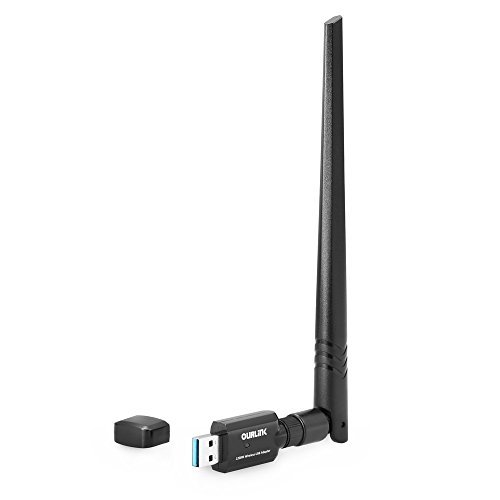
C. Crane Super USB WiFi Antenna 3 - Long Range WiFi Booster for a Windows PC - Longer Range Than The Average WiFi Extender - 2.4 GHz
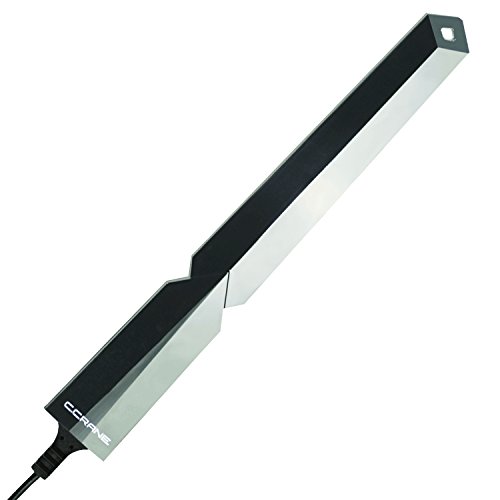


Key features
- •The Long Range Super USB WiFi Antenna 3 can be the best WiFi solution for home, mobile, RV, student and travel
- •The C. Crane Super USB 3 plugs into your PC computer's USB port for a powerful WiFi Internet reception. On average you can get 300 to 400 feet through several walls. The antenna and 15' cable can be mounted up high, in a window with included suction cups or outside for a better connection to a host router or Free Hotspot
- •The Super USB 3 is best suited in a less WiFi crowded area as might be found in the country for a guest house, barn, end of a road or large home. The Super USB-3 uses 2.4 GHz which is longer range than other bands. (In a WIFI crowded "city" type area 5 GHz is usually a better choice because it has more channels).
- •802.11 B, G, and N. Up to 150 Mbps. WEP, WPA, WPA2, WPS encryption compatible. Compatible with Microsoft Windows XP to Windows 10. CD included for driver installation or can be downloaded from C. Crane's site.
- •Installation is usually straight forward but if you have a question or a problem please call C. Crane US based tech support. You will need to know your WiFi password for installation.
C. Crane Super USB WiFi Antenna 3 - Long Range WiFi Booster for a Windows PC - Longer Range Than The Average WiFi Extender - 2.4 GHz
List Price: $105.91$95.32DEALYou Save: $10.59 (10%)
Free shippingFree Returns – 30 daysFree Order CancellationSecure Payment2–3 Days DeliveryGet It October 24, 2026In Stock (2)No marketing spamNo account requiredFulfilment by FedEx / Amazon / UPS / ShipwirePayPal / Card Buyer Protection
Customer Reviews
Reviews sourced from verified Amazon purchasers3.8
out of 5
Based on 10 reviews
5★
50%
4★
0%
3★
40%
2★
10%
1★
0%
Burned out after two months of use
El Centro•January 3, 2016
As shipped, it comes with a two-plug USB cable that provides supplementary power to the antenna. I installed as directed and plugged both leads into my laptop, at which point the laptop failed to recognize the antenna. I attempted connections with just the data lead plugged in to no avail. I also attempted connections to the USB 3.0 socket with similar negative results. Subsequent communication with C. Crane determined that the cable itself was faulty, and I replaced it with a different cable. The antenna then worked as advertised, until this past week when it started to sporadically disconnect from the computer. By this, I mean that the cable stayed plugged in but the computer "forgot" that the antenna was connected. Now, when I plug the antenna into any socket, I get "The USB device has malfunctioned" error messages. I'll see that the antenna has connected for a split second and then it will fail. I've checked the integrity of the cable (no cat teeth marks in it) by hooking it up to my DSLR and leaving it on for hours on end, and I've witnessed no data loss or dropped connections. So if it's not the cable, the USB ports or the laptop, the source of the problem must be the antenna.
Look, it works great for two months, but it will burn out and you're left with nothing more than a very poor paperweight.
Look, it works great for two months, but it will burn out and you're left with nothing more than a very poor paperweight.
Worked then failed....you need the repeater
Matt•April 8, 2015
Installed it exactly as recommended / specified. I had the antenna about 5' above my roof attached to a galvanized metal pole. At first I saw like 7 more networks (a separate list from my laptops built in wifi adaptor's list) and had a few with 5 bars whereas before all I could get was about 2 bars max. I saw KOA campgrounds wifi about .75 mile away with 4 bars even so it was awesome. But I walked away and came back to the laptop and then no more networks were showing. The separate network list from the antenna was gone. Since then I have called C Crane and tried restarting the laptop multiple times, unplugged and plugged back in, plugged both USB cords in, reinstalled the software, checked the red and blue light on the antenna, tried installing the RaLink utility, so on and so forth and I cannot get any networks beyond what my built in adaptor can get. Needless to say I am very mad and very disappointment and am returning this. .......UPDATE - purchased C Crane's repeater so that I don[t have to plug in to get the antenna's signal. So far working great, great reception. So if you want to get this antenna, I strongly suggest you get the repeater as well (only via C Cranes website right now) otherwise you might end up angry like I was.
The Real Deal
R Smith•January 3, 2015
I bought this as a gift for my son to use in his RV and its incredible. We used it on his laptop while in my condo and we connected to a hotspot over 1/2 miles from the condo. Our Speedtest results were over 10MB/s, which was consistent with our results when located in the same building the hotspot. Connection was solid. I'm going to buy another one for myself!
Mixed feelings
Robert Clark•January 3, 2015
I have mixed feelings about this WiFi antenna. I purchased this last year to replace an alpha antenna that I had been using for years.I had been using this antenna for three month's before it decided to die on me. I contacted C Crane and sent that in for an exchange for a new one,in which the company took care of me.now here's where it gets interesting.the antenna does help you connect to network that are far away but they won't connect to network that are like right down the street from me.there is a Dairy Queen with free WiFi and a hair salon with free WiFi and I cannot connect to their network with the C crane. It barely picks them up.I don't understand that but when I hook up the alpha antenna I get an 80 percent signal with that, when I hook up the C crane only get about 20 percent but it does pick up networks that aren't even around me. I'm not saying this is a bad antenna it just didn't work for me it might work for you though.it could be that on my street my house is the lowest spot on my road that could be the problem and I haven't tried mounting it to my roof. it's just sitting in the box collecting dust.
Doesn't work with MacOs Version 10
Doug and Irene•November 26, 2014
When I bought it, I searched everywhere and never saw information stating that it didn't work with MacOs 10 versions. It doesn't. I think that information is available now. Everyone who I know who has a computer that it works with raves about it- range seems to be increased quite extensively on this device
Page 1 of 2