Ubiquiti PowerBeam M2 Wireless Bridge (PBE-M2-400)


Key features
- •Integrated radio design
- •Plug-and-Play installation
- •Incredible antenna "Beam" performance
- •Advanced software technology
Ubiquiti PowerBeam M2 Wireless Bridge (PBE-M2-400)
List Price: $158.52$142.67DEALYou Save: $15.85 (10%)
Free shippingFree Returns – 30 daysFree Order CancellationSecure Payment2–3 Days DeliveryGet It October 25, 2026In Stock (3)No marketing spamNo account requiredFulfilment by FedEx / Amazon / UPS / ShipwirePayPal / Card Buyer Protection
Customer Reviews
Reviews sourced from verified Amazon purchasers4.8
out of 5
Based on 7 reviews
5★
86%
4★
14%
3★
0%
2★
0%
1★
0%
Easy operation and setup.
T. Davenport•June 30, 2018
High power. My 3rd Ubiqiti device. Always impressed with the quality.
This thing really works.
Scott•January 9, 2018
This is an amazing device. I used a tp-link cpe210 and a cpe710 with a yagi antenna. They both barely worked. This works no problem.
Using it to connect to a ubiquity hotspot on my back porch from about 0.2 miles away. The noise floor is 89db, so it is a pretty difficult task to make work. There are about 30 other hotspots in the area, and about 1/3 are on the same channel.
The narrow beam on this lowered the noise floor by 2db, and had 6db more signal, so I can get 15db snr. Sometimes a little less.
Put the wireless settings to station, and surveyed the surrounding hotspots. Locked it to my hotspot. I then clicked on network and changed the mode from bridge to router. Be sure to enable NAT on the network page. It is not on by default. I connected a switch, and then connected my cameras. Bingo, they were on my network. Very nice device.
Looks well made, we'll see how it handles the Florida weather. Looks like it will be ok.
Using it to connect to a ubiquity hotspot on my back porch from about 0.2 miles away. The noise floor is 89db, so it is a pretty difficult task to make work. There are about 30 other hotspots in the area, and about 1/3 are on the same channel.
The narrow beam on this lowered the noise floor by 2db, and had 6db more signal, so I can get 15db snr. Sometimes a little less.
Put the wireless settings to station, and surveyed the surrounding hotspots. Locked it to my hotspot. I then clicked on network and changed the mode from bridge to router. Be sure to enable NAT on the network page. It is not on by default. I connected a switch, and then connected my cameras. Bingo, they were on my network. Very nice device.
Looks well made, we'll see how it handles the Florida weather. Looks like it will be ok.
All the speed with reliability at great price.
J. Stump•September 19, 2016
Get great speeds, much better than the Nanostation M2. Speeds stay much steadier.
Nice units. I have 3 in service and they ...
Mike•August 4, 2016
Nice units. I have 3 in service and they have fantastic range. (several miles no problem)
These wireless bridges work fine. However
Dave Baertschy•August 2, 2016
These wireless bridges work fine. However, I have had two fail and it is expensive to ship the whole thing back for a replacement and I have not found a way to get just the transmitter/receiver repaired.
Page 1 of 2
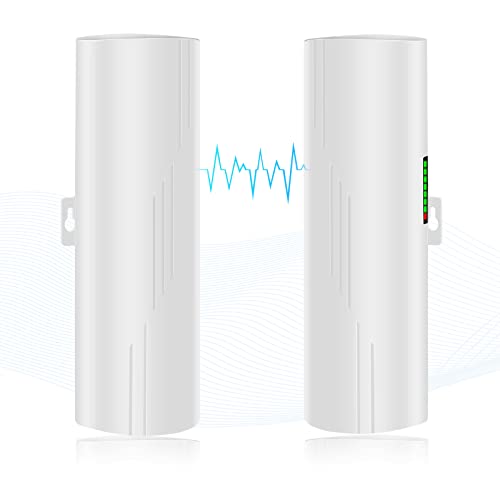
![Wireless Bridge, KuWFi 2.4G Outdoor CPE Point to Point Long Range Access Nano Station with 12dBi Panel Antenna, Support 24V POE[2-Pack, Pre-Pairing]](https://m.media-amazon.com/images/I/31iv+aADLxL._SL500_.jpg)


![[New Upgraded] VIEWISE Outdoor Wireless WiFi Bridge, Point to Point or Point to Multi-Point, EZ Setup via Dip Switches, 5GHz, 900Mbps 48V PoE (5GHz / 900Mbps)](https://m.media-amazon.com/images/I/21WXzzy6KfL._SL500_.jpg)
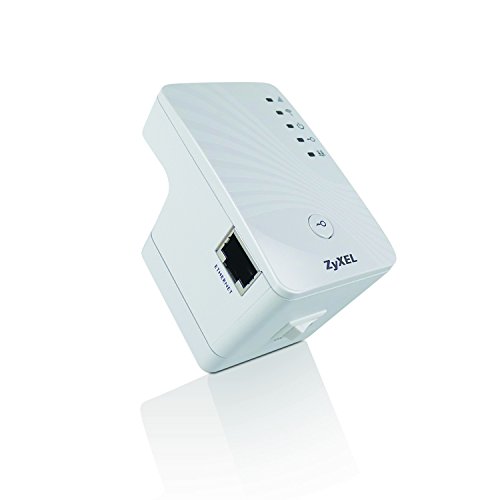
![ZyXEL Wireless Access Point with AP / Universal Repeater / Client Mode [WAP3205V2]](https://m.media-amazon.com/images/I/41bQQjwODqL._SL500_.jpg)