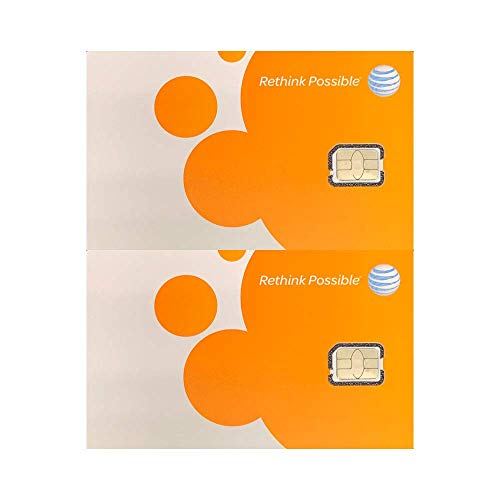
Cricket GSM Sim Card for Cricket Wireless SmartPhones - Carrier Packaging - Older Model


Key features
- •Enjoy unlimited talk, text, and data access with no annual contracts and monthly taxes & fees included
- •Keep your current phone number or get a new one
- •Kit includes 3-in-1 SIM Card used to activate your phone on Cricket Wireless nationwide 4G LTE network
- •Replacing your SIM card is easy, and the SIM Card kit comes with step-by-step instructions on how to replace your old card with ours
- •To activate your phone, simply visit cricketwireless.com/join. Not sure if your phone is compatible? Visit cricketwireless.com/check
BrandCricket
CategorySIM Cards
ColorGreen
WarrantyImportance notice from cricket wireless:Â 4g and 4g lte coverage not available everywhere; requires compatible devices. phone must be gsm-compatible and unlocked to activate sim card. the purchase, activation, or use of this cricket wireless sim card is s
Cricket GSM Sim Card for Cricket Wireless SmartPhones - Carrier Packaging - Older Model
List Price: $13.56$12.20DEALYou Save: $1.36 (10%)
Free shippingFree Returns – 30 daysFree Order CancellationSecure Payment2–3 Days DeliveryGet It October 25, 2026In Stock (1)No marketing spamNo account requiredFulfilment by FedEx / Amazon / UPS / ShipwirePayPal / Card Buyer Protection
Customer Reviews
Reviews sourced from verified Amazon purchasers4.2
out of 5
Based on 20 reviews
5★
85%
4★
15%
3★
0%
2★
0%
1★
0%
Why are you still paying for the big names? Switch and Save BIG!
MF•August 16, 2017
SIM card for all sizes of most any phone these days to get onto the Cricket network. Popped it in, activated it, and was good to go.
At the time I dropped AT&T they still levied the $150 early termination fee. I told them to go pound sand and have still yet to pay it to this day. Go figure as I'm still on their "network" too! It will sit there until I ever decide to go back there again, then I'm sure I'll have to pay up.
At the time I joined, Cricket was $100 less than AT&T, so the savings were immediate. Today it may be a bit more comparable in plans and pricing, but Cricket is an excellent provider IMO and I've never had a serious issue with them. The cost per month is SO much worth it.
PS - Want in? Use my code MATTF-0CB662 for a $25 credit.
At the time I dropped AT&T they still levied the $150 early termination fee. I told them to go pound sand and have still yet to pay it to this day. Go figure as I'm still on their "network" too! It will sit there until I ever decide to go back there again, then I'm sure I'll have to pay up.
At the time I joined, Cricket was $100 less than AT&T, so the savings were immediate. Today it may be a bit more comparable in plans and pricing, but Cricket is an excellent provider IMO and I've never had a serious issue with them. The cost per month is SO much worth it.
PS - Want in? Use my code MATTF-0CB662 for a $25 credit.
You can use this a sim card replacement.
Jenn C.•May 17, 2017
You can use this a sim card replacement. I bought a used phone that required a different sim card. I logged into my existing account and clicked on chat. I told them I was replacing an existing sim card, they asked for my phone number and pin number. He double checked the phone number and asked me for the ICCID number of the sim card which is at the bottom of the card the sim card was attached to. After a couple of minutes he asked me to put the sim card in and poof it worked.
Switched from AT&T to Cricket
Carlos•May 1, 2017
I decided I was going to switch to Cricket Wireless after a number of years with at&t and being with them for a long time wasn't always the best. Service apparently was never good in my area until they added a tower, but recently it's been decent. Now why did I switch over to Cricket? Well I found out that a friend has Cricket wireless and I decided to do some research. Found out that for the same price of $30 I was able to get 1GB of data with Cricket, and also when I was all setup I found out that I could have voicemail, which was a plus as I did not have voicemail with at&t. Another little thing I found different is that Cricket is not adding taxes to their service as at&t started doing and it was rather disappointing. One other little detail is that, it was kind of a pain porting my number to Cricket because I needed an account number which I did not have readily available, but the call to at&t was rather worth it. On last thing, I am currently getting between 1 or 2 bars on Cricket continuously, and previously at&t would cut off. So yeah, I'm glad I switched over.
WHY PAY MORE IF YOU CAN PAY LESS ?!?!?!?!?
Joseph Y.•March 27, 2017
I have been using cricket wireless for over 2 years. I experienced no issue at all, except one time that they shut down the tower for maintainance for few hours :( But their customer support was exceptional as they gave us credit for the down time!
Activation is SUPER SIMPLE!
First, you'll need to verify your ICCID and IMEI numbers
Your ICCID number is printed on the larger card (shaped like a credit card) that came with your SIM card. It can be up to 22 numbers long.
If you bought a device at a non-Cricket retailer, you can find your 15-digit IMEI number on the back of your phone (under the battery). You can also find this number on your box.
OR
If you're bringing your own device, you can get your 15-digit IMEI number by dialing *#06# on your phone.
Enter both numbers and select Continue.
Tell us what kind of customer you are
If you're an existing customer, you'll need to decide if you're adding a new line to your account or changing the device on an existing one. You can sign in to your account at this point.
Choose your plan and features
Pick a rate plan and any optional add-on features; then select Continue.
Choose your phone number
Choose Get a Cricket Number or Transfer Your Number (you'll complete the transfer later).
Review your cart
Review your shopping cart and select Check Out.
Create a Cricket account or verify your existing account
Enter your contact info, register for My Account, and create an account PIN and security questions (or confirm your existing account if you're already a customer).
Enter your payment info
Enter your billing and shipping address.
Select Credit Card or Cricket Refill Card. You can also make a split payment using one or more Refill Cards or a credit card.
If you're paying with a credit card, enter your credit card info, agree to the terms and conditions, and select Confirm.
If you're paying with a Cricket Refill Card, enter the Refill Card number and select Validate. If you want to add another Refill Card, you can. Then select Confirm.
You can always add another Refill Card or a credit card by selecting Add or Edit.
Review your info and select Continue.
Transfer your current wireless number (optional)
Gather your current wirleess account information such as account number, account PIN or password, and the last four digits of the account holder's Social Security Number. Look on a recent bill or call you current wireless carrier if you need help.
Use the exact info that appears on your bill to avoid potential problems.
All fields may not be required to verify your number transfer, but fill out as many as you can.
The number transfer process will not begin until you activate your service.
Don't cancel your old wireless service (it will cancel automatically once the transfer is complete).
Complete your order and activate
Review your info and make any changes.
Select Place Order to finish.
Print or save the confirmation number for your records (we'll also email you the details).
Make sure you select Activate from the receipt page. Please insert your SIM card first before you activate. See instructions below.
If we experience a delay in confirming your number transfer, you'll have to wait to activate. We'll email you as soon as we confirm the transfer with a link to activate your service.
Choose your SIM card size (if you brought your own device):
To determine your SIM card size, remove your phone's back cover and battery. If you can't find the SIM card there, your phone may use a slide-out tray on the top or the side to hold the SIM card. You'll need the SIM tray tool (or a small paper clip) to open it.
Find the universal SIM card kit and identify your SIM card size.
Activation is SUPER SIMPLE!
First, you'll need to verify your ICCID and IMEI numbers
Your ICCID number is printed on the larger card (shaped like a credit card) that came with your SIM card. It can be up to 22 numbers long.
If you bought a device at a non-Cricket retailer, you can find your 15-digit IMEI number on the back of your phone (under the battery). You can also find this number on your box.
OR
If you're bringing your own device, you can get your 15-digit IMEI number by dialing *#06# on your phone.
Enter both numbers and select Continue.
Tell us what kind of customer you are
If you're an existing customer, you'll need to decide if you're adding a new line to your account or changing the device on an existing one. You can sign in to your account at this point.
Choose your plan and features
Pick a rate plan and any optional add-on features; then select Continue.
Choose your phone number
Choose Get a Cricket Number or Transfer Your Number (you'll complete the transfer later).
Review your cart
Review your shopping cart and select Check Out.
Create a Cricket account or verify your existing account
Enter your contact info, register for My Account, and create an account PIN and security questions (or confirm your existing account if you're already a customer).
Enter your payment info
Enter your billing and shipping address.
Select Credit Card or Cricket Refill Card. You can also make a split payment using one or more Refill Cards or a credit card.
If you're paying with a credit card, enter your credit card info, agree to the terms and conditions, and select Confirm.
If you're paying with a Cricket Refill Card, enter the Refill Card number and select Validate. If you want to add another Refill Card, you can. Then select Confirm.
You can always add another Refill Card or a credit card by selecting Add or Edit.
Review your info and select Continue.
Transfer your current wireless number (optional)
Gather your current wirleess account information such as account number, account PIN or password, and the last four digits of the account holder's Social Security Number. Look on a recent bill or call you current wireless carrier if you need help.
Use the exact info that appears on your bill to avoid potential problems.
All fields may not be required to verify your number transfer, but fill out as many as you can.
The number transfer process will not begin until you activate your service.
Don't cancel your old wireless service (it will cancel automatically once the transfer is complete).
Complete your order and activate
Review your info and make any changes.
Select Place Order to finish.
Print or save the confirmation number for your records (we'll also email you the details).
Make sure you select Activate from the receipt page. Please insert your SIM card first before you activate. See instructions below.
If we experience a delay in confirming your number transfer, you'll have to wait to activate. We'll email you as soon as we confirm the transfer with a link to activate your service.
Choose your SIM card size (if you brought your own device):
To determine your SIM card size, remove your phone's back cover and battery. If you can't find the SIM card there, your phone may use a slide-out tray on the top or the side to hold the SIM card. You'll need the SIM tray tool (or a small paper clip) to open it.
Find the universal SIM card kit and identify your SIM card size.
Not Straightforward And Easy - But Finally Got it Working
Judy•January 18, 2017
I bought this card because I purchased a new, unlocked cell phone and the card I had in my old Cricket phone would not fit. I was able to transfer my phone number myself online. The only problem was that I had to open the back of the phone and find the slot for the new card and then punch out the actual card from the plastic. There are three possible sizes, and you have to guess which one will fit in your particular phone. I actually first punched out the biggest size, and then saw that was too big and punched out the next one, which actually fit. Then you have to enter the ICCID number (21 digits) that is on the Cricket card and the IMEI number (15 digits) that is on a sticker in the guts of the phone into the online Cricket website. Of course I made typos the first couple of times, but I finally got it right, and the phone started to work. I noticed the next day, however that the 4G data was not working, and I had to go back onto the Cricket website and do a chat session with their support person to get that turned on. He tried to talk me through setting that up, but my phone did not have the settings he was describint to me, and finally he had to do something on his end to get it going. Their website should have described what to do and how to do it.
Page 1 of 4