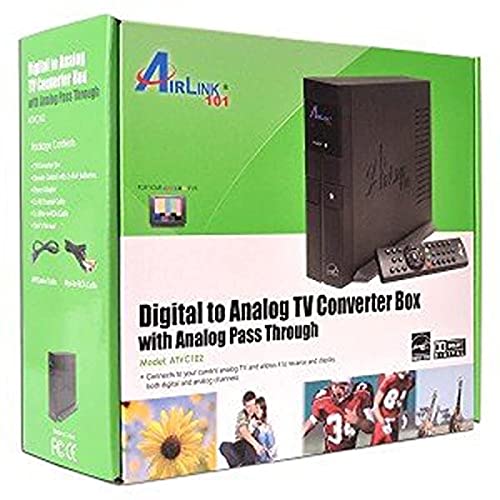
Mediasonic ATSC Digital Converter Box with Recording / Media Player / TV Tuner Function (HW130STB)


Key features
- •Receive Over-The-Air Digital Broadcast to your Analog and Digital TV, Projector, and Computer Monitor. Antenna Out Analog Pass Through, Favorite Channel List, Parental Control Function
- •HDMI 1080P Output / Composite Out / Coaxial Output, Closed Caption, Auto Tuning
- •Real-Time Recording & Programmed Time Recording, Timing Start Up & Shut Down.
- •Recording require user to connect a USB 2.0 or 3.0 2.5" / 3.5" External Hard Drive via USB (Up to 2TB, MBR format) (USB Flash Drive Not recommended)
- •**PLEASE NOTE**:This converter box is designed to receive Over-The-Air signal, and it is not a replacement of cable box. External Antenna is required to connect to this converter box in order to receive signal. This product does NOT Work with TIVO and cable company such as Comcast, DirecTV, DISH Network, Time Warner Cable, etc. In general, this product does NOT work with encrypted cable signal
Mediasonic ATSC Digital Converter Box with Recording / Media Player / TV Tuner Function (HW130STB)
List Price: $57.60$51.84DEALYou Save: $5.76 (10%)
Free shippingFree Returns – 30 daysFree Order CancellationSecure Payment2–3 Days DeliveryGet It October 24, 2026In Stock (10)No marketing spamNo account requiredFulfilment by FedEx / Amazon / UPS / ShipwirePayPal / Card Buyer Protection
Customer Reviews
Reviews sourced from verified Amazon purchasers3.9
out of 5
Based on 10 reviews
5★
20%
4★
80%
3★
0%
2★
0%
1★
0%
A few suggestions
NostraEd✓ Verified Purchase•September 22, 2023
The time cannot be set.
On my local channel 7.2, it displays 6:26 pm and when I switch to 8.1 ot shows 10:40 am. I have not owned it long enough to determine how this will affect the program timer to record shows. Channel 7.2 does not show any information such as what TV show is currently playing. This is a choice this station has made.
A composite input would be an outstanding addition. I still own some VCR tapes to record. The upscaling quality is impressive.
The trend in making tiny remote controls is frustrating to my old hands. I have large hands and diabetic neuropathy, so it is very difficult to operate. My sight is going away as well. Trying to hold a magnifying glass, point it at the device and pressing the correct series of buttons (e.g. 39.4 on this remote 39-4) would be comical if not such a sad state of things. There isn't enough space between the buttons. Even if I were to use a pencil eraser, it does not produce the desired results. Attempting to change to a specific channel ten times and still not being able to type it in what I want is very frustrating.
It handles low signal strength very well. One channel constantly dropped audio and pixalated the video on my 2009 TV, but this device allows me to watch with a just a few intermittent issues.
My digital antenna and this device was able to pick up 122 channels. That is free OTA channels here in Las Vegas. Amazing.
The USB recording is also amazing. It is a digital recording, so what ever signal is coming through is "exactly" what is recorded. The HDMI output translates to an amazing view on my old awesome TV.
At $26 and change, it is an amazing deal. I saw that some cable companies encrypt their signal and you wouldn't be able to use this. I guess they don't want you to record your favorite shows when you are not at home and they want to rent you one of their cable boxes. Making billions of dollars charging you for cable, forcing you to watch their commercials, having the station identification interfere with your viewing pleasure, their hash tags and other distractions displayed on your screen while you are watching your show just isn't sufficient. They want you to watch it when they want you to watch it. The next step will be to eliminate the mute button so you have to listen to the commercials even when you don't want to watch them.
Don't do what they say and you will be hurt.
Do what they say and you will be hurt less.
On my local channel 7.2, it displays 6:26 pm and when I switch to 8.1 ot shows 10:40 am. I have not owned it long enough to determine how this will affect the program timer to record shows. Channel 7.2 does not show any information such as what TV show is currently playing. This is a choice this station has made.
A composite input would be an outstanding addition. I still own some VCR tapes to record. The upscaling quality is impressive.
The trend in making tiny remote controls is frustrating to my old hands. I have large hands and diabetic neuropathy, so it is very difficult to operate. My sight is going away as well. Trying to hold a magnifying glass, point it at the device and pressing the correct series of buttons (e.g. 39.4 on this remote 39-4) would be comical if not such a sad state of things. There isn't enough space between the buttons. Even if I were to use a pencil eraser, it does not produce the desired results. Attempting to change to a specific channel ten times and still not being able to type it in what I want is very frustrating.
It handles low signal strength very well. One channel constantly dropped audio and pixalated the video on my 2009 TV, but this device allows me to watch with a just a few intermittent issues.
My digital antenna and this device was able to pick up 122 channels. That is free OTA channels here in Las Vegas. Amazing.
The USB recording is also amazing. It is a digital recording, so what ever signal is coming through is "exactly" what is recorded. The HDMI output translates to an amazing view on my old awesome TV.
At $26 and change, it is an amazing deal. I saw that some cable companies encrypt their signal and you wouldn't be able to use this. I guess they don't want you to record your favorite shows when you are not at home and they want to rent you one of their cable boxes. Making billions of dollars charging you for cable, forcing you to watch their commercials, having the station identification interfere with your viewing pleasure, their hash tags and other distractions displayed on your screen while you are watching your show just isn't sufficient. They want you to watch it when they want you to watch it. The next step will be to eliminate the mute button so you have to listen to the commercials even when you don't want to watch them.
Don't do what they say and you will be hurt.
Do what they say and you will be hurt less.
Picked up VHF stations my Vizio TV tuner could not
kga✓ Verified Purchase•September 22, 2023
I have 2 antennas, a combo uhf/vhf and a separate vhf antenna. I needed the second because VHF signals in my area are weak. My Samsung and Sony TVs could pick up those stations but the Vizio could not because their tuner quality is inferior (as I've read) to the other brands. Once I wired this unit into the TV and ran the scan, all VHF stations tuned in without glitching.
It appears the signal is compressed and the picture is not as high quality as the original, uninterrupted antenna signal (the 1080 doesn't seem as crisp as before).
It appears the signal is compressed and the picture is not as high quality as the original, uninterrupted antenna signal (the 1080 doesn't seem as crisp as before).
Like the meter feature
Dan R.✓ Verified Purchase•September 7, 2023
I got this tuner because it has a real-time signal meter that indicates the signal level of the actual broadcast signals. I use it to tune and adjust outdoor TV antennas for the best signals. Not using it to watch or record TV so not real sure how those features work. But it is a great tuning tool.
Replaced old model ATSC box with Mediasonic
Stephen D McLeod✓ Verified Purchase•September 3, 2023
My new Mediasonic Homeworx replaced an older version of ATSC box that I bought directly from Shenzen on eBay several years ago. I really liked the old box until the flash memory stopped working. When new, the old box would let me create up to about nine DVR schedules. Then after about three years it went to zero. All the functions of the old box are still good, except for the DVR schedule. I am still using a second old version ATSC box where the DVR schedule capacity has gone from about 14 entries to four. I replaced the ATSC box with zero DVR schedule with a new Shenzen model. I expected it to be like the one it replaced. Instead the DVR schedule has an eleven day week and zero working flash memory to hold schedules. I am really hoping that the new Mediasonic will have better quality flash memory. Ask me in three years how the flash memory is holding up. Right now it looks very good.
I have been using old model USB 1 Western Digital disk drives for DVR storage. They worked great on the old model ATSC box and work just as well on the new Mediasonic box. I assume that the new box will support USB 2, but have not tried it. The old boxes do not support USB 2. The old model Western Digital units arrived formatted as fat32. To use them for DVR storage I had to reformat them to NTFS. I suspect the reason thumb drives do not work is that they are formatted as fat32. I bet that after reformatting to NTFS, they would work. I noticed that the Mediasonic has a disk format feature in the menu. I did not need to use this, the USB 1 Western Digital drives transferred to the new box without a hitch.
I had two boxes because I had two outdoor antenna. I've been experimenting. The first antenna has stopped working. I suspect it is because it is now pointing to the sky rather toward the horizon. I have it clamped to a plumbing vent that is now bent over after the last wind storm. I wanted two working ATSC boxes, one to watch while the other records or record different channels at the same time. I tried using the RF output on one box to the second box. That works, but there is significant signal attenuation especially when the first box in the series is working. I installed a Channel Master signal-splitter amplifier. Now both boxes get the same signal strength. I have two antenna on the roof on the same mount with a Wineguard signal combiner feeding a Channel Master antenna preamp. That feeds into the signal-splitter amplifier inside the house. All this gets me about 40-60 over the air channels depending on atmospheric conditions. The antenna mount once held a Direct TV satellite antenna.
I'm thinking of another type of antenna to try. I might replace the antenna on the bent plumbing vent with something on a tower next to the house. We will see how much ambition I have.
Some things to note. The Mediasonic menus are identical to the old ATSC box. The remote controllers have the same functions, but they are arranged very differently. With the two old model ATSC boxes, when I clicked the controller on/off button, one box would turn on and the other would turn off. That, I found, was a useful feature. I now have two separate controllers. I suspect, if I get another Mediasonic that this feature would return. I set my Mediasonic to the 24 hour clock. Please remember that it does not automatically switch between standard and day light time. I seem to get caught twice each year. The DVR scheduler assumes that a digit placed in one of the two hour slots means that a zero should be in the other. Why? The old model didn't do this. I like that the Mediasonic DVR scheduler starts with the working channel. The old model did not do this.
The old ATSC box DVR scheduler has an annoying bug. When more than two shows are scheduled to record where each starts on the same hour that the previous show ended, there is about a 20-30 second additional delay that adds up. This delay pushes the start time and end time forward by that amount. This means that after several iterations the start and stop times are out of sync with the shows being recorded. This is a real issue when recording one of those marathons where 10+ episodes are broadcast back to back. Making the stop time a minute earlier than the next start time seems to help. Except when the scheduler is turning on the unit before starting to record, then it turns off on the ending minute and back on at the starting minute. Fortunately there tends to be a lot of advertising between each iteration to absorb the slop in the time. I haven't used the Mediasonic enough yet to check this on the new model. I noticed that the Mediasonic initial boot goes a lot faster than the old ATSC boxes. Otherwise there is no difference. -- It is now official: The bug described above is present in the Mediasonic.
Here is instructions to reformat a thumb or disk drive to NTFS:
Put the following in a Windows Shortcut Target: %windir%\system32\cmd.exe
Start in: %HOMEDRIVE%%HOMEPATH%
Use the following commands in the Microsoft Command Prompt
Type "DiskPart" in the command prompt.
Type "List Disk" (make note of the disk number of the target USB drive).
Type "Select Disk X", where X is the target USB drive noted above.
Type "Clean".
Type "Create Partition Primary".
Type "format FS=NTFS".
Type "Active".
Type "Assign".
Type "list volume".
Type "Exit"
Be real careful with this. As soon as you type "clean" the target disk is wiped clean. If you want to get rid of a disk drive and hide your data, use the above procedure. I suspect a well-equipped forensic lab can still get at your data, but not easily.
The format can take a long time. A 1TB disk drive can take 8+ hours to format. Like those Western Digital disks noted above.
I have been using old model USB 1 Western Digital disk drives for DVR storage. They worked great on the old model ATSC box and work just as well on the new Mediasonic box. I assume that the new box will support USB 2, but have not tried it. The old boxes do not support USB 2. The old model Western Digital units arrived formatted as fat32. To use them for DVR storage I had to reformat them to NTFS. I suspect the reason thumb drives do not work is that they are formatted as fat32. I bet that after reformatting to NTFS, they would work. I noticed that the Mediasonic has a disk format feature in the menu. I did not need to use this, the USB 1 Western Digital drives transferred to the new box without a hitch.
I had two boxes because I had two outdoor antenna. I've been experimenting. The first antenna has stopped working. I suspect it is because it is now pointing to the sky rather toward the horizon. I have it clamped to a plumbing vent that is now bent over after the last wind storm. I wanted two working ATSC boxes, one to watch while the other records or record different channels at the same time. I tried using the RF output on one box to the second box. That works, but there is significant signal attenuation especially when the first box in the series is working. I installed a Channel Master signal-splitter amplifier. Now both boxes get the same signal strength. I have two antenna on the roof on the same mount with a Wineguard signal combiner feeding a Channel Master antenna preamp. That feeds into the signal-splitter amplifier inside the house. All this gets me about 40-60 over the air channels depending on atmospheric conditions. The antenna mount once held a Direct TV satellite antenna.
I'm thinking of another type of antenna to try. I might replace the antenna on the bent plumbing vent with something on a tower next to the house. We will see how much ambition I have.
Some things to note. The Mediasonic menus are identical to the old ATSC box. The remote controllers have the same functions, but they are arranged very differently. With the two old model ATSC boxes, when I clicked the controller on/off button, one box would turn on and the other would turn off. That, I found, was a useful feature. I now have two separate controllers. I suspect, if I get another Mediasonic that this feature would return. I set my Mediasonic to the 24 hour clock. Please remember that it does not automatically switch between standard and day light time. I seem to get caught twice each year. The DVR scheduler assumes that a digit placed in one of the two hour slots means that a zero should be in the other. Why? The old model didn't do this. I like that the Mediasonic DVR scheduler starts with the working channel. The old model did not do this.
The old ATSC box DVR scheduler has an annoying bug. When more than two shows are scheduled to record where each starts on the same hour that the previous show ended, there is about a 20-30 second additional delay that adds up. This delay pushes the start time and end time forward by that amount. This means that after several iterations the start and stop times are out of sync with the shows being recorded. This is a real issue when recording one of those marathons where 10+ episodes are broadcast back to back. Making the stop time a minute earlier than the next start time seems to help. Except when the scheduler is turning on the unit before starting to record, then it turns off on the ending minute and back on at the starting minute. Fortunately there tends to be a lot of advertising between each iteration to absorb the slop in the time. I haven't used the Mediasonic enough yet to check this on the new model. I noticed that the Mediasonic initial boot goes a lot faster than the old ATSC boxes. Otherwise there is no difference. -- It is now official: The bug described above is present in the Mediasonic.
Here is instructions to reformat a thumb or disk drive to NTFS:
Put the following in a Windows Shortcut Target: %windir%\system32\cmd.exe
Start in: %HOMEDRIVE%%HOMEPATH%
Use the following commands in the Microsoft Command Prompt
Type "DiskPart" in the command prompt.
Type "List Disk" (make note of the disk number of the target USB drive).
Type "Select Disk X", where X is the target USB drive noted above.
Type "Clean".
Type "Create Partition Primary".
Type "format FS=NTFS".
Type "Active".
Type "Assign".
Type "list volume".
Type "Exit"
Be real careful with this. As soon as you type "clean" the target disk is wiped clean. If you want to get rid of a disk drive and hide your data, use the above procedure. I suspect a well-equipped forensic lab can still get at your data, but not easily.
The format can take a long time. A 1TB disk drive can take 8+ hours to format. Like those Western Digital disks noted above.
Works as expected no complaints
Rk Magill✓ Verified Purchase•August 26, 2023
The device hooked up and worked as expected out of the box. It manages all the free over the air stations that we could gather from our wal mart antenna. My only complaint is that I can't manually manage the list. I would live to be able to sort or delete some of the stations after they are collected. Other than that it works great and has been a fantastic addition to my home entertainment system and lets me watch live tv on my projector. The HDMI connection is great and I was able to adjust the lip sync for lag. The picture is clear and the remote is functional and easy to use. I love that you can hook up an external usb and pause, record a show.
Page 1 of 2
Related products


Aluratek Digital TV Converter Box with Digital Video Recorder (ADTB01F), Black
List: $80.49$72.44DEAL