Throwing Star LAN Tap Network Packet Capture Mod 100% Original Replica Monitoring Ethernet Communication Haker Tool



Key features
- •Throwing Star LAN Tap is a small, simple device for monitoring Ethernet communications
- •Use Ethernet cables to connect the Throwing Star LAN Tap (J1 and J2) in line with a target network to be monitored.
- •Use Ethernet cables to connect one or both of the monitoring ports (J3 and J4) to ports on one or two monitoring stations. Each port monitors traffic in one direction only
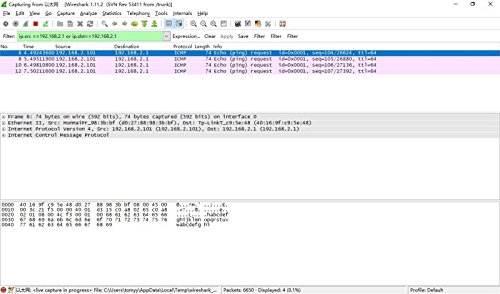
- •Use your favorite software (e.g., tcpdump or Wireshark) on the monitoring station(s) to capture network traffic
- •The Throwing Star LAN Tap is a passive Ethernet tap, requiring no power for operation. There are active methods of tapping Ethernet connections (e.g., a mirror port on a switch), but none can beat passive taps for portability. To the target network, the Throwing Star LAN Tap looks just like a section of cable, but the wires in the cable extend to the monitoring ports in addition to connecting one target port to the other
Throwing Star LAN Tap Network Packet Capture Mod 100% Original Replica Monitoring Ethernet Communication Haker Tool
List Price: $30.81$27.73DEALYou Save: $3.08 (10%)
Free shippingFree Returns – 30 daysFree Order CancellationSecure Payment2–3 Days DeliveryGet It October 27, 2026In Stock (1)No marketing spamNo account requiredFulfilment by FedEx / Amazon / UPS / ShipwirePayPal / Card Buyer Protection
Customer Reviews
Reviews sourced from verified Amazon purchasers4.0
out of 5
Based on 2 reviews
5★
50%
4★
0%
3★
50%
2★
0%
1★
0%
it's a good product. 10/100M speed
myung jae hyun•May 7, 2018
it's a good product. 10/100M speed. it's very easy to use, just plug and ready to go.
to capture out-bound packets only, lay out plan: => SWITCH =>lan tap(passive tx) => router with vpn =>
filter JPG,GIF,PDF,TXT and string words such as xterm or any words you might think important keywords
or hex code.
I like this product.
to capture out-bound packets only, lay out plan: => SWITCH =>lan tap(passive tx) => router with vpn =>
filter JPG,GIF,PDF,TXT and string words such as xterm or any words you might think important keywords
or hex code.
I like this product.
Mostly a novelty
Ben C.•March 9, 2018
I don't know what I expected for the price, but it's not really all that useful. Traffic can only be monitored in one direction (ie, can't see traffic from both directions at the same time), disconnecting from a monitor port temporarily breaks connect, etc. But I was surprised it worked at all.