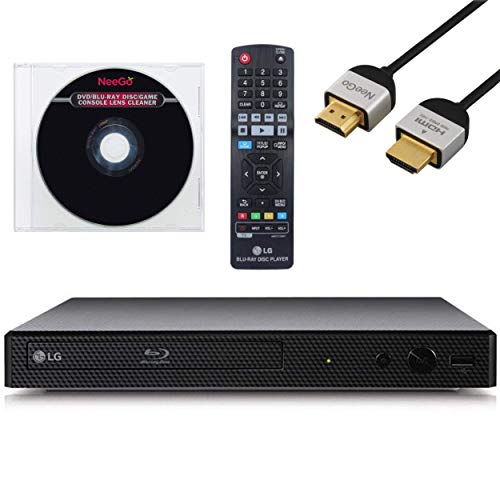
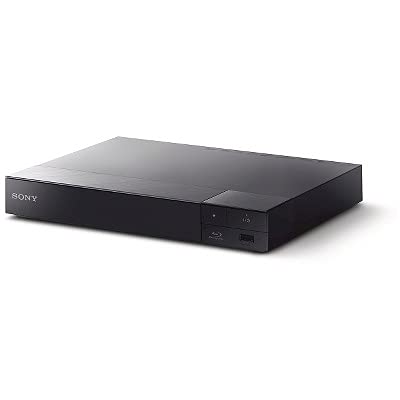
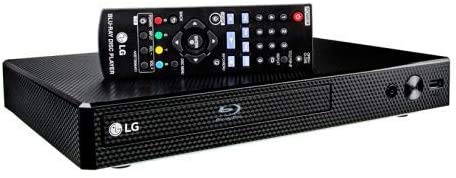
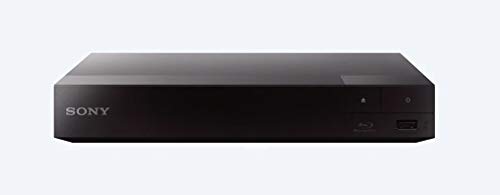
Sony UBP-X700 4K Ultra HD Home Theater Streaming Blu-Ray Player
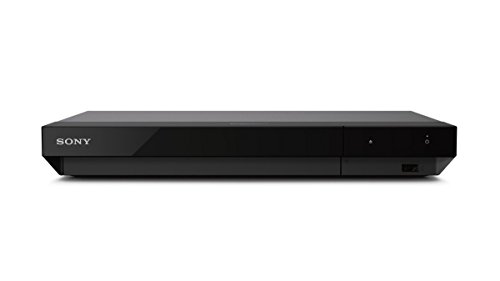
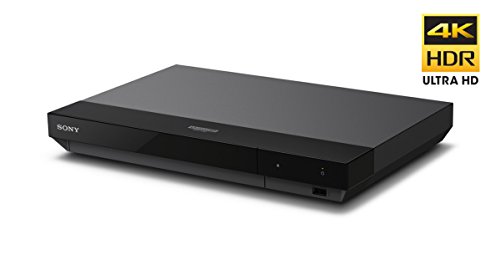


Key features
- •See the unrivalled visual clarity of 4K Ultra HD Blu-ray
- •Play almost any Disc and file format
- •Stunning picture with 4K upscaling up to 60p
- •Listen to music from multiple formats
- •Dual HDMI outputs for a/V separation and clearer sound
Sony UBP-X700 4K Ultra HD Home Theater Streaming Blu-Ray Player
List Price: $225.51$202.96DEALYou Save: $22.55 (10%)
Free shippingFree Returns – 30 daysFree Order CancellationSecure Payment2–3 Days DeliveryGet It October 24, 2026In Stock (4)No marketing spamNo account requiredFulfilment by FedEx / Amazon / UPS / ShipwirePayPal / Card Buyer Protection
Customer Reviews
Reviews sourced from verified Amazon purchasers3.9
out of 5
Based on 10 reviews
5★
80%
4★
0%
3★
10%
2★
0%
1★
10%
Bad right out of the box
Dave•April 3, 2018
It immediately began freezing up when playing 4K and Blu-ray discs - both new and old. Usually about halfway through a movie.
The interface for USB drives is colorless and clumsy.
The remote couldn't get adapted completely with my Samsung TV - like the directional cursors not working in conjunction with the Input button.
The remote is small, with tiny buttons.
Back to Samsung - no more Sony.......
The interface for USB drives is colorless and clumsy.
The remote couldn't get adapted completely with my Samsung TV - like the directional cursors not working in conjunction with the Input button.
The remote is small, with tiny buttons.
Back to Samsung - no more Sony.......
Next Leap Forward from Previous BD Players
The Modernist Medium✓ Verified Purchase•March 31, 2018
Got this to upgrade from older Sony BDP-S3100 Blu Ray player, and what a step forward. Nearly everything has improved: UI, wifi connectivity, app selection and, of course, the AV quality of the Blu Ray discs. Tested with Spiderman Homecoming, The Dark Tower, Blader Runner 2049 and Alien Covenant. No issues at all and the jump in quality from standard BD reminded me of when I switched from VHS to DVD.
Faster bootup time, and internet connections to apps like Amazon Video, Netflix and Vudu are now very fast when compared to my previous model. And, unlike that, there have been no buffering issues, which I always thought was a problem with the provider or my router.
Form factor is nice, still very flat, but a bit wider and heavier than the more compact player I was used to. Remote control is virtually unchanged and very easy to use.
No compatibility issues so far with older DVDs and BDs, and no freezes that some early adopters seem to have experienced. Bug free after 4 weeks and many hours of use.
5 stars, best media player I've ever had.
Faster bootup time, and internet connections to apps like Amazon Video, Netflix and Vudu are now very fast when compared to my previous model. And, unlike that, there have been no buffering issues, which I always thought was a problem with the provider or my router.
Form factor is nice, still very flat, but a bit wider and heavier than the more compact player I was used to. Remote control is virtually unchanged and very easy to use.
No compatibility issues so far with older DVDs and BDs, and no freezes that some early adopters seem to have experienced. Bug free after 4 weeks and many hours of use.
5 stars, best media player I've ever had.
Amazing. It even beat the 4k DVDs I purchased ...
LonePineLuke•March 28, 2018
This unit arrived to my door within 48 hours of me pushing the buy button. Amazing. It even beat the 4k DVDs I purchased at the same time. The Sony player itself has been reviewed by many folks more qualified than me, so I'll just say I am very satisfied with it.
The key for me was the great turnaround time the vendor provided. The price of the unit was very reasonable, too.
The key for me was the great turnaround time the vendor provided. The price of the unit was very reasonable, too.
A great DVD player.
Stephen Ashley✓ Verified Purchase•March 23, 2018
This is by far the best DVD Player I've owned. The quality is superb on a standard HDTV. I can't wait to try it with a new 4K TV!
The amount of apps in the menu is fantastic. The unit was very easy to set up out of the box, and it was very easy to update the firmware. The unit gets on-line very quickly.
There are a few downsides to this player.
- Outside of a little green light, there's no indication that the DVD is playing. In our past Sony DVD player, there was a welcome screen and a goodbye screen, and there was also an open indicator, and I liked being able to see those things.
- The DVD player does not have numbers moving on the player. I personally find that helpful, especially when there's a longer lead time on a DVD before it starts playing so at least I know that the DVD is being read.
- The power adapter is quite large, making it difficult to plug into a power strip.
Regardless, I'm very happy with this player because of the quality and ease of use.
The amount of apps in the menu is fantastic. The unit was very easy to set up out of the box, and it was very easy to update the firmware. The unit gets on-line very quickly.
There are a few downsides to this player.
- Outside of a little green light, there's no indication that the DVD is playing. In our past Sony DVD player, there was a welcome screen and a goodbye screen, and there was also an open indicator, and I liked being able to see those things.
- The DVD player does not have numbers moving on the player. I personally find that helpful, especially when there's a longer lead time on a DVD before it starts playing so at least I know that the DVD is being read.
- The power adapter is quite large, making it difficult to plug into a power strip.
Regardless, I'm very happy with this player because of the quality and ease of use.
(4.5 stars) Spectacular video; does a great job with a wide range of video and audio formats
Snap, Crackle and Pop✓ Verified Purchase•March 15, 2018
The Sony UBP-X700 does a really spectacular job with its primary function - handling video and audio. The interface, in terms of the menus and remote, aren't quite where they should be on a player in this price range in 2018. Still, this player might be the right choice for your specific needs, and the performance is great with both discs and streaming apps..
Here's a summary of the pros and issues of the Sony UBP-X700 4K Blu-ray player:
PROS:
SPECTACULAR VIDEO: For content that was created with 4K in mind, the video quality is really spectacular and enjoyable. It will make you stop and take notice. It looks fantastic on my LG OLED 55 B7A 4K TV.
To fully appreciate the capabilities of the UBP-X700, you need content produced in 4K and encoded well. It's worth picking up a copy of Planet Earth II in 4K, just to appreciate how remarkable the video can be. Recent movies produced in 4K, like The Dark Tower, also look great.
The player has also gotten good reports from people who have looked at the DVD and Blu-ray upscaling abilities (converting the video from lower-resolution formats for display on a 4K TV). Given that most movie and TV content currently available is not 4K, the UBP-X700's upscaling capabilities are an important feature.
Besides 4K, High Dynamic Range (HDR) is the other recent big innovation in TV technology. The Sony UBP-X700 supports the relatively widely used HDR10 technology, so you can take advantage of the improved video technology immediately.
You will need to sit at an appropriate distance to see the difference between 4K and 1080 HD. An internet search will turn up a 4k viewing distance calculator you can use. A couple of examples: for a 55 inch TV, you need to be sitting 8 feet or less from the screen. For a 65 inch TV, 9 feet or less. (And to get a movie experience, where the screen fills more of your field of view, you may want to sit closer.)
DESIGNED TO HANDLE A WIDE RANGE OF FORMATS: The Sony UBP-X700 can handle a very wide range of video and audio formats. It's good to see support for lossless compression formats for audio, such as FLAC and ALAC. (But note that the UBP-X700 does not support DVD-Audio discs, as the previous UBP-X800 model did.) And the content can delivered on a wide range of media - disc, network, and USB.
STREAMING: The UBP-X700 can add a highly capable streaming device to your setup. If you have an internet connection with 15-20 mbps speed or better, you can stream in 4K. Almost all of the major streaming apps on the UBP-X700 currently support 4K and HDR (if the content supports it). Some will support Dolby Vision, once that feature is added to the player. (Just keep in mind that a 4K disc will provide better quality video, at it uses a much higher bitrate for the video - that is, it uses several times as much data, which allows it to preserve the detail and accuracy of the images especially when there is motion in the video.)
COMPACT SIZE: The player is 12-3/5 inches wide by 1-4/5 inches high by 8-1/2 inches deep.
GOOD BUILD QUALITY: The build quality seems good, with a metal outer case.
ISSUES:
DOLBY VISION - COMING SOON-ISH? Dolby Vision is a licensed format for HDR, which adds dynamic (that is, scene-by-scene) information on how to best display the video. The Dolby Vision feature doesn't exist yet on this player. It's coming some time this summer, via an update. It's a bit of a risk as to what you'll get, and when all the wrinkles will be worked out. There are some questions about whether Sony's implementation of Dolby Vision will work with other TV manufacturers' implementation. But if you are buying a new player, want to future-proof it, and are willing to be patient - this player may work, as there aren't a lot of options.
2.4GHZ WIRELESS ONLY: This player supports only the 2.4ghz wireless band, not the 5ghz wireless band. I prefer to use 5ghz for media. There are dozens of conflicting 2.4ghz networks in my neighborhood, and other devices using that bandwidth, but only a few 5ghz networks. It also helps me manage traffic on my own networks. The Sony NSZ-GT1 player I bought in 2011 supported 5ghz. It would be nice if a mid-price player like the UBP-X700 released in 2018 supported 5 ghz. Also, note that this player does not have Bluetooth support.
MENUS: The menus seem the same as the Sony BDP-S5500 that I used before this player. That's a 2015 model, and I never liked the menus. At this point, the menus seem behind the times.
REMOTE: Similarly, the remote on the UBP-X700 is almost identical to the BDP-S5500. And I never much cared for the features or layout of that remote.
The Sony Sideview remote app (for iPhone and Android) seems OK, and I'm glad they have it, but I never found any compelling reason to use it on either of the Sony players I've owned.
In contrast, the menus and remote on my LG B7 TV are both amazing. They are easy and enjoyable to use, have a ton of features, and the menus are customizable. Sony should study up on how it's done in 2018.
APPS: The UBP-X700 has a decent selection of apps and the major apps are reported to work well, with a good set of features, and have been getting regular updates. So this player should meet most people's needs, if you're relying on the apps in the player.
When you use and add apps, you have to give a chunk of the screen to Sony's "Featured Apps." As far as I can tell, those can't be edited - Sony gets to decide what goes there. Further, for some of the apps you have to agree to share your viewing data. I guess the new concept is that it's not your player, it's still Sony's and you're just using it, or something like that. I don't use the apps on the Sony UBP-X700, as the apps I use work better and easier on the LG B7 TV. The Sony player doesn't seem to offer anything that I can't live without.
OTHER NOTES:
CONTENT: As with all new video technology, it will take a while for there to be a lot of 4K content to let you fully take advantage of the features of the technology. In particular, it's only relatively recently that movies started to be produced with 4K in mind. But if you're buying a new Blu-ray player, you definitely do want to get one that supports 4K output. Similarly, it will take even longer for Dolby Vision content to appear, and not all movie studios will support Dolby Vision. (Some are backing the competitive HRD10 Plus technology.)
MORE INFO: The Sony UBP-X700 is a complex device, and just one of many in a typical home theater setup. It's a given that they won't always play together well. There are a couple internet forums that may be worth a search if you have a particular issue: AVSForum and the forums at blu-ray dot com. For example, AVS has discussion of Atmos support and other specific features in the current apps.
COMPARISON TO THE UBP-X800: The consensus seems to be that the performance of the UBP-X700 is comparable to the UBP-X800 - that the video and audio are the same. One notable difference is that the X700 should support Dolby Vision at some point. As of March 15, app support seems to be a little better on the X700. The X700 does not support DVD-Audio. There are also some physical/hardware differences: the X700 does not support 5ghz or Bluetooth; the remote is reportedly a little less nice; the power supply is external; and the size of the case is smaller. So while you may not need to upgrade yet if you have the X800, if you're choosing between the two the X700 seems to be the clear choice for most people.
TAKE CARE OF YOUR 4K DISCS: Some people have reported that smudges on 4K discs can cause freezes during playback, so keep your discs clean and unscratched.
WHAT'S IN THE BOX? No discs or cables are included, other than the power supply. You'll need to supply cables to connect to your TV and, if you use it, your audio system.
Here's a summary of the pros and issues of the Sony UBP-X700 4K Blu-ray player:
PROS:
SPECTACULAR VIDEO: For content that was created with 4K in mind, the video quality is really spectacular and enjoyable. It will make you stop and take notice. It looks fantastic on my LG OLED 55 B7A 4K TV.
To fully appreciate the capabilities of the UBP-X700, you need content produced in 4K and encoded well. It's worth picking up a copy of Planet Earth II in 4K, just to appreciate how remarkable the video can be. Recent movies produced in 4K, like The Dark Tower, also look great.
The player has also gotten good reports from people who have looked at the DVD and Blu-ray upscaling abilities (converting the video from lower-resolution formats for display on a 4K TV). Given that most movie and TV content currently available is not 4K, the UBP-X700's upscaling capabilities are an important feature.
Besides 4K, High Dynamic Range (HDR) is the other recent big innovation in TV technology. The Sony UBP-X700 supports the relatively widely used HDR10 technology, so you can take advantage of the improved video technology immediately.
You will need to sit at an appropriate distance to see the difference between 4K and 1080 HD. An internet search will turn up a 4k viewing distance calculator you can use. A couple of examples: for a 55 inch TV, you need to be sitting 8 feet or less from the screen. For a 65 inch TV, 9 feet or less. (And to get a movie experience, where the screen fills more of your field of view, you may want to sit closer.)
DESIGNED TO HANDLE A WIDE RANGE OF FORMATS: The Sony UBP-X700 can handle a very wide range of video and audio formats. It's good to see support for lossless compression formats for audio, such as FLAC and ALAC. (But note that the UBP-X700 does not support DVD-Audio discs, as the previous UBP-X800 model did.) And the content can delivered on a wide range of media - disc, network, and USB.
STREAMING: The UBP-X700 can add a highly capable streaming device to your setup. If you have an internet connection with 15-20 mbps speed or better, you can stream in 4K. Almost all of the major streaming apps on the UBP-X700 currently support 4K and HDR (if the content supports it). Some will support Dolby Vision, once that feature is added to the player. (Just keep in mind that a 4K disc will provide better quality video, at it uses a much higher bitrate for the video - that is, it uses several times as much data, which allows it to preserve the detail and accuracy of the images especially when there is motion in the video.)
COMPACT SIZE: The player is 12-3/5 inches wide by 1-4/5 inches high by 8-1/2 inches deep.
GOOD BUILD QUALITY: The build quality seems good, with a metal outer case.
ISSUES:
DOLBY VISION - COMING SOON-ISH? Dolby Vision is a licensed format for HDR, which adds dynamic (that is, scene-by-scene) information on how to best display the video. The Dolby Vision feature doesn't exist yet on this player. It's coming some time this summer, via an update. It's a bit of a risk as to what you'll get, and when all the wrinkles will be worked out. There are some questions about whether Sony's implementation of Dolby Vision will work with other TV manufacturers' implementation. But if you are buying a new player, want to future-proof it, and are willing to be patient - this player may work, as there aren't a lot of options.
2.4GHZ WIRELESS ONLY: This player supports only the 2.4ghz wireless band, not the 5ghz wireless band. I prefer to use 5ghz for media. There are dozens of conflicting 2.4ghz networks in my neighborhood, and other devices using that bandwidth, but only a few 5ghz networks. It also helps me manage traffic on my own networks. The Sony NSZ-GT1 player I bought in 2011 supported 5ghz. It would be nice if a mid-price player like the UBP-X700 released in 2018 supported 5 ghz. Also, note that this player does not have Bluetooth support.
MENUS: The menus seem the same as the Sony BDP-S5500 that I used before this player. That's a 2015 model, and I never liked the menus. At this point, the menus seem behind the times.
REMOTE: Similarly, the remote on the UBP-X700 is almost identical to the BDP-S5500. And I never much cared for the features or layout of that remote.
The Sony Sideview remote app (for iPhone and Android) seems OK, and I'm glad they have it, but I never found any compelling reason to use it on either of the Sony players I've owned.
In contrast, the menus and remote on my LG B7 TV are both amazing. They are easy and enjoyable to use, have a ton of features, and the menus are customizable. Sony should study up on how it's done in 2018.
APPS: The UBP-X700 has a decent selection of apps and the major apps are reported to work well, with a good set of features, and have been getting regular updates. So this player should meet most people's needs, if you're relying on the apps in the player.
When you use and add apps, you have to give a chunk of the screen to Sony's "Featured Apps." As far as I can tell, those can't be edited - Sony gets to decide what goes there. Further, for some of the apps you have to agree to share your viewing data. I guess the new concept is that it's not your player, it's still Sony's and you're just using it, or something like that. I don't use the apps on the Sony UBP-X700, as the apps I use work better and easier on the LG B7 TV. The Sony player doesn't seem to offer anything that I can't live without.
OTHER NOTES:
CONTENT: As with all new video technology, it will take a while for there to be a lot of 4K content to let you fully take advantage of the features of the technology. In particular, it's only relatively recently that movies started to be produced with 4K in mind. But if you're buying a new Blu-ray player, you definitely do want to get one that supports 4K output. Similarly, it will take even longer for Dolby Vision content to appear, and not all movie studios will support Dolby Vision. (Some are backing the competitive HRD10 Plus technology.)
MORE INFO: The Sony UBP-X700 is a complex device, and just one of many in a typical home theater setup. It's a given that they won't always play together well. There are a couple internet forums that may be worth a search if you have a particular issue: AVSForum and the forums at blu-ray dot com. For example, AVS has discussion of Atmos support and other specific features in the current apps.
COMPARISON TO THE UBP-X800: The consensus seems to be that the performance of the UBP-X700 is comparable to the UBP-X800 - that the video and audio are the same. One notable difference is that the X700 should support Dolby Vision at some point. As of March 15, app support seems to be a little better on the X700. The X700 does not support DVD-Audio. There are also some physical/hardware differences: the X700 does not support 5ghz or Bluetooth; the remote is reportedly a little less nice; the power supply is external; and the size of the case is smaller. So while you may not need to upgrade yet if you have the X800, if you're choosing between the two the X700 seems to be the clear choice for most people.
TAKE CARE OF YOUR 4K DISCS: Some people have reported that smudges on 4K discs can cause freezes during playback, so keep your discs clean and unscratched.
WHAT'S IN THE BOX? No discs or cables are included, other than the power supply. You'll need to supply cables to connect to your TV and, if you use it, your audio system.
Page 1 of 2