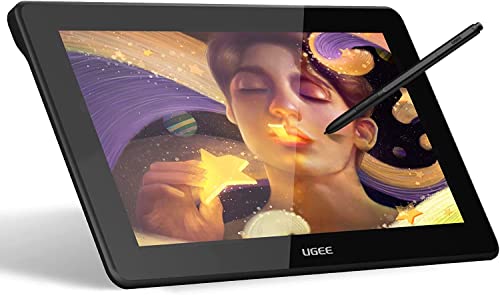
Wacom Intuos Small Bluetooth Graphics Drawing Tablet, Portable for Teachers, Students and Creators, 4 Customizable ExpressKeys, Compatible with Chromebook Mac OS Android and Windows - Pistachio





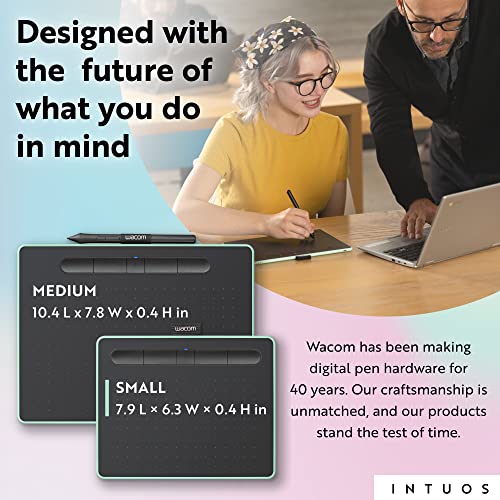
Key features
- •Drawing tablet to use in any software for digital art, photo editing and animation 4096 levels of pressure sensitivity and 2540 lip
- •Connect this digital drawing tablet for computer via USB or wirelessly with Bluetooth to your Mac (OS X 10. 11 or later) or PC (Windows 7 or later)
- •Slim design and compact sized art tablet with a large drawing area (6. 0 inch x 3. 7 inch ) Perfect for limited desktop areas and gives more room to create
- •Easy set up, for both left and right handed use; The pen doesn't need to be charged so you can start creating immediately; 4 customizable Express Keys put your favorite shortcuts at your fingertips
- •Bonus: now every Intuos comes with 3 Software titles upon registration: Corel Painter Essentials 6 (graphic drawing), Corel after shot 3 (photo editing), and clip Studio paint Pro 2 year license (comic manga) must Register to receive all 3 titles; Offer only available for customers located in the Americas
Wacom Intuos Small Bluetooth Graphics Drawing Tablet, Portable for Teachers, Students and Creators, 4 Customizable ExpressKeys, Compatible with Chromebook Mac OS Android and Windows - Pistachio
List Price: $95.32$85.79DEALYou Save: $9.53 (10%)
Free shippingFree Returns – 30 daysFree Order CancellationSecure Payment2–3 Days DeliveryGet It October 25, 2026In Stock (2)No marketing spamNo account requiredFulfilment by FedEx / Amazon / UPS / ShipwirePayPal / Card Buyer Protection
Customer Reviews
Reviews sourced from verified Amazon purchasers4.2
out of 5
Based on 10 reviews
5★
50%
4★
20%
3★
20%
2★
10%
1★
0%
I AM OBSESSED!
Ana✓ Verified Purchase•April 20, 2018
It is kinda hard to get the hang of because one is so used to drawing and looking at the same time. This is my first drawing tablet and it is AMAZING!!!! Im obsessed! I thought the small might be too small, but it is still perfect! The starting program they give you is kinda crap, i recommend Krita, its free and a great program.
Only complaint i have is they dont have the Berry Pink one on Amazon :/
Only complaint i have is they dont have the Berry Pink one on Amazon :/
No Experience? No Problem!
Justin Brooks✓ Verified Purchase•April 11, 2018
As a professional photographer I was finding it difficult to efficiently use a mouse for all my editing in Photoshop and Lightroom. So I went our on a wing and decided to give this product a try. Was a little worried at first because I have never used this type of technology and didn't know how bad the learning curve was going to be. Right out of the gate I found it was incredibly easy to use and very ergonomic. I have cut my post production time in half due to the pressure sensitive tip I found I spent less time having to change my brush size and more time editing. Thank you Wacom for making this incredible product!!
Pen nib gets eaten by the tablet's surface
Lillie Le✓ Verified Purchase•April 10, 2018
I had to buy a new tablet (previously used a Wacom Bamboo Create) because I was just borrowing one. This one has a nice surface to draw on, but it truly eats at the pen's nib like crazy. I've only had it for about a week and maybe have drawn on it a collective 20 hours, and I'm about to replace the nib it came with. The tablet itself only comes with three extra nibs that are inside the pen. I honestly think it's a little stingy considering how fast it runs out. My art doesn't even require much pen movement, as I don't spend too much time blending.
The wireless part works well when it is functioning correctly. Once in a while, it stops registering pressure and I just have a fat line. It's not too bad though, it only happens a couple of times and it might just be my laptop not registering bluetooth correctly. I'll have to test it out more.
My favourite part of this tablet is the colour!!! THIS PISTACHIO COLOUR WAS MADE FOR ME :D
Anyway it gets the job done and is affordable. I enjoy the wireless part of it but if possible I think you should get an older Intuos where you can buy the wireless accessory.
The wireless part works well when it is functioning correctly. Once in a while, it stops registering pressure and I just have a fat line. It's not too bad though, it only happens a couple of times and it might just be my laptop not registering bluetooth correctly. I'll have to test it out more.
My favourite part of this tablet is the colour!!! THIS PISTACHIO COLOUR WAS MADE FOR ME :D
Anyway it gets the job done and is affordable. I enjoy the wireless part of it but if possible I think you should get an older Intuos where you can buy the wireless accessory.
Love this thing - it’s very easy to use but ...
Harriet✓ Verified Purchase•April 10, 2018
Love this thing - it's very easy to use but like others have said, the right technology does not make you an artist, you're only as good as your skills. It's pretty intuitive and responds very well to slight adjustment of pressure. You get a choice of free software, I have a lot of photography software already so opted for the paint one. The software is easy and intuitive to use too. I knocked a start off just because I can already see wear in the pen nib. Just half an hour after the ups truck showed up I created a very basic picture, hopefully it gives some idea as to how the tablet can be used.
Great Portable Starter Tablet (Great for students)
âšœ Aaron âšœ✓ Verified Purchase•March 30, 2018
This is the second Wacom Tablet I've owned, the first one was a Wacom Intous3.
My Pro:
Extremely Portable
Reasonably Size
Very Light
Durable
No Pen Battery
Tablets Internal Battery lasts for a few days
Depending on which Size, Non-Bluetooth or Bluetooth you get up to three drawing software.
My Cons:
Only 6 programable key bind (2 including the pen)
Depending on which Size, Non-Bluetooth or Bluetooth you get up to three drawing software.
Pen is a little too light, prefer it be a little more heavier. It feels like I'm holding an empty mechanical pencil.
My Pro:
Extremely Portable
Reasonably Size
Very Light
Durable
No Pen Battery
Tablets Internal Battery lasts for a few days
Depending on which Size, Non-Bluetooth or Bluetooth you get up to three drawing software.
My Cons:
Only 6 programable key bind (2 including the pen)
Depending on which Size, Non-Bluetooth or Bluetooth you get up to three drawing software.
Pen is a little too light, prefer it be a little more heavier. It feels like I'm holding an empty mechanical pencil.
Page 1 of 2



![Drawing Glove for Tablet,[Pink 2Pack] Palm Rejection Artist Right Hand Glove Digital Art Accessories](https://m.media-amazon.com/images/I/41Jvp6-d4oL._SL500_.jpg)