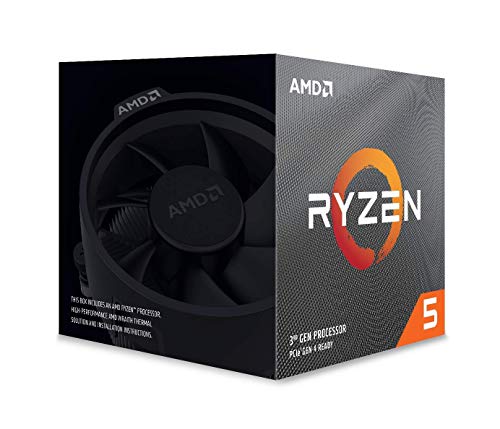
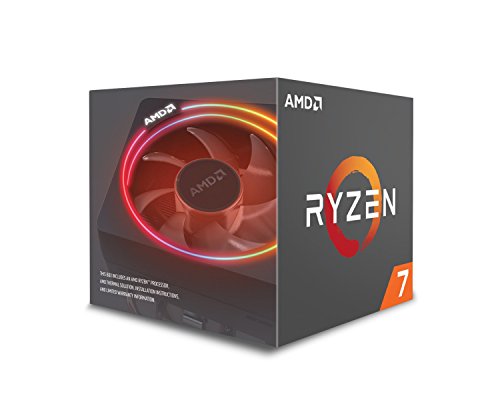
AMD Ryzen 7 2700X Processor with Wraith Prism LED Cooler - YD270XBGAFBOX, RGB



Key features
- •8 Cores/16 Threads Unlocked
- •Frequency: 4.3 GHz Max Boost
- •Compatibility : Windows 10 64 Bit Edition , RHEL x86 64 Bit , Ubuntu x86 64 Bit
- •20MB of Combined Cache
- •Socket AM4 Motherboard Required
AMD Ryzen 7 2700X Processor with Wraith Prism LED Cooler - YD270XBGAFBOX, RGB
List Price: $197.87$178.08DEALYou Save: $19.79 (10%)
Free shippingFree Returns – 30 daysFree Order CancellationSecure Payment2–3 Days DeliveryGet It October 24, 2026In Stock (1)No marketing spamNo account requiredFulfilment by FedEx / Amazon / UPS / ShipwirePayPal / Card Buyer Protection
Customer Reviews
Reviews sourced from verified Amazon purchasers4.8
out of 5
Based on 10 reviews
5★
90%
4★
10%
3★
0%
2★
0%
1★
0%
I bought this as an upgrade from an i7 3770k and I was not dissapointed!
DigIntoGaming✓ Verified Purchase•March 2, 2024
I bought this to replace my i7 3770k and for $150 I couldnt be happier! Great value for the money and really good performance, even nearly 5 years later! If you need a good cheap gaming machine and can find a good deal on this cpu used with something like a msi b450 tomahawk max for under $150 I would totaly go for it! You will be happy to have this cpu! Great for multi tasking, streaming, gaming you name it! Ive done a lot with this and now my niece uses it in her gaming pc!
Very solid CPU
Eric.✓ Verified Purchase•March 2, 2024
I have been using this CPU for about 3 years now. In that time I never noticed any negative performance issues. The only reason for me to upgrade was to match other new parts for my PC build. If not for that I would still be using this for gaming and everyday use.
I'm very happy with my decision to upgrade
Iluv2raceit✓ Verified Purchase•February 29, 2024
I just upgraded from a 1700X to a 2700X. With stock clocks, under a full load, the 2700X clock speeds (4Ghz) are 500Mhz faster than with my 1700X (3.5Ghz). And DDR4 memory speed was able to be increased from 2933 to 3200Mhz using 4 x 8GB DDR4 modules. Both of these improvements made the upgrade worth it to me. Turn on Gaming Mode through the use of AMD Ryzen Master Utility and CPU clock speeds increase dynamically up to 4.3Ghz! Needless to say, AMD has outdone themselves this time. I'm very happy with my decision to upgrade :D
PROs
- Price for performance can't be beat vs. 1st gen Ryzen and existing Intel CPUs; i.e. the 2700X is $30 cheaper than a 8700K
- Backward compatible with X370 and B350 motherboards (with the right BIOS update)
- Noticeable higher clock speeds vs. 1700X, especially under full load - up to 500Mhz faster clock speeds!
- Precision Boost 2.0 and XFR2 are built into the CPU, which means these features are intact and work even with an older X370 motherboard
- Improved compatibility with higher DDR4 memory speeds vs. 1700X
- Operating temperatures are about the same in spite of the fact the CPU having a 10W higher TDP rating vs. 1700X
- AMD's Ryzen Master Utility really does work!
- Wraith Prism CPU cooler is included and is adequate for stock CPU speeds
CONs
- Very limited overclocking headroom unless extreme cooling is used; i.e. LN02
- Anticipated future release of the higher clocked 2800X variant may cause buyer's remorse to those that just bought a 2700X
- Motherboard related and not really an issue of the 2700X; the X470 chipset is not really an improvement in most areas and features vs. the X370 chipset
- Best DDR4 memory speeds can only be achieved by using 2 of the 4 DIMM slots; 3666Mhz has been achieved with 2 memory sticks, but only 3200Mhz has been achieved using 4 memory sticks
- No native increase in supported PCI-E lanes (24) from the CPU (not including X470 or the upcoming Z490 chipset improvements)
Bottom line, is it worth upgrading to the 2700X? It all depends on what PC hardware you have now and how you want to spend your money. For example, if you own a GTX1060 or RX 570, a GPU upgrade will most likely give you a much better performance increase than upgrading from a 1700X to a 2700X. But, if you have a PC that's 5 years or older, I would say it might be worth upgrading if you have a need for multitasking on your computer. If you game, stream, play music, while running hardware monitoring tools all at the same time, then the 2700X is definitely for you!
PROs
- Price for performance can't be beat vs. 1st gen Ryzen and existing Intel CPUs; i.e. the 2700X is $30 cheaper than a 8700K
- Backward compatible with X370 and B350 motherboards (with the right BIOS update)
- Noticeable higher clock speeds vs. 1700X, especially under full load - up to 500Mhz faster clock speeds!
- Precision Boost 2.0 and XFR2 are built into the CPU, which means these features are intact and work even with an older X370 motherboard
- Improved compatibility with higher DDR4 memory speeds vs. 1700X
- Operating temperatures are about the same in spite of the fact the CPU having a 10W higher TDP rating vs. 1700X
- AMD's Ryzen Master Utility really does work!
- Wraith Prism CPU cooler is included and is adequate for stock CPU speeds
CONs
- Very limited overclocking headroom unless extreme cooling is used; i.e. LN02
- Anticipated future release of the higher clocked 2800X variant may cause buyer's remorse to those that just bought a 2700X
- Motherboard related and not really an issue of the 2700X; the X470 chipset is not really an improvement in most areas and features vs. the X370 chipset
- Best DDR4 memory speeds can only be achieved by using 2 of the 4 DIMM slots; 3666Mhz has been achieved with 2 memory sticks, but only 3200Mhz has been achieved using 4 memory sticks
- No native increase in supported PCI-E lanes (24) from the CPU (not including X470 or the upcoming Z490 chipset improvements)
Bottom line, is it worth upgrading to the 2700X? It all depends on what PC hardware you have now and how you want to spend your money. For example, if you own a GTX1060 or RX 570, a GPU upgrade will most likely give you a much better performance increase than upgrading from a 1700X to a 2700X. But, if you have a PC that's 5 years or older, I would say it might be worth upgrading if you have a need for multitasking on your computer. If you game, stream, play music, while running hardware monitoring tools all at the same time, then the 2700X is definitely for you!
Good product
chayah✓ Verified Purchase•January 29, 2024
Good CPU. Good seller. Served me well for years until I ugraded.
Wonderfull Chip and cooler. Probably best not to use the stock thermal compoud though.
Matthew✓ Verified Purchase•December 27, 2023
The first PC I ever built I used an AMD Athlon processor in, and I loved it. When I found out about the Ryzen processors I was excited to see what they could do, and I was not disapointed. This chip feels very compitent. I put it into a gaming system, and I have had no issues with it. I also like the cooler. It looks good, and seems to function well. My only complaint about this setup is the factory applied thermal compound. I know, wipe it off and apply third party, but Im not over clocking, so I figured it would work for my purposes, and I was not disapointed, that is untill I had to swap a faulty motherboard. When I removed my cooler, it pulled the whole chip out of the socket. I was terified thinking it had dammaged something. Thankfully all pins were in place. Then came the hard part. It turns out that the factory thermal paste had spread all across the chip, and melted down the sides. I have never seen factory paste do that. The real problem though was that it somehow formed a sort of glue that had now bonded the CPU and cooler togather. They were not coming appart for anything (at least anything I was willing to try on my $300+ chip). Eventually I was able to disolve the thermal paste and save my chip using some very light heat and a little alcohol and a piece of dental floss. Aparently this happens more often then I had realized because there was a whole subredit about how to fix it (Thank you Redit ;-) . In the end it all worked out well and I have everything back up and running in my new MoBo. It was just an experience I will not forget.
Page 1 of 2