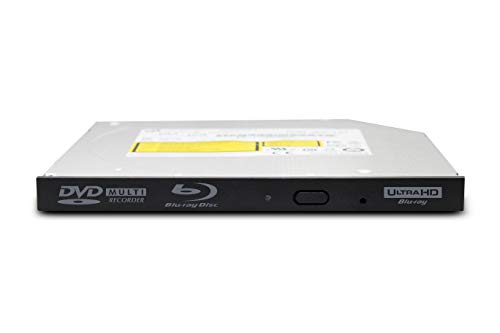
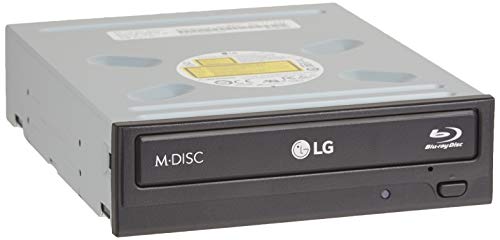
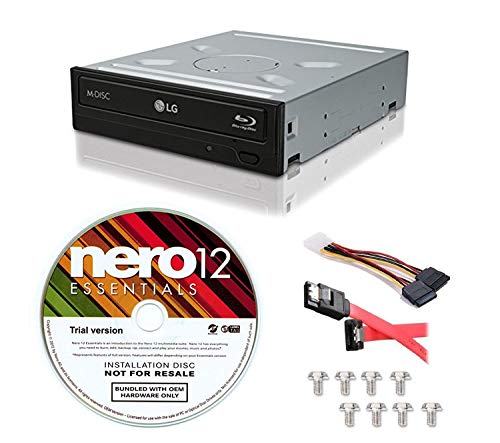
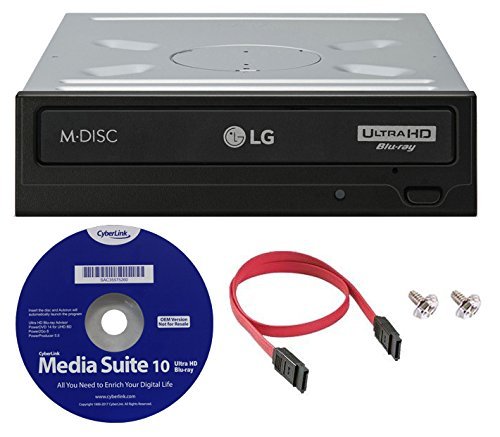
LG WH16NS60 16x Internal Blu-ray BDXL M-Disc Drive (with Ultra HD 4K Playback) Bundle with Cyberlink Software and SATA Cable
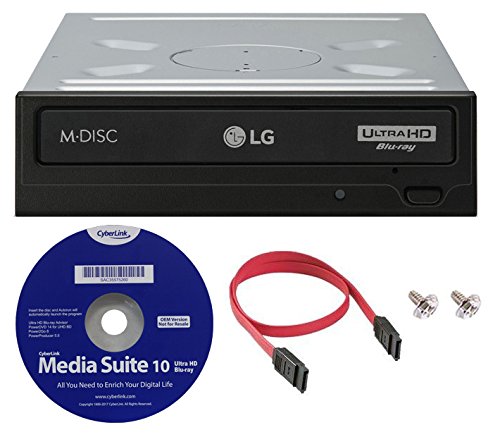
Key features
- •Write and read Quad, Triple, Double Layer BD-R discs - BDXL format supports high capacity Blu-ray discs (up to 100GB write-once discs)
- •Jamless Play technology automatically skips past damaged parts of a disc and maintain smooth playback.
- •Silent Play technology automatically controls the disc read speed for optimail noise reduction.
- •M-DISC (DVD) Supported - use M-DISCS with this drive for superior data protection
- •4MB buffer & buffer under-run prevention function embedded
LG WH16NS60 16x Internal Blu-ray BDXL M-Disc Drive (with Ultra HD 4K Playback) Bundle with Cyberlink Software and SATA Cable
List Price: $378.30$340.47DEALYou Save: $37.83 (10%)
Free shippingFree Returns – 30 daysFree Order CancellationSecure Payment2–3 Days DeliveryGet It October 27, 2026In Stock (1)No marketing spamNo account requiredFulfilment by FedEx / Amazon / UPS / ShipwirePayPal / Card Buyer Protection
Customer Reviews
Reviews sourced from verified Amazon purchasers4.4
out of 5
Based on 10 reviews
5★
90%
4★
10%
3★
0%
2★
0%
1★
0%
LG BABY
WAYNE MILLS✓ Verified Purchase•September 30, 2023
I JUST GOT THIS A COUPLE DAYS AGO AND IT WORKS GREAT HAD TO CHANGE THE AHCI TO IDE IN BOIS CAUSE I USE DVD FAB AND HAD TO DOWNGRADE THE FIRMWARE FROM 1.01 TO 1.00 IT WAS QUICK AND EASY BURNED MY 1ST WAS 4K UHD MOVIE - FANTASTIC BEAST : THE CRIMES OF GRINDELWALD, AND I DID ANOTHER TEST DISC TO MAKE SURE IT WORKED AND I WAS DOING IT RIGHT I DID - 4K UHD CREED
I DIDN'T USE THE CYBERLICK DISC THAT IT CAME WITH IT DIDNT WORK THAT WAS A PIECE OF JUNK. I ALREADY HAVE PROGRAMS THAT I USE AND TRUST. A LITTLE NOISEY AT THE BEGINNING TILL IT STARTS TO RECORD THEN THERE IS NOTHING IT,S SILENT. EASY TO INSTALL
I DIDN'T USE THE CYBERLICK DISC THAT IT CAME WITH IT DIDNT WORK THAT WAS A PIECE OF JUNK. I ALREADY HAVE PROGRAMS THAT I USE AND TRUST. A LITTLE NOISEY AT THE BEGINNING TILL IT STARTS TO RECORD THEN THERE IS NOTHING IT,S SILENT. EASY TO INSTALL
Very good drive and it is possible to watch UHD discs on a computer with it
Jason Shumate✓ Verified Purchase•August 23, 2023
This is a very good drive and it is possible to watch UHD Blu Ray discs on a computer with it, but it is so much effort to get that working that it's probably not worth it. Disc playback works fine and burning (tested CD, DVD and BD - all worked) is fine. Getting this to work to play UHD Blu Ray discs is incredibly complicated. Please note the date of my review because the further in time it gets from when I wrote this, the less likely it will be that what I did will work for you. This drive shipped to me with firmware version 1.02. If you get this drive with a higher version of firmware than I got, what I did may not work for you.
The first way to get UHD discs to play is to make sure your computer completely follows the specs for what is required. The requirements are absolutely insane. I don't recommend you buy their software UHD player, but Cyberlink has a website that tells what you have to have on a PC to make it work. You have to have an Intel Kirby Lake CPU and onboard Intel graphics. The Intel graphics have to be on the motherboard,. The specs don't allow you to use anything but Intel and they have to be on the motherboard. Some Intel specific extensions have to be specified in BIOS too. If you meet all the specs and buy some playing software it may possibly work. But Hollywood doesn't really want you to play these discs at all on a computer, so I can't promise you that even if your PC meets every requirement there is, that it will still work. Please note that I'm not including links to external websites because Amazon seems to have a policy against that in reviews.
The other way to do it is what I did. I changed the firmware version to make this drive "UHD friendly". The 1.02 firmware that ships with this drive won't allow you to downgrade the firmware. So I found a modified version of the 1,02 firmware that I installed first. Redfox (a software maker for DVD and BD playback and other things) has a forum posting on "Firmware 1.02 for LG BH16NS55" and you can find modified 1.02 firmware there. Installing this allowed me to downgrade my firmware to version 1.00 via what they call an ASUS flasher I found on the official MAKEMKV forum. Version 1.00 is what I am running now. Using this firmware and DVDFab Media Player for Mac, I was able to successfully play UHD discs on my iMac (Retina 5k, 27 inch, late 2015). I don't have many UHD discs, but I can tell you that Shadow works flawlessly but 2001 A Space Odyssey won't finish loading to ever start playing. Flying Clipper also works fine but while Crouching Tiger Hidden Dragon will start to play, I found out that my UHD disc was improperly mastered and I'm stuck with a bad one. I bought it years ago and had no way to test it until now.
Please note that although I got playback working on a iMac I can't make it work at all on my new PC build. To get it to work on a PC apparently you absolutely must have an Intel CPU. DVDFab Player doesn't seem to enforce the Intel graphics requirement (which is why it works on my iMac) but I have an AMD CPU that is plenty powerful enough to work (Ryzen Threadripper 1920X) but while DVDFab Player will start, it won't actually play any video and it stops playing after 10 seconds. As best I can tell, and there is very little information available online, it simply isn't possible to make UHD playback work on a computer of any kind without an Intel CPU. Sigh. iMacs use Intel CPUs so that is why playback works there. If you want to try this, I recommend getting a monitor that supports HDR. HDR support is optional, but you should try to use it if you want to see the full benefits for 4k UHD. And finally, I used a Vantec NST-536S3-BK NexStar DX USB 3.0 External Enclosure bought from Amazon to place the drive in and connect it via USB 3.0. I love the Vantec enclosures.
The first way to get UHD discs to play is to make sure your computer completely follows the specs for what is required. The requirements are absolutely insane. I don't recommend you buy their software UHD player, but Cyberlink has a website that tells what you have to have on a PC to make it work. You have to have an Intel Kirby Lake CPU and onboard Intel graphics. The Intel graphics have to be on the motherboard,. The specs don't allow you to use anything but Intel and they have to be on the motherboard. Some Intel specific extensions have to be specified in BIOS too. If you meet all the specs and buy some playing software it may possibly work. But Hollywood doesn't really want you to play these discs at all on a computer, so I can't promise you that even if your PC meets every requirement there is, that it will still work. Please note that I'm not including links to external websites because Amazon seems to have a policy against that in reviews.
The other way to do it is what I did. I changed the firmware version to make this drive "UHD friendly". The 1.02 firmware that ships with this drive won't allow you to downgrade the firmware. So I found a modified version of the 1,02 firmware that I installed first. Redfox (a software maker for DVD and BD playback and other things) has a forum posting on "Firmware 1.02 for LG BH16NS55" and you can find modified 1.02 firmware there. Installing this allowed me to downgrade my firmware to version 1.00 via what they call an ASUS flasher I found on the official MAKEMKV forum. Version 1.00 is what I am running now. Using this firmware and DVDFab Media Player for Mac, I was able to successfully play UHD discs on my iMac (Retina 5k, 27 inch, late 2015). I don't have many UHD discs, but I can tell you that Shadow works flawlessly but 2001 A Space Odyssey won't finish loading to ever start playing. Flying Clipper also works fine but while Crouching Tiger Hidden Dragon will start to play, I found out that my UHD disc was improperly mastered and I'm stuck with a bad one. I bought it years ago and had no way to test it until now.
Please note that although I got playback working on a iMac I can't make it work at all on my new PC build. To get it to work on a PC apparently you absolutely must have an Intel CPU. DVDFab Player doesn't seem to enforce the Intel graphics requirement (which is why it works on my iMac) but I have an AMD CPU that is plenty powerful enough to work (Ryzen Threadripper 1920X) but while DVDFab Player will start, it won't actually play any video and it stops playing after 10 seconds. As best I can tell, and there is very little information available online, it simply isn't possible to make UHD playback work on a computer of any kind without an Intel CPU. Sigh. iMacs use Intel CPUs so that is why playback works there. If you want to try this, I recommend getting a monitor that supports HDR. HDR support is optional, but you should try to use it if you want to see the full benefits for 4k UHD. And finally, I used a Vantec NST-536S3-BK NexStar DX USB 3.0 External Enclosure bought from Amazon to place the drive in and connect it via USB 3.0. I love the Vantec enclosures.
Computer upgrade
Anthony✓ Verified Purchase•August 8, 2023
This proved to be a very necessary upgrade to my desktop!
Great Optical Drive
Edward Gray✓ Verified Purchase•August 8, 2023
I bought this drive a couple months ago, and it's played every disc I've put in it just fine, be it Blu-Ray, CD, or DVD. The software that came with it is good as well.
Just know
Glenn K. Moore✓ Verified Purchase•August 6, 2023
As many have said before to Play UHD, this thing is looking for specific equipment, namely an Intel Board with on board graphics. I Have a X299 FTW-K with a i9-990EX Intel processor, 16 cores running with a 4.3 overclock, Sky Lake 9th generation Processor. running to a UHD Samsung 4K TV with HDMI input through a Nvidia EVGA 2080... This thing says my system is not ready.
Page 1 of 2