HiLetgo ESP32 OLED WiFi Kit V3 Type-C ESP-32 0.96 Inch Blue OLED Display WiFi+Bluetooth CP2012 Internet Development Board for Arduino ESP8266 NodeMCU


Key features
- •ESP32 WIFI Kit for Arduino ESP8266 NodeMCU
- •Driver Library - u8g2: https://github.com/olikraus/u8g2
- •Instructable for Internet Time: https://www.instructables.com/id/WiFi-Kit-32-NTP-Clock/; Install guide and bunches of info: https://github.com/Heltec-Aaron-Lee/WiFi_Kit_series
- •English documentation: https://robotzero.one/heltec-wifi-kit-32/; https://github.com/Heltec-Aaron-Lee/WiFi_Kit_series
- •Operating voltage: 3.3V to 7V; Supports Sniffer, Station, softAP and Wi-Fi Direct modes
HiLetgo ESP32 OLED WiFi Kit V3 Type-C ESP-32 0.96 Inch Blue OLED Display WiFi+Bluetooth CP2012 Internet Development Board for Arduino ESP8266 NodeMCU
List Price: $36.65$32.99DEALYou Save: $3.66 (10%)
Free shippingFree Returns – 30 daysFree Order CancellationSecure Payment2–3 Days DeliveryGet It October 25, 2026In Stock (1)No marketing spamNo account requiredFulfilment by FedEx / Amazon / UPS / ShipwirePayPal / Card Buyer Protection
Customer Reviews
Reviews sourced from verified Amazon purchasers4.2
out of 5
Based on 10 reviews
5★
70%
4★
30%
3★
0%
2★
0%
1★
0%
HiLetgo ESP32 OLED WiFi Kit ESP-32
mikey✓ Verified Purchase•December 20, 2023
Recently I jumped on the ESP32 bandwagon. I played with a number of brands and ended up selecting this one. Why? The display is easy to use and while my applications are pushing data out to a MQTT broker, the display gives local feedback. So far, I have purchased 6 of these and have two different companies for which I consult using them. In one application, I am sensing two analog-out pressure transducers, two one-wire I/F temp sensors, and one ultra-sonic sensor for measurement tank volume, temp and filtering system outputs. I would give them 5 stars, but one display started losing parts of row1 and two after about six weeks and another wouldn't program upon receipt. One of these two have been returned and the supplier was quick to replace it - and I expect the same with the other. I would recommend these and will continue to use them.
Great assembly quality, online docs, ESP32 is awesome
Tafca. (Tabarini Fan, Côte d'Azur)✓ Verified Purchase•December 3, 2023
There are 2 primarily important things with any of these IoT boards: quality assembly and documentation.
On the first issue, the board appears to be of relatively high quality. The soldering is consistent and good: perfect amount of solder on every connection. The board is clean, with no visible traces of leftover chemicals.The silkscreen is clear, crisp and text is readable.
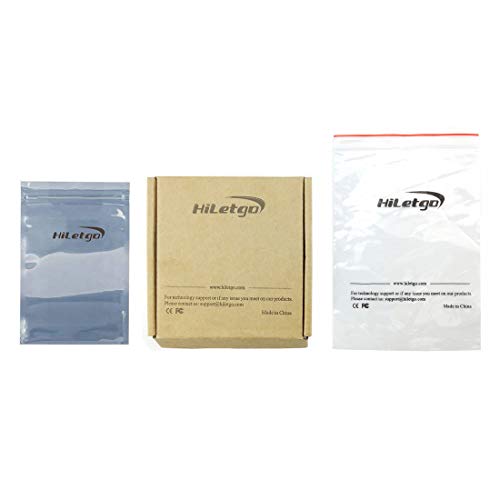
Packaging was quite nice, in having a little cardboard box enclosing the board contained in a two-part ESD bag (the other half containing the headers). There was also a sticker on the board with a support email address if there are any questions. The seller also sent an email shortly after delivery to ensure I was happy with my purchase.
I really liked not having he headers pre-soldered. This allows top mount for using jumper wires directly, bottom-mount for use in a breadboard, or the flexibility to solder wires directly for a more permanent installation.
The actual name printed on the board is Heltec Automation. A quick google search will provide a variety or resources on both the ESP32 site, as well as the HelTecAutomation GitHub account with the Heltec_ESP32 repository for sample code and how-to.
Although similar boards may be available on auction or other Chinese sites, the great thing about Amazon is of course the awesome return policy and quick shipping. I've ordered my share of items from China and admittedly the month-long delay is no fun.
My ESP32 arrived with sample code already loaded to how that the device was functional. The display showed scans showing WiFi functionality was working properly.
The serial UART driver is the Silicon Labs CP210x, I probably would have preferred the CH340, as I've had problems in the past with Windows 10 replacing the drivers for the Silicon Labs. In my case, the board was recognized immediately - in part because perhaps I already had the Windows drivers installed. The important thing here is that is manually downloading and installing drivers - do *not* use the "universal" drivers for Windows 10. (my file is called CP210x_Windows_Drivers.zip)
I've used a bunch of different ESP32 boards, and I am completely happy with this one.
Full disclosure: the manufacturer offered a discount on the boards if I promised to write a fair and accurate review of the board. I am not in any way associated with the seller or company.
On the first issue, the board appears to be of relatively high quality. The soldering is consistent and good: perfect amount of solder on every connection. The board is clean, with no visible traces of leftover chemicals.The silkscreen is clear, crisp and text is readable.
Packaging was quite nice, in having a little cardboard box enclosing the board contained in a two-part ESD bag (the other half containing the headers). There was also a sticker on the board with a support email address if there are any questions. The seller also sent an email shortly after delivery to ensure I was happy with my purchase.
I really liked not having he headers pre-soldered. This allows top mount for using jumper wires directly, bottom-mount for use in a breadboard, or the flexibility to solder wires directly for a more permanent installation.
The actual name printed on the board is Heltec Automation. A quick google search will provide a variety or resources on both the ESP32 site, as well as the HelTecAutomation GitHub account with the Heltec_ESP32 repository for sample code and how-to.
Although similar boards may be available on auction or other Chinese sites, the great thing about Amazon is of course the awesome return policy and quick shipping. I've ordered my share of items from China and admittedly the month-long delay is no fun.
My ESP32 arrived with sample code already loaded to how that the device was functional. The display showed scans showing WiFi functionality was working properly.
The serial UART driver is the Silicon Labs CP210x, I probably would have preferred the CH340, as I've had problems in the past with Windows 10 replacing the drivers for the Silicon Labs. In my case, the board was recognized immediately - in part because perhaps I already had the Windows drivers installed. The important thing here is that is manually downloading and installing drivers - do *not* use the "universal" drivers for Windows 10. (my file is called CP210x_Windows_Drivers.zip)
I've used a bunch of different ESP32 boards, and I am completely happy with this one.
Full disclosure: the manufacturer offered a discount on the boards if I promised to write a fair and accurate review of the board. I am not in any way associated with the seller or company.
This is a brilliant little device, and it might be just what I want.
William R. Cheswick✓ Verified Purchase•November 25, 2023
The Bluetooth and Wi-Fi are exactly what I want with this device, and the power features are exactly what I need for remote solar powered deployment in an apiary.
The programming takes some getting used to. There are lots of examples, but installation instructions are sometimes obscure.
You've got to get the USB cable right for programming it: many of my usual are too long, or maybe don't have data lines at all. If you have loading problems, look to the cable.
I have been unable to figure out the range for the WiFi and Bluetooth. There are little teeny-weenie squiggles on the circuit board that perform that function.
I also have no idea what battery will plug into it. I tried several JST connector sizes, and finally just saw a battery plugged in on the net and bought that one. It is still the wrong plug: the onboard one is much smaller. At this point, I am more interested in finding a source of those exact plugs so I can wire them into the pile of useless batteries I now own. Any pointers?
The programming takes some getting used to. There are lots of examples, but installation instructions are sometimes obscure.
You've got to get the USB cable right for programming it: many of my usual are too long, or maybe don't have data lines at all. If you have loading problems, look to the cable.
I have been unable to figure out the range for the WiFi and Bluetooth. There are little teeny-weenie squiggles on the circuit board that perform that function.
I also have no idea what battery will plug into it. I tried several JST connector sizes, and finally just saw a battery plugged in on the net and bought that one. It is still the wrong plug: the onboard one is much smaller. At this point, I am more interested in finding a source of those exact plugs so I can wire them into the pile of useless batteries I now own. Any pointers?
Useful ESP32 board when you need to include a small LCD in your project.
Richard L. Grier✓ Verified Purchase•October 31, 2023
I found this board to be well built, reliable and worth the money. The suggested documents are a good starting point. You also may be interested in the videos on YouTube. One VLOG from Ralph Bacon shows everything that you need to get started.
I installed the esp32 libraries directly using the Arduino IDE Boards manager from the Espressif website to download package_esp32_index.json
When plugged into my computer, Windows Control Panel device manager displayed the serial port to be used. (photo)
Install the U8g2lib.h from Adafruit. This is library needed for the LCD and seems to be the most satisfactory one to be used with this board (e.g.) the NNTP Instructables example (and, better than trying to use the github link, which seems problematic).
When first powered up, the firmware that the comes pre-flashed on the board resulted in a slightly different display (for me) than is shown in the product listing. Note, it did show the SSID names for my networks. I did not bother trying to debug this because I won't use the board as a WiFi sniffer. I am sure that a little debugging would fix the problem.
Others suggest that you solder the board pins by inserting the pins and the board into a protoboard to position and hold the pins. I do not do this. I find that the pins in the header may be pushed out of the header if the protoboard holes are too tight. What I do is to simply use the protoboard to hold the pins vertical by gravity and friction and so that I may solder the pins into the board when it is "proud" of the surface of the protoboard.
There are two set of labels furnished with the board, because the top silkscreen does not include the pin numbers, etc. Well, this is better than nothing, but I'd put up with a slightly larger board that has proper pin designations on both sides of the board. This is my only criticism of this design.
I installed the esp32 libraries directly using the Arduino IDE Boards manager from the Espressif website to download package_esp32_index.json
When plugged into my computer, Windows Control Panel device manager displayed the serial port to be used. (photo)
Install the U8g2lib.h from Adafruit. This is library needed for the LCD and seems to be the most satisfactory one to be used with this board (e.g.) the NNTP Instructables example (and, better than trying to use the github link, which seems problematic).
When first powered up, the firmware that the comes pre-flashed on the board resulted in a slightly different display (for me) than is shown in the product listing. Note, it did show the SSID names for my networks. I did not bother trying to debug this because I won't use the board as a WiFi sniffer. I am sure that a little debugging would fix the problem.
Others suggest that you solder the board pins by inserting the pins and the board into a protoboard to position and hold the pins. I do not do this. I find that the pins in the header may be pushed out of the header if the protoboard holes are too tight. What I do is to simply use the protoboard to hold the pins vertical by gravity and friction and so that I may solder the pins into the board when it is "proud" of the surface of the protoboard.
There are two set of labels furnished with the board, because the top silkscreen does not include the pin numbers, etc. Well, this is better than nothing, but I'd put up with a slightly larger board that has proper pin designations on both sides of the board. This is my only criticism of this design.
Good ESP32 board with OLED display!
rslwong✓ Verified Purchase•October 11, 2023
First impression:
It was a nice little board with a small OLED display. Once thing I noticed immediately was the plastic base that the OLED sits on. The base was tighten by 4 small screws at the back. This makes the board more sturdy as the OLED position won't move around so easily.
The pre-installed sketch was a program that does the wifi scanning, which is nice because you can tell right away that the wifi module and the display unit are both working properly. This can serve as a sanity check for the board.
The easiest way to use this board is to use the Arduino IDE environment. For this board, one thing that I was particular interested was the touch pins of ESP32. It is one of the new features that ESP8266 (ESP32's little brother) does not have. I wrote a simple sketch to test one of the touch pins. It works well as expected. (According to the pinout, this board has 10 capacitive touch pins. If the OLED pins are excluded, the board has 8 touch pins)
In addition to the above, this board also has temperature sensor and hall effect sensor (i.e. it senses magnetic field).
Overall speaking, this is a neat little ESP32 micro controller board. The built in OLED is a plus if you want to display status of the board. For me, I sometimes like to use it to display debug message rather than depending on the serial port. Last but not least, if you are an advance user, you could use the Espressif SDK directly to have the full control of the board.
I highly recommend this board!
It was a nice little board with a small OLED display. Once thing I noticed immediately was the plastic base that the OLED sits on. The base was tighten by 4 small screws at the back. This makes the board more sturdy as the OLED position won't move around so easily.
The pre-installed sketch was a program that does the wifi scanning, which is nice because you can tell right away that the wifi module and the display unit are both working properly. This can serve as a sanity check for the board.
The easiest way to use this board is to use the Arduino IDE environment. For this board, one thing that I was particular interested was the touch pins of ESP32. It is one of the new features that ESP8266 (ESP32's little brother) does not have. I wrote a simple sketch to test one of the touch pins. It works well as expected. (According to the pinout, this board has 10 capacitive touch pins. If the OLED pins are excluded, the board has 8 touch pins)
In addition to the above, this board also has temperature sensor and hall effect sensor (i.e. it senses magnetic field).
Overall speaking, this is a neat little ESP32 micro controller board. The built in OLED is a plus if you want to display status of the board. For me, I sometimes like to use it to display debug message rather than depending on the serial port. Last but not least, if you are an advance user, you could use the Espressif SDK directly to have the full control of the board.
I highly recommend this board!
Page 1 of 2


