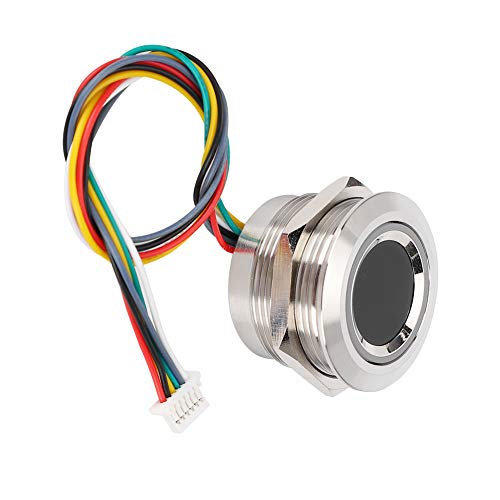
USB Fingerprint Reader, DDSKY Portable Security Key Biometric Fingerprint Scanner Support Windows 10 32/64 Bits with Latest Windows Hello Features (1-Pack)


Key features
- •INSTANT ACCURATE MATCH - 360° degree fingerprint matching, providing a more accurate and responsive performance than traditional optics. Password-free sign-in and gives you the fastest, most secure way to unlock your windows devices
- •FLEXIBLE EASY TO CARRY - Compact Design and small. Support multiple fingers and multiple accounts up for flexible configurations. You can enjoy files security with your friends, colleagues better
- •LATEST SCANNING TECHNOLOGY - It has a built-in "Smart Learning" algorithm with biometric finger reader is equipped with the latest scanning technology which makes your fingerprint matching faster and faster
- •ENCRYPT YOUR FILES - You can select files to encrypt. Click the right button of the mouse and select the "Smart ID Encryption" feature. You can specify a folder as the security zone. Once a file was copied into the folder or created in the folder, the files in the security folder will be encrypted automatically
- •TWO WAYS TO LOG IN - If you want decrypt the encrypted file, just double click it. The fingerprint validation window will pop up. The validation can be done by fingerprint or Windows login password
USB Fingerprint Reader, DDSKY Portable Security Key Biometric Fingerprint Scanner Support Windows 10 32/64 Bits with Latest Windows Hello Features (1-Pack)
List Price: $57.60$51.84DEALYou Save: $5.76 (10%)
Free shippingFree Returns – 30 daysFree Order CancellationSecure Payment2–3 Days DeliveryGet It October 24, 2026In Stock (1)No marketing spamNo account requiredFulfilment by FedEx / Amazon / UPS / ShipwirePayPal / Card Buyer Protection
Customer Reviews
Reviews sourced from verified Amazon purchasers4.3
out of 5
Based on 10 reviews
5★
70%
4★
30%
3★
0%
2★
0%
1★
0%
Works perfectly
Pokermon✓ Verified Purchase•September 23, 2023
It works very well. I later bought an Asus laptop with a fingerprint scanner, I learned that the laptop scanner placed on the power button worked when I press on the power button, on my desktop, using this product, I had to wait till the comuter was fully booted, unlike the laptop that remembered my fingerprint the secnd power was pressed.
Plug and play, good fingerprint recognition
jandmny✓ Verified Purchase•September 17, 2023
Attached this to USB port the back of my keyboard to facilitate login and secure password authentication. Works great (rapid installation, good fingerprint discrimination with seemingly low false negative and no false positives on small test with other fingers)
Works for me in Windows 10 with the latest updates
CC✓ Verified Purchase•August 28, 2023
This fingerprint reader works for me on Windows 10 with Windows Hello and FIDO2 authentication with web sites which support it (including Facebook, Github, Twitter, etc.). I am developing such a website and my laptop lacks a fingerprint reader which is why I purchased this unit (primarily for testing, but will also use it day-to-day).
The accuracy seems fine and even if it doesn't get it on the first read, just reposition and try again. It usually gets it on the first or second contact.
One challenge is the total lack of instructions. When you plug it in...nothing happens. You hear the chime that Windows recognizes a new USB device, but no prompts pop up and nothing takes you to set up your finger prints. I spent a good 15 minutes unplugging and plugging it in trying to figure out what to do next. In fact, the device needs no additional setup nor does it need any software; it's ready to go as soon as you plug it in, but you need to register your prints in Windows Sign-in options.
Part of the confusion is that I already had the Windows Sign-in options pulled up and it does not recognize the fingerprint reader until you close and open it again. So here is what you need to do:
1. Plug in the device and wait until you hear the USB device chime in Windows 10
2. Press your WIN key or click on the Windows icon in your task bar
3. Type "Windows Hello" or "Windows Sign In" and you will see the menu item for "Sign-In Options"
4. Click on "Windows Hello Fingerprint" to set up your prints.
If the text under "Windows Hello Fingerprint" says "This option is currently unavailable", it means that Windows has not detected the device yet. Try closing the dialog and reopening it or try moving the device to a different USB port.
The accuracy seems fine and even if it doesn't get it on the first read, just reposition and try again. It usually gets it on the first or second contact.
One challenge is the total lack of instructions. When you plug it in...nothing happens. You hear the chime that Windows recognizes a new USB device, but no prompts pop up and nothing takes you to set up your finger prints. I spent a good 15 minutes unplugging and plugging it in trying to figure out what to do next. In fact, the device needs no additional setup nor does it need any software; it's ready to go as soon as you plug it in, but you need to register your prints in Windows Sign-in options.
Part of the confusion is that I already had the Windows Sign-in options pulled up and it does not recognize the fingerprint reader until you close and open it again. So here is what you need to do:
1. Plug in the device and wait until you hear the USB device chime in Windows 10
2. Press your WIN key or click on the Windows icon in your task bar
3. Type "Windows Hello" or "Windows Sign In" and you will see the menu item for "Sign-In Options"
4. Click on "Windows Hello Fingerprint" to set up your prints.
If the text under "Windows Hello Fingerprint" says "This option is currently unavailable", it means that Windows has not detected the device yet. Try closing the dialog and reopening it or try moving the device to a different USB port.
Works 95% of the time
Bruno Lopes✓ Verified Purchase•August 20, 2023
Amazing product. Plug and play, no software installation required. Amazing sensor, very quickly recognizes my fingerprint almost 100% of the time with no issues. Makes using your computer much more pleasant.
Works well -- but don't plug it into a USB hub
Derry K.✓ Verified Purchase•August 13, 2023
The good news: This fingerprint reader is fast, inexpensive and accurate. Much faster and more accurate than my previous unit, which costs four times as much.
The bad news: I spent several hours this afternoon trying to make it work with a USB hub. It kept saying that Windows could not load the drivers. I searched for information and could find little, and tried drivers from various places with no success. Then on a hunch I directly connected it to my computer and it worked immediately.
Shouldn't USB devices work in hubs? Every other device I have works with this hub. I'm taking off a star for that inconvenience.
The bad news: I spent several hours this afternoon trying to make it work with a USB hub. It kept saying that Windows could not load the drivers. I searched for information and could find little, and tried drivers from various places with no success. Then on a hunch I directly connected it to my computer and it worked immediately.
Shouldn't USB devices work in hubs? Every other device I have works with this hub. I'm taking off a star for that inconvenience.
Page 1 of 2