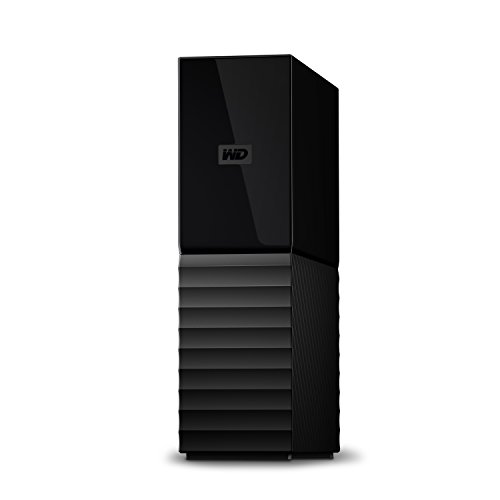
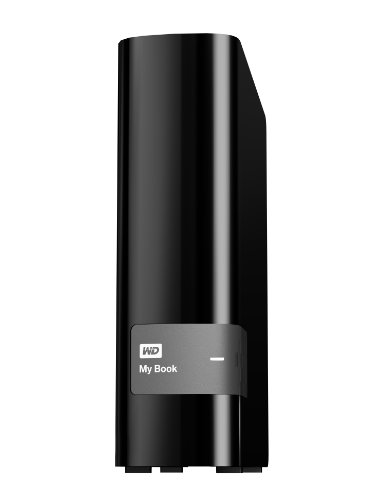
Western Digital 4TB My Passport Ultra Silver Portable External Hard Drive HDD, USB-C and USB 3.1 Compatible - WDBFTM0040BSL-WESN

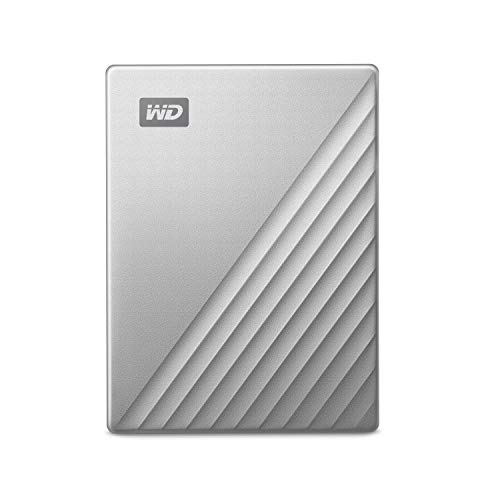


Key features
- •USB-C ready, USB 3.0 compatible
- •Innovative style with refined metal cover
- •Password protection with 256-bit AES hardware encryption
- •Formatted for Windows 10
- •3-year manufacturer's limited warranty
Western Digital 4TB My Passport Ultra Silver Portable External Hard Drive HDD, USB-C and USB 3.1 Compatible - WDBFTM0040BSL-WESN
List Price: $187.33$168.60DEALYou Save: $18.73 (10%)
Free shippingFree Returns – 30 daysFree Order CancellationSecure Payment2–3 Days DeliveryGet It October 26, 2026In Stock (21)No marketing spamNo account requiredFulfilment by FedEx / Amazon / UPS / ShipwirePayPal / Card Buyer Protection
Customer Reviews
Reviews sourced from verified Amazon purchasers4.6
out of 5
Based on 10 reviews
5★
70%
4★
30%
3★
0%
2★
0%
1★
0%
Easy!
Anne-Marie✓ Verified Purchase•October 9, 2023
I was very nervous about the install on this WD external hard drive based on several reviews I read. I did not use the wire connection that came with the drive because too many reviews said it was cheap or it didn't work properly. I used a USB-C to USB-C connector since my iMac has the port for it. My intention for this drive was to use it as a Time Machine backup. With the computer powered off, I connected the drive to my computer. Then I powered the computer on and logged in. The message that popped up was to the effect of "˜Do you want to use "My Passport for Mac" as a backup for Time Machine?' I clicked to use it as an automatic backup for Time Machine and it did its thing! I will update if the drive fails or if other problems arise. I did not have to load any WD software, etc. My computer does not hold any sensitive info nor is it partitioned so this was a basic install.
Best protable HDs to date
GumboLagniappe✓ Verified Purchase•September 27, 2023
I have about 10x of these in different colors to catalog different things and so far they have been great, with the exception of one that fails to load now. None of them are going to last forever and the one that no longer works is extremely old so I figure it just wore out. The problem I have is there was no warning of it starting to fail, it just gave out all at once and I lost a lot of important documents, so now I have to find a way to get the drive to work to pull the information off, but since I know how to do so I'm not too concerned, but 99.5%+ of people won't be able to do such a thing without paying a hefty penny for a professional to do it so there's that. But for what it is, they have held up very well and I continue to buy them since I have not found another suitable at this price range. Just make sure you backup your MOST important stuff twice, maybe clown the HD to another once you have permanent setup so that it's double backed up and just use one for whatever while the other sits somewhere safe.
quick, compact, good capacity
Omar Siddique✓ Verified Purchase•August 30, 2023
A fast, compact drive powered by its USB-C connector. A solidly built cable is included plus a USB-A converter. There's a single activity LED near the connector.
Write performance on a USB-C 3.1 host interface was decent, with 1MB sequential writes running at 112MiB/s, but dropping to 94MiB/s presumably along the slower (outer) parts of the spinning disk.
Linux/BSD people, here's how the drive showed up for me:
WD My Passport 260D 2007 Fixed Direct Access SPC-4 SCSI device
1907697MB (3906963456 512 byte sectors)
Note the enclosure shows up as a separate device, BSD sees it as:
ses1: WD SES Device 2007 Fixed Enclosure Services SPC-4 SCSI device
ses1: SES Device
USB-C is a selling point for me despite some skeptical reviewers here. It isn't meant to be faster, necessarily, that's a function of the interfaces on each end. But it's always a more robust & simpler connector. It lasts long than microUSB (by design) and doesn't need to be flipped back and forth repeatedly until it finally fits. I generally won't buy a device with an older USB connector unless there's no option. USB-C all the way.
A great little drive, and nice-looking too. I might wish it were SSD or that the LED was on the front, but otherwise no complaints.
Write performance on a USB-C 3.1 host interface was decent, with 1MB sequential writes running at 112MiB/s, but dropping to 94MiB/s presumably along the slower (outer) parts of the spinning disk.
Linux/BSD people, here's how the drive showed up for me:
WD My Passport 260D 2007 Fixed Direct Access SPC-4 SCSI device
1907697MB (3906963456 512 byte sectors)
Note the enclosure shows up as a separate device, BSD sees it as:
ses1: WD SES Device 2007 Fixed Enclosure Services SPC-4 SCSI device
ses1: SES Device
USB-C is a selling point for me despite some skeptical reviewers here. It isn't meant to be faster, necessarily, that's a function of the interfaces on each end. But it's always a more robust & simpler connector. It lasts long than microUSB (by design) and doesn't need to be flipped back and forth repeatedly until it finally fits. I generally won't buy a device with an older USB connector unless there's no option. USB-C all the way.
A great little drive, and nice-looking too. I might wish it were SSD or that the LED was on the front, but otherwise no complaints.
Totally fanstastic for MAC
Selective Shopper✓ Verified Purchase•August 10, 2023
This is God sent. Plug it in; immediately gives you two choices: MAC or Windows. Choose and double click on Mac, and answer NO to every questions it asks (unless you are a wiz kid with computers). And in 30 seconds it is Mac ready and good to go. I mean even for the Macs still using OS 10.6 (15 years old) and the OS 13.5 (the current one). I got them both. It also comes with two wire/plug in types: wide and narrow, to fit every kind of Mac--new or old. I can't believe my luck! So happy! (I just bought a second one, just in case they stop carrying it. With 4ter in each, I should be okay for a long long time)
In the past few months, I bought and returned so many external drives that said it worked for Mac right away, but turned out to be nightmares of download-this and upload-that, or simply would not work.
In the past few months, I bought and returned so many external drives that said it worked for Mac right away, but turned out to be nightmares of download-this and upload-that, or simply would not work.
works seamlessly with macOs Sierra 10.12.6
Rory White✓ Verified Purchase•August 8, 2023
I see lots of controversy over which Mac operating systems this external hard drive works with. I just bought the drive (Western Digital WD 2TB My Passport for Mac, Portable External Hard Drive with backup software) and it worked instantly and seamlessly with my late 2015 iMac i7 27" currently with the older macOs Sierra 10.12.6 I'm about to upgrade my Os, which I always hate doing to be honest, and needed another hard drive to back up a terrabyte of data onto, and use as new Time Machine designated hard drive for continual back-ups. NOTICE: It will hook up to your computer with EITHER USB-1 or the newer oval USB-C: If you use, like on my older iMac the now classic USB-1 (rectangular looking thingie) connector, then when you unbox this hard drive, you might see the newer elongated oval USB-C connector as what you need to plug into your computer. This can cause a moment's alarm, but look closer and you'll notice that that connector on the included cable is actually a usb-c connector (wide rectangular thing) but snug attached to an included adapter with the usb-c (wide oval thingie). So just pull the adapter off and you have, voila!, the old USB-1 or whatever. Then plug in and select it's icon when it appears in whatever spot appears on your screen or in your Finder function, double click on it, and you will be asked (even with the Mac-Designated hard drive) to click on Mac, or to simply NOT click on the option to have reformatted for PC. Follow the instructions to upload and then install it, and then it's all systems go. I immediately designated it as my Time Machine linked function on my iMac and had it immediately back up almost as entire Terrabyte. It gave time estimate of 4 hours, and it took about that much time. So I am very happy. I got the 2 terrabyte unit, so I think I will be able to use it both in link with my Time Machine Continuous backup function, and also for simple dragging and dropping to store files. Anyway, i just started with this last night, and I will give updates if i have problems. Currently I'm very happy with it. excuse any typos. don't have time to edit right now.
Page 1 of 2