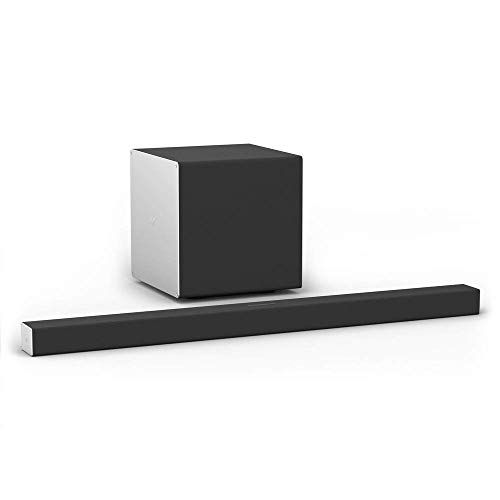
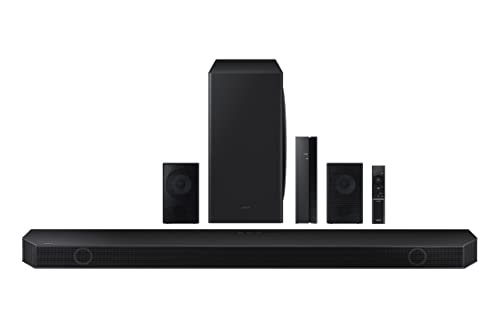
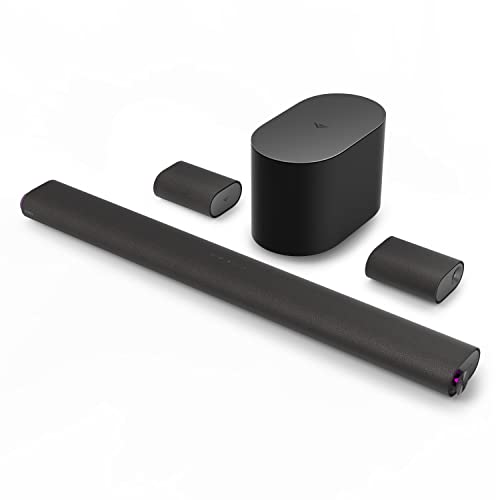
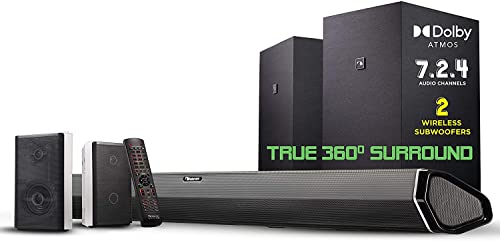
Nakamichi Shockwafe Elite 7.2.4 Channel 800W Dolby Atmos/DTS:X Soundbar with Dual 8” Subwoofers (Wireless) & 2 Rear Surround Speakers. Enjoy Plug and Play True 360° Cinema Sound & Room-Shaking Bass



Key features
- •Transform your living room into a premium cinema within minutes. Experience deep, room-filling bass with the industry's only Dual Wireless Subwoofers and True 360° 7.2 channel surround sound with the Soundbar + Two Rear Surround Speakers. Discover what you have been missing from movies, music and games and step into the future of home theater. Created with the same DNA as our flagship Shockwafe Ultra 9.2.4 SSE, Winner of the best Dolby Atmos Soundbar Battle (hosted by Brian Tong, Ex Cnet host)
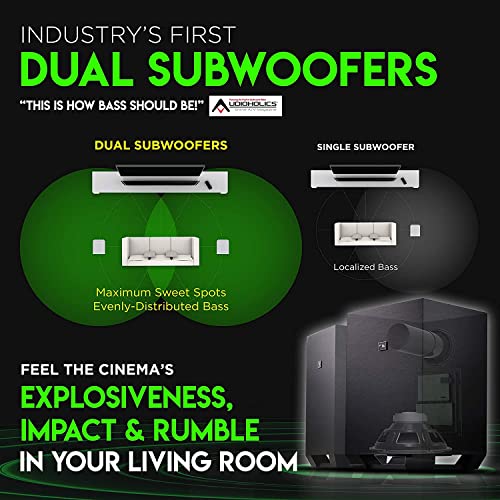
- •Our DUAL 8" WIRELESS SUBWOOFERS (industry's first!) produce ground-shaking rumbles that you will hear and feel from anywhere in your living room. They merge to distribute adrenaline-pumping bass effects evenly throughout the room with zero localization. Altogether, the sound bar with subwoofers unleash cinema-level volumes without a trace of distortion, replicating the perfect cinema experience. Agreed among experts, TWO subwoofers are a must for ultimate home theaters.
- •TWO 2-WAY REAR SPEAKERS (industry's first!) produce spacious and dynamic surround sound. Each of them (connected to sub via RCA wires) is constructed with a tweeter that reproduces high frequencies with captivating clarity, and a full-range driver that delivers surround effects with power and precision. Simply put, the surround sound performance from simulated/virtual 2.1 or other 5.1 channel surround soundbars does not come anywhere close to this.
- •Experience a whole new level of surround performance with our exclusive Spatial Surround Elevation SSE Technology. Featuring 3 advanced audio processing engines working in harmony to enhance directionality, enlarge spaciousness and unlock extra details of any audio soundtrack. Envelop your home theater with up to 7.2.4 channels of Dolby Atmos or DTS:X moving audio that flows all around you. Unleash the full dynamics of your audio experience with 106dB of room-filling sound.
- •All units sold since Aug '19 can receive Dolby Atmos surround via TV's eARC when streaming with TV's smart apps like Netflix (Note: not all TVs can output Atmos. Refer to your TV brand's audio output specs). Enjoy advanced connectivity with Dolby Vision, 4K UHD pass-thru and High Dynamic Range (HDR). Connect up to 6 devices via 1 HDMI ARC, 3 HDMI, 1 Optical and 1 Coaxial inputs. The 52-key backlit remote allows seamless control of sources, DSP modes, individual channel and room size optimization
Nakamichi Shockwafe Elite 7.2.4 Channel 800W Dolby Atmos/DTS:X Soundbar with Dual 8” Subwoofers (Wireless) & 2 Rear Surround Speakers. Enjoy Plug and Play True 360° Cinema Sound & Room-Shaking Bass
List Price: $1091.24$982.12DEALYou Save: $109.12 (10%)
Free shippingFree Returns – 30 daysFree Order CancellationSecure Payment2–3 Days DeliveryGet It June 25, 2026In Stock (1)No marketing spamNo account requiredFulfilment by FedEx / Amazon / UPS / ShipwirePayPal / Card Buyer Protection
Customer Reviews
Reviews sourced from verified Amazon purchasers4.5
out of 5
Based on 10 reviews
5★
70%
4★
30%
3★
0%
2★
0%
1★
0%
great sound but trial and error setup through complicated settings and options menu
Eric B.✓ Verified Purchase•September 3, 2023
I've only had this sound bar a day and have mixed feelings about this. Here's the short story... it is a complicated device that requires lots of fiddling with to get the sound you want. Fortunately the company provides half decent documentation that explains how to access and change the settings though ends just short of telling how the changes affect the way the system performance changes. They give recommended settings for configuration except don't tell why I should use them other than it gives the best performance. My old vizio unit was full configuration through the app which allowed me to change from 2 presets (movie/music) and surround/no surround. I could also change the bass/treble of the bar while also separately changing the sub level and also the rear speaker level to compensate for how close they sit to my head near the couch. this shockwafe unit lets you do all the same things except through a complicated remote design pushing buttons while watching the bar closely to make sure you have to right options set and then confirm the change. some changes cause the sound to drop out for 3 to 5 seconds while they take effect which is annoying but reminds me of my old onkyo receiver. I've found the best settings so far for myself is to use NATIVE mode which allows the system to decode all formats directly without any special upmixing of the content. I really encourage anyone to go through all the different settings with multiple sources to find the one you like best. I might end up changing my settings later on. Also DSP I disable which are the preset EQ configs like music/movie/game/clear voice. I find these to cause the audio to sound un-natural and less clear/crisp.
Most important thing to do is the firmware upgrade before connecting the bar to your tv/components.
My unit came with a USB drive with files already on it however they were not the most recent files available on the website. Just download the firmware zip file from their support page and replace the files on the flash drive and follow the instruction page.
I chose to wall-mount this bar because my old vizio bar was also mounted up on the wall. I got lucky and was able to line up the brackets to allow the cables to bend and come thru the access hole I have in the wall while keeping everything well hidden, see pictures. Look at how the plugs are setup on the bar and compare that to how many components you want to have directly attached to the bar vs. what you want going to your TV.
I have a nvidia shield going into hdmi-4 port right next to the ARC port that way both cables can go straight into the wall. the power adaptor plug cable has to go all the way over to the opposite side of the bar so some people might want to drill a separate hole in the wall just to hide this wire... I have mine tucked floating behind the bar and run it through the same cut out for the hdmi cables.
CEC power and volume control works great regardless of whether I'm using the TV remote control or my shield's remote.
mounting the rear speakers is a chore because they technically should have both mounting plates used to hold them to the wall, at the moment I'm only using one because of trial and error for placement.
my couch sits right up against the wall in a section recessed against windows so the speakers are literally a foot away from our ears. manual recommends mounting these AT head level for best sound however I might end up mounting these higher and either angled down at us or up for ceiling reflection effect because even at the lowest volume level they are still a little too loud for my listening pleasure at times.
finally keep in mind that the sub and rear speakers talk to the sound bar wirelessly over a 5ghz channel which has the potential to interfere with a WiFi router and cause audio drop out at times. this sound bar has a setting to enable a direct frequency (DF) to help alleviate this issue. because routers are also equally complicated to configure the average home user may get frustrated to not end trying to fix this, just contact their tech support. I have a google router which doesn't allow you to change the channel because it auto senses interference from competing channels. their help page will walk you thru difference solutions for this type of setup. you can use the wifiman app by ubiquiti which shows lots of detailed info about your home network and networks around you.
so far this sound bar has recognized all formats I've thrown at it both from my sony bravia's built in apps over the ARC and from the nvidia shield pro running kodi. each time new content starts the bar will display which codec it is playing and you can hit the info button for verification. this is awesome for me because other sound bars will simply either not tell you this information or flat out refuse to decode it leaving you in silence.
good news is despite the settings being a little on the complex side, it does allow you to save your preferences to memory.
Most important thing to do is the firmware upgrade before connecting the bar to your tv/components.
My unit came with a USB drive with files already on it however they were not the most recent files available on the website. Just download the firmware zip file from their support page and replace the files on the flash drive and follow the instruction page.
I chose to wall-mount this bar because my old vizio bar was also mounted up on the wall. I got lucky and was able to line up the brackets to allow the cables to bend and come thru the access hole I have in the wall while keeping everything well hidden, see pictures. Look at how the plugs are setup on the bar and compare that to how many components you want to have directly attached to the bar vs. what you want going to your TV.
I have a nvidia shield going into hdmi-4 port right next to the ARC port that way both cables can go straight into the wall. the power adaptor plug cable has to go all the way over to the opposite side of the bar so some people might want to drill a separate hole in the wall just to hide this wire... I have mine tucked floating behind the bar and run it through the same cut out for the hdmi cables.
CEC power and volume control works great regardless of whether I'm using the TV remote control or my shield's remote.
mounting the rear speakers is a chore because they technically should have both mounting plates used to hold them to the wall, at the moment I'm only using one because of trial and error for placement.
my couch sits right up against the wall in a section recessed against windows so the speakers are literally a foot away from our ears. manual recommends mounting these AT head level for best sound however I might end up mounting these higher and either angled down at us or up for ceiling reflection effect because even at the lowest volume level they are still a little too loud for my listening pleasure at times.
finally keep in mind that the sub and rear speakers talk to the sound bar wirelessly over a 5ghz channel which has the potential to interfere with a WiFi router and cause audio drop out at times. this sound bar has a setting to enable a direct frequency (DF) to help alleviate this issue. because routers are also equally complicated to configure the average home user may get frustrated to not end trying to fix this, just contact their tech support. I have a google router which doesn't allow you to change the channel because it auto senses interference from competing channels. their help page will walk you thru difference solutions for this type of setup. you can use the wifiman app by ubiquiti which shows lots of detailed info about your home network and networks around you.
so far this sound bar has recognized all formats I've thrown at it both from my sony bravia's built in apps over the ARC and from the nvidia shield pro running kodi. each time new content starts the bar will display which codec it is playing and you can hit the info button for verification. this is awesome for me because other sound bars will simply either not tell you this information or flat out refuse to decode it leaving you in silence.
good news is despite the settings being a little on the complex side, it does allow you to save your preferences to memory.
Updated: 9.2.4 Sounds great. Broken HDMI input caused much extremely difficult debugging.
jjnbos✓ Verified Purchase•August 27, 2023
Update 24 DEC 2019:
-- All is basically forgiven, the sound is that good --
It's sorta of complex to get perfect sound, but this thing can make great sound; see long discussion of what I did to get that sound at the end...
At this time I can say this thing sounds awesome. Like it brings me joy to listen to this soundbar. However was a pain to get to this point. Nakamichi service, Alberto, was extremely professional and efficient.
In retrospect it was all clear. One of the two HDMI inputs the soundbar that supports Dolby Atmos (must use either #2 or #3) was broken. In particular it was intermittent. This was infuriating and really hard to debug. It also has an aggravating quirk (when soundbar is reset, the two memories get set at super loud, you will be shocked how loud it is when you accidentally hit "M1" or "M2")
-- but All is basically forgiven, sound is that good --
Nakamichi Makes great sound, but you'll be need to be an enthusiast to realistically be able to get it all set up. Or just spend a $100 and have a "geek squad" person install it.
=== Getting rid of the no sound problems
I was also real disappointed like some reviewers, however after a lot of debugging it turned out the constant rebooting came from several things related to it takes the sound bar about 10 second to sync up with the input signal. Any glitches (e.g. change channels, Netflix buffers) cause some failure and then no sound. So have reported changing the volume while waiting for the sound to come back will reliably cause the problem
I did several things to make "no sound" largely a thing of the past. Key was getting the Netflix streaming device (Apple TV 4K) on a wired ethernet connection. That keeps the time buffering way way less, and sound bar is now rock solid streaming. Yes that was a pain because I had to get room wired. Try it and see with a long ethernet cable...
Secondly I moved the old TiVO DVR from the sound bar input to the 2019 LG C9 tv, which appears to give the sound bar a solid signal, even when changing channels on TiVo and so on. In the end I have the Apple TV and a Blu-ray directly connected to sound bar, and the DVR connected directly to the TV. That is in the manual BTW
Third I found that when the now rare glitches does happen, and no sound happens, rather than reboot I j switch the soundbar input to something else, e.g. optical or other input for a second, and then immediately back to the desired input. Works every time. Yes that is a pain, but after fixing the first two things, its so rare I do not care.
=== Getting amazing sound? Here's what I did.
As far as poor quality sound/music I was also disappointed at first. Here are some of the things that fixed that. I love the sound now.
The most important is that the sound quality is hugely impacted by the placement of the speakers.Boviously. Way more sensitive to small changes than I expected. I'm talking about a few inches. Height makes a surprisingly big difference. I placed these their sides, but which side, etc. It all matters a lot. I was casual about this, but just for fun/desperate I followed the placement suggestions on the large setup guide EXACTLY.
First make sure all 4 surrounds are exactly ear height. I initially had the Backs on a shelf at wrong height and place. === Height really matters! == I finally used a tape measure, sounds silly, was a big deal.
Next I use all 4 speakers, 2 back 2 front. No dipole. I have them on their side in what Nakamichi calls "Elevation". This means all four are on their side and the speakers are pointing up towards the ceiling at a 45 degree angle. Key to great surround sound. Trust me.
Location matters. A lot. In particular I moved the surrounds to exactly 2m (6.5 feet) away from center of FRONT of couch, pointing exactly down the front edge of couch. Exactly as it says on the huge folded setup guide, but they don't make it emphatic that --you really need to do this--. The backs and the surrounds all point to the center of the front edge of the middle of sofa. The surrounds need to lined up along the front edge of couch and backs at 135 angle from front edge. The backs are also 2m/6.5 feet from the front edge of couch. Use a tape measure. It matters.
--> Suddenly great spatial effects.
--> Great music.
Sounds silly; try it and see! Keep everything at ear height 6 feet from center of couch. I think you will be amazed.
Next part of this puzzle, use the demo disk "Helicopter" sound track to adjust the volume of the surround and back and center speakers until the helicopter sound is at constant volume and therefore sounds like helicopter is always a constant distance away. It should sound like a helicopter circling you at a constant speed and distance.
I needed to fiddle with the location of the back speakers to get constant speed from helicopter sound.
I needed +8 on the back and +7 on surround and +4 on center to get constant volume. Obviously you'll need to fiddle for yourselves, but "Helicopter" really shows what this thing can do when adjusted just right.
Almost done and this is easy. Make sure all the DSP stuff is OFF. No stereo, no night, not native, not game, not music, SSE is off; get rid of it all. No easy way to do that. Just cycle thru "info" on remote and see what is turned on. Then get rid of it.
You want ONLY "movie" and "dolby surround". Now the fun! Fiddle with room size and SSE. SSE has 4 choices (0-3), and size has 3; try all 12 combs (easy). I find small room SSE 2 or 3 works WONDERFUL for TV and music. You might prefer SSE 0 for music.
SSE makes it seem, for example like the saxophone player is standing up, and it changes how tall he is. It also changes the sensation of how far apart sideways the musicians are. Makes the stage seem bigger. When I got it just right? I can stare with my eyes at the sound bar and it still sounds exactly like Coltrane is 6 feet tall and about 6 feet from the piano. My sound bar is 24" off the floor. I find most of "stereo imaging" stuff like this doesn't work if my eyes are open. This sound bar does this wonderfully using my Apple TV 4K to play music.
Lastly I fiddled with the subs. I was amazed how critical it is to get them at the right place and pointing in the correct direction. Other wise I got nothing but room resonance or "boom". This makes bass guitar sound like a thud; you know loud but cheap stereo in a car. I moved, and turned and fiddled with the subs while listening to John Coltrane music; key is prominent acoustic bass on a quality recording. Try his song "I Want to Talk About You". That sort of music usually causes a sub to resonate with the room making bass sound like drum; it "booms". I tried moving the subs out of the corner, into the corner, away from the walls, point the port on the back towards corner, towards side wall, or the back wall. etc etc.
Hint: turn the volume way down and the bass up to say 8 and move the sub around. At very low volume you know the sub is not distorting from lack of power and so on. You may or may not like booming bass, some do, (but you'll know it when you get what you like).
Slowly but surely I got clean, deep bass with little booming. In my particular case the ports point away from the couch, the subs are near the couch but a foot away, and the couch is about 2' from wall. That was to get the back surrounds in right place. I expected very low "spouse approval" for subs in room, but we have small end tables. And sounds so amazing, this is not a factor.
Sound really is almost perfect. Last key step, the sub crossover frequency on setup menus needed, in my case, to be turned down from 180 to 110.
Hint: while fiddling with this crossover setting, nothing happens till you exit the setup menu, and there is a few second delay when you change it; etc. $%&# , but try it and see if the boom goes away.
Whew. Watch something with clean sound on Amazon that I thought had bad sound; I found "Seal Team" dialog amazingly clear. A first! Explosions do NOT boom! Music? Bass sound like a bass, not a drum. Listen to some techno and you'll see most techno is all drum, no bass! And so on. Clear Clear Sound. And when the people down stairs are away; crank this bad boy up. Lots of clean power + clean sound = wow.
I'm telling you this thing started like a nightmare and now makes sound so clean, it brings me joy. Obviously you going to have to fiddle with your subs location and orientation and the couch's position for the back surrounds, and so on; but keep all the surrounds and back at the exact same ear height, and at the correct distance from a very unlikely place, (aka center front edge of couch), and I think you will have awesome sound too.
-- All is basically forgiven, the sound is that good --
It's sorta of complex to get perfect sound, but this thing can make great sound; see long discussion of what I did to get that sound at the end...
At this time I can say this thing sounds awesome. Like it brings me joy to listen to this soundbar. However was a pain to get to this point. Nakamichi service, Alberto, was extremely professional and efficient.
In retrospect it was all clear. One of the two HDMI inputs the soundbar that supports Dolby Atmos (must use either #2 or #3) was broken. In particular it was intermittent. This was infuriating and really hard to debug. It also has an aggravating quirk (when soundbar is reset, the two memories get set at super loud, you will be shocked how loud it is when you accidentally hit "M1" or "M2")
-- but All is basically forgiven, sound is that good --
Nakamichi Makes great sound, but you'll be need to be an enthusiast to realistically be able to get it all set up. Or just spend a $100 and have a "geek squad" person install it.
=== Getting rid of the no sound problems
I was also real disappointed like some reviewers, however after a lot of debugging it turned out the constant rebooting came from several things related to it takes the sound bar about 10 second to sync up with the input signal. Any glitches (e.g. change channels, Netflix buffers) cause some failure and then no sound. So have reported changing the volume while waiting for the sound to come back will reliably cause the problem
I did several things to make "no sound" largely a thing of the past. Key was getting the Netflix streaming device (Apple TV 4K) on a wired ethernet connection. That keeps the time buffering way way less, and sound bar is now rock solid streaming. Yes that was a pain because I had to get room wired. Try it and see with a long ethernet cable...
Secondly I moved the old TiVO DVR from the sound bar input to the 2019 LG C9 tv, which appears to give the sound bar a solid signal, even when changing channels on TiVo and so on. In the end I have the Apple TV and a Blu-ray directly connected to sound bar, and the DVR connected directly to the TV. That is in the manual BTW
Third I found that when the now rare glitches does happen, and no sound happens, rather than reboot I j switch the soundbar input to something else, e.g. optical or other input for a second, and then immediately back to the desired input. Works every time. Yes that is a pain, but after fixing the first two things, its so rare I do not care.
=== Getting amazing sound? Here's what I did.
As far as poor quality sound/music I was also disappointed at first. Here are some of the things that fixed that. I love the sound now.
The most important is that the sound quality is hugely impacted by the placement of the speakers.Boviously. Way more sensitive to small changes than I expected. I'm talking about a few inches. Height makes a surprisingly big difference. I placed these their sides, but which side, etc. It all matters a lot. I was casual about this, but just for fun/desperate I followed the placement suggestions on the large setup guide EXACTLY.
First make sure all 4 surrounds are exactly ear height. I initially had the Backs on a shelf at wrong height and place. === Height really matters! == I finally used a tape measure, sounds silly, was a big deal.
Next I use all 4 speakers, 2 back 2 front. No dipole. I have them on their side in what Nakamichi calls "Elevation". This means all four are on their side and the speakers are pointing up towards the ceiling at a 45 degree angle. Key to great surround sound. Trust me.
Location matters. A lot. In particular I moved the surrounds to exactly 2m (6.5 feet) away from center of FRONT of couch, pointing exactly down the front edge of couch. Exactly as it says on the huge folded setup guide, but they don't make it emphatic that --you really need to do this--. The backs and the surrounds all point to the center of the front edge of the middle of sofa. The surrounds need to lined up along the front edge of couch and backs at 135 angle from front edge. The backs are also 2m/6.5 feet from the front edge of couch. Use a tape measure. It matters.
--> Suddenly great spatial effects.
--> Great music.
Sounds silly; try it and see! Keep everything at ear height 6 feet from center of couch. I think you will be amazed.
Next part of this puzzle, use the demo disk "Helicopter" sound track to adjust the volume of the surround and back and center speakers until the helicopter sound is at constant volume and therefore sounds like helicopter is always a constant distance away. It should sound like a helicopter circling you at a constant speed and distance.
I needed to fiddle with the location of the back speakers to get constant speed from helicopter sound.
I needed +8 on the back and +7 on surround and +4 on center to get constant volume. Obviously you'll need to fiddle for yourselves, but "Helicopter" really shows what this thing can do when adjusted just right.
Almost done and this is easy. Make sure all the DSP stuff is OFF. No stereo, no night, not native, not game, not music, SSE is off; get rid of it all. No easy way to do that. Just cycle thru "info" on remote and see what is turned on. Then get rid of it.
You want ONLY "movie" and "dolby surround". Now the fun! Fiddle with room size and SSE. SSE has 4 choices (0-3), and size has 3; try all 12 combs (easy). I find small room SSE 2 or 3 works WONDERFUL for TV and music. You might prefer SSE 0 for music.
SSE makes it seem, for example like the saxophone player is standing up, and it changes how tall he is. It also changes the sensation of how far apart sideways the musicians are. Makes the stage seem bigger. When I got it just right? I can stare with my eyes at the sound bar and it still sounds exactly like Coltrane is 6 feet tall and about 6 feet from the piano. My sound bar is 24" off the floor. I find most of "stereo imaging" stuff like this doesn't work if my eyes are open. This sound bar does this wonderfully using my Apple TV 4K to play music.
Lastly I fiddled with the subs. I was amazed how critical it is to get them at the right place and pointing in the correct direction. Other wise I got nothing but room resonance or "boom". This makes bass guitar sound like a thud; you know loud but cheap stereo in a car. I moved, and turned and fiddled with the subs while listening to John Coltrane music; key is prominent acoustic bass on a quality recording. Try his song "I Want to Talk About You". That sort of music usually causes a sub to resonate with the room making bass sound like drum; it "booms". I tried moving the subs out of the corner, into the corner, away from the walls, point the port on the back towards corner, towards side wall, or the back wall. etc etc.
Hint: turn the volume way down and the bass up to say 8 and move the sub around. At very low volume you know the sub is not distorting from lack of power and so on. You may or may not like booming bass, some do, (but you'll know it when you get what you like).
Slowly but surely I got clean, deep bass with little booming. In my particular case the ports point away from the couch, the subs are near the couch but a foot away, and the couch is about 2' from wall. That was to get the back surrounds in right place. I expected very low "spouse approval" for subs in room, but we have small end tables. And sounds so amazing, this is not a factor.
Sound really is almost perfect. Last key step, the sub crossover frequency on setup menus needed, in my case, to be turned down from 180 to 110.
Hint: while fiddling with this crossover setting, nothing happens till you exit the setup menu, and there is a few second delay when you change it; etc. $%&# , but try it and see if the boom goes away.
Whew. Watch something with clean sound on Amazon that I thought had bad sound; I found "Seal Team" dialog amazingly clear. A first! Explosions do NOT boom! Music? Bass sound like a bass, not a drum. Listen to some techno and you'll see most techno is all drum, no bass! And so on. Clear Clear Sound. And when the people down stairs are away; crank this bad boy up. Lots of clean power + clean sound = wow.
I'm telling you this thing started like a nightmare and now makes sound so clean, it brings me joy. Obviously you going to have to fiddle with your subs location and orientation and the couch's position for the back surrounds, and so on; but keep all the surrounds and back at the exact same ear height, and at the correct distance from a very unlikely place, (aka center front edge of couch), and I think you will have awesome sound too.
Nakamichi shockwafe ultra 9.2 or nothing!
Chandru✓ Verified Purchase•August 24, 2023
*** Nov 16, 2018 update ***
I have been having a great experience with this system since early June 2018 when I purchased it on amazon. This is in spite of the remote control issues that everyone has mentioned. Since I use a logitech harmony ultimate, this is not an issue for me, but definitely something that Nakamichi must work on.
The biggest reason I am writing this today, is the news I saw just today morning about Nakamichi supporting dolby atmos & vision via firmware update that will be available next month on the shockwafe 9.2 system 2018 model!!! They are calling is SSE (spatial surround elevation) technology. There have been many including me that were constantly giving feedback atmos & vision support to them... this once again goes on to show Nakamichi is indeed listening to customer feedback & their overall wonderful customer support!!! Go Nakamichi.... I can't wait for SSE firmware release to test it out to feel how much of a difference this will make to my June 2018 model to extend it to "9.2.4" atmos & vision compatible system. Thank you Nakamichi!
[btw, I didn't see 9.2 shockwafe listed yet on dolby's website under atmos soundbar category... assuming it will go up there soon after Nakamichi's SSE firmware official release next month?]
*******************************
First impressions after using it for couple days (more detailed review to follow soon after I test it more esp. music): This IS the product I have been looking for - a hands-down, clear winner, worth every penny considering not just the no. of speakers/drivers, dual subs, but more importantly the well-balanced performance - audiophile grade!. So far I have tested this "beast" in the following set-up: Nakamichi surrounds in dipole config coz of space limitations in my room - btw, they came with surrounds joined together out of the box for dipole, felt like Nakamichi knew I was going to use it in that config (ha ha ha!), Samsung UN65KS8000F 65" 4K TV, Sony UBP-X800 4K player, Xfinity 4K box, PS4, media streamers (Roku 4K, Amazon fire TV), 4K titles - Battleship - DTS-X, Atomic Blonde - DTS-X, Blade Runner 2049 - Atmos; 1080p titles: Master and Commander - The Far Side of the World - DTS HD-MA, Knight and Day - DTS HD-MA.
Summary:
PROS:
Bottom-line: I made the right decision to replace the bose ST300 with this "beast" - Nakamichi is a clear winner without a doubt, hands-down!
Audio performance:- excellent theater-type sound stage, superb sound clarity, crispness & channel separation; well-balanced & deep bass (dual subs are well sync'd)... I am really amazed by its channel separation & sound clarity capabilites. Having used the bose ST300 for over 6 months now, I thought that's the best one could get from a soundbar... beware Bose - you have lots to catch up on!
Unboxing & set-up: Solid packaging... set-up was straight-forward & simple (read ahead/plan/follow the steps); I also did firmware update coz the system came with an older version - very simple & quick (I initially thought it might be complicated, but was pleasantly surprised here too!)
CONS (mostly minor but, Nakamichi, pls listen...am fairly sure you are):
Remote: keys are small, backlight is not sufficiently bright for me to read all the keys in dark environment; some keys are not back-lit up anyways; importantly, as others have said, it is a challenge to point the remote at the soundbar for commands to work.
Soundbar display menu: not good at all - very cryptic, given only a few characters available & importantly, very difficult to read what's being shown unless I am up close. Nakamichi, don't cut corners here - incorporate better resolution display (not the very poor dot-matrix type you have now) incl. audio format logo to be displayed as it would be a nice touch... and, more importantly, as others have suggested, have the set up screen menu displayed on TV over hdmi!
Audio: It takes about 9 to 10 seconds of "deafening silence" before sound comes on esp. when I switch sources or pause & play movie scenes. Not sure why... also, seems to fall back to ARC most of the time, which means I have to hit the hdmi-2 (or -3 or -4 as the case may be) again & again
Inter-operability over CEC: Running into challenges currently; Nakamichi does not switch to the correct hdmi port & play sound based on source I select. I have followed instructions outlined in the manual/on-line resources, etc. My current set-up: Nakamichi & TV connected over hdmi - arc; audio only hdmi port from Sony X800 4k player connected to hdmi-2 on Nakamichi & video/audio hdmi port connected to TV & Sony 4K player config settings according to steps outlined by Nakamichi; xfinity 4k box & amazon fire tv box connected to TV over hdmi. Roku 4k box & PS4 connected over hdmi to Nakamchi's hdmi ports 3 & 4.
Kodi 17.6 krypton running on fire tv (I suppose this is not a Nakamichi problem): "Audio output device" greyed out & therefore not able to select Nakamichi (all other Kodi system settings are in line with what I could find online - not sure if Kodi has withdrawn this feature in v17.6)
Dolby Atmos, True-HD & Vision support: Lacks all these currently. My feedback is this: given it's increasing popularity & adoption (iTunes has lots of content that supports DV already & increasing further, and Apple have announced that ATV 4K will support Atmos this fall with tvOS 12 release!!! And TV brands like LG, Sony, Vizio, etc have it already & apps like Vudu, Netflix (in a limited way) etc, support it! From Atmos standpoint, I do understand that a pair upfiring speakers in the soundbar is more of marketing than true experience & requires hardware changes, but Nakamichi could consider coming out with optional Atmos-enabled in-ceiling speakers to further complement shockwafe 7.2/9.2 systems in a 7.2.2 or 9.2.2 (*.*.4 might be two too many!!!). On the other hand, I believe dolby vision is a firmware implementation and so Nakamichi must be able to quickly implement support in a near-future firmware release in a such a way that DV signal is passed thru to TV without compromise. Till such time, only workaround is to connect 4k player like Sony X800 that supports DV directly to TV & use the second audio-only port to Nakamichi over another hdmi.... but what if I have more than one source that supports DV & I have more such sources to connect than my TV's hdmi ports (in which case, I will have to use hdmi ports on Nakamichi & I don't want to invest in a separate hdmi switcher)... why no Dolby True-HD? Licensing cost issue? Lossless format is always better... but if 4k players & streamers can bit-stream out this format to Nakamichi, then fine, otherwise, hmmm... I got to check :-)
Overall BEST product (for the price-point & boy, the VALUE), but I guess to make it TRULY GREAT, Nakamichi should fix the CONS soon! Thank you Nakamichi!
I have been having a great experience with this system since early June 2018 when I purchased it on amazon. This is in spite of the remote control issues that everyone has mentioned. Since I use a logitech harmony ultimate, this is not an issue for me, but definitely something that Nakamichi must work on.
The biggest reason I am writing this today, is the news I saw just today morning about Nakamichi supporting dolby atmos & vision via firmware update that will be available next month on the shockwafe 9.2 system 2018 model!!! They are calling is SSE (spatial surround elevation) technology. There have been many including me that were constantly giving feedback atmos & vision support to them... this once again goes on to show Nakamichi is indeed listening to customer feedback & their overall wonderful customer support!!! Go Nakamichi.... I can't wait for SSE firmware release to test it out to feel how much of a difference this will make to my June 2018 model to extend it to "9.2.4" atmos & vision compatible system. Thank you Nakamichi!
[btw, I didn't see 9.2 shockwafe listed yet on dolby's website under atmos soundbar category... assuming it will go up there soon after Nakamichi's SSE firmware official release next month?]
*******************************
First impressions after using it for couple days (more detailed review to follow soon after I test it more esp. music): This IS the product I have been looking for - a hands-down, clear winner, worth every penny considering not just the no. of speakers/drivers, dual subs, but more importantly the well-balanced performance - audiophile grade!. So far I have tested this "beast" in the following set-up: Nakamichi surrounds in dipole config coz of space limitations in my room - btw, they came with surrounds joined together out of the box for dipole, felt like Nakamichi knew I was going to use it in that config (ha ha ha!), Samsung UN65KS8000F 65" 4K TV, Sony UBP-X800 4K player, Xfinity 4K box, PS4, media streamers (Roku 4K, Amazon fire TV), 4K titles - Battleship - DTS-X, Atomic Blonde - DTS-X, Blade Runner 2049 - Atmos; 1080p titles: Master and Commander - The Far Side of the World - DTS HD-MA, Knight and Day - DTS HD-MA.
Summary:
PROS:
Bottom-line: I made the right decision to replace the bose ST300 with this "beast" - Nakamichi is a clear winner without a doubt, hands-down!
Audio performance:- excellent theater-type sound stage, superb sound clarity, crispness & channel separation; well-balanced & deep bass (dual subs are well sync'd)... I am really amazed by its channel separation & sound clarity capabilites. Having used the bose ST300 for over 6 months now, I thought that's the best one could get from a soundbar... beware Bose - you have lots to catch up on!
Unboxing & set-up: Solid packaging... set-up was straight-forward & simple (read ahead/plan/follow the steps); I also did firmware update coz the system came with an older version - very simple & quick (I initially thought it might be complicated, but was pleasantly surprised here too!)
CONS (mostly minor but, Nakamichi, pls listen...am fairly sure you are):
Remote: keys are small, backlight is not sufficiently bright for me to read all the keys in dark environment; some keys are not back-lit up anyways; importantly, as others have said, it is a challenge to point the remote at the soundbar for commands to work.
Soundbar display menu: not good at all - very cryptic, given only a few characters available & importantly, very difficult to read what's being shown unless I am up close. Nakamichi, don't cut corners here - incorporate better resolution display (not the very poor dot-matrix type you have now) incl. audio format logo to be displayed as it would be a nice touch... and, more importantly, as others have suggested, have the set up screen menu displayed on TV over hdmi!
Audio: It takes about 9 to 10 seconds of "deafening silence" before sound comes on esp. when I switch sources or pause & play movie scenes. Not sure why... also, seems to fall back to ARC most of the time, which means I have to hit the hdmi-2 (or -3 or -4 as the case may be) again & again
Inter-operability over CEC: Running into challenges currently; Nakamichi does not switch to the correct hdmi port & play sound based on source I select. I have followed instructions outlined in the manual/on-line resources, etc. My current set-up: Nakamichi & TV connected over hdmi - arc; audio only hdmi port from Sony X800 4k player connected to hdmi-2 on Nakamichi & video/audio hdmi port connected to TV & Sony 4K player config settings according to steps outlined by Nakamichi; xfinity 4k box & amazon fire tv box connected to TV over hdmi. Roku 4k box & PS4 connected over hdmi to Nakamchi's hdmi ports 3 & 4.
Kodi 17.6 krypton running on fire tv (I suppose this is not a Nakamichi problem): "Audio output device" greyed out & therefore not able to select Nakamichi (all other Kodi system settings are in line with what I could find online - not sure if Kodi has withdrawn this feature in v17.6)
Dolby Atmos, True-HD & Vision support: Lacks all these currently. My feedback is this: given it's increasing popularity & adoption (iTunes has lots of content that supports DV already & increasing further, and Apple have announced that ATV 4K will support Atmos this fall with tvOS 12 release!!! And TV brands like LG, Sony, Vizio, etc have it already & apps like Vudu, Netflix (in a limited way) etc, support it! From Atmos standpoint, I do understand that a pair upfiring speakers in the soundbar is more of marketing than true experience & requires hardware changes, but Nakamichi could consider coming out with optional Atmos-enabled in-ceiling speakers to further complement shockwafe 7.2/9.2 systems in a 7.2.2 or 9.2.2 (*.*.4 might be two too many!!!). On the other hand, I believe dolby vision is a firmware implementation and so Nakamichi must be able to quickly implement support in a near-future firmware release in a such a way that DV signal is passed thru to TV without compromise. Till such time, only workaround is to connect 4k player like Sony X800 that supports DV directly to TV & use the second audio-only port to Nakamichi over another hdmi.... but what if I have more than one source that supports DV & I have more such sources to connect than my TV's hdmi ports (in which case, I will have to use hdmi ports on Nakamichi & I don't want to invest in a separate hdmi switcher)... why no Dolby True-HD? Licensing cost issue? Lossless format is always better... but if 4k players & streamers can bit-stream out this format to Nakamichi, then fine, otherwise, hmmm... I got to check :-)
Overall BEST product (for the price-point & boy, the VALUE), but I guess to make it TRULY GREAT, Nakamichi should fix the CONS soon! Thank you Nakamichi!
Impressive sound - Solid product quality - No mobile app - Settings somewhat suck
Leo✓ Verified Purchase•August 8, 2023
SUMMARY/Spoiler Alert: It's a thrifty audiophile's sound bar (unless you are ready to spend thousands more) with a somewhat outdated way of checking/changing settings.
I knew what to expect when purchasing this sound bar, given my extensive experience with HiFi sound, and after reading quite a number of reviews. In my book, sound quality trumps other factors like design (like rotating speakers on a Vizio sound bar) and/or a cool app.
As an audiophile for 2+ decades, I know that one needs to limit expectations. NO sound bar combo can reproduce the quality of sound even close to that of a full-scale system with serious standalone speakers and a HiFi AV receiver, let alone custom multi-amplifier setups. (I have a couple setups with the 8-series Marantz receivers and 8-series B&W speakers at home to compare to). This is not surprising given a huge price and size gap. You simply cannot get truly HiFi sound with tiny speakers, but you can try to do your best...
In my case this Nakamichi Shockwafe Pro 7.1.4 is used together with the TV hanging on the wall in front of the treadmill in the exercise room. Both rear surround speakers and the subwoofer are located behind the treadmill. Given the inevitable high level of ambient noise created by the treadmill, I needed two things from this sound bar:
- Good sound quality that would not make me wince, and
- A sufficient level of sound pressure (loudness/wattage) to hear everything clearly over the treadmill.
PROS:
1. Comparing this soundbar to similarly positioned systems from Vizio and Samsung I can clearly tell that the overall sound quality is noticeably better; I have no issues with it, and I am quite fastidious in that area. The bass is also solid (even with a single subwoofer of the 7.1.4 system), and one can easily adjust its level using a calibration recording and an SPL meter. I do not care much about 3D/Atmos sound, especially in this exercise room setup, and generally do not watch a lot of movies where these effects are truly important, so I cannot tell anything in this regard.
2. The power is tremendous. Even with a high level of ambient noise I never go to volumes above 30 out of 100 even for Netflix movies (notoriously mastered with a lower sound volume). Not getting even closer to the sound bar limits guarantees lack of noticeable distortion, which becomes a factor with lesser systems. (I tried to use an older lower-midrange Yamaha YAS-408 in this setting earlier, and it was struggling, the volume going all the way to 88-90 out of 100...)
3. The soundbar works seamlessly and reliably with both 4K Google Chromecast TV w/ Google TV and Amazon FireTV Cube, including automated ON/OFF sequences, etc.
4. You can store settings and quickly recall them at any time using System Memory 1-3 buttons.
CONS:
1. There is no app, and no way to output the settings menu to the TV (like with most AV receivers). You need to check or set dozens of parameters using the remote with 100 (maybe somewhat fewer) buttons and a tiny soundbar LED screen. This method feels awkward and inconvenient. Even the inexpensive and old Yamaha YAS-408 has an app that makes it possible to set or check settings easily.
2. No automated room sound correction present on some fancier soundbars. You can only set the room size. Not a big deal, imho.
Given that all the primary speakers (except for the subwoofer and surround speakers) are integrated in the soundbar, sound travel distances are the same anyway, and the manufacturer has exact measurements for each speaker upfront. In reality, room sound correction is only required when you use an AV receiver and standalone speakers/sub, with a million relative SPL/location options. In the case of this soundbar the only thing you truly need is to adjust the subwoofer level, which is done easily with separate buttons on the remote.
3. While most of the settings can be stored, I had to manually set room size (SSE) level after a power outage.
4. Firmware updates look and feel clumsy, and the link provided in the manual does not work. I do not even know how/where to find firmware when a FW upgrade is due... Nowadays such updates should be done via the app; luckily, it's a procedure you don't need often.
NEUTRAL: Nakamichi Shockwafe Pro 7.1.4 does NOT support Google Chromecast (there's no WiFi). Well, you cannot cast directly to the sound bar, but given that most modern TVs support this feature you can use eARC and/or you can add an inexpensive Google Chromecast dongle to the setup. So, this is not really an issue.
Overall, it works well in my setting, and I like it, given that I do not mind playing with settings once in a while in the nostalgic, 20-th century way, using the remote and the tiny LED indicator on the front panel. If you do not like this medieval approach to settings, I would not recommend this soundbar :-)
I knew what to expect when purchasing this sound bar, given my extensive experience with HiFi sound, and after reading quite a number of reviews. In my book, sound quality trumps other factors like design (like rotating speakers on a Vizio sound bar) and/or a cool app.
As an audiophile for 2+ decades, I know that one needs to limit expectations. NO sound bar combo can reproduce the quality of sound even close to that of a full-scale system with serious standalone speakers and a HiFi AV receiver, let alone custom multi-amplifier setups. (I have a couple setups with the 8-series Marantz receivers and 8-series B&W speakers at home to compare to). This is not surprising given a huge price and size gap. You simply cannot get truly HiFi sound with tiny speakers, but you can try to do your best...
In my case this Nakamichi Shockwafe Pro 7.1.4 is used together with the TV hanging on the wall in front of the treadmill in the exercise room. Both rear surround speakers and the subwoofer are located behind the treadmill. Given the inevitable high level of ambient noise created by the treadmill, I needed two things from this sound bar:
- Good sound quality that would not make me wince, and
- A sufficient level of sound pressure (loudness/wattage) to hear everything clearly over the treadmill.
PROS:
1. Comparing this soundbar to similarly positioned systems from Vizio and Samsung I can clearly tell that the overall sound quality is noticeably better; I have no issues with it, and I am quite fastidious in that area. The bass is also solid (even with a single subwoofer of the 7.1.4 system), and one can easily adjust its level using a calibration recording and an SPL meter. I do not care much about 3D/Atmos sound, especially in this exercise room setup, and generally do not watch a lot of movies where these effects are truly important, so I cannot tell anything in this regard.
2. The power is tremendous. Even with a high level of ambient noise I never go to volumes above 30 out of 100 even for Netflix movies (notoriously mastered with a lower sound volume). Not getting even closer to the sound bar limits guarantees lack of noticeable distortion, which becomes a factor with lesser systems. (I tried to use an older lower-midrange Yamaha YAS-408 in this setting earlier, and it was struggling, the volume going all the way to 88-90 out of 100...)
3. The soundbar works seamlessly and reliably with both 4K Google Chromecast TV w/ Google TV and Amazon FireTV Cube, including automated ON/OFF sequences, etc.
4. You can store settings and quickly recall them at any time using System Memory 1-3 buttons.
CONS:
1. There is no app, and no way to output the settings menu to the TV (like with most AV receivers). You need to check or set dozens of parameters using the remote with 100 (maybe somewhat fewer) buttons and a tiny soundbar LED screen. This method feels awkward and inconvenient. Even the inexpensive and old Yamaha YAS-408 has an app that makes it possible to set or check settings easily.
2. No automated room sound correction present on some fancier soundbars. You can only set the room size. Not a big deal, imho.
Given that all the primary speakers (except for the subwoofer and surround speakers) are integrated in the soundbar, sound travel distances are the same anyway, and the manufacturer has exact measurements for each speaker upfront. In reality, room sound correction is only required when you use an AV receiver and standalone speakers/sub, with a million relative SPL/location options. In the case of this soundbar the only thing you truly need is to adjust the subwoofer level, which is done easily with separate buttons on the remote.
3. While most of the settings can be stored, I had to manually set room size (SSE) level after a power outage.
4. Firmware updates look and feel clumsy, and the link provided in the manual does not work. I do not even know how/where to find firmware when a FW upgrade is due... Nowadays such updates should be done via the app; luckily, it's a procedure you don't need often.
NEUTRAL: Nakamichi Shockwafe Pro 7.1.4 does NOT support Google Chromecast (there's no WiFi). Well, you cannot cast directly to the sound bar, but given that most modern TVs support this feature you can use eARC and/or you can add an inexpensive Google Chromecast dongle to the setup. So, this is not really an issue.
Overall, it works well in my setting, and I like it, given that I do not mind playing with settings once in a while in the nostalgic, 20-th century way, using the remote and the tiny LED indicator on the front panel. If you do not like this medieval approach to settings, I would not recommend this soundbar :-)
Sounds amazing. Deserves serious consideration.
NV✓ Verified Purchase•July 20, 2023
-- 6 year update --
TL; DR -- Yes, I still have the system and it's awesome! Hard to believe I am updating a review for a tech product after 6 years.
Firmware updates enabled Dolby Atmos a few years ago. My primary input source is now a 4K Apple TV connected to one of the HDMI ports on the sound bar. The TV is now a Dolby Vision capable Sony connected via HDMI Arc. The TV supports HDMI eArc but it's not supported by the (original 2017) sound bar, this setup enables both Dolby Vision and Dolby Atmos. Biggest change is that I replaced the extra long chicken wire that came with the system for connecting surround speakers to the subs with better quality, thicker and shorter RCA cables. These are average quality not high end in any way, but they have made an appreciable difference to the surround audio levels and clarity.
After listening to other sound bars, what continues to strikes me is the clarity of the vocal track and the separation that you get with the sound bar. The comments below still hold. Yes, there are things I could be improved, the mid range could be better, the system could be better for music and so on. But its also clear the alternatives won't be in the same price range, nor will they offer the same convenience. This sound bar has worked extremely well for its main purpose, enable a very capable entertainment setup with the least cabling headaches.
The system has worked well for the past 6 years and I don't see a reason to change it. Happy to see that Nakamichi is continuing to push the envelope with the Dragon. Perhaps a discounted Dragon will come calling this holiday season? :-)
-- 4 month update --
Added a Xbox One and have tried multiple Bluerays with DTS-MA, DTS-X and Dolby Atmos tracks. The Xbox is connected directly to the soundbar, I found that my Samsung TV does not pass DTS through. This may be stating the obvious, but you do notice that sound has much more presence and clarity and the system truly shines with these higher end audio sources. Also found out that the Spotify app on the Xbox sounds better than Spotify on the TV. The TV app only seems to output PCM whereas the Xbox version does bitstream.
Overall, I continue to be very happy with the system. Now the main question is when I should recycle the humongous box this thing came in.
If anyone from Nakamichi is reading:
I will repeat my earlier comment about wanting to configure one sub and side speakers as front surrounds. If Nakamichi can enable this through a firmware update, it will add more presence and mid range up front. Not essential for movies, but I suspect it will help for music centric tracks and is a good option to have.
Another request is to recalibrate the Bass output levels. I rarely set the subs above 2 and depending on audio source sometimes 1 may be too much. I know it's possible to turn on Clear Voice and reduce Bass further, but it would be nice not to do that and affect other settings. The problem sources are typically older, lower quality recordings. No issues with newer tracks. The subs are sitting on a hardwood floor, I am going to see if floating them makes a difference.
One surprising observation - 4 months in, there are very few professional reviews of this system. Media coverage seems to be very biased towards the big brands.
-- original review --
I got the ultra 9.2 just a couple of days ago and am still testing but I figure people will be interested in another data point for this new product. I am also including some suggestions for Nakamichi, as it looks like their reps do check out feedback. I have already had one phenomenal experience with their customer service.
About Me - Technically savvy and very discerning about the tech stuff I buy. Drives my wife nuts even while she appreciates the results. Specifically for audio, I do notice subtle quality differences and will pay up for quality but I hesitate to classify myself as a "total and complete audiophile" because I will let other pragmatic considerations direct my decision.
My comparison criteria - Looking for a wireless true surround solution for our family room, preferably one not reliant on reflections. Listened to a number of soundbar and discrete AVR solutions at local stores to get a sense of what is possible, ideally under 2K.
Comparing audio systems in stores is a crapshoot, but my conclusion was that none of them met all of the criteria. Sonos - decent sound but nothing special and the playbar is plain outdated for 2017 (No HDMI, nothing above DD 5.1). The Bose SoundTouch 300 package (soundbar + sub + rears) sounded better to my ears than the Sonos, but there are well known ARC/CEC compatibility issues between it and Samsung TVs. The Sony HT-ST5000 w/Atmos is impressive but no rears. The thing is heavy, so installing it on a wall is another challenge. Went to two different Best Buys to try the Samsung HW-K950 w/ Atmos, but it wasn't working. If I was looking for an audio only solution, my money would be on the BlueSound Pulse. Their NAD heritage shows in the warmth and depth of sound. Also looked at the Denon Heos, the Klipsch 20B and a few lower end bard. None of them have a rear speaker solution or the base is too wimpy. On the discrete side, I would have paid up for the Klipsch Reference HD wireless system if the center channel was in a slimmer sound bar form factor. The current solution does not work for a TV mounted over a fireplace.
My setup for now is very simple - 2016 Samsung KS8000 series 65" 4K/HDR TV connected via HDMI ARC to the Nakamichi 9.2 and direct Ethernet to the home router. Comcast x1 still connected to the TV which is supposed to do 5.1 pass-thru. Will add a Blueray player soon.
My current testing is mostly with the native Amazon, Netflix and Spotify apps on the TV which will do Dolby Digital 5.1 but none of the higher quality standards. The TV is set to output DD. It also has an option called DTS Neo 2:5, which I tried but noticed a loss of quality. The LED display on the Nakamichi confirms source format is DD or DTS. I also tried a number of Dolby and DTS test files off the net. These were loaded on a network drive accessible to the TV and played using the native media browser app. It's not able to play the Atmos content, but was able to play DTS-HD and DTS-HD MA files. I am not sure if its downsampling them down to DD 5.1 or doing a pass-thru (very likely the former). Hope to test higher quality media soon.
Room Configuration - This system is set up in my family room, with the 9.2 currently sitting raised up on a box in front of the TV. The room is not a proper rectangle, but there are walls on the left and right for reflections and the ceiling is a flat 10'. The size is around 16' x 22'. The Nakamichi remote has an option to select room size between small, medium and large. I went with medium. The family room is slightly sunken and the far end opposite the TV connects to the kitchen which is at a higher level, so a large portion of the back wall is open. Flooring is wood with a concrete subfloor. I have the rears in a dipole config for now about 6' behind a sofa which is about 12' from the TV.
Packaging - I was pleasantly surprised by the packaging. Clear instructions on how to open the box and everything nicely laid out. Includes cables and installation hardware.
Build Quality - Very nice, looks and feels premium. The LED display on the front of the bar is very helpful in comparison to other sound bars which often have minimal feedback. The display can be dimmed, which is a nice touch. A minor nit is that reading the acronyms on the display through the metal grille can be hard at times. My suggestion to Nakamichi would be to move it outside the grille and go to a higher res dot matrix display in a future device.
Remote - Feature rich remote and its nicely backlit. I had no issues with distance or lag, works from over 14'. The remote is somewhat directional, have to figure out the correct vertical angle (pitch in aeronautical terms) for it to work. Suggestion to Nakamichi, the buttons could be larger with a larger font.
HDMI ARC/CEC worked seamlessly between the Samsung TV and 9.2 for power on/off and volume. I didn't have to do anything special to get it working. After all the gripes I had heard about CEC and especially the Bose 300, using CEC was a non event.
For Movies & TV -
The short conclusion is that the system sounds Exceptional. Even my wife commented - it feels like we are in a real theater! The MOVIE EQ preset is a very good starting point. My preference was to disable Pure Direct (which keeps neural:X enabled but disables other processing). Center channel dialogue is very clear. Wide front sound stage with very good separation. The surrounds add an immersion that should handily beat all of the simulated products out there. The final battle scenes in Star Trek: Beyond, the fight scenes in Avengers or Civil War are alive. Watching The Hunt for Red October made me feel I was inside the sub. Even non-action films with a mellow background track like Amazon's The only living boy in NY city feel immersive at low volumes. (Yeah, Kate is cute, but that movie is far from 5 stars.) The dual 10" subs make their presence felt in many ways - from the obvious loud crash bang sounds to adding ambience for sound tracks. The base setting stayed at 3 or lower, there wasn't a need to go higher.
My room layout is not amenable for a true 9.2 configuration but can't wait to try it out, especially with higher quality tracks.
For Music Playback -
The system is good but less capable for music and this is partly due to its speaker configuration. I listen to a lot of acoustic tracks and the sound stage feels off if you are in the middle of the room. All of the full range speakers on the soundbar are 2.5" while the surrounds are 3" and closer to the 10" subs. So the the higher frequencies tend to be apparent in the front of the room with the lows in the rear. This 7.2 or 9.2 configuration works fine for movies, but not what you expect for music. The MUSIC EQ setting helps, but not completely. The bar by itself is not designed to handle a wider range as would be the case for one that relies on simulated surround and has a broad range of drivers up front (for instance the Bose, Sony, DefTec or BlueSound), so turning down the surrounds or going to stereo is inadequate. On the other hand, the sound feels much more balanced if I am in the kitchen listening in from the outside as it takes away some of this directionality. So capable system, but layout is better suited for movies.
If anyone from Nakamichi is reading this, I have a suggestion that could possibly be implemented with a firmware upgrade. There will be many people who can't take advantage of a 9.2 layout and will either go for the 7.2 system or use the 9.2 in a dipole config. An alternative 7.2 layout for the 9.2 system would be to put one sub and its surrounds up front and keep one at the back of the room. The front surrounds can be repurposed as front left and right channels and the rear as surround left+rear and right+rear. The surround performance for movies should be similar to that of the 7.2 system (or better because of the 10" subs), but with a much more capable front sound stage. This is something that could be supported as a different EQ mode. If you can do this, it will give music fans a crazy good reason to upgrade to the Ultra 9.2.
It's the holiday season, so one can hope right?
So in summary, I am super happy I went with this system. My current testing is limited to average sound sources (DD 5.1) but that's the bulk of streaming content out there. Can't wait to try out higher quality tracks.
If anyone is looking for an easy to install and very capable home theater solution, the Nakamichi 9.2 deserves serious serious consideration. It's a kick ass true surround system at a very good price point. To find anything better as of today (Nov 2017), you/we will likely have to upgrade to a discrete AVR system in a higher price range. And deal with the installation, cabling and setup.
TL; DR -- Yes, I still have the system and it's awesome! Hard to believe I am updating a review for a tech product after 6 years.
Firmware updates enabled Dolby Atmos a few years ago. My primary input source is now a 4K Apple TV connected to one of the HDMI ports on the sound bar. The TV is now a Dolby Vision capable Sony connected via HDMI Arc. The TV supports HDMI eArc but it's not supported by the (original 2017) sound bar, this setup enables both Dolby Vision and Dolby Atmos. Biggest change is that I replaced the extra long chicken wire that came with the system for connecting surround speakers to the subs with better quality, thicker and shorter RCA cables. These are average quality not high end in any way, but they have made an appreciable difference to the surround audio levels and clarity.
After listening to other sound bars, what continues to strikes me is the clarity of the vocal track and the separation that you get with the sound bar. The comments below still hold. Yes, there are things I could be improved, the mid range could be better, the system could be better for music and so on. But its also clear the alternatives won't be in the same price range, nor will they offer the same convenience. This sound bar has worked extremely well for its main purpose, enable a very capable entertainment setup with the least cabling headaches.
The system has worked well for the past 6 years and I don't see a reason to change it. Happy to see that Nakamichi is continuing to push the envelope with the Dragon. Perhaps a discounted Dragon will come calling this holiday season? :-)
-- 4 month update --
Added a Xbox One and have tried multiple Bluerays with DTS-MA, DTS-X and Dolby Atmos tracks. The Xbox is connected directly to the soundbar, I found that my Samsung TV does not pass DTS through. This may be stating the obvious, but you do notice that sound has much more presence and clarity and the system truly shines with these higher end audio sources. Also found out that the Spotify app on the Xbox sounds better than Spotify on the TV. The TV app only seems to output PCM whereas the Xbox version does bitstream.
Overall, I continue to be very happy with the system. Now the main question is when I should recycle the humongous box this thing came in.
If anyone from Nakamichi is reading:
I will repeat my earlier comment about wanting to configure one sub and side speakers as front surrounds. If Nakamichi can enable this through a firmware update, it will add more presence and mid range up front. Not essential for movies, but I suspect it will help for music centric tracks and is a good option to have.
Another request is to recalibrate the Bass output levels. I rarely set the subs above 2 and depending on audio source sometimes 1 may be too much. I know it's possible to turn on Clear Voice and reduce Bass further, but it would be nice not to do that and affect other settings. The problem sources are typically older, lower quality recordings. No issues with newer tracks. The subs are sitting on a hardwood floor, I am going to see if floating them makes a difference.
One surprising observation - 4 months in, there are very few professional reviews of this system. Media coverage seems to be very biased towards the big brands.
-- original review --
I got the ultra 9.2 just a couple of days ago and am still testing but I figure people will be interested in another data point for this new product. I am also including some suggestions for Nakamichi, as it looks like their reps do check out feedback. I have already had one phenomenal experience with their customer service.
About Me - Technically savvy and very discerning about the tech stuff I buy. Drives my wife nuts even while she appreciates the results. Specifically for audio, I do notice subtle quality differences and will pay up for quality but I hesitate to classify myself as a "total and complete audiophile" because I will let other pragmatic considerations direct my decision.
My comparison criteria - Looking for a wireless true surround solution for our family room, preferably one not reliant on reflections. Listened to a number of soundbar and discrete AVR solutions at local stores to get a sense of what is possible, ideally under 2K.
Comparing audio systems in stores is a crapshoot, but my conclusion was that none of them met all of the criteria. Sonos - decent sound but nothing special and the playbar is plain outdated for 2017 (No HDMI, nothing above DD 5.1). The Bose SoundTouch 300 package (soundbar + sub + rears) sounded better to my ears than the Sonos, but there are well known ARC/CEC compatibility issues between it and Samsung TVs. The Sony HT-ST5000 w/Atmos is impressive but no rears. The thing is heavy, so installing it on a wall is another challenge. Went to two different Best Buys to try the Samsung HW-K950 w/ Atmos, but it wasn't working. If I was looking for an audio only solution, my money would be on the BlueSound Pulse. Their NAD heritage shows in the warmth and depth of sound. Also looked at the Denon Heos, the Klipsch 20B and a few lower end bard. None of them have a rear speaker solution or the base is too wimpy. On the discrete side, I would have paid up for the Klipsch Reference HD wireless system if the center channel was in a slimmer sound bar form factor. The current solution does not work for a TV mounted over a fireplace.
My setup for now is very simple - 2016 Samsung KS8000 series 65" 4K/HDR TV connected via HDMI ARC to the Nakamichi 9.2 and direct Ethernet to the home router. Comcast x1 still connected to the TV which is supposed to do 5.1 pass-thru. Will add a Blueray player soon.
My current testing is mostly with the native Amazon, Netflix and Spotify apps on the TV which will do Dolby Digital 5.1 but none of the higher quality standards. The TV is set to output DD. It also has an option called DTS Neo 2:5, which I tried but noticed a loss of quality. The LED display on the Nakamichi confirms source format is DD or DTS. I also tried a number of Dolby and DTS test files off the net. These were loaded on a network drive accessible to the TV and played using the native media browser app. It's not able to play the Atmos content, but was able to play DTS-HD and DTS-HD MA files. I am not sure if its downsampling them down to DD 5.1 or doing a pass-thru (very likely the former). Hope to test higher quality media soon.
Room Configuration - This system is set up in my family room, with the 9.2 currently sitting raised up on a box in front of the TV. The room is not a proper rectangle, but there are walls on the left and right for reflections and the ceiling is a flat 10'. The size is around 16' x 22'. The Nakamichi remote has an option to select room size between small, medium and large. I went with medium. The family room is slightly sunken and the far end opposite the TV connects to the kitchen which is at a higher level, so a large portion of the back wall is open. Flooring is wood with a concrete subfloor. I have the rears in a dipole config for now about 6' behind a sofa which is about 12' from the TV.
Packaging - I was pleasantly surprised by the packaging. Clear instructions on how to open the box and everything nicely laid out. Includes cables and installation hardware.
Build Quality - Very nice, looks and feels premium. The LED display on the front of the bar is very helpful in comparison to other sound bars which often have minimal feedback. The display can be dimmed, which is a nice touch. A minor nit is that reading the acronyms on the display through the metal grille can be hard at times. My suggestion to Nakamichi would be to move it outside the grille and go to a higher res dot matrix display in a future device.
Remote - Feature rich remote and its nicely backlit. I had no issues with distance or lag, works from over 14'. The remote is somewhat directional, have to figure out the correct vertical angle (pitch in aeronautical terms) for it to work. Suggestion to Nakamichi, the buttons could be larger with a larger font.
HDMI ARC/CEC worked seamlessly between the Samsung TV and 9.2 for power on/off and volume. I didn't have to do anything special to get it working. After all the gripes I had heard about CEC and especially the Bose 300, using CEC was a non event.
For Movies & TV -
The short conclusion is that the system sounds Exceptional. Even my wife commented - it feels like we are in a real theater! The MOVIE EQ preset is a very good starting point. My preference was to disable Pure Direct (which keeps neural:X enabled but disables other processing). Center channel dialogue is very clear. Wide front sound stage with very good separation. The surrounds add an immersion that should handily beat all of the simulated products out there. The final battle scenes in Star Trek: Beyond, the fight scenes in Avengers or Civil War are alive. Watching The Hunt for Red October made me feel I was inside the sub. Even non-action films with a mellow background track like Amazon's The only living boy in NY city feel immersive at low volumes. (Yeah, Kate is cute, but that movie is far from 5 stars.) The dual 10" subs make their presence felt in many ways - from the obvious loud crash bang sounds to adding ambience for sound tracks. The base setting stayed at 3 or lower, there wasn't a need to go higher.
My room layout is not amenable for a true 9.2 configuration but can't wait to try it out, especially with higher quality tracks.
For Music Playback -
The system is good but less capable for music and this is partly due to its speaker configuration. I listen to a lot of acoustic tracks and the sound stage feels off if you are in the middle of the room. All of the full range speakers on the soundbar are 2.5" while the surrounds are 3" and closer to the 10" subs. So the the higher frequencies tend to be apparent in the front of the room with the lows in the rear. This 7.2 or 9.2 configuration works fine for movies, but not what you expect for music. The MUSIC EQ setting helps, but not completely. The bar by itself is not designed to handle a wider range as would be the case for one that relies on simulated surround and has a broad range of drivers up front (for instance the Bose, Sony, DefTec or BlueSound), so turning down the surrounds or going to stereo is inadequate. On the other hand, the sound feels much more balanced if I am in the kitchen listening in from the outside as it takes away some of this directionality. So capable system, but layout is better suited for movies.
If anyone from Nakamichi is reading this, I have a suggestion that could possibly be implemented with a firmware upgrade. There will be many people who can't take advantage of a 9.2 layout and will either go for the 7.2 system or use the 9.2 in a dipole config. An alternative 7.2 layout for the 9.2 system would be to put one sub and its surrounds up front and keep one at the back of the room. The front surrounds can be repurposed as front left and right channels and the rear as surround left+rear and right+rear. The surround performance for movies should be similar to that of the 7.2 system (or better because of the 10" subs), but with a much more capable front sound stage. This is something that could be supported as a different EQ mode. If you can do this, it will give music fans a crazy good reason to upgrade to the Ultra 9.2.
It's the holiday season, so one can hope right?
So in summary, I am super happy I went with this system. My current testing is limited to average sound sources (DD 5.1) but that's the bulk of streaming content out there. Can't wait to try out higher quality tracks.
If anyone is looking for an easy to install and very capable home theater solution, the Nakamichi 9.2 deserves serious serious consideration. It's a kick ass true surround system at a very good price point. To find anything better as of today (Nov 2017), you/we will likely have to upgrade to a discrete AVR system in a higher price range. And deal with the installation, cabling and setup.
Page 1 of 2