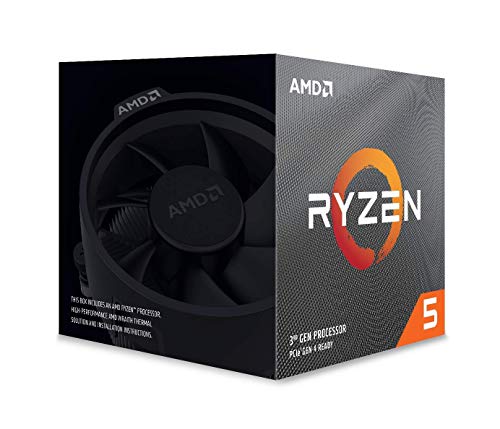
AMD Ryzen 7 3700X 8-Core, 16-Thread Unlocked Desktop Processor with Wraith Prism LED Cooler


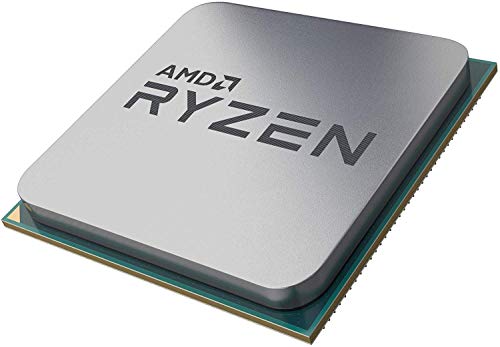

Key features
- •The world's most advanced processor in the desktop PC gaming segment
- •Can deliver ultra-fast 100+ FPS performance in the world's most popular games
- •8 Cores and 16 processing threads, bundled with the AMD Wraith Prism cooler with color-controlled LED support
- •4.4 GHz Max Boost, unlocked for overclocking, 36 MB of game Cache, ddr-3200 support
- •For the advanced socket AM4 platform, can support PCIe 4.0 on x570 motherboards
AMD Ryzen 7 3700X 8-Core, 16-Thread Unlocked Desktop Processor with Wraith Prism LED Cooler
List Price: $421.95$379.76DEALYou Save: $42.19 (10%)
Free shippingFree Returns – 30 daysFree Order CancellationSecure Payment2–3 Days DeliveryGet It October 24, 2026In Stock (12)No marketing spamNo account requiredFulfilment by FedEx / Amazon / UPS / ShipwirePayPal / Card Buyer Protection
Customer Reviews
Reviews sourced from verified Amazon purchasers4.9
out of 5
Based on 10 reviews
5★
100%
4★
0%
3★
0%
2★
0%
1★
0%
This sucker is a huge step up
Mudda Goose✓ Verified Purchase•November 13, 2023
For reference to this review, I previously own a Ryzen 7 2700x. Why did I make such a small upgrade with little performance boost: 2 reasons.
1. My 2700x was beginning to fail on me with intermittent crashes that either triggered from thermal instability or voltage spikes....at least that's what I thought initially. After replacing this part, I came to realize I'd damaged the internals/circuitry/die from excessive OCing in the BIOS. Along with that came the horrendous heat transfers I was getting (which would then cause thermal throttling), which unfortunately was corrected too late (my CPU radiator and fans were in a less-powerful config: push, so I reconfigured to pull, and the temps were noticably better. But it was too late). At any rate, I had damaged my poor 2700X for being careless.
2. Because I was suffering from thermal throttling, even in pull config with my 2700X, I wanted something with less than 105W, with this one dropping significantly to 65W, and having a boost clock .2 GHz higher than my previous 2700X (I lost the lottery and couldn't get it to go higher than 4.2 GHz with throttling involved). I used to get average temps in the 40-65 degrees range with daily use on my 2700X. This 3700X gives me nothing over 65 degrees UNDER FULL LOAD. That temp difference meant the world upon benchmarking and stress-testing. To allow an even bigger illustration of just how much this CPU jumps in performance, regardless of the GHz and clocked specs: my current CPU at slower clock speeds beat my fully-OCed and undervolted 2700X by 300 points in Cinebench R15, and had a score of 4932 points at 4.2 GHz (4th overall, outranking the 2700X at 4.15 GHz, with a score of 4063. Almost 900 points!)
Needless to say, but I am quite impressed with the thermal performance, the clock speeds, and the overall performance of this processor unit, especially since I bought it at a cheaper, if not the same price point when I bought my 2700X
Without doubt a worthy investment, and a definitive recommendation from me for any AMD PC builds that want the best bang for their buck from an 8-core processor! The biggest reveal of all is that I am running this on an MSI x470 Gaming Plus MOBO, not the x570 with the PCI-E 4.0 and Gen 4 Support! I am running this on a Gen 3 and PCI-E 3.0 (i.e. less performance and data speeds, but nonetheless compatible, and still faster than my 2700X)
1. My 2700x was beginning to fail on me with intermittent crashes that either triggered from thermal instability or voltage spikes....at least that's what I thought initially. After replacing this part, I came to realize I'd damaged the internals/circuitry/die from excessive OCing in the BIOS. Along with that came the horrendous heat transfers I was getting (which would then cause thermal throttling), which unfortunately was corrected too late (my CPU radiator and fans were in a less-powerful config: push, so I reconfigured to pull, and the temps were noticably better. But it was too late). At any rate, I had damaged my poor 2700X for being careless.
2. Because I was suffering from thermal throttling, even in pull config with my 2700X, I wanted something with less than 105W, with this one dropping significantly to 65W, and having a boost clock .2 GHz higher than my previous 2700X (I lost the lottery and couldn't get it to go higher than 4.2 GHz with throttling involved). I used to get average temps in the 40-65 degrees range with daily use on my 2700X. This 3700X gives me nothing over 65 degrees UNDER FULL LOAD. That temp difference meant the world upon benchmarking and stress-testing. To allow an even bigger illustration of just how much this CPU jumps in performance, regardless of the GHz and clocked specs: my current CPU at slower clock speeds beat my fully-OCed and undervolted 2700X by 300 points in Cinebench R15, and had a score of 4932 points at 4.2 GHz (4th overall, outranking the 2700X at 4.15 GHz, with a score of 4063. Almost 900 points!)
Needless to say, but I am quite impressed with the thermal performance, the clock speeds, and the overall performance of this processor unit, especially since I bought it at a cheaper, if not the same price point when I bought my 2700X
Without doubt a worthy investment, and a definitive recommendation from me for any AMD PC builds that want the best bang for their buck from an 8-core processor! The biggest reveal of all is that I am running this on an MSI x470 Gaming Plus MOBO, not the x570 with the PCI-E 4.0 and Gen 4 Support! I am running this on a Gen 3 and PCI-E 3.0 (i.e. less performance and data speeds, but nonetheless compatible, and still faster than my 2700X)
Over a week in. Been a good CPU!
BDav✓ Verified Purchase•November 10, 2023
Bought this over the 3800X because of reviewers like Steve Burke who showed that real-world performance was 1-2% difference. It has a lower TDP than the 3800X which has almost nothing to do with power consumption so I don't even know why they emphasize that in marketing materials.
--The Wraith Prism cooler--
Main thing to really review here is the stock cooler which is awesome. I've never kept on a stock cooler. I did with this CPU. With good case cooling you can get to within 100mhz of max these chips can OC (before going into the Twilight Zone) with the stock cooler. It also looks really nice too. I put down some Noctua NT-H1 that I had instead of the included compound.
Comparison benches of the cooler on various sites and YT channels show that it performs on-par with 3rd party air cooling. It even comes within 5C of the Noctua NT-D15. This was great to see because I cannot find my Hyper 212 EVO adapters anywhere. It's been sitting on an Intel chip for the past 5 years. That right there saved me about $40. The bad thing is it's LOUD. With a large tower cooler a variable speed fan is not really even necessary. I kept my old 212 EVO quite cool with up to +1.2GHZ OC at a constant quiet 1200 RPM with a 120mm. That's where a tower cooler will really benefit you.
--RGB--
The RGBs on the cooler look nice but I need to use the USB 2.0 header in order to get full use out of it because the 12V LED plug they also include is not for ARGB, so all I can do with it is control fan lights with static, breathing, and color change. The rings and AMD logo will just sit on default. Because of this I can't sync it through with my motherboard's software (Gigabyte Fusion) if I want all the RGB options. I don't know why they didn't make it compatible with 5V ARGB, which would allow our motherboard software sync and have more control. RGB/LED really needs standardization if companies plan to continue that route. Probably not AMD's fault here. It's a nice addition.
--Overclocking--
No point in getting an unlocked CPU without getting some free performance out of it!
Overclocking is... interesting. I'm familiar with Intel OCing but AMD Ryzen is a different beast. Intel is pretty much: "If you have the cooling, keep jumping up the voltage." This yields in really good OCs on Intel, well past 1GHz over stock for everyday use. AMD has mostly automated the process. The OC is enabled by default through Precision Boost (not the same as Precision Boost Overdrive (PBO)). The difference between PB and PBO is that PBO will raise the motherboard's power limits but it DOES NOT raise the CPU's PB thermal throttle limit. PB is an algorithm that will adjust each core clock until it reaches some magical limit. AMD hasn't published the thermal numbers of what that limit is. But it's far and away better than an all-core OC which is terrible on Ryzen 3000 series.
Out of the box it gets 4.225 GHz for me under load which is close to that 4.300 threshold where many people start seeing instability. Temps approach 60C there. Not bad for a STOCK cooler. Use PBO to get a little more (maybe). In addition you could drop some voltages and get really cool with only a minimal clock loss in PBO (I was doing 4.190) at 55C max. You can OC the oldschool way if you want but don't expect a significant performance increase, even with liquid nitrogen. The biggest benefit for manual overclocking is power efficiency and a less sensitive clock changing. The AMD Ryzen Master software is nice and allows for different OC profiles, such as Gaming which will only activate in games.
--TL;DR--
TL;DR: Incredible and beautiful stock cooler, but is a jet turbine. The default-enabled Precision Boost will not be far from max these chips can really OC to. Basically a set and forget OC if that's what you want.
--The Wraith Prism cooler--
Main thing to really review here is the stock cooler which is awesome. I've never kept on a stock cooler. I did with this CPU. With good case cooling you can get to within 100mhz of max these chips can OC (before going into the Twilight Zone) with the stock cooler. It also looks really nice too. I put down some Noctua NT-H1 that I had instead of the included compound.
Comparison benches of the cooler on various sites and YT channels show that it performs on-par with 3rd party air cooling. It even comes within 5C of the Noctua NT-D15. This was great to see because I cannot find my Hyper 212 EVO adapters anywhere. It's been sitting on an Intel chip for the past 5 years. That right there saved me about $40. The bad thing is it's LOUD. With a large tower cooler a variable speed fan is not really even necessary. I kept my old 212 EVO quite cool with up to +1.2GHZ OC at a constant quiet 1200 RPM with a 120mm. That's where a tower cooler will really benefit you.
--RGB--
The RGBs on the cooler look nice but I need to use the USB 2.0 header in order to get full use out of it because the 12V LED plug they also include is not for ARGB, so all I can do with it is control fan lights with static, breathing, and color change. The rings and AMD logo will just sit on default. Because of this I can't sync it through with my motherboard's software (Gigabyte Fusion) if I want all the RGB options. I don't know why they didn't make it compatible with 5V ARGB, which would allow our motherboard software sync and have more control. RGB/LED really needs standardization if companies plan to continue that route. Probably not AMD's fault here. It's a nice addition.
--Overclocking--
No point in getting an unlocked CPU without getting some free performance out of it!
Overclocking is... interesting. I'm familiar with Intel OCing but AMD Ryzen is a different beast. Intel is pretty much: "If you have the cooling, keep jumping up the voltage." This yields in really good OCs on Intel, well past 1GHz over stock for everyday use. AMD has mostly automated the process. The OC is enabled by default through Precision Boost (not the same as Precision Boost Overdrive (PBO)). The difference between PB and PBO is that PBO will raise the motherboard's power limits but it DOES NOT raise the CPU's PB thermal throttle limit. PB is an algorithm that will adjust each core clock until it reaches some magical limit. AMD hasn't published the thermal numbers of what that limit is. But it's far and away better than an all-core OC which is terrible on Ryzen 3000 series.
Out of the box it gets 4.225 GHz for me under load which is close to that 4.300 threshold where many people start seeing instability. Temps approach 60C there. Not bad for a STOCK cooler. Use PBO to get a little more (maybe). In addition you could drop some voltages and get really cool with only a minimal clock loss in PBO (I was doing 4.190) at 55C max. You can OC the oldschool way if you want but don't expect a significant performance increase, even with liquid nitrogen. The biggest benefit for manual overclocking is power efficiency and a less sensitive clock changing. The AMD Ryzen Master software is nice and allows for different OC profiles, such as Gaming which will only activate in games.
--TL;DR--
TL;DR: Incredible and beautiful stock cooler, but is a jet turbine. The default-enabled Precision Boost will not be far from max these chips can really OC to. Basically a set and forget OC if that's what you want.
CPU Perfect! Cooler is okay.
Jade✓ Verified Purchase•October 28, 2023
This is by far the best computer processor I have ever used, it is fast and powerful. I have used it for 3D modeling, video editing, and gaming; It has surpassed all my expectations. Although AMD is releasing new processors soon, this model is still very strong and at a great price, which may drop post 5000 release.
The only problem I had with this processor was not the CPU itself, but the RGB Wraith Cooler. There are so many problems with this cooler that I can't recommend it. Yes, it works and I am in fact still using mine because I didn't budget for one, but I do plan on replacing it soon. Here is everything I found wrong with it:
- It is a pain to install, especially for beginners. Rather than opting for screws or push pins, AMD designed a strange hook mechanism that is absolutely terrible. When installing the cooler, it feels like everything is going to break, and although I know I installed it correctly it didn't feel right.
- It is LOUD! It's not unbearable, but it is annoying. Any time I open up a new app or do something that puts a tiny strain on the CPU, the Wraith speeds up a lot.
- The RGB is a mess! The Prism Wraith has 3 individual RGB lights: the fan, the ring, and the logo. HOWEVER, only the fan can be controlled with external software (AURA SYNC, iCue, etc). If you wish to control all three LEDs, you have to use a separate app from Cooler Master, which requires you to attach a separate cable to one of your internal USB headers. Not to mention, you cannot use the Cooler Master software at the same time as another program, and they are not compatible. So you can either control just the fan LED, or you can control all three with a USB cable and sucky Cooler Master bloatware.
- The cooling isn't very good. At idle it is fine, but gaming or using heavy software it just doesn't keep up very well.
TL:DR - Buy this CPU if you need a good CPU and you don't want to wait for 5000, but budget for a better cooler the Wraith is very disappointing.
The only problem I had with this processor was not the CPU itself, but the RGB Wraith Cooler. There are so many problems with this cooler that I can't recommend it. Yes, it works and I am in fact still using mine because I didn't budget for one, but I do plan on replacing it soon. Here is everything I found wrong with it:
- It is a pain to install, especially for beginners. Rather than opting for screws or push pins, AMD designed a strange hook mechanism that is absolutely terrible. When installing the cooler, it feels like everything is going to break, and although I know I installed it correctly it didn't feel right.
- It is LOUD! It's not unbearable, but it is annoying. Any time I open up a new app or do something that puts a tiny strain on the CPU, the Wraith speeds up a lot.
- The RGB is a mess! The Prism Wraith has 3 individual RGB lights: the fan, the ring, and the logo. HOWEVER, only the fan can be controlled with external software (AURA SYNC, iCue, etc). If you wish to control all three LEDs, you have to use a separate app from Cooler Master, which requires you to attach a separate cable to one of your internal USB headers. Not to mention, you cannot use the Cooler Master software at the same time as another program, and they are not compatible. So you can either control just the fan LED, or you can control all three with a USB cable and sucky Cooler Master bloatware.
- The cooling isn't very good. At idle it is fine, but gaming or using heavy software it just doesn't keep up very well.
TL:DR - Buy this CPU if you need a good CPU and you don't want to wait for 5000, but budget for a better cooler the Wraith is very disappointing.
Great unit
John Karstetter✓ Verified Purchase•October 19, 2023
When I was building my gaming PC, this CPU was a great candidate. Mid-tier in my opinion. Unlike intel, powerful at a price that wont hurt your wallet. Not knockin on intel mind you but to keep costs down and manageable for a PC, MSI/AMD was a no brainer.
Paired with a good air/air cooler, this CPU hasnt let me down even playing the most demanding game I got! Heck, my whole rig is MSI/AMD from CPU to PSU
Paired with a good air/air cooler, this CPU hasnt let me down even playing the most demanding game I got! Heck, my whole rig is MSI/AMD from CPU to PSU
Truly amazing speed benchmarks for a 65W CPU
The Rowdy One✓ Verified Purchase•October 14, 2023
The performance of the Ryzen 7 3700X was everything it was advertised to be. I was looking for a CPU to provide high performance with the lowest TDP and the 3700X fit the bill. I am rating it as 5 stars in warmth because at 65W TDP it isn't warm at all even under load according to SpeedFan. Installation was typically easy as it is for all AM4 sockets.
However, after one month of stable operation my computer suddenly and without warning stopped and there was zero output from the HDMI port. To be clear, it was not an OS crash and there was Win10 BSOD or memory dump. When I power cycled the computer there was no POST, video output from the HDMI port at all, and most strangely not BIOS error beeps to indicate that either the graphics card or CPU was not present. My first attempt at fault isolation was to test the graphics card in a different computer and it worked fine. I then tested the DDR4 DIMMs in a different computer and they were working fine. My third assumption was that the motherboard had failed so I returned that one for exchange and ended up with a different brand and model. When I reinstalled the CPU, graphics card, and RAM in the new motherboard I got no POST, no video output, and no BIOS beeps. At this point it was apparent to me that the CPU was the failed component. I bought at much cheaper Ryzen 3 3200 as a stopgap replacement and it worked fine as soon as I powered it up. I have never had a CPU fail on a computer that I owned going all the way back to my first Intel 8088 CPU and first AMD K2.
I contacted AMD via their customer service website and requested RMA. They responded immediately with an RMA and I followed the instructions to carefully package the CPU and return it for their examination. **Be very careful not to physically damage or even scuff the top of the CPU if you have to return it**. AMD makes very clear on their website that bent or broken pins will not be considered a component failure and the evidence of damage to the top thermal conduction surface to include scrathes will also be considered evidence of customer inflicted damage. I carefully followed the procedures and repackaged the 3700X after delicately wiping off the thermal paste and sent it back to AMD.
Within a week of shipping the failed CPU back to AMD they contacted me by email to let me know that they had confirmed the CPU failed and were sending to me a new retail boxed 3700X that arrived 7 days after I received it. I am very pleased with the customer support from AMD and I look forward to installing and testing the new Ryzen 7 3700X. After a lengthly burn-in period I will consider updating the stability rating for this CPU. My first CPU was probably an outlier but I will leave the stability rating at 1 star so that my experience can be a data point for those considering the 3700X.
However, after one month of stable operation my computer suddenly and without warning stopped and there was zero output from the HDMI port. To be clear, it was not an OS crash and there was Win10 BSOD or memory dump. When I power cycled the computer there was no POST, video output from the HDMI port at all, and most strangely not BIOS error beeps to indicate that either the graphics card or CPU was not present. My first attempt at fault isolation was to test the graphics card in a different computer and it worked fine. I then tested the DDR4 DIMMs in a different computer and they were working fine. My third assumption was that the motherboard had failed so I returned that one for exchange and ended up with a different brand and model. When I reinstalled the CPU, graphics card, and RAM in the new motherboard I got no POST, no video output, and no BIOS beeps. At this point it was apparent to me that the CPU was the failed component. I bought at much cheaper Ryzen 3 3200 as a stopgap replacement and it worked fine as soon as I powered it up. I have never had a CPU fail on a computer that I owned going all the way back to my first Intel 8088 CPU and first AMD K2.
I contacted AMD via their customer service website and requested RMA. They responded immediately with an RMA and I followed the instructions to carefully package the CPU and return it for their examination. **Be very careful not to physically damage or even scuff the top of the CPU if you have to return it**. AMD makes very clear on their website that bent or broken pins will not be considered a component failure and the evidence of damage to the top thermal conduction surface to include scrathes will also be considered evidence of customer inflicted damage. I carefully followed the procedures and repackaged the 3700X after delicately wiping off the thermal paste and sent it back to AMD.
Within a week of shipping the failed CPU back to AMD they contacted me by email to let me know that they had confirmed the CPU failed and were sending to me a new retail boxed 3700X that arrived 7 days after I received it. I am very pleased with the customer support from AMD and I look forward to installing and testing the new Ryzen 7 3700X. After a lengthly burn-in period I will consider updating the stability rating for this CPU. My first CPU was probably an outlier but I will leave the stability rating at 1 star so that my experience can be a data point for those considering the 3700X.
Page 1 of 2