DIGITNOW USB 2.0 Video Capture Card Device Converter, Easy to Use Capture, Edit and Save Analog Video to Digital Files for Your Mac OS X or Windows 7 8 10 PC, One Touch VHS VCR TV to DVD


Key features
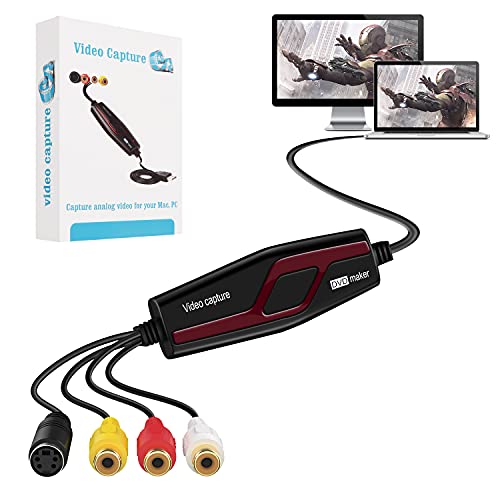
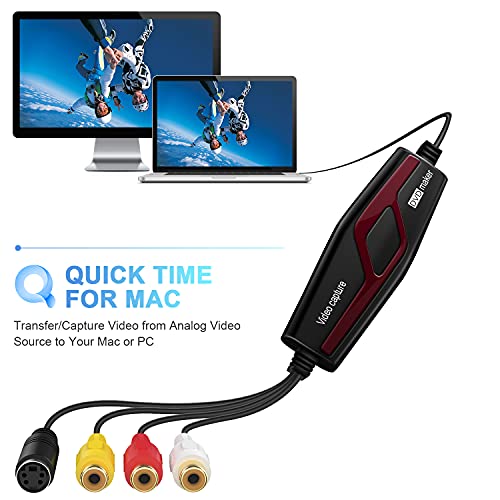
- •Transfer/Capture Video and Audio from Almost Any Analog Video Source (VHS/VCR/Hi8/DVD/TV BOX) to Your Mac(except OS X Mojave(10.14)) or PC(XP/Vista/Win7/Win8/Win10 32bit&64bit )
- •Captures Video in the Universal H.264 Digital Format - Ready for iPad, iMovie, Windows Live Movie Maker, and YouTube.World-ready; Handles NTSC, SECAM, PAL and PAL/60 video
- •Convert LPs and Audio Cassettes to CD or MP3 Format, Identifying Tracks Automatically to add Title, Artist, and Genre Information
- •Create Polished Videos with Professional-grade Tools for Reducing Video Noise, Stabilizing Shaky Video, Color Correction, Transition Effects, and more. Split Videos to Span Across Multiple DVDs for Sharing or Storage
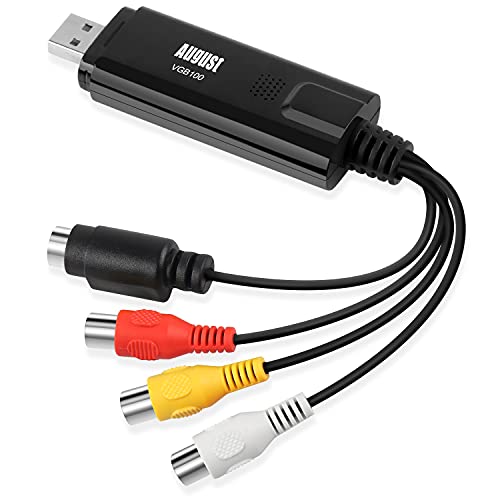
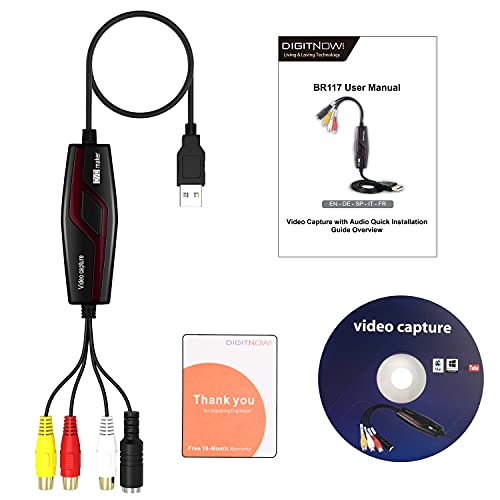
- •Comes with Digitnow! Video Capture, Composite-to-SCART Adapter, Composite video/RCA Stereo Cable
DIGITNOW USB 2.0 Video Capture Card Device Converter, Easy to Use Capture, Edit and Save Analog Video to Digital Files for Your Mac OS X or Windows 7 8 10 PC, One Touch VHS VCR TV to DVD
List Price: $38.78$34.90DEALYou Save: $3.88 (10%)
Free shippingFree Returns – 30 daysFree Order CancellationSecure Payment2–3 Days DeliveryGet It October 26, 2026In Stock (3)No marketing spamNo account requiredFulfilment by FedEx / Amazon / UPS / ShipwirePayPal / Card Buyer Protection
Customer Reviews
Reviews sourced from verified Amazon purchasers3.8
out of 5
Based on 10 reviews
5★
40%
4★
60%
3★
0%
2★
0%
1★
0%
Works great
Bobby T.✓ Verified Purchase•August 15, 2023
Dispite people on YouTube having negative reviews about these cheap devices, these things work as discribed. These is nothing very difficult about the setup and the use of an appropriate video capture software. I would highly recommend this device.
Very good tech support. Update.
Kindle Customer✓ Verified Purchase•August 11, 2023
I bought the DigitNow USB 2.0 Capture Card on the recommendation of someone that had purchased one one. It worked perfectly for the first VHS tape I copied to my hard drive. Once the second tape, I started getting a lot of video noise. Contacted their tech support and they helped me determine that the capture card had gone bad. I've been around electronics long enough to know that it happens with the best of products. The good news is they are sending me a replacement card ASAP. I really like tech support that is no muss, no fuss, just get 'er done. Once I receive the replacement capture card I will update this review on the product itself.
Update! Got the replacement capture card. It works GREAT! I've transferred multiple VHS tapes to digital format on my hard drive with absolutely no problems at all. I used the free OBS studio software instead of the software that came with the card (I already has OBS on my laptop). Product is great, tech support is great.
Update! Got the replacement capture card. It works GREAT! I've transferred multiple VHS tapes to digital format on my hard drive with absolutely no problems at all. I used the free OBS studio software instead of the software that came with the card (I already has OBS on my laptop). Product is great, tech support is great.
It's a good deal, for the price...
Richard Vega✓ Verified Purchase•August 10, 2023
I was producing digitized videos from VHS tapes, using the product. The audio was not in sync with the video, so I contacted the seller using email. At first, I thought they did not respond to my questions, but by chance I saw their email response in my spam folder. They answered my questions promptly. I just didn't see their email response because it was in my spam folder. Their product serves my purposes, so I'm happy with my purchase. I also purchased a DIGITNOW brand audio capture device about a year ago; I'm happy with that product also...
This works perfectly!
ric weinstein✓ Verified Purchase•August 3, 2023
I've used this on a Mac using QuickTime to capture and iMovie to edit. This device works exactly as advertised. I've converted 50+ family videos (only have 100+ to go 😀) to mpg format. I highly recommend this to all those needing to do the same.
Great product that I can see, much easier to use on an Apple computer. Mac review first
Mark Wrightson✓ Verified Purchase•July 20, 2023
I bought this product for both audio and video recording. I have 2 boxes of audio LP records that I want to digitize. I also want to record video from older camcorders and from my TV. I work with both PC's and Apple computers but I prefer to use the Mac due to its built-in video and audio editing. There have not been many products out there that work with the Mac so was happy to see this one did. Just for reference, I have a MacBook Pro (late 2013) which is running on OS 10.14.6 Mojave.
Long story short- it works great with my Mac once I figured some things out and I am still learning. I use Quicktime (part of the OS) to record either audio or composite video- you just need to select from the file pulldown which type of recording you are doing (audio or video). Make sure you select the right input (USB 2) and you are ready to record. Note- the Mac recognized the video capture device- no need to worry about drivers. The really nice thing about using the Mac is that once you have saved either the audio or video- you can then use Garage Band or iMovie (also part of the OS) to edit the files. Once done with the editing, you can then share right to iTunes (for audio) or save a video file for sharing. Audio quality is fine at the "high quality" setting. The video files were 640 x 480 at the high quality setting. I did not try maximum quality yet as I have not seen a need.
I did try recording audio directly into Garage Band, which is possible-but ran into some error messages that I still need to figure out.
I did try loading the included program onto my laptop PC and confirmed that it worked with the capture card. My initial observation is that it will take some "work" to figure out and effectively use the video editing software and I was having issues saving audio files. Admittedly, I shifted to the Mac and had more success, so have not gone back to the PC yet. I will try that in the future and post another review when done.
Long story short- it works great with my Mac once I figured some things out and I am still learning. I use Quicktime (part of the OS) to record either audio or composite video- you just need to select from the file pulldown which type of recording you are doing (audio or video). Make sure you select the right input (USB 2) and you are ready to record. Note- the Mac recognized the video capture device- no need to worry about drivers. The really nice thing about using the Mac is that once you have saved either the audio or video- you can then use Garage Band or iMovie (also part of the OS) to edit the files. Once done with the editing, you can then share right to iTunes (for audio) or save a video file for sharing. Audio quality is fine at the "high quality" setting. The video files were 640 x 480 at the high quality setting. I did not try maximum quality yet as I have not seen a need.
I did try recording audio directly into Garage Band, which is possible-but ran into some error messages that I still need to figure out.
I did try loading the included program onto my laptop PC and confirmed that it worked with the capture card. My initial observation is that it will take some "work" to figure out and effectively use the video editing software and I was having issues saving audio files. Admittedly, I shifted to the Mac and had more success, so have not gone back to the PC yet. I will try that in the future and post another review when done.
Page 1 of 2