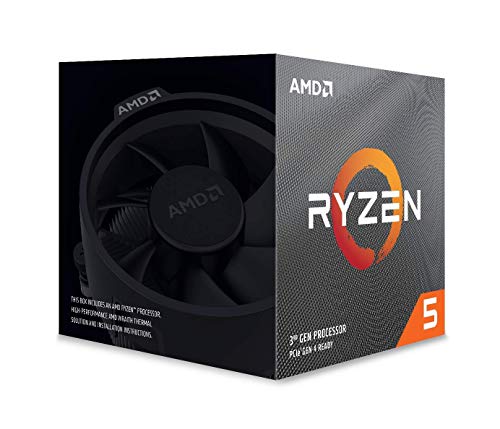
AMD Ryzen 7 5800X 8-core, 16-thread unlocked desktop processor


Key features
- •AMD's fastest 8 core processor for mainstream desktop, with 16 procesing threads. OS Support-Windows 10 64-Bit Edition
- •Can deliver elite 100-plus FPS performance in the world's most popular games
- •Cooler not included, high-performance cooler recommended
- •4.7 GHz Max Boost, unlocked for overclocking, 36 MB of cache, DDR-3200 support
- •For the advanced Socket AM4 platform, can support PCIe 4.0 on X570 and B550 motherboards
AMD Ryzen 7 5800X 8-core, 16-thread unlocked desktop processor
List Price: $320.25$288.23DEALYou Save: $32.02 (10%)
Free shippingFree Returns – 30 daysFree Order CancellationSecure Payment2–3 Days DeliveryGet It October 25, 2026In Stock (30)No marketing spamNo account requiredFulfilment by FedEx / Amazon / UPS / ShipwirePayPal / Card Buyer Protection
Customer Reviews
Reviews sourced from verified Amazon purchasers4.8
out of 5
Based on 10 reviews
5★
80%
4★
20%
3★
0%
2★
0%
1★
0%
Runs smooth and nice price!
Michael H✓ Verified Purchase•August 19, 2023
I liked it so much I bought 2 for both my builds. The price dropped significantly making this a solid choice for a pc build. I paired it with an amd radeon 6800 xt GPU on one and a amd radeon rx 6600 on the other.
Let me upgrade to Windows 11
Westerner✓ Verified Purchase•July 24, 2023
I had a first gen Ryzen 8-core, which isn't supported for Windows 11. Sure, I could have upgraded anyway. by following the methods on the Internet. But at the discounted price for this 5800X and that this was a 32G machine, it made sense to make it a supported upgrade. After I swapped CPUs and powered up again, I had to wait a few days for Microsoft to register the CPU change. Once it was offered on the Windows Update Settings panel, I performed the Windows 11 upgrade without issues.
Impressed!
FilipK✓ Verified Purchase•June 29, 2023
Dropped it in my MSI B350 Tomahawk MoBo with 64gb of ram... for Starfield....
it has not disappointed....
it has not disappointed....
Bueno pero no lo que esperaba
Hansen A✓ Verified Purchase•June 28, 2023
A pesar de tener una refrigeracion AIO 360mm, este procesado en reposo no baja de 45-50 grados celcius, normalmente en procesadores ryzen estaba por debajo de 38 siempre, a maxima capacidad llega a los 90-92, pero lo mas extraño es que cuando abro cualquier carpeta, pestaña, lo que sea, ya alcanza 72 grados, solo viendo youtube tiene temperaturas muy elevadas.
He's A Hot-Head, But He's Manageable...Even On Air
J. De Gannes✓ Verified Purchase•June 25, 2023
*********************************************UPDATE 5/26/2022****************************************************
I just switched out that air cooler I had with a Dark Rock Pro 4 and changed some settings. Dropped PPT to 105, down from 115. Left TDC and EDC the same. Set Boost Override back to Auto. Set an all core negative offset of -20 instead of my previous settings. My new Cinebench R23 scores are Single Core: 1587, Multicore: 15102. New temps got me idling in the mid to low 30's, during the multicore bench I never hit 80c. Extremely satisfied with this chip. No need for an AIO at all.
*************************************************************************************************************************
I got a pretty bad one here. Some people are lucky to get a cool running chip, most of us get fire breathing dragons in a box. You've heard the horror stories, but I'm here to tell you it's not bad at all, with a few minor tweaks. I use it with an IC Thermal Graphite Pad and a measly mid ranged CoolerMaster air cooler. Initially, I was idling around 76c and easily hitting 95c while gaming. After heavy research, I found countless people with my exact same thermals but they were running thermal grizzly paste and 360mm AIOs, so it definitely wasn't a "me" problem. I was hitting over 90c after half a second in Cinebench R23 though, so we had to do something about that regardless of how hot this chip is expected to run lol.
Well, I fixed everything with a few tweaks to my BIOS and PBO2 settings, and to add a cherry on top I bought 2 140mm Slient Wings fans from beQuiet! to add to the ceiling of my case, where previously there were none. Now I idle around 41c and game around 63c, never reaching 85c in Cinebench r23 after an hour, and the climb there is now considerably slow. Here's what I did:
1. Installed Ryzen Master in order to locate to 2 fastest cores.
2. In my BIOS settings I dropped PPT to 115 (down from 142), TDC to 80, EDC to 90, Boost Override to 200Mhz with a scaler of 10x.
3. In Curve Optimizer (BIOS) I set a (Negative) -5 offset to my 2 fastest cores, and -10 off to all my other cores.
4. I set a thermal limit (In BIOS as well) of 85c so that the chip isn't allowed to cross that threshold.
5. Ran a series of tests using Cinebench and CPU-Z, and gaming all day non stop to test for stability. It's as solid as a mountain.
I know AMD said the chip WANTS to hit 90c and that it's ok, but I'm sorry my PC isn't a space heater. I live in the Caribbean with no AC and it's already hotter than satan's balls out here. So how's my performance now you ask? Well my 2 fastest cores easily boost to 5.05Ghz while gaming etc, 5 other cores all hit 4.9Ghz, and the worst core hits 4.7Ghz. In Cinebench r23 my single core score is 1575 (which, if you've been paying attention, is pretty incredible considering my circumstances). My multicore score takes a hit though with all cores at 4.2Ghz during the test, I got a score of 14402, which again isn't bad at all considering my situation.
Overall I'm happy. I'm not hitting 15500 in multicore like some people who won the chip lottery and have 360mm water coolers, but it's way more than enough for my gaming and video editing. My 2700X, which was what I upgraded from was amazing and had a multicore score of around 10000, so this is a major upgrade regardless. So my single core performance is as good as anyone else's, and my multicore performance takes a slight hit, but now my 5800X runs over 30 degrees cooler. You can't beat that trade off. So in closing, If I can run this chip at decent temps with the parts I just mentioned, nobody should be having problems tbh. Just takes a little know-how. I know I can get even better temps and performance if I keep tweaking, but like Shikamaru Nara, I'm too lazy and see that as being a total drag, and I'm content with what I have.
I just switched out that air cooler I had with a Dark Rock Pro 4 and changed some settings. Dropped PPT to 105, down from 115. Left TDC and EDC the same. Set Boost Override back to Auto. Set an all core negative offset of -20 instead of my previous settings. My new Cinebench R23 scores are Single Core: 1587, Multicore: 15102. New temps got me idling in the mid to low 30's, during the multicore bench I never hit 80c. Extremely satisfied with this chip. No need for an AIO at all.
*************************************************************************************************************************
I got a pretty bad one here. Some people are lucky to get a cool running chip, most of us get fire breathing dragons in a box. You've heard the horror stories, but I'm here to tell you it's not bad at all, with a few minor tweaks. I use it with an IC Thermal Graphite Pad and a measly mid ranged CoolerMaster air cooler. Initially, I was idling around 76c and easily hitting 95c while gaming. After heavy research, I found countless people with my exact same thermals but they were running thermal grizzly paste and 360mm AIOs, so it definitely wasn't a "me" problem. I was hitting over 90c after half a second in Cinebench R23 though, so we had to do something about that regardless of how hot this chip is expected to run lol.
Well, I fixed everything with a few tweaks to my BIOS and PBO2 settings, and to add a cherry on top I bought 2 140mm Slient Wings fans from beQuiet! to add to the ceiling of my case, where previously there were none. Now I idle around 41c and game around 63c, never reaching 85c in Cinebench r23 after an hour, and the climb there is now considerably slow. Here's what I did:
1. Installed Ryzen Master in order to locate to 2 fastest cores.
2. In my BIOS settings I dropped PPT to 115 (down from 142), TDC to 80, EDC to 90, Boost Override to 200Mhz with a scaler of 10x.
3. In Curve Optimizer (BIOS) I set a (Negative) -5 offset to my 2 fastest cores, and -10 off to all my other cores.
4. I set a thermal limit (In BIOS as well) of 85c so that the chip isn't allowed to cross that threshold.
5. Ran a series of tests using Cinebench and CPU-Z, and gaming all day non stop to test for stability. It's as solid as a mountain.
I know AMD said the chip WANTS to hit 90c and that it's ok, but I'm sorry my PC isn't a space heater. I live in the Caribbean with no AC and it's already hotter than satan's balls out here. So how's my performance now you ask? Well my 2 fastest cores easily boost to 5.05Ghz while gaming etc, 5 other cores all hit 4.9Ghz, and the worst core hits 4.7Ghz. In Cinebench r23 my single core score is 1575 (which, if you've been paying attention, is pretty incredible considering my circumstances). My multicore score takes a hit though with all cores at 4.2Ghz during the test, I got a score of 14402, which again isn't bad at all considering my situation.
Overall I'm happy. I'm not hitting 15500 in multicore like some people who won the chip lottery and have 360mm water coolers, but it's way more than enough for my gaming and video editing. My 2700X, which was what I upgraded from was amazing and had a multicore score of around 10000, so this is a major upgrade regardless. So my single core performance is as good as anyone else's, and my multicore performance takes a slight hit, but now my 5800X runs over 30 degrees cooler. You can't beat that trade off. So in closing, If I can run this chip at decent temps with the parts I just mentioned, nobody should be having problems tbh. Just takes a little know-how. I know I can get even better temps and performance if I keep tweaking, but like Shikamaru Nara, I'm too lazy and see that as being a total drag, and I'm content with what I have.
Page 1 of 2