DIYmall DEVIT V1 ESP32-WROOM-32 Development Board ESP32 ESP-32S 2.4GHz WiFi+BT BLE Dual-core Dev Module CP2102 for Arduino DOIT


Key features
- •Supporting Three Modes: AP, STA, and AP+STA;Supporting Lua program, easily to develop
- •2.4GHz Dual Mode WiFi+Bluetooth Development Board
- •Works perfectly with the Arduino IDE and Ultra-Low power consumption
- •Support LWIP protocol, Freertos
- •What You Get:1 x ESP-WROOM-32 ESP-32S Develoment Board(18Pin). Any question please feel free to contact us
- •2pcs: https://www(dot)amazon(dot)com/dp/B08PCPJ12M?ref
DIYmall DEVIT V1 ESP32-WROOM-32 Development Board ESP32 ESP-32S 2.4GHz WiFi+BT BLE Dual-core Dev Module CP2102 for Arduino DOIT
List Price: $31.00$27.90DEALYou Save: $3.10 (10%)
Free shippingFree Returns – 30 daysFree Order CancellationSecure Payment2–3 Days DeliveryGet It October 26, 2026In Stock (1)No marketing spamNo account requiredFulfilment by FedEx / Amazon / UPS / ShipwirePayPal / Card Buyer Protection
Customer Reviews
Reviews sourced from verified Amazon purchasers4.4
out of 5
Based on 4 reviews
5★
75%
4★
25%
3★
0%
2★
0%
1★
0%
So far, so good
JH✓ Verified Purchase•July 9, 2023
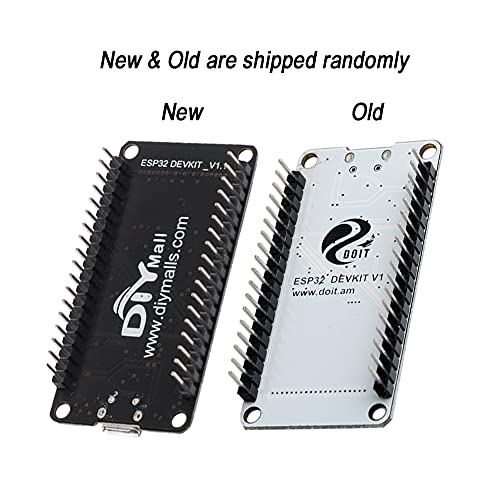
I ordered two and both are the "new" style so they have DIYmall on the underside of the PCB instead of DOIT. I selected DOIT ESP32 DEVKIT V1 in the arduino IDE and loaded the example WiFiScan sketch as an initial test of both boards and both appear to be working.
Great Value
Bjorn✓ Verified Purchase•June 26, 2023
Definitely a great value. Perfect for my remote touchscreen controller project!
Great dev board
Amazon Customer✓ Verified Purchase•June 9, 2023
All the nice features . I will buy more
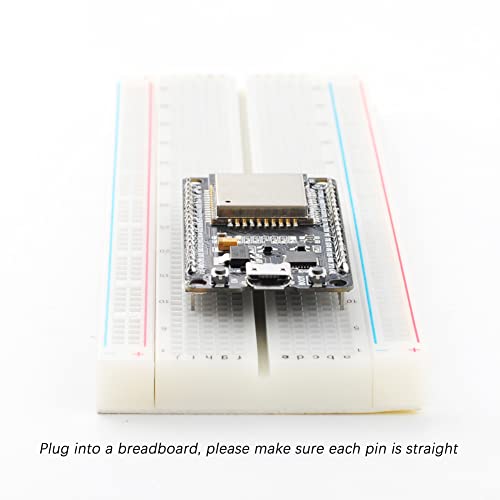
It's pretty good and works but doesn't always fit on breadboard!
Alexei✓ Verified Purchase•April 24, 2023
Whatchu gotta do is get two breadboards and take one of the power rails off in the middle of them and then hopefully your breadboard lets you connect them.
I think all breadboards do this but i'm not sure
Other than that it's worked like a charm so far. ALSO when uploading Arduino code to it, you have to hold down the BOOT button once it says connected in the output of the IDE and then press the EN button for a bit and then let go.
I think all breadboards do this but i'm not sure
Other than that it's worked like a charm so far. ALSO when uploading Arduino code to it, you have to hold down the BOOT button once it says connected in the output of the IDE and then press the EN button for a bit and then let go.


