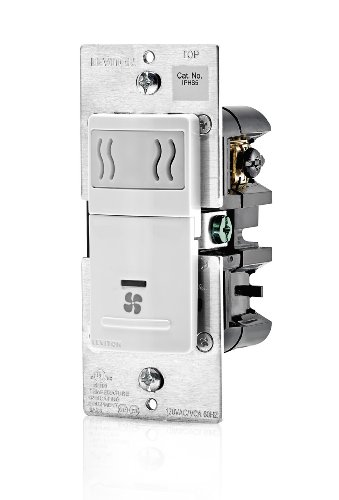
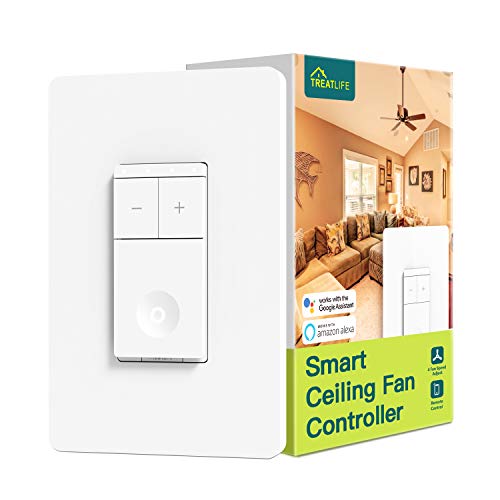
TREATLIFE Smart Ceiling Fan Control, 4 Speed Fan Switch for Ceiling Fan, Neutral Wire Required, 2.4GHz WiFi Smart Fan Switch Works with Alexa, Google Home, Remote Control, Schedule, No Hub Required


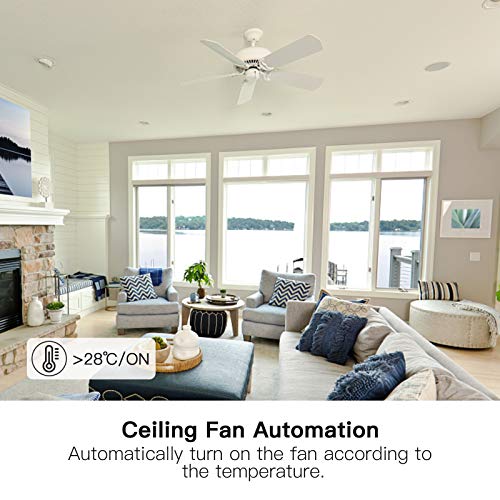

Key features
- •【Capabilities Requirement】Support Bluetooth configuration network. The smart ceiling fan switch does not compatible with fans having built-in remote control system. And not for use with exhaust fans and light bulbs. The maximum ceiling fan load is 1.5A (provide 4 fan speed). The smart fan switch only uses under 2.4G Wi-Fi (not 5G). Only use as single-pole ceiling fan wall switch (NOT 3-way). Neutral wire is required in the wire box.
- •【Hands-free Voice Control】One of smart home devices that work with Alexa, you can adjust the fan via Alexa devices and Google Assistant when your hands are full, just giving smart ceiling fan control a voice command like "Alexa, set the fan to 4". It is convenient for children to adjust the fan speed when they cannot touch the ceiling fan controller.
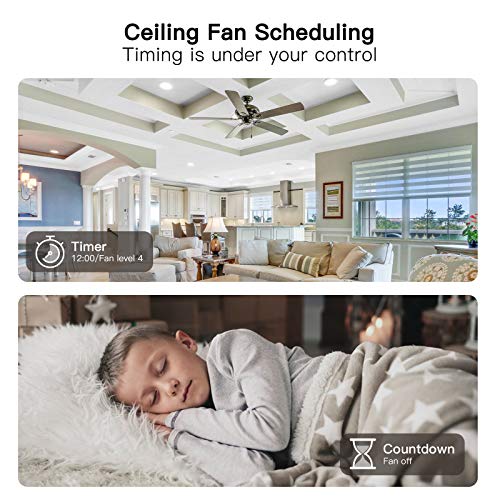
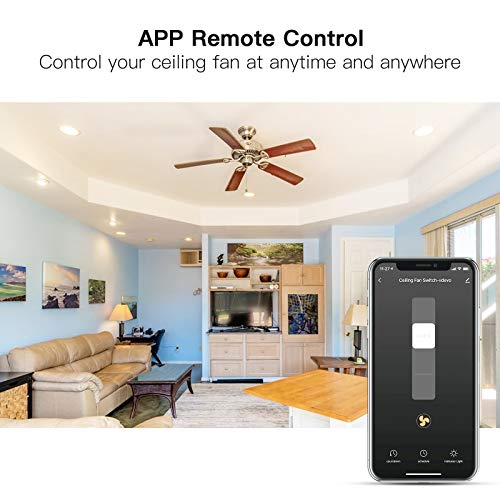
- •【Remote Control & Schedule】You can turn on the ceiling fan through APP in advance when you are on your way home. Create timer or countdown schedules to set your smart ceiling fan control to automatically turn on and off at specific times.
- •【Appearance & Function Innovation】Different from traditional ceiling fan remote and pull chain control, the ceiling fan smart switch looks more distinctive and smarter. You can change freely the LED indicator's status via APP , when you don't want light up the indicator at night.
- •【Guarantee & Service】FCC certified for safety use. 1-year warranty. Treatlife smart home will continue to bring you new smart switch, and enjoy the convenience of smart products together. Any unexpected quality and use issues, please contact us at once, we try our best to gain customers' satisfaction.
BrandTREATLIFE
CategoryWall Controls
TREATLIFE Smart Ceiling Fan Control, 4 Speed Fan Switch for Ceiling Fan, Neutral Wire Required, 2.4GHz WiFi Smart Fan Switch Works with Alexa, Google Home, Remote Control, Schedule, No Hub Required
List Price: $64.58$58.12DEALYou Save: $6.46 (10%)
Free shippingFree Returns – 30 daysFree Order CancellationSecure Payment2–3 Days DeliveryGet It October 24, 2026In Stock (1)No marketing spamNo account requiredFulfilment by FedEx / Amazon / UPS / ShipwirePayPal / Card Buyer Protection
Customer Reviews
Reviews sourced from verified Amazon purchasers4.5
out of 5
Based on 10 reviews
5★
80%
4★
20%
3★
0%
2★
0%
1★
0%
It works perfectly
Polo Diaz✓ Verified Purchase•August 29, 2023
Mi fan has 3 speeds but with this switch now I have 4 speeds. I love it. It was easy to install but I am an electrician however what I'm not an expert is in apps programming and this system is so easy to follow instructions to set on my cellphone.
Forgive me but I'm 64 years old .
Forgive me but I'm 64 years old .
It performs as advertised.
J. Somers✓ Verified Purchase•August 25, 2023
The unit installed and connected to Alexa as advertised. No problems or issues. Be sure it is replacing a single switch to operate the fan.
Best Smart Switch for Ceilings Fans without Lights - Buy This!
C. Solomon✓ Verified Purchase•July 30, 2023
I'm an electrical engineer and admit that I'm a bit of a control freak. I try to consider every use case for my family and guests, and I like all my smart home controls to be perfect. I've used about 4 different fan controllers in my quest to find the perfect solution, and I've finally located the near perfect solution with this Treatlife Smart Ceiling Fan Control.
I liked this controller so much that I bought 7 more, and I'm taking the time to share my experience with you. I review products that I really like or ones I dislike (and want to warn others about). My goal is to pay it forward in exchange for all the other great reviews I regularly read on Amazon. My family members and I are not employed by Treatlife and received nothing in exchange for writing this positive review.
PROS:
+ Intuitive: no lighting control buttons that do nothing on fans w/o lights.
+ Elegant: simple modern looking design.
+ Button feedback: click response feels great with a pleasing "click" sound when pressed.
+ Simple: they have nailed the WiFi setup process. Much easier and more seamless then Belkin WeMos (which have improved over the years but still aren't quite as simple and seamless to setup on your network).
+ Smart: Google assistant integration via the Home app was also simple and flawless.
- Button Lighting: only on when fan is on, and dim enough to not disturb bedroom sleepers. 4 individual lights indicate fan speed along the top edge with one larger light on the on/off switch. Lights can be disabled in the app, but arn't bright enough to need this.
+ No Fan Motor Buzz: unlike light switch dimmers, this fan controller sources enough power to the fan motor (even at low speeds) resulting in a fan motor that happily spins away free of any buzzing. FYI, I am using Minka-Aire Roto that are whisper quiet with this controller, but that buzz loudly at low speeds with Belkin's Wemo WiFi Smart Dimmer (where their web FAQ used to recommend this product for fans).
+ Labels: includes high quality wire labels as an extra professional touch for the next owner of my home.
+ Support: one of my 8 fan controllers died during install. Treatlife customer service was awesome. They immediately shipped me out a replacement. Totally hassle free. Nice to see that they have quality English speaking staff standing behind their products.
CONS:
- Button Light Leakage: light from the integrated button LEDs leaks around the bottom half of the fan controller disturbing an otherwise beautifully lit product in dark rooms. This is a minor issue, but a step that a good mechanical/industrial design engineer could have solved.
- Button Light Brightness: button lights are difficult to see in a very bright room or outdoors. I would rather have lights like these that are not too bright in a dark room, but a setting to boost LED brightness would be nice besides the simple LED on/off setting in the app.
- Google Assistant Vocabulary: Can't turn on can and set its speed in a single compound command such as "turn on family room ceiling fan to high" as you can on smart light dimmers. Instead you need to use a chain of 2 commands such as "turn on family room ceiling fan and set family room ceiling fan to high". The fan remembers the last speed it was set to, so this is only necessary if you want to turn on the fan AND change its speed. This product understands "high, medium, and low" as well as "1, 2, 3, and 4" for fan speeds, but not percentages like (100%, 50%, etc).
TIP:
+ Guest WiFi Network: If your WiFi router has a separate "guest network" available, then I recommend using this for smart devices that don't need to communicate with each other. Many consumer smart home companies outsource their firmware/software engineering to other countries. Some foreign governments may request backdoor access to smart home devices sold in the US. As a security precaution (to protect personal data from devices on the primary network), consider connecting smart home devices like these fan controllers to your guest network.
I hope this review helps you on your own smart home journey. Enjoy!
I liked this controller so much that I bought 7 more, and I'm taking the time to share my experience with you. I review products that I really like or ones I dislike (and want to warn others about). My goal is to pay it forward in exchange for all the other great reviews I regularly read on Amazon. My family members and I are not employed by Treatlife and received nothing in exchange for writing this positive review.
PROS:
+ Intuitive: no lighting control buttons that do nothing on fans w/o lights.
+ Elegant: simple modern looking design.
+ Button feedback: click response feels great with a pleasing "click" sound when pressed.
+ Simple: they have nailed the WiFi setup process. Much easier and more seamless then Belkin WeMos (which have improved over the years but still aren't quite as simple and seamless to setup on your network).
+ Smart: Google assistant integration via the Home app was also simple and flawless.
- Button Lighting: only on when fan is on, and dim enough to not disturb bedroom sleepers. 4 individual lights indicate fan speed along the top edge with one larger light on the on/off switch. Lights can be disabled in the app, but arn't bright enough to need this.
+ No Fan Motor Buzz: unlike light switch dimmers, this fan controller sources enough power to the fan motor (even at low speeds) resulting in a fan motor that happily spins away free of any buzzing. FYI, I am using Minka-Aire Roto that are whisper quiet with this controller, but that buzz loudly at low speeds with Belkin's Wemo WiFi Smart Dimmer (where their web FAQ used to recommend this product for fans).
+ Labels: includes high quality wire labels as an extra professional touch for the next owner of my home.
+ Support: one of my 8 fan controllers died during install. Treatlife customer service was awesome. They immediately shipped me out a replacement. Totally hassle free. Nice to see that they have quality English speaking staff standing behind their products.
CONS:
- Button Light Leakage: light from the integrated button LEDs leaks around the bottom half of the fan controller disturbing an otherwise beautifully lit product in dark rooms. This is a minor issue, but a step that a good mechanical/industrial design engineer could have solved.
- Button Light Brightness: button lights are difficult to see in a very bright room or outdoors. I would rather have lights like these that are not too bright in a dark room, but a setting to boost LED brightness would be nice besides the simple LED on/off setting in the app.
- Google Assistant Vocabulary: Can't turn on can and set its speed in a single compound command such as "turn on family room ceiling fan to high" as you can on smart light dimmers. Instead you need to use a chain of 2 commands such as "turn on family room ceiling fan and set family room ceiling fan to high". The fan remembers the last speed it was set to, so this is only necessary if you want to turn on the fan AND change its speed. This product understands "high, medium, and low" as well as "1, 2, 3, and 4" for fan speeds, but not percentages like (100%, 50%, etc).
TIP:
+ Guest WiFi Network: If your WiFi router has a separate "guest network" available, then I recommend using this for smart devices that don't need to communicate with each other. Many consumer smart home companies outsource their firmware/software engineering to other countries. Some foreign governments may request backdoor access to smart home devices sold in the US. As a security precaution (to protect personal data from devices on the primary network), consider connecting smart home devices like these fan controllers to your guest network.
I hope this review helps you on your own smart home journey. Enjoy!
Should have 3 fan speeds not 4
Mr. Bojangles✓ Verified Purchase•July 22, 2023
Works well, no real issues. It would be nice if I could wrap wires around screws so I don't have to cut wires built into the house. My remote only has 4 buttons not the 5 that would be needed to use every fan speed and off. They should remove one of the speeds or release a remote with 5 buttons. I didn't try using voice commands because I don't know what to say to it. They could have included that in the instructions.
First Smart Fan Control that Worked
John G.✓ Verified Purchase•July 20, 2023
I have looked for an affordable smart fan control when I added smart switches around my house a few years back and never found one that was affordable. I ended up using a smart dimmer, which the fan would hum/buzz loudly whenever speed was above 50% (so we never used it at higher speeds). This control seems specifically designed for fans, and steps through the 4 speed steps without causing the fan to buzz.
Unfortunately the integration to Alexa is not so seamless. There is no way to rename the switch in the Treatlife app, so if you have more than one of these, you have to figure out which is which and rename them in Alexa. Also, if you inadvertantly place it in setup mode (push button for more than 5s) you need to completely do the setup. I use Meross for all my other switches, and their app and ease of installation is way better.
I can live with the hassle to get full range out of the fan, but I shouldn't have to.
Unfortunately the integration to Alexa is not so seamless. There is no way to rename the switch in the Treatlife app, so if you have more than one of these, you have to figure out which is which and rename them in Alexa. Also, if you inadvertantly place it in setup mode (push button for more than 5s) you need to completely do the setup. I use Meross for all my other switches, and their app and ease of installation is way better.
I can live with the hassle to get full range out of the fan, but I shouldn't have to.
Page 1 of 2