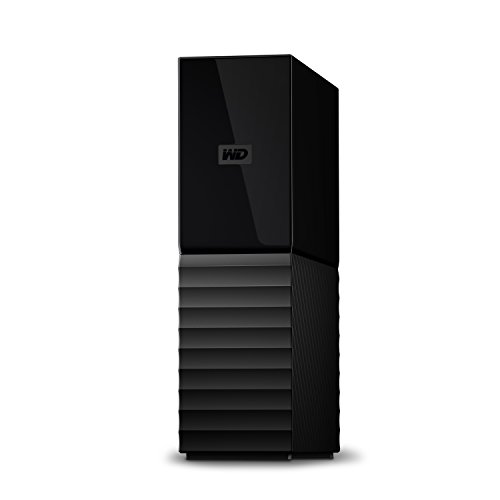
Western Digital 2TB Elements SE - Portable SSD, USB 3.0, Compatible with PC, Mac - WDBAYN0020BBK-WESN


Key features
- •Accelerate your productivity with fast yet affordable SSD performance from a brand you can trust.
- •Read speeds up to 400MB/s let you move large files fast so you can get more done in your day. (1 MB/s = 1 million bytes per second. Based on internal testing; performance may vary depending upon host device, usage conditions, drive capacity, and other factors.)
- •A compact design and drop resistance up to 2 meters make this the perfect drive no matter where you are.
- •Whether you're on the job or creating for pleasure, gain control of your content across laptop, desktop and other devices.
- •Seamlessly integrate the drive into your workflow with plug-and-play functionality that's ready to use right out of the box.
- •What's in the Box: Portable SSD, USB 3.0 Cable, Safety and Warranty Guide
Western Digital 2TB Elements SE - Portable SSD, USB 3.0, Compatible with PC, Mac - WDBAYN0020BBK-WESN
List Price: $365.34$328.81DEALYou Save: $36.53 (10%)
Free shippingFree Returns – 30 daysFree Order CancellationSecure Payment2–3 Days DeliveryGet It October 25, 2026In Stock (30)No marketing spamNo account requiredFulfilment by FedEx / Amazon / UPS / ShipwirePayPal / Card Buyer Protection
Customer Reviews
Reviews sourced from verified Amazon purchasers4.7
out of 5
Based on 10 reviews
5★
70%
4★
30%
3★
0%
2★
0%
1★
0%
If you have a Mac .....
B. Wiley✓ Verified Purchase•August 8, 2023
Like others have said, for Apple users, this isn't "plug and play". (I see the description now says that only for Windows set up). I'm very computer savvy, and can pretty much set up anything, but this took several attempts for me, basically trying different things till it worked. Below I have listed what I did initially (none of which worked), plus, what you SHOULD do.
First, DON'T run the utility for Apple computes that comes with the hard drive. I did that initially, and while the drive would show up in Finder, I couldn't do anything with it. Couldn't write to it, couldn't format it, nothing. I did this twice, thinking if it didn't work the first time, maybe .... Well, it didn't!
And, despite being an apple user for multiple years, I thought you formatted from Finder. You don't. There's a program on your iMac called Disk Utility. Found that by googling "How to format a drive on iMac)
Once you open this, you are presented with an array of format types. Choose APFS, the default file system for Mac computers using macOS 10.13 or later. You can search Apple's help file under "Disk Utility User Guide" for what the other formats are used for (some are for operating systems earlier than 10.13, others are for partitioning the drive into different section to use with both Apple and Windows, others for encrypting your data, etc)
Anyway, once I did this, the drive was right away recognized by Time Machine. One hiccup, which isn't really an issue for me, since I got this only to use with Time Machine, is that I cannot write to this drive manually. For example, to save a file there, or copy one from another folder. I could do this with an external hard drive I purchased from Apple. I have double checked that the backed up files are useable (I deleted some miscellaneous ones that I was ready to delete, and restored them without issue).
First, DON'T run the utility for Apple computes that comes with the hard drive. I did that initially, and while the drive would show up in Finder, I couldn't do anything with it. Couldn't write to it, couldn't format it, nothing. I did this twice, thinking if it didn't work the first time, maybe .... Well, it didn't!
And, despite being an apple user for multiple years, I thought you formatted from Finder. You don't. There's a program on your iMac called Disk Utility. Found that by googling "How to format a drive on iMac)
Once you open this, you are presented with an array of format types. Choose APFS, the default file system for Mac computers using macOS 10.13 or later. You can search Apple's help file under "Disk Utility User Guide" for what the other formats are used for (some are for operating systems earlier than 10.13, others are for partitioning the drive into different section to use with both Apple and Windows, others for encrypting your data, etc)
Anyway, once I did this, the drive was right away recognized by Time Machine. One hiccup, which isn't really an issue for me, since I got this only to use with Time Machine, is that I cannot write to this drive manually. For example, to save a file there, or copy one from another folder. I could do this with an external hard drive I purchased from Apple. I have double checked that the backed up files are useable (I deleted some miscellaneous ones that I was ready to delete, and restored them without issue).
Will forever recommend this hard drive
Lallie13035✓ Verified Purchase•August 2, 2023
If you could only see my past order history, I have literally have purchased more than 10 of these hard drives, the reason being THEY ARE THE BEST!!! Not only do I used these hard drives but I literally recommend them to anyone and everyone looking for that storage device that will withstand year after year use and abuse AND that is sturdy and capable of withstanding accidental drops, bumps, etc. This is the hard drive for you. I currently, on hand, own 6 5T Hard drives and they are AMAZING, others have ranged from a 2T, 3T, etc. I have bought them as gifts, I have bought them as replacements, and I have bought them when I have ran out of space! I will forever be a fan, a buyer, and supporter. These are not complicated to connect, drag and drop, load, or download onto. You will not be disappointed in the space options, speed, and longevity of these hard drives! Highly recommend
Reliable and Compact, But Limited Connectivity
Max Basev✓ Verified Purchase•July 22, 2023
I recently purchased the WD 5TB Elements Portable HDD, External Hard Drive, USB 3.0 for PC & Mac, and overall, I'm quite satisfied with its performance. However, there is one significant drawback that needs to be mentioned - the proprietary cable it uses, which means it does not have USB-C or similar connectivity options. This can be inconvenient as finding a replacement cable in case of loss or damage might prove to be challenging.
On the positive side, the packaging of the product was excellent. It arrived in a secure and well-protected condition, ensuring the safety of the hard drive during transit. This attention to detail in packaging is certainly commendable.
In terms of design, the WD 5TB Elements Portable HDD is impressively compact and lightweight. It doesn't take up much space and can easily be carried around without being burdensome. Additionally, the hard drive's casing is sturdy and resistant to scratches, which adds to its overall durability.
As for performance, this external hard drive has proven to be reliable. It provides ample storage capacity, allowing me to store a significant amount of data without any issues. The USB 3.0 connection ensures fast transfer speeds, making it convenient for transferring large files or backing up data.
In conclusion, the WD 5TB Elements Portable HDD, External Hard Drive is a solid choice for those seeking a reliable and compact storage solution. However, the proprietary cable limitation should be taken into consideration before making a purchase, as it may pose difficulties in finding a replacement cable. Nevertheless, if this aspect doesn't bother you, this hard drive offers good performance, excellent packaging, and a compact design that makes it a convenient option for both PC and Mac users.
On the positive side, the packaging of the product was excellent. It arrived in a secure and well-protected condition, ensuring the safety of the hard drive during transit. This attention to detail in packaging is certainly commendable.
In terms of design, the WD 5TB Elements Portable HDD is impressively compact and lightweight. It doesn't take up much space and can easily be carried around without being burdensome. Additionally, the hard drive's casing is sturdy and resistant to scratches, which adds to its overall durability.
As for performance, this external hard drive has proven to be reliable. It provides ample storage capacity, allowing me to store a significant amount of data without any issues. The USB 3.0 connection ensures fast transfer speeds, making it convenient for transferring large files or backing up data.
In conclusion, the WD 5TB Elements Portable HDD, External Hard Drive is a solid choice for those seeking a reliable and compact storage solution. However, the proprietary cable limitation should be taken into consideration before making a purchase, as it may pose difficulties in finding a replacement cable. Nevertheless, if this aspect doesn't bother you, this hard drive offers good performance, excellent packaging, and a compact design that makes it a convenient option for both PC and Mac users.
Hasn't failed me so far
Toratell✓ Verified Purchase•July 17, 2023
It was really easy to set up with my windows 10 pc, I just had to plug it in, go to my backup settings, and choose the 5tb hard drive. Works like a charm so far!
It is tiny physically but has very large storage capacity!
Amazon Customer✓ Verified Purchase•July 11, 2023
I am using it for backups. One of my backup drives failed and I needed to replace it.
The SSD is much speedier than a conventional hard drive. I only wish it had a dual USB connection (USB-A and USB-C).
The SSD is much speedier than a conventional hard drive. I only wish it had a dual USB connection (USB-A and USB-C).
Page 1 of 2