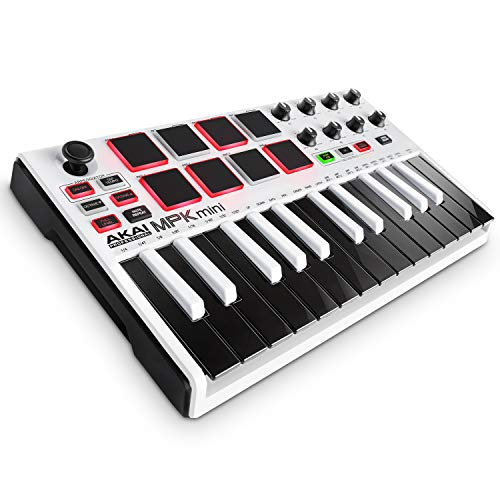
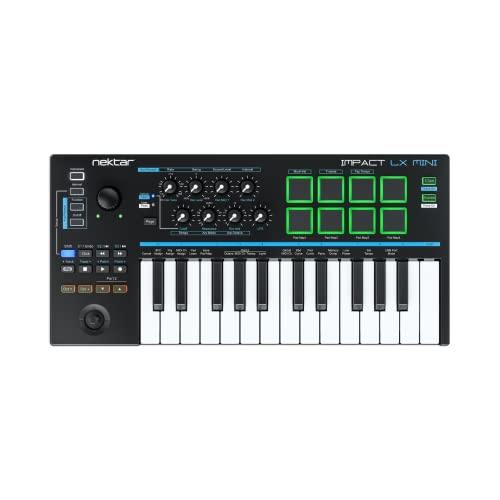
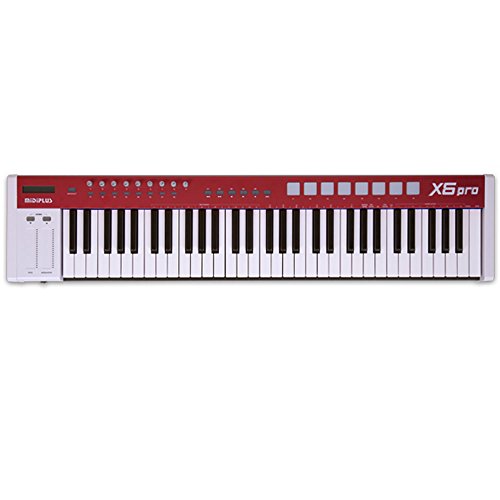
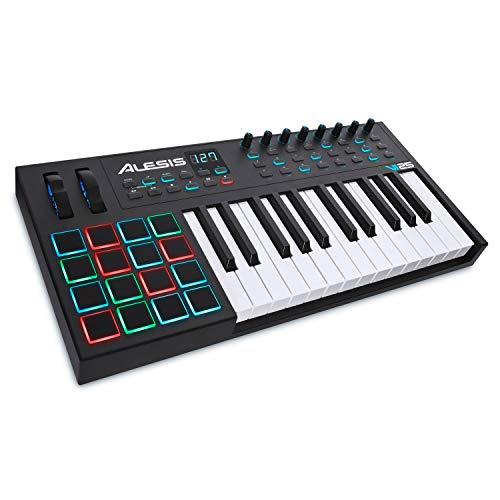
M-VAVE 25 Key USB MIDI Keyboard Controller With 8 Backlit Drum Pads, Bluetooth Semi Weighted Professional dynamic keybed 8 Knobs and Music Production,Software Included (Black)




Key features
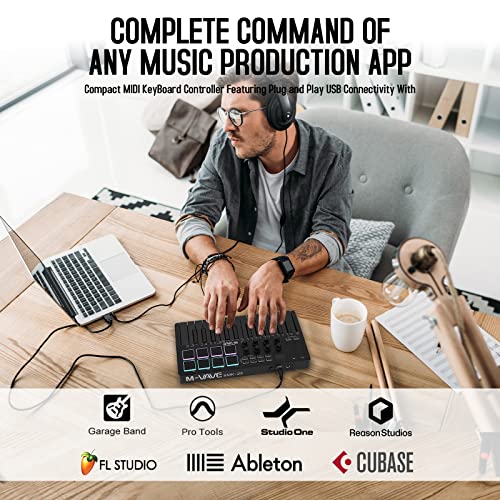
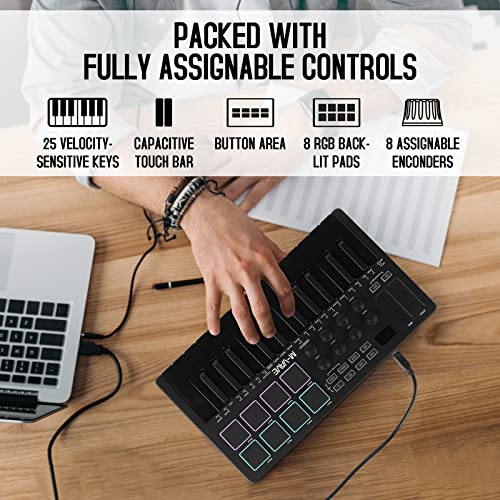
- •Music Production and Beat Maker Essential – USB powered MIDI controller with 25 mini MIDI keyboard velocity-sensitive keys for studio production, virtual synthesizer control and beat production
- •Total Control of Your Production - Innovative 4-way thumbstick for dynamic pitch and modulation control, plus a built-in arpeggiator with adjustable resolution, range and modes
- •The MPC Experience - 8 backlit velocity-sensitive MPC-Style MIDI beat pads with Note Repeat and Full Level for programming drums, triggering samples and controlling virtual synthesizer/DAW controls
- •Complete Command of your Virtual Instruments and FX - 8 360-degree knobs assign to all your music studio plugins for mixing, tweaking synth controls and more
- •Melodics educational software , pad controllers and e-drums
BrandM-VAVE
CategoryMIDI Controllers
ColorBlack
WarrantyManufacturer warranty for 1 years from date of purchaes.
M-VAVE 25 Key USB MIDI Keyboard Controller With 8 Backlit Drum Pads, Bluetooth Semi Weighted Professional dynamic keybed 8 Knobs and Music Production,Software Included (Black)
List Price: $130.94$117.85DEALYou Save: $13.09 (10%)
Free shippingFree Returns – 30 daysFree Order CancellationSecure Payment2–3 Days DeliveryGet It October 24, 2026In Stock (1)No marketing spamNo account requiredFulfilment by FedEx / Amazon / UPS / ShipwirePayPal / Card Buyer Protection
Customer Reviews
Reviews sourced from verified Amazon purchasers4.6
out of 5
Based on 10 reviews
5★
100%
4★
0%
3★
0%
2★
0%
1★
0%
It works great
Claudia Vic✓ Verified Purchase•August 22, 2023
The product functioned as intended. I only tested it on three devices, an iPhone, a Galaxy tab S7 FÉ, and a laptop. The Bluetooth connection worked really well on the iPhone, there was no latency to speak of. The pads work well for making beats and all other midi functions worked well. As for the laptop and tablet, I had to either wire it or use the m-vave Bluetooth midi system to use it wirelessly. Other than that, it was a good product overall. Perfect for making music at home or on the go.
It’s amazing!
Jeremiah✓ Verified Purchase•August 11, 2023
If u want a midi keyboard controller the M-WAVE is a great choice. It has Bluetooth and also usb which is amazing. I use it for making beats on my ipad and it helps me a lot and I travel a lot so I use it on the go.
AMAZING MIDI KEYBOARD FOR BEGINNERS
Killian Wiester✓ Verified Purchase•August 2, 2023
I got this midi controller about 2 weeks ago and i have fell in love with it, it is absolulty amazing and easy to use, the only tough part is finding good quality programs that work well with it. but its been really good to me! its a solid controller for people like me who have little music experience to jump right in and start making music! 10/10!
Fantastic
Omello Nakamura ✓ Verified Purchase•July 27, 2023
If you're a beginner looking to kickstart your music production journey on Logic Pro for iPad, look no further than the M-WAVE 25 Key USB MIDI Keyboard. This delightful pink keyboard is not just a charming addition to your setup, but it also proves to be an essential tool for aspiring musicians and producers alike.
Design and Aesthetics:
The M-WAVE MIDI Keyboard is an absolute stunner when it comes to design. Its vibrant pink color sets it apart from the sea of conventional black and white keyboards, making it a refreshing choice for anyone seeking a touch of personality in their music workspace. The compact and lightweight design ensure that it doesn't take up too much space and can be easily carried around wherever your music takes you.
Build Quality:
Despite its lightweight nature, the build quality of the M-WAVE MIDI Keyboard is surprisingly sturdy and durable. The keys have a reassuring responsiveness that strikes the perfect balance between being soft to the touch for smooth playability and having enough resistance to feel like a real instrument. Rest assured, you'll be able to create music without worrying about premature wear and tear.
Plug-and-Play Convenience:
For beginners diving into the world of music production, ease of use is crucial. The M-WAVE keyboard shines in this department, as it effortlessly connects to your iPad through a USB connection. There's no need for additional drivers or complex setups "“ just plug it in, and you're ready to start playing. This simplicity means you can focus more on honing your skills and less on technical hassles.
Perfect for Learning Logic Pro:
If you're learning Logic Pro on your iPad, the M-WAVE MIDI Keyboard is a game-changer. Its 25 keys offer just the right range for beginners to experiment with melodies, chords, and beats. Whether you're playing virtual instruments, tapping out drum patterns, or inputting notes into the piano roll, this keyboard provides an intuitive and tactile experience that enhances your creative flow.
Versatile Functionality:
Despite its compact size, the M-WAVE MIDI Keyboard offers more functionality than meets the eye. It includes essential controls like pitch bend, modulation wheels, octave shifting, and sustain, giving you greater expressiveness and control over your music. These features are essential for adding nuance and dynamics to your compositions.
Value for Money:
Considering its affordable price point, the M-WAVE MIDI Keyboard offers fantastic value for money. For beginners, it provides an entry into the world of music production without breaking the bank. Moreover, its compatibility with Logic Pro on the iPad ensures that you won't need to invest in a more expensive MIDI controller right away. It's a wise investment for aspiring musicians on a budget.
Design and Aesthetics:
The M-WAVE MIDI Keyboard is an absolute stunner when it comes to design. Its vibrant pink color sets it apart from the sea of conventional black and white keyboards, making it a refreshing choice for anyone seeking a touch of personality in their music workspace. The compact and lightweight design ensure that it doesn't take up too much space and can be easily carried around wherever your music takes you.
Build Quality:
Despite its lightweight nature, the build quality of the M-WAVE MIDI Keyboard is surprisingly sturdy and durable. The keys have a reassuring responsiveness that strikes the perfect balance between being soft to the touch for smooth playability and having enough resistance to feel like a real instrument. Rest assured, you'll be able to create music without worrying about premature wear and tear.
Plug-and-Play Convenience:
For beginners diving into the world of music production, ease of use is crucial. The M-WAVE keyboard shines in this department, as it effortlessly connects to your iPad through a USB connection. There's no need for additional drivers or complex setups "“ just plug it in, and you're ready to start playing. This simplicity means you can focus more on honing your skills and less on technical hassles.
Perfect for Learning Logic Pro:
If you're learning Logic Pro on your iPad, the M-WAVE MIDI Keyboard is a game-changer. Its 25 keys offer just the right range for beginners to experiment with melodies, chords, and beats. Whether you're playing virtual instruments, tapping out drum patterns, or inputting notes into the piano roll, this keyboard provides an intuitive and tactile experience that enhances your creative flow.
Versatile Functionality:
Despite its compact size, the M-WAVE MIDI Keyboard offers more functionality than meets the eye. It includes essential controls like pitch bend, modulation wheels, octave shifting, and sustain, giving you greater expressiveness and control over your music. These features are essential for adding nuance and dynamics to your compositions.
Value for Money:
Considering its affordable price point, the M-WAVE MIDI Keyboard offers fantastic value for money. For beginners, it provides an entry into the world of music production without breaking the bank. Moreover, its compatibility with Logic Pro on the iPad ensures that you won't need to invest in a more expensive MIDI controller right away. It's a wise investment for aspiring musicians on a budget.
The Ultimate Review and Unofficial Guide to The M-VAVE MIDI Controller
Jenny✓ Verified Purchase•July 9, 2023
Interested in making music on iOS? This MIDI controller is THE easiest way to get started and get to the fun part - making music! It's also well constructed, surprisingly configurable, and best of all: no wires!
Most music creation setups require a fixed workstation with cables snaking everywhere, but the handy thing about iPads is how mobile they are. Until now, making music on iOS also required a setup with at least 2 cables, plus a $40 adapter from Apple. You might even need to add a powered USB hub in the middle of all that. Good luck playing music on your couch!
That's why I was so excited to find this keyboard controller - it uses low energy bluetooth to connect to your iOS device wirelessly and that's all you need to get up and running! Just switch the power on, a couple of taps in your music app of choice (NOT via the usual bluetooth settings page - connect to it within your music app!) and you can start creating your next song!
As for the keyboard itself, it's quite well made for the price. It uses minikeys to keep the size down so you can toss the controller and an iPad in a backpack and work on the go. The keys feel very good at this price point, and are velocity sensitive so you can add dynamics to your playing. The knobs are also solid and spin infinitely. The pads have a good feel to them as well, a bit of give but don't trigger with minimal pressure, so there's no accidental hits. The only misstep are the pitch bend and mod strips; they work adequately but it may not be the tactile response you're used to. There's 8 knobs and 8 pads, but a single button press for each switches their controls to a second bank or 8 each and essentially doubles the number of controls you have!
Extra features that you might not expect to find on a controller at this price point include an arpeggiator that can be controlled via the keys, a smart chord and smart scale system (play chords with one finger! Never play an off-scale note again!), and the ability to change velocity curves for the pads and keys from the controller itself.
This product is not made by one of the big names in music devices which saves you some serious money. It also means that the documentation is a little sparse - but I'm here to fill in the gaps so you can get the best experience for the best price! The controller comes with 8 presets that are preconfigured pretty intelligently - preset 1 follows the classic MIDI setup of having keys transmit on MIDI channel 1, and the pads, representing drums, on MIDI channel 10. Works right out of the box.
But if you want more control, there's a free iOS app that gives you virtually complete control over every input on the controller. It's called "cube suite" - and make sure you search of it in the app store just as I typed it there because the app store is not smart about searching for apps. cubesuite, all one word will give you zero results. This app is well done but has some minor rough edges - expect minor spelling mistakes and the very occasional "what does that mean?" That said, I've always been able to get it to do what I need.
On opening cube suite, if your controller isn't immediately recognized (the official name is the SMK25), hit scan nearby devices at the bottom, and it should find and connect. Tap the SMK25 icon and then you'll be taken to a screen with two sections. The top, "GLOB" for global, exposes the controls in app form that you can also control from the keyboard, namely, the arpeggiator, smart scale/chords, and key and pad velocity. Nice to have, but you can change those settings from the controller, so it's not strictly necessary.
The last tab, "Preset" is where things get interesting. There's 8 presets on the controller. This is where you select what preset the controller is using (also can be done on the controller by pressing 2 buttons together and then pressing one of the pads - 8 pads, 8 presets!), but more importantly you can make changes to the controls in the bottom section of the screen (USER CONFIG) - the keys, pads, knobs, pitch/mod strips, and transport buttons - and then use "Persistent save" to save those changes to the selected preset, giving you ultimate control! You can even set the exact color you want the Pad LEDs to be - and I have to say they look very slick.
How to change what the controls do: USER CONFIG has 5 tabs, each representing a type of control. So "Pad" lets you customize the pads. And oh boy are they customizable: you can set them to send lots of different type of MIDI commands. Send notes, program changes, momentary CC signals, toggle CC signals. Depending on the type of signal, there are appropriate subsettings to change as well. For example, in CC toggle mode, you can say what 2 values to send each time you "toggle" the pad by hitting it - send 127 and 127 (full on), send 0 and 127 (full off and full on), send 43 and 87 (I don't know why, but you can!).
At the top of the section is "Pad Index" - this is which pad you are editing, and then all the possible things you can set it to are below that. Tap the pad on the right to select which of the 16 pads you want to change. The same is true for knobs. Keys are a bit different - you set what channel to send the keys over, and then can set what note each key will send. Note that this is one off the few poor UI experiences - for example, MIDI values can range from 0 to 127 and rather then letting you type in the number, you have to navigate a drop down list with 128 different entries, one for each number. Not a huge deal since you will only be occasionally changing the controls on the controller, but it isn't ideal. And if you are changing the controls very often - time to upgrade and get a serious MIDI controller that makes it easy to program it to your heart's content!
Anyways, once you have the controls the way you like them, hit "Persistent Save" to save the preset back to the controller, and with just 2 button presses on the controller, you have your preset ready for jamming!
Just to give you an example of how powerful this amount of control is, here's my setup: Presets 1 through 4 have been customized by me to send on the same channel number. So preset 1 sends on MIDI channel 1, 2 on 2, etc. This allows me to put different instruments in my music software and have them listen only on those channels. So I can hit the pads on channel 1 and get some drums going, then by pressing the preset change button and then pad 2 - now I'm playing bass on the keys! I can switch super easily and get back to the fun part - writing and playing some tunes!
Alright, if you've stuck with me this long, here's my summary: this controller is well made for the price, highly configurable even if it's not the fastest process, but most importantly - EXTREMELY EASY to get up and running with ZERO wires. It's got a 2000 mAH battery (with charging cable) that lasts longer than my iPad's battery and I'm really enjoying it.
Get it for making music anywhere - an iPhone and this keyboard in a backpack lets you make music on the beach, at the park - anywhere. Get it for kids and teens who want to get into music without a huge upfront cost. Get it for noodling on your couch.
Just Get It!
Most music creation setups require a fixed workstation with cables snaking everywhere, but the handy thing about iPads is how mobile they are. Until now, making music on iOS also required a setup with at least 2 cables, plus a $40 adapter from Apple. You might even need to add a powered USB hub in the middle of all that. Good luck playing music on your couch!
That's why I was so excited to find this keyboard controller - it uses low energy bluetooth to connect to your iOS device wirelessly and that's all you need to get up and running! Just switch the power on, a couple of taps in your music app of choice (NOT via the usual bluetooth settings page - connect to it within your music app!) and you can start creating your next song!
As for the keyboard itself, it's quite well made for the price. It uses minikeys to keep the size down so you can toss the controller and an iPad in a backpack and work on the go. The keys feel very good at this price point, and are velocity sensitive so you can add dynamics to your playing. The knobs are also solid and spin infinitely. The pads have a good feel to them as well, a bit of give but don't trigger with minimal pressure, so there's no accidental hits. The only misstep are the pitch bend and mod strips; they work adequately but it may not be the tactile response you're used to. There's 8 knobs and 8 pads, but a single button press for each switches their controls to a second bank or 8 each and essentially doubles the number of controls you have!
Extra features that you might not expect to find on a controller at this price point include an arpeggiator that can be controlled via the keys, a smart chord and smart scale system (play chords with one finger! Never play an off-scale note again!), and the ability to change velocity curves for the pads and keys from the controller itself.
This product is not made by one of the big names in music devices which saves you some serious money. It also means that the documentation is a little sparse - but I'm here to fill in the gaps so you can get the best experience for the best price! The controller comes with 8 presets that are preconfigured pretty intelligently - preset 1 follows the classic MIDI setup of having keys transmit on MIDI channel 1, and the pads, representing drums, on MIDI channel 10. Works right out of the box.
But if you want more control, there's a free iOS app that gives you virtually complete control over every input on the controller. It's called "cube suite" - and make sure you search of it in the app store just as I typed it there because the app store is not smart about searching for apps. cubesuite, all one word will give you zero results. This app is well done but has some minor rough edges - expect minor spelling mistakes and the very occasional "what does that mean?" That said, I've always been able to get it to do what I need.
On opening cube suite, if your controller isn't immediately recognized (the official name is the SMK25), hit scan nearby devices at the bottom, and it should find and connect. Tap the SMK25 icon and then you'll be taken to a screen with two sections. The top, "GLOB" for global, exposes the controls in app form that you can also control from the keyboard, namely, the arpeggiator, smart scale/chords, and key and pad velocity. Nice to have, but you can change those settings from the controller, so it's not strictly necessary.
The last tab, "Preset" is where things get interesting. There's 8 presets on the controller. This is where you select what preset the controller is using (also can be done on the controller by pressing 2 buttons together and then pressing one of the pads - 8 pads, 8 presets!), but more importantly you can make changes to the controls in the bottom section of the screen (USER CONFIG) - the keys, pads, knobs, pitch/mod strips, and transport buttons - and then use "Persistent save" to save those changes to the selected preset, giving you ultimate control! You can even set the exact color you want the Pad LEDs to be - and I have to say they look very slick.
How to change what the controls do: USER CONFIG has 5 tabs, each representing a type of control. So "Pad" lets you customize the pads. And oh boy are they customizable: you can set them to send lots of different type of MIDI commands. Send notes, program changes, momentary CC signals, toggle CC signals. Depending on the type of signal, there are appropriate subsettings to change as well. For example, in CC toggle mode, you can say what 2 values to send each time you "toggle" the pad by hitting it - send 127 and 127 (full on), send 0 and 127 (full off and full on), send 43 and 87 (I don't know why, but you can!).
At the top of the section is "Pad Index" - this is which pad you are editing, and then all the possible things you can set it to are below that. Tap the pad on the right to select which of the 16 pads you want to change. The same is true for knobs. Keys are a bit different - you set what channel to send the keys over, and then can set what note each key will send. Note that this is one off the few poor UI experiences - for example, MIDI values can range from 0 to 127 and rather then letting you type in the number, you have to navigate a drop down list with 128 different entries, one for each number. Not a huge deal since you will only be occasionally changing the controls on the controller, but it isn't ideal. And if you are changing the controls very often - time to upgrade and get a serious MIDI controller that makes it easy to program it to your heart's content!
Anyways, once you have the controls the way you like them, hit "Persistent Save" to save the preset back to the controller, and with just 2 button presses on the controller, you have your preset ready for jamming!
Just to give you an example of how powerful this amount of control is, here's my setup: Presets 1 through 4 have been customized by me to send on the same channel number. So preset 1 sends on MIDI channel 1, 2 on 2, etc. This allows me to put different instruments in my music software and have them listen only on those channels. So I can hit the pads on channel 1 and get some drums going, then by pressing the preset change button and then pad 2 - now I'm playing bass on the keys! I can switch super easily and get back to the fun part - writing and playing some tunes!
Alright, if you've stuck with me this long, here's my summary: this controller is well made for the price, highly configurable even if it's not the fastest process, but most importantly - EXTREMELY EASY to get up and running with ZERO wires. It's got a 2000 mAH battery (with charging cable) that lasts longer than my iPad's battery and I'm really enjoying it.
Get it for making music anywhere - an iPhone and this keyboard in a backpack lets you make music on the beach, at the park - anywhere. Get it for kids and teens who want to get into music without a huge upfront cost. Get it for noodling on your couch.
Just Get It!
Page 1 of 2