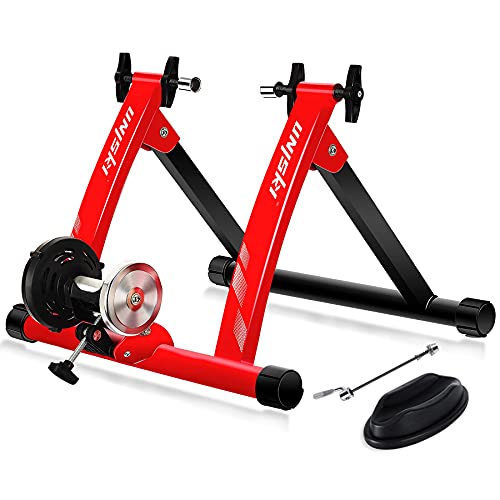
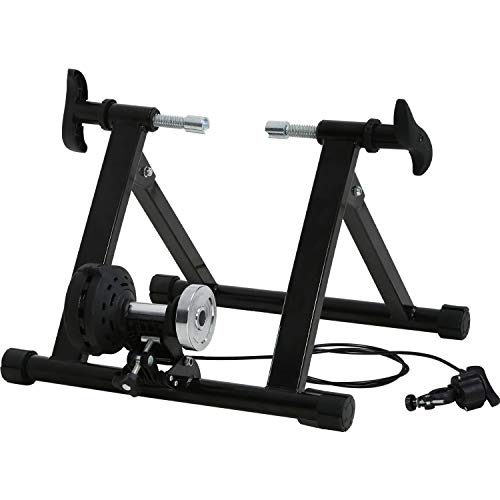
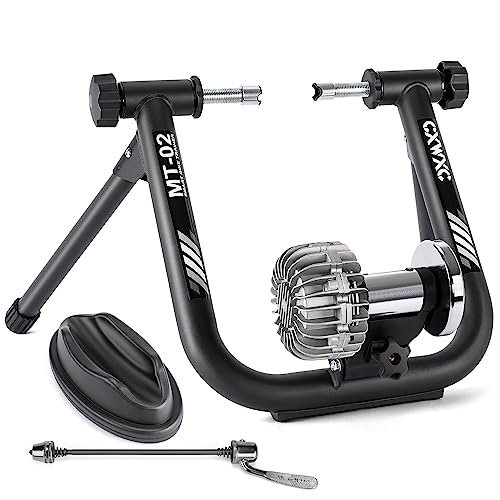
Kinetic by Kurt Road Machine Smart Bike Trainer & Rear Skewer for Trainer


Key features
- •Product 1: Progressive fluid resistance for a quiet, realistic ride
- •Product 1: Compatible with apps like Kinetic Fit, Zwift, Trainer Road with both Bluetooth Smart- or ANT+-connected phones, tablet, and computers
- •Product 1: 6. 25 pound flywheel for superior ride feel
- •Product 1: Includes a FREE 1-month subscription to the Kinetic Fit power-training app.
- •Product 2: Package length: 2.286 cm
- •Product 2: Package width: 4.318 cm
BrandKinetic by Kurt
CategoryResistance Trainers
Kinetic by Kurt Road Machine Smart Bike Trainer & Rear Skewer for Trainer
List Price: $553.70$498.33DEALYou Save: $55.37 (10%)
Free shippingFree Returns – 30 daysFree Order CancellationSecure Payment2–3 Days DeliveryGet It October 25, 2026In Stock (1)No marketing spamNo account requiredFulfilment by FedEx / Amazon / UPS / ShipwirePayPal / Card Buyer Protection
Customer Reviews
Reviews sourced from verified Amazon purchasers4.3
out of 5
Based on 10 reviews
5★
50%
4★
50%
3★
0%
2★
0%
1★
0%
Progressice resistance at its finest.
Greg Anthony✓ Verified Purchase•August 6, 2023
I ride a lot. I've been putting off buying a new trainer for a long time as I enjoy 4 season riding even into single digits but the cleanup and wear stinks. Not to mention the risk of ice.
This isn't the latest model of the trainer. However, it is the same hardware as the Road Machine Smart 2 minus the connection of the InRide 3. It comes with InRIde which is Bluetooth while the InRide3 provides both Bluetooth and Ant +. It is easily upgradable for less than 50 bucks for the InRide3 bringing the total price to less than $305 bucks for what I paid (256 + 48). I don't care for the apps so it doesn't much matter to me. I watch Netflix or Amazon Prime when I'm not suffering too much. I can see putting a month into Zwift but it becomes relative to my experience. I've read some troubles with buyers having problems mostly with the Android beta software and I can understand why considering expectations versus the reality of the vast performance differences of the devices and with so much old software smartphones might be running,
THere a big thing to remember with this trainer if you want to know numbers and what speed means in watts This trainer simulates a 1% grade and wattage can be estimated quite accurately given all the information out there in the Internet sphere. Kinetic does provide a power curve chart on their website. https://www.kurtkinetic.com/kinetic-power-tech/. This power @ a given speed assumes a 1% grade of a 165lb rider with a 23lb bike. Others have made their power charts as well I posted a chart for reference. Knowing what I know after my first ride I'd say this chart is accurate within reason if not near dead on. Kinetic says their power chart is +/- 3%. My initial ride left me more than impressed by the feel alone as the trainer has a nice roll from the larger than normal 6.5lb flywheel. I 12lbs "pro" flywheel is available to add making the total flywheel 18.5 lbs. It would be good for longer sessions but maybe not so great if you were a powerful sprinter. Wheel slippage might be an issue with proper tension on the roller to the wheel. The devil is in the details.
Set is very easy. Please read the instruction if you are not familiar with trainer setups. It comes with its own skewer to be used with the trainer. USE IT! Make sure the skewer lever fits into the slot. Understand how the lock works and READ to instructions if you don't get it by looking at it. It is easy and bulletproof unless there be user error. Make sure you properly contact the roller with the tire. The tire should be properly inflated to its recommended pressure. HOld the roller back and turn to adjustment know until the roller touches the tire then give it a full 2 to 2 1/2 full turn or 8 to 10 quarter turns if that is easier to do.
I could say more but I think this is enough. Ill be sure to update if the experience changes.
Just buy it unless you don't mind spending 2 to 5 times the money to something you have to plug it. This doesn't need electricity and it seems bulletproof.
This isn't the latest model of the trainer. However, it is the same hardware as the Road Machine Smart 2 minus the connection of the InRide 3. It comes with InRIde which is Bluetooth while the InRide3 provides both Bluetooth and Ant +. It is easily upgradable for less than 50 bucks for the InRide3 bringing the total price to less than $305 bucks for what I paid (256 + 48). I don't care for the apps so it doesn't much matter to me. I watch Netflix or Amazon Prime when I'm not suffering too much. I can see putting a month into Zwift but it becomes relative to my experience. I've read some troubles with buyers having problems mostly with the Android beta software and I can understand why considering expectations versus the reality of the vast performance differences of the devices and with so much old software smartphones might be running,
THere a big thing to remember with this trainer if you want to know numbers and what speed means in watts This trainer simulates a 1% grade and wattage can be estimated quite accurately given all the information out there in the Internet sphere. Kinetic does provide a power curve chart on their website. https://www.kurtkinetic.com/kinetic-power-tech/. This power @ a given speed assumes a 1% grade of a 165lb rider with a 23lb bike. Others have made their power charts as well I posted a chart for reference. Knowing what I know after my first ride I'd say this chart is accurate within reason if not near dead on. Kinetic says their power chart is +/- 3%. My initial ride left me more than impressed by the feel alone as the trainer has a nice roll from the larger than normal 6.5lb flywheel. I 12lbs "pro" flywheel is available to add making the total flywheel 18.5 lbs. It would be good for longer sessions but maybe not so great if you were a powerful sprinter. Wheel slippage might be an issue with proper tension on the roller to the wheel. The devil is in the details.
Set is very easy. Please read the instruction if you are not familiar with trainer setups. It comes with its own skewer to be used with the trainer. USE IT! Make sure the skewer lever fits into the slot. Understand how the lock works and READ to instructions if you don't get it by looking at it. It is easy and bulletproof unless there be user error. Make sure you properly contact the roller with the tire. The tire should be properly inflated to its recommended pressure. HOld the roller back and turn to adjustment know until the roller touches the tire then give it a full 2 to 2 1/2 full turn or 8 to 10 quarter turns if that is easier to do.
I could say more but I think this is enough. Ill be sure to update if the experience changes.
Just buy it unless you don't mind spending 2 to 5 times the money to something you have to plug it. This doesn't need electricity and it seems bulletproof.
2023 - Company going under? Instructions bad, support 404 error?
K. Clark✓ Verified Purchase•June 30, 2023
A lot of unsettling issues starting this trainer up, but it works OK after that. Assembly was fine, and their directions were pretty good. But getting it connected to their app (android in my case) was a bit of a nightmare. The instructions for setting it up basically say "use the instructions in the app." But their app doesn't really give you any instructions. It wants location services on (for no particular reason) and bluetooth, which makes sense. However, it totally didn't work at first.
First problem - the battery they sent with it was dead. The instructions for installing the battery seem to be solely in the trainer battery compartment, and they're in a tiny font in a small hole. You're supposed to install the battery upside down for a few seconds, then with the positive side facing out. Luckily I had a new (CR2032) battery with proper voltage.
But installing it gave a weird result. For a few seconds, I'd get an "Inride" device. Watching a few videos, I found out that that was probably the device. But then it disappeared without pairing. About eight times. They direct you to a support page that doesn't exist. kurtkinetic.com/support, and you get a not found error. In fact support seems to be just plain gone on their site.
But after all those failed attempts, the app said it knew about the device. And sure enough, it works great now. Don't know what magic made it work, but it seems to connect to the in-ride electronics outside of the normal pairing, though it says you need to get it paired. Five stars for the thing working as expected (eventually), but a star off for the horrible instructions on the software, no support, and wasting an hour of my time.
First problem - the battery they sent with it was dead. The instructions for installing the battery seem to be solely in the trainer battery compartment, and they're in a tiny font in a small hole. You're supposed to install the battery upside down for a few seconds, then with the positive side facing out. Luckily I had a new (CR2032) battery with proper voltage.
But installing it gave a weird result. For a few seconds, I'd get an "Inride" device. Watching a few videos, I found out that that was probably the device. But then it disappeared without pairing. About eight times. They direct you to a support page that doesn't exist. kurtkinetic.com/support, and you get a not found error. In fact support seems to be just plain gone on their site.
But after all those failed attempts, the app said it knew about the device. And sure enough, it works great now. Don't know what magic made it work, but it seems to connect to the in-ride electronics outside of the normal pairing, though it says you need to get it paired. Five stars for the thing working as expected (eventually), but a star off for the horrible instructions on the software, no support, and wasting an hour of my time.
Gets the job done.
pugmunki✓ Verified Purchase•June 23, 2023
This is the second indoor trainer I have ever own, the first with any kind of smart capabilities. Package received quickly, within two days of ordering. I had some minor difficulty attaching the resistance unit to the frame as the roller tension knob did not want to seat and screw into the cross bar. I would suggest pre-threading the roller tension knob first into the cross bar before attempting to install. Bicycle mounted easily and securely. Installed the battery into the Inride sensor and was able to connect the Inreach device to the Kinetic FIt app on my Android phone on the second try. In order to activate the sensor you need to spin the rear wheel and get the resistance unit spinning a couple of revolutions in order to activate the sensor. I was able to successfully pair the Inreach sensor to my laptop on bluetooth running Zwift the first time I tried. The Kinetic Road Machine 2 Smart 2 feels like a solid built machine. Enough resistance there for me to break a sweat on. Only issue I have is that with the trainer and wheel block, the bicycle sits about two inches too high for me to easily get up and mount and dismount from the floor (I have a 30" inseam, am 5'9"). So far only been using my fixed gear bike to ride on the trainer as my road bike is currently at the bike shop getting component upgrades, so I was unable to properly calibrate the sensor, which skewed my metrics in Zwift. Will update results later.
Good trainer, but you'll need a "trainer wheel" and tire
bulegila✓ Verified Purchase•June 21, 2023
This trainer is reasonably priced and very sturdy. I've used it for quite a while and it hasn't let me down yet (several months, I'd say, maybe almost a year). It syncs very well with Zwift and my heart rate monitor (Wahoo Tickr). I wish I'd known one thing in advance, though. "Wheel-on" trainers like this one are much cheaper than the more modern "wheel-off" or "direct drive" trainers (like the Wahoo Kickr)--but you'll end up paying about the same thing, really, because you'll need to find another wheel just for use with the trainer. Why? These wheel-on trainers eat tires for lunch. One or two sessions and your favorite road or mountain bike tire will be practically ruined--it'll look like you've put thousands of miles on it. This is because wheel-on tires rely on friction between the rear tire and a rotating drum. There are those who use their trainer only in the winter, and never ride outdoors in the winter--those people can just have a cheap tire that they put on at the beginning of winter, and take off in spring. But for everyone else, changing the rear tire every time you use the trainer would be too aggravating and time-consuming. So you'll have to buy a spare rear wheel or "trainer wheel," with a cassette that matches the one on your regular (outdoor) wheel. OK. So first of all, wheels are not cheap--even the "cheap" ones--and even if they're used (and they're not easy to find used in most areas). Second, you'll almost certainly have to get a new cassette for your spare wheel, so that it matches the gearing on your "normal" wheel's cassette. Third, you need to be really careful--for example, I got a rim brake wheel even though my bike has disc brakes, reasoning that I won't be engaging the brakes on the trainer anyway. That was a mistake. It turned out that the rim brake wheel's spokes hit against the disc brake caliper as the wheel rotated, making a xylophone-like sound. So I had to get a used disc brake wheel in addition to the new cassette. All in all, I ended up spending about as much as I would have spent if I had just coughed up the cash for a (more expensive) wheel-off "direct drive" trainer like a Wahoo Kickr. The latter have a much more intelligent and sensible design anyway, and are reputed to be more precise and consistent in terms of measuring power. So if you really do need a trainer and you don't want to spend a fortune on additional equipment or new tires, just get a direct drive trainer like a Wahoo Kickr.
Excellent quality trainer
Gambillford ✓ Verified Purchase•May 28, 2023
This is my second bike trainer. My first was an all manual magnetic cheap trainer. This is a huge improvement over that one. The trainer rides smooth and applies great resistance. The software that is used with this trainer is the only issue. It is a little tough to use. Doing the bare minimum is almost a hassel. It will work with other software aids but I am too cheap to pay for multiple subscriptions. The build of this trainer is solid and secure.
Update: After having it for over a year I can honestly say this is still a very good trainer. Would I buy it again? Probably not. I would wait until I could afford a real smart trainer. This trainer is at the bottom of the smart trainer list. It can be used with Zwift but it isnt accurate at all. I added my own sensors for better response and accuracy. The nicer trainers cost more but offer more as well like automatic resistance. If you dont use Zwift this trainer is probably one of the best. Just get your own sensors because there is lag even using the inride.
Update: After having it for over a year I can honestly say this is still a very good trainer. Would I buy it again? Probably not. I would wait until I could afford a real smart trainer. This trainer is at the bottom of the smart trainer list. It can be used with Zwift but it isnt accurate at all. I added my own sensors for better response and accuracy. The nicer trainers cost more but offer more as well like automatic resistance. If you dont use Zwift this trainer is probably one of the best. Just get your own sensors because there is lag even using the inride.
Page 1 of 2