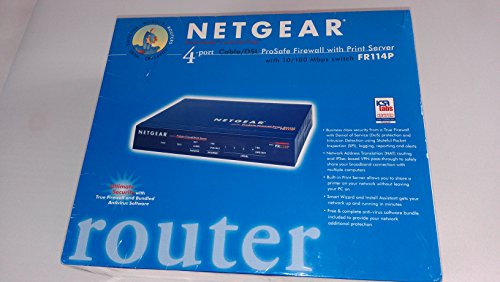
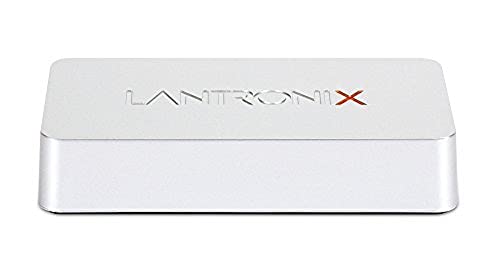
D-Link DP-311U Wireless Print Server, 1-USB Port, 802.11b, 11Mbps

Key features
- •Supports all major network operating systems and protocols
- •Supports both infrastructure or ad-hoc wireless modes
- •Easy configuration with a web browser or Windows-based configuration program
- •Transmit to high-speed laser printers faster than a PC parallel port
- •Extremely portable and inexpensive compared to a PC-based print server
BrandD-Link
CategoryPrint Servers
D-Link DP-311U Wireless Print Server, 1-USB Port, 802.11b, 11Mbps
List Price: $123.66$111.29DEALYou Save: $12.37 (10%)
Free shippingFree Returns – 30 daysFree Order CancellationSecure Payment2–3 Days DeliveryGet It October 25, 2026In Stock (2)No marketing spamNo account requiredFulfilment by FedEx / Amazon / UPS / ShipwirePayPal / Card Buyer Protection
Customer Reviews
Reviews sourced from verified Amazon purchasers3.0
out of 5
Based on 10 reviews
5★
10%
4★
10%
3★
30%
2★
10%
1★
40%
Not what I was needing
Jethro✓ Verified Purchase•May 18, 2013
I cannot write a bad review on a product that is not compatible to my computer (Windows 7). I was simply attempting to solve a problem for cheap.
Hard to install
H. Klein•August 17, 2007
Although I'm not a computer novice, this unit was hard to install. While the green LAN (Ethernet) light came on when plugged into the router or DSL modem, it didn't work when plugged directly into my PC or laptop. Someone here wrote that in such case you need a "crossover" ethernet cable (or adapter). THANK YOU! I learned that routers have the smarts to figure our what type of unit is plugged in, and automatically assign transmit and receive signals to the proper pins. My PC and laptops didn't do that, and the DP-311U wasn't smart enough either. Hence I needed the cross-over cable (just for the one-time setup). Sad thing, before I figured this out, I spoke with 2 people at D-Link's technical support; we spent easily two hours. But neither one suggested the cross-over cable. They must have had tons of calls like this before. Of course, the manual says mothing about this either. Amazing how they waste time and money.
Works Great, after you're done setting up it up...
N. Keehn•May 20, 2007
The server works great on my HP 2200. It's fast, reliable and can be easily velcro-ed to the side. Downside, it's got to be the single most difficult piece of hardware I've ever had to setup. NO WIZARD! Anyway, I followed the instructions to the letter and after setting my network IP address back to normal, the box would cease to work. I tried a bunch of things to get it to work, but in the end it was something simple. I'm using a Netgear WGR614v6 which is set to be a DHCP server. The list of available IP addresses missed the default 192.168.0.10 so the computer could not recognize it. I changed the DP-311U's default IP address in the PSadmin program and BAM! Works first try! The morale of the story, if you're running a DHCP server, check the list of IP addresses.
Didn't work
B. Cauley✓ Verified Purchase•March 6, 2007
Wouldn't work with my HP K80. I guess I should have done more research
The most difficult thing in the world to configure
Chip Gandy✓ Verified Purchase•July 27, 2006
Problem #1 - out of hte box, these units are assigned 192.168.0.10 as an IP address. find if your network is on the .0 subnet. So I had to change my entire network over to this in order to get it configured.
Problem #2 - once changed, now i have Ip address issues because of the existing clients picking up the .10 address.
Problem #3 - If you incorrectly specificy the SSID/wep key or IP address, you have to put it back to the defaults and start over. there's no way to configure the unit
Problem #4 - it just plain don't work as it should.
Easily the most difficult unit i've ever had to configure. It's a shame that I'm swearing off linksys as their prices are good. Despite it's decent price, stay away from this one.
Problem #2 - once changed, now i have Ip address issues because of the existing clients picking up the .10 address.
Problem #3 - If you incorrectly specificy the SSID/wep key or IP address, you have to put it back to the defaults and start over. there's no way to configure the unit
Problem #4 - it just plain don't work as it should.
Easily the most difficult unit i've ever had to configure. It's a shame that I'm swearing off linksys as their prices are good. Despite it's decent price, stay away from this one.
Page 1 of 2