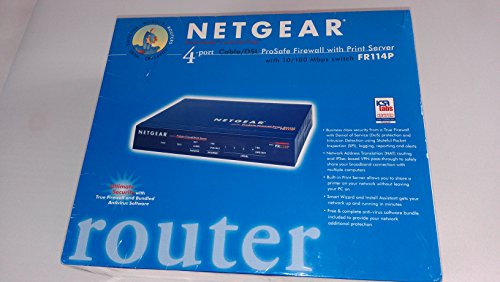
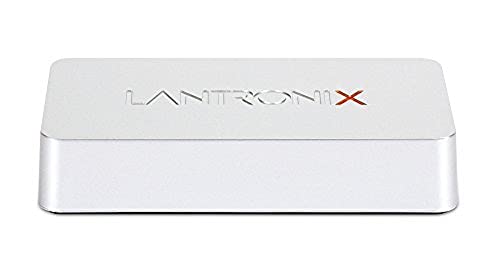
D-Link DP-G310 Wireless Print Server, USB 2.0 802.11g, 54Mbps

Key features
- •Built-in 802.11g functionality with transfer rates up to 54Mbps
- •Configure through Standard Web Browser application from anywhere on your network
- •Front display panel features an array of diagnostic LED's
- •Windows-based administrative program making set-up quick
D-Link DP-G310 Wireless Print Server, USB 2.0 802.11g, 54Mbps
List Price: $105.88$95.29DEALYou Save: $10.59 (10%)
Free shippingFree Returns – 30 daysFree Order CancellationSecure Payment2–3 Days DeliveryGet It October 25, 2026In Stock (3)No marketing spamNo account requiredFulfilment by FedEx / Amazon / UPS / ShipwirePayPal / Card Buyer Protection
Customer Reviews
Reviews sourced from verified Amazon purchasers3.0
out of 5
Based on 10 reviews
5★
60%
4★
40%
3★
0%
2★
0%
1★
0%
Great item.
Adam S. Caplan✓ Verified Purchase•July 28, 2023
If you follow the included instructions, this print server is very easy to set up. I have had it for about six months now, and it has not given me any problems at all. I am looking at it on Amazon again, because I am recommending it to a friend.
Great Value Priced Print Server
D.S.✓ Verified Purchase•July 23, 2023
Awesome value priced product. You need to know a little bit about wireless network setup in order to be able to configure this to work. But once set up it works like a charm.
I am using this with a Samsung ML-1740 and it print sout perfectly. The printer is not listed on the compatible set on the D-link site but I have not had any problems thus far.
Here's what I needed to configure this:
1. Set up the wireless network SSID to match my existing network
2. Fix the IP address to a fixed IP on the internal network subnet.
3. Provided a more intutive USB port queue name.
5. Finally using the above IP address and USB port name I added the printers on my home desktop and laptop.
This works great for my setup coz now my printer is hidden in a inside room of my apartment and does not clutter up my work space anymore.
I am using this with a Samsung ML-1740 and it print sout perfectly. The printer is not listed on the compatible set on the D-link site but I have not had any problems thus far.
Here's what I needed to configure this:
1. Set up the wireless network SSID to match my existing network
2. Fix the IP address to a fixed IP on the internal network subnet.
3. Provided a more intutive USB port queue name.
5. Finally using the above IP address and USB port name I added the printers on my home desktop and laptop.
This works great for my setup coz now my printer is hidden in a inside room of my apartment and does not clutter up my work space anymore.
Replacement Print Server got printers back on line!
Al Balmer✓ Verified Purchase•July 15, 2023
My D-Link DP-G310 print server stopped working. Having several home computers already configured to print at the same printer, I chose to simply replace the same server. It was an easy swap out and the printer was back on line immediately!
Five Stars
AGLIETTI ASOCIADOS✓ Verified Purchase•July 6, 2023
very good
D-Link DP-G310 router
Harve✓ Verified Purchase•July 3, 2023
The router was quickly shipped and was as advertized. It replaced the same model router that died on me. This model is not available everywhere. I am satisfied.
Page 1 of 2