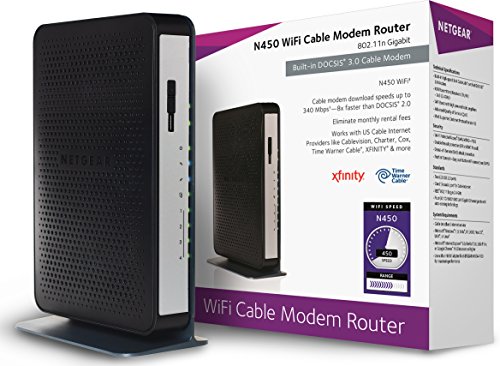
Arris Touchstone TM822G DOCSIS 3.0 8x4 Ultra-High Speed Telephony Modem

Key features
- •Backwards compatible with DOCSIS 1.0, 1.1, and 2.0
- •Flexible 8x4 downstream/upstream channel-bonding with superior throughput
- •IPv4 or IPv6 addressing modes for DOCSIS CM layer
- •10/100/1000 Base-T Ethernet interface
- •PacketCable 1.0 and 1.5 compliant
Arris Touchstone TM822G DOCSIS 3.0 8x4 Ultra-High Speed Telephony Modem
List Price: $105.91$95.32DEALYou Save: $10.59 (10%)
Free shippingFree Returns – 30 daysFree Order CancellationSecure Payment2–3 Days DeliveryGet It October 25, 2026In Stock (1)No marketing spamNo account requiredFulfilment by FedEx / Amazon / UPS / ShipwirePayPal / Card Buyer Protection
Customer Reviews
Reviews sourced from verified Amazon purchasers4.1
out of 5
Based on 10 reviews
5★
50%
4★
50%
3★
0%
2★
0%
1★
0%
30 min setup and saving $8 per month! Yea.
J-Alan✓ Verified Purchase•June 29, 2023
I use Comcast internet/phone. Getting charged the $8 per month for the modem was getting to me, so... off I went to find a replacement.
Since you are leasing the modem, you should have the most up to date modem........I called up Comcast to see if I had the morst up to date modem... I did not. Funny, you are never told to get the "new" one by Comcast. There wasn't this newer one at any local location to me... so they offered to mail me one... OK, sounds good, but, I would have to pay for postage... $9.00 if I remember right. So, I opted for NO thanks.
I asked what the most up to date modems were that were supported by Comcast.... the rep was great and helped me through the possibilities. Once I had the 'list' of potential modems, I cam on Amazon, and chose this modem. At 126, this will pay itself back in a little over a year. I'm happy with that.
Note, that on earlier reviews, I saw that only BEST BUY carried the modems... wrong... they did not have this one. Those other reviews were probably old anyway.
OK, now I receive the modem... in 2 days... thank you , Prime.
The modem came with a battery..... the modem.... a short Ethernet cable, and a power cord. No external brick for the power... sweet.
NO INSTRUCTIONS...... yes, there was a small piece of paper to tell me how to put the battery in. lol, but no instructions for getting the modem hooked up to Comcast. Well, Comcast is not the only provider out there, so i understand why they opted to not put any instructions in the box.
The right way to do it is to call Comcast and have someone get it activated for you, and I talk about that a little further down in the review.. Again, I saw instructions on earlier reviews that said, unplug your router, and then hook u the new modem, and it will automatically bring up the Comcast page..... wrong.
True you can hook up the modem to your PC or laptop, and you wait till all the lights go on.... at least the 4 or so on the right side anyway. If your home page is Xfinity or Comcast, then, yes the activation page will appear for you. If you use any other "Home page", you will get an error that it cannot find the page. That was my case.
I then maually keyed in [...] in to the address bar, and the activation page came up. I followed the instructions, and in a few minutes it was done.... so I thought.
Yes I had internet access... yes I had a dial tone.... but, the system still thought I had the old modem... It worked... for now. This activation site is to be used when you move to another house...... In that case your hardware (modem) is the same.
THE RIGHT WAY to set it up..... Unplug the power cord from your router. Plug in the modem for power. Then, plug in the phone line if you have one, and also the Ethernet cable provided into your PC or laptop.
Then, call Comcast. Menu choices are always a pain in the butt, so I opt to "add or change service"..... the next menu give you the option to talk to a rep. Tell them you need to activate a new modem.....They will then tell you that you need to talk to another department, and they switch you over.... they are very nice about it.
Once you reach the "techies", they will walk you through the process..... They actually do all the work, you just have to wait on line until the modem is added to their network. You will need to provide a bunch of numbers that are on the label provided with the modem.
That's it. In about 15 mins with the rep, you will be set.
Now, take your old modem and power supply to your provider to get the old one taken off your monthly bill!!!!!
Enjoy.
6/19/2014 update: After you are set up with the tech, THEN you can plug in the modem to the router, rather than your PC.
BTW, I ran a speedtest before and after and found that uploads for me increased from 23 to 29 Mbps and Dloads from 5.8 to 5.9 Mbps. I used the ATT speedtest site... just look in Google for "speedtest".
Since you are leasing the modem, you should have the most up to date modem........I called up Comcast to see if I had the morst up to date modem... I did not. Funny, you are never told to get the "new" one by Comcast. There wasn't this newer one at any local location to me... so they offered to mail me one... OK, sounds good, but, I would have to pay for postage... $9.00 if I remember right. So, I opted for NO thanks.
I asked what the most up to date modems were that were supported by Comcast.... the rep was great and helped me through the possibilities. Once I had the 'list' of potential modems, I cam on Amazon, and chose this modem. At 126, this will pay itself back in a little over a year. I'm happy with that.
Note, that on earlier reviews, I saw that only BEST BUY carried the modems... wrong... they did not have this one. Those other reviews were probably old anyway.
OK, now I receive the modem... in 2 days... thank you , Prime.
The modem came with a battery..... the modem.... a short Ethernet cable, and a power cord. No external brick for the power... sweet.
NO INSTRUCTIONS...... yes, there was a small piece of paper to tell me how to put the battery in. lol, but no instructions for getting the modem hooked up to Comcast. Well, Comcast is not the only provider out there, so i understand why they opted to not put any instructions in the box.
The right way to do it is to call Comcast and have someone get it activated for you, and I talk about that a little further down in the review.. Again, I saw instructions on earlier reviews that said, unplug your router, and then hook u the new modem, and it will automatically bring up the Comcast page..... wrong.
True you can hook up the modem to your PC or laptop, and you wait till all the lights go on.... at least the 4 or so on the right side anyway. If your home page is Xfinity or Comcast, then, yes the activation page will appear for you. If you use any other "Home page", you will get an error that it cannot find the page. That was my case.
I then maually keyed in [...] in to the address bar, and the activation page came up. I followed the instructions, and in a few minutes it was done.... so I thought.
Yes I had internet access... yes I had a dial tone.... but, the system still thought I had the old modem... It worked... for now. This activation site is to be used when you move to another house...... In that case your hardware (modem) is the same.
THE RIGHT WAY to set it up..... Unplug the power cord from your router. Plug in the modem for power. Then, plug in the phone line if you have one, and also the Ethernet cable provided into your PC or laptop.
Then, call Comcast. Menu choices are always a pain in the butt, so I opt to "add or change service"..... the next menu give you the option to talk to a rep. Tell them you need to activate a new modem.....They will then tell you that you need to talk to another department, and they switch you over.... they are very nice about it.
Once you reach the "techies", they will walk you through the process..... They actually do all the work, you just have to wait on line until the modem is added to their network. You will need to provide a bunch of numbers that are on the label provided with the modem.
That's it. In about 15 mins with the rep, you will be set.
Now, take your old modem and power supply to your provider to get the old one taken off your monthly bill!!!!!
Enjoy.
6/19/2014 update: After you are set up with the tech, THEN you can plug in the modem to the router, rather than your PC.
BTW, I ran a speedtest before and after and found that uploads for me increased from 23 to 29 Mbps and Dloads from 5.8 to 5.9 Mbps. I used the ATT speedtest site... just look in Google for "speedtest".
Arris TM822G works great with Comcast! June 2014 Update: Beware Thieves at Comcast!
Marius, Princeton, NJ✓ Verified Purchase•June 28, 2023
June 22, 2014: I am updating my review of the Arris cable modem for Comcast users. The cable modem is still working perfectly so my 5 star rating holds true, but the problem COMCAST! Comcast has billed me the additional $8 modem rental charge since March, even though I now use my own modem and have returned their old modem to their service center here in New Jersey! I have made 10 calls to Comcast to correct the error, given them the information on my receipt for the modem return, given them my new CMAC address for my Arris modem. Each time I call after being billed again in error I am told I was billed because they do not have my new CMAC address and their "records" do not show I returned their modem to their service center, despite the fact I have my receipt for the return in my hand when I call them! In my calls to Comcast, three of the 10 calls were to "supervisors" and all said the problem was fixed, only to be billed the next month and told that I own them the extra rental fee! For the first couple of months, I paid the additional $8 fee on the assurance by the Comcast rep that the adjustment would be on the next bill, and then the next month's bill comes with the $8 rental fee error still on it! I now refuse to pay them the $8 and receive reminders over and over that I own them $8 additional. How Comcast can stay in business is beyond me! Honestly, I can only conclude that Comcast reps throw away the CMAC address I gave them as each one claims I never gave it to them. Comcast must penalize its employees who resolve customer problems if the result is less money for Comcast! I can say, without hesitation that: COMCAST IS WITHOUT DOUBT THE WORST COMPANY IN AMERICA FOR CUSTOMER SERVICE! I therefore am providing the information to Amazon customers who, like me, have the misfortune to be Comcast/Xfinity customers--you will be happy by the excellent performance of this Arris cable modem, but experience nothing but aggravation and frustration by the continual rental fee billing errors from Comcast and their apparent inability/refusal (I do not know which it is) to correct their errors. I am at the point of getting rid of Comcast/Xfinity and going to FIOS over this issue and I can now understand why Comcast/Xfinity has received multiple "awards" or rather "Bronx Cheers" for providing the worst customer service in America! Comcast/Xfinity is a disgrace!
I certainly am no computer expert, and since I am a Xfinity/Comcast customer, I had some anxiety about replacing my Comcast modem with my own after reading some of the reviewers comments here. Nevertheless, the monthly Comcast modem rental fee annoyed me enough to give it a try--and what a pleasant surprise! I ordered the Arris 822 here to replace the Arris 722 from Comcast--it is Arris's newer model, after first checking on the Comcast website as to which modems will work best with all their features. Then, I called tech support at Comcast--make sure that if your phone service is through Comcast that you use your cell phone as you will lose your phone service when you disconnect the old modem. As I said, I am no computer genius and made this rather silly mistake. After calling Comcast back, I found out you must ask for the activation department at Comcast. Once there, a Comcast rep named Gail patiently and efficiently worked with me to complete the installation and activation of my new modem! I simply followed her instructions, and it does take a little time to get everything up and running. If Comcast was difficult in the past about helping people over modem replacement, they certainly have gotten their act together, and it may have been as a result of negative comments posted here and elsewhere that has made Comcast improve its service! Gail, the Comcast rep, could not have been more helpful, and everything on my system works just fine! She also removed the monthly modem charge from my account and advised me that I have three weeks to return the old equipment to Comcast. In any event, based on my experience, Comcast customers (even those like me who may know enough to be dangerous!) need not fear anymore about replacing their old Comcast modem and save that monthly rental fee! I hope my positive experience encourages others to take the plunge!
I certainly am no computer expert, and since I am a Xfinity/Comcast customer, I had some anxiety about replacing my Comcast modem with my own after reading some of the reviewers comments here. Nevertheless, the monthly Comcast modem rental fee annoyed me enough to give it a try--and what a pleasant surprise! I ordered the Arris 822 here to replace the Arris 722 from Comcast--it is Arris's newer model, after first checking on the Comcast website as to which modems will work best with all their features. Then, I called tech support at Comcast--make sure that if your phone service is through Comcast that you use your cell phone as you will lose your phone service when you disconnect the old modem. As I said, I am no computer genius and made this rather silly mistake. After calling Comcast back, I found out you must ask for the activation department at Comcast. Once there, a Comcast rep named Gail patiently and efficiently worked with me to complete the installation and activation of my new modem! I simply followed her instructions, and it does take a little time to get everything up and running. If Comcast was difficult in the past about helping people over modem replacement, they certainly have gotten their act together, and it may have been as a result of negative comments posted here and elsewhere that has made Comcast improve its service! Gail, the Comcast rep, could not have been more helpful, and everything on my system works just fine! She also removed the monthly modem charge from my account and advised me that I have three weeks to return the old equipment to Comcast. In any event, based on my experience, Comcast customers (even those like me who may know enough to be dangerous!) need not fear anymore about replacing their old Comcast modem and save that monthly rental fee! I hope my positive experience encourages others to take the plunge!
UPDATED REVIEW AFTER USING FOR 2 YEARS
Bay area gal✓ Verified Purchase•June 19, 2023
Updated review 8/10/16 -- The modem still works fine, but just a word of warning regarding Comcast. I had issues with my phone service recently (no dial tone). After a LONG and ridiculous hassle with Comcast customer service reps both online and on the phone (who continued to tell me that I had never installed this modem and that the CMAC number did not exist in their system, which was absolutely not true -- just read my review below and you will see that I registered this modem with Comcast), I finally had to go in person to the local Comcast office. They were able to find the modem in the system and re-activate it. The CMAC number had been typed into the wrong field apparently. So the problem was not with the modem but with Comcast, whom I think does not like it when customers buy their own modem....
Original review:
I have wanted to buy a telephony modem for a few years now, but was afraid because of all of the negative comments from people who have had nightmare experiences with Comcast. It was enough to make me decide to keep renting a modem from Comcast. However, in the past few weeks, I have gotten a letter and multiple phone calls from Comcast, telling me that my old modem was not allowing me to get the internet speed I am paying for. Plus, I noticed that my internet speed seemed to be getting slower (the comcast internet speed test showed that my download speed was only 19.59, and I should be at 50). So I decided to make the move and buy a modem.
I literally looked at all 486 reviews on this modem before purchasing. I saved $55 and got a used one (in "Very Good" condition), which made me a bit nervous because I had read a review that said that if the modem was already in the Comcast system, it might not work for me. My modem arrived today (in 2 days) thanks to Amazon Prime and I was excited to try it. It looked brand new -- would never guess that it was used. It's Sunday, so I called the Comcast activation number -- 855-OK-BEGIN (855-652-3446) -- just to make sure they were working on a Sunday before I got started. The agent was very helpful when I told her why I was calling (good sign!) -- she said activating my purchased modem would be easy - just to call back once everything was plugged in. I followed the instructions that "Gordon" wrote in his Amazon review (thank you Gordon), but everything did not go the way it went for him:
So -- this is how it went:
1) Installed the battery in my TM822G
2) Unplugged the old RCA Thomson modem and removed the coax, phone, and ethernet connections
3) Removed the ethernet cable from my wireless router
4) Connected everything to the 822G -- phone cable goes in the Tel 1/2 jack -- and connected the ethernet directly to my laptop (which was not turned on yet)
5) Plugged the new modem into the electrical outlet and waited for the lights to come on. Turned on my laptop. The Comcast agent had told me during my earlier call to wait until the 1st and 3rd lights come on. It took about 10 minutes.
6) It took a couple of trys to get my internet browser to work, but when it did, I went to the [...] site and logged in.
7) This is where things did not go as planned. I was not able to log in -- I got a message: "This account is not eligible for automated activation. Please call us at 1-855-OK-BEGIN"
8) Using my cell phone, I called the number and instead of going through the menu of commands, I said: "Speak to a representative." I was connected to a live agent named Princess fairly quickly. I told her that I wanted to activate a purchased modem, and she asked for the CMAC number, which was conveniently taped to the top of my modem.
9) After verifying my account information, she sent a signal to the modem. We waited for the lights to stop blinking -- just took a minute or 2. She asked me to check the internet -- it was working!
10) She then said she would set up my telephone service (unlike other Amazon reviewers, I did not need to call a different number -- the same agent took care of everything). She sent a signal for the phone line, and after about a minute, the light came on. She asked me to go to my landline, check for a dial tone, and place a call. It worked!
11) She then said that she would put me on hold and call me on my landline. She did, and when we connected, she asked me to disconnect our cell phone call to save my battery and minutes (I thought this was a nice touch!)
12) I asked her if the $8 modem rental charge would be removed from my bill. She said that I needed to return the old modem in order to remove the charge. So even though Comcast tells you that you don't need to return the old modem, she advised that I should return it to a Comcast office (or mail it back) in order to get the rental charge removed.
13) DONE! I thanked her and she gave me a troubleshooting number to call in case I have any problems: 800-934-6489, option 1 for Tech Support. I don't think I will need this number! I switched the ethernet from my laptop back to the wireless router. Everything still perfect.
IT WAS EASY AND PAINLESS. If it was painful before, I think that Comcast has gotten their act together. The agent (Princess) was very nice and helpful. The call only took 15 minutes. I immediately went online to check my internet speed. It is now up to 44.56 from 19.59! I am so thrilled. My only regret is that I should have done this sooner.
Original review:
I have wanted to buy a telephony modem for a few years now, but was afraid because of all of the negative comments from people who have had nightmare experiences with Comcast. It was enough to make me decide to keep renting a modem from Comcast. However, in the past few weeks, I have gotten a letter and multiple phone calls from Comcast, telling me that my old modem was not allowing me to get the internet speed I am paying for. Plus, I noticed that my internet speed seemed to be getting slower (the comcast internet speed test showed that my download speed was only 19.59, and I should be at 50). So I decided to make the move and buy a modem.
I literally looked at all 486 reviews on this modem before purchasing. I saved $55 and got a used one (in "Very Good" condition), which made me a bit nervous because I had read a review that said that if the modem was already in the Comcast system, it might not work for me. My modem arrived today (in 2 days) thanks to Amazon Prime and I was excited to try it. It looked brand new -- would never guess that it was used. It's Sunday, so I called the Comcast activation number -- 855-OK-BEGIN (855-652-3446) -- just to make sure they were working on a Sunday before I got started. The agent was very helpful when I told her why I was calling (good sign!) -- she said activating my purchased modem would be easy - just to call back once everything was plugged in. I followed the instructions that "Gordon" wrote in his Amazon review (thank you Gordon), but everything did not go the way it went for him:
So -- this is how it went:
1) Installed the battery in my TM822G
2) Unplugged the old RCA Thomson modem and removed the coax, phone, and ethernet connections
3) Removed the ethernet cable from my wireless router
4) Connected everything to the 822G -- phone cable goes in the Tel 1/2 jack -- and connected the ethernet directly to my laptop (which was not turned on yet)
5) Plugged the new modem into the electrical outlet and waited for the lights to come on. Turned on my laptop. The Comcast agent had told me during my earlier call to wait until the 1st and 3rd lights come on. It took about 10 minutes.
6) It took a couple of trys to get my internet browser to work, but when it did, I went to the [...] site and logged in.
7) This is where things did not go as planned. I was not able to log in -- I got a message: "This account is not eligible for automated activation. Please call us at 1-855-OK-BEGIN"
8) Using my cell phone, I called the number and instead of going through the menu of commands, I said: "Speak to a representative." I was connected to a live agent named Princess fairly quickly. I told her that I wanted to activate a purchased modem, and she asked for the CMAC number, which was conveniently taped to the top of my modem.
9) After verifying my account information, she sent a signal to the modem. We waited for the lights to stop blinking -- just took a minute or 2. She asked me to check the internet -- it was working!
10) She then said she would set up my telephone service (unlike other Amazon reviewers, I did not need to call a different number -- the same agent took care of everything). She sent a signal for the phone line, and after about a minute, the light came on. She asked me to go to my landline, check for a dial tone, and place a call. It worked!
11) She then said that she would put me on hold and call me on my landline. She did, and when we connected, she asked me to disconnect our cell phone call to save my battery and minutes (I thought this was a nice touch!)
12) I asked her if the $8 modem rental charge would be removed from my bill. She said that I needed to return the old modem in order to remove the charge. So even though Comcast tells you that you don't need to return the old modem, she advised that I should return it to a Comcast office (or mail it back) in order to get the rental charge removed.
13) DONE! I thanked her and she gave me a troubleshooting number to call in case I have any problems: 800-934-6489, option 1 for Tech Support. I don't think I will need this number! I switched the ethernet from my laptop back to the wireless router. Everything still perfect.
IT WAS EASY AND PAINLESS. If it was painful before, I think that Comcast has gotten their act together. The agent (Princess) was very nice and helpful. The call only took 15 minutes. I immediately went online to check my internet speed. It is now up to 44.56 from 19.59! I am so thrilled. My only regret is that I should have done this sooner.
Self activation worked with Comcast, confirmed modem specs after activation and all is good
Amy✓ Verified Purchase•June 19, 2023
Purchased new Arris TM822G modem through Zumbee Inc and shipped/fulfilled by Amazon, and activated it on 12/12/14. Ordered on Thurs eve and was delivered on Sunday at noon by US postal service - the postal worker said they only work on Sundays for Amazon. Contacted Zumbee several times via email before purchase and they always responded promptly. Modem was new as described and works perfectly with Comcast.
There was no user guide in package (downloaded later), just the warranty pamphlet, which is not valid. I contacted Zumbee seller and Arris manufacturer via email about warranty and both confirmed that while it's legal for 3rd parties to sell Arris modems, a marketplace seller on Amazon is not an authorized retailer, so there is no manufacturer warranty for the Arris modem. However, Zumbee said they would give 30 days warranty and 90 days replacement after that. I purchased a 3-year Square Trade "PC Peripherals Protection Plan" from Amazon for a cheap twenty bucks (check out my review for Square Trade). Warranty covers free shipping both ways, repair, replacement, cash, or gift card, at their discretion. The warranty has to be purchased on Amazon within 30 days of purchasing the item to be covered.
Was simple to setup with Comcast self-activation. Please note that I am already a Comcast subscriber for phone, internet, and tv, and I bought this telephony modem to replace the leased telephony modem. If you are a new customer to Comcast for internet and/or phone, your experience might be different. Also, be aware that you should not plug in your telephone wire into the modem, if you are coming from regular phone service from a telephone company. Something about the power in the telephone wiring that can fry the modem. A Comcast telephony modem has to have a technician come out and do something to the telephone wiring so it fits the specs of the modem. We had that done last year, and it was free with the signup of a new account.
So here are the steps I took:
1. Downloaded the TM822G user guide and accessed support pages related to the TM822G from Arris.com. I read the user guide and decided that I would NOT setup the TCP/IP configuration as instructed, as I assumed that would probably be automatic. The user guide is helpful, though, to know how the status lights work, install the battery pack, access the modem settings, etc.
Link for the TM822G user guide:
http://www.arrisi.com/products/_docs/TM822G_TS_24JUN11.pdf
Link for accessing other info that is not included in the user guide:
arris.force.com/consumers/pkb_Home?c=Touchstone%20Modems%20and%20Gateways&s=800%20Series&m=DG860&t=Please%20select%20a%20Topic
Choose TM822G/CT, even if your model number does not have the "CT" suffix. The other TM822G links don't seem to work. Also, leave the Topic and Keyword sections blank, and select Search. This will return all possible instructions for the TM822G...except for the user guide.
2. Disconnected the leased modem and router completely from the wall outlets.
3. Plugged in the new modem for power and for Ethernet to computer only, to view the modem status before I connected the cable. I DID NOT connect the cable, router, or telephone, nor did I install the battery pack. I wanted the simplest set-up possible at first, and I also wanted to check the Firmware version before a new one got applied (FYI, as soon as you connect the cable, it will download firmware). I took screen shots of all the status pages, to compare later on. To access Arris modem status, type in 192.168.100.1 in your web browser. Firmware was dated 2012.
4. Attached the cable to the modem. Let it sit for 30 minutes and watched it cycle through several times. Then I disconnected all wires from the back of the modem, let it sit for 30 seconds, then re-attached. Waited 5 minutes for things to re-initialize.
5. Accessed the status pages again to confirm the Firmware upgrade - newer 2013 version was applied. Took screen shots of all the status pages again. Because the phone line was not connected and there was no battery pack, I got messages saying that the phone was not activated and there was no battery pack.
6. Connected the phone line and went to Comcast.com, upon which the self-activation page was displayed. I chose the link for "existing customers", where I typed in my email and password. The activation page made me wait about 5 minutes, after which it said everything was activated. I did not have to enter the MAC address, Serial no, Model no, etc.
7. Logged into my Comcast account to confirm that the new modem was added to my devices. It was added to internet devices, but not phone devices - oh well, the phone worked and the device was added in internet, so I decided not to worry about it. The Model no. and CMAC address was already added, but the Serial no. was blank.
8. Accessed the modem status again and took screen shots of all the status pages again. It showed that the phone was activated, and that I had 8 downstream channels and 4 upstream channels. Double-checked the signal levels with the TM822G Signal Levels spec sheet I accessed from Arris.com. It's important to review these levels. For instance, too much power in the upstream direction will shorten the life of the modem. I also confirmed that the LAN was connected to 1000 Mbps internet, and it was. All looked good!
Link for TM822G Signal Levels spec sheet:
arris.force.com/consumers/articles/General_FAQs/TM822G-CT-Cable-Signal-Levels
9. Completed a Comcast Speed Test. I was a chronic "speed checker" before the install, and I was well aware of what the speeds were with the leased modem - 26 down / 5 up, for IPv4 only (leased modem did not have IPv6). After the new modem, it was 29/6 up for IPv4 and 29/0.8 up for IPv6. Googled the slow up speed for IPv6. It's a setting in Device Manager - Network Adapters - Right click on adapter - Properties - Advanced - DISABLE "Large Send off load IPv6". Decided to do the same thing for IPv4 (in case one day I get the super-high capacity internet package). Ran speed test again, and it was 29/6 for both IPv4 and IPv6.
10. Connected my wireless router, Linksys N750/EA3500 and installed the battery pack in the modem. Wireless worked"¦and it's faster, especially the 2.4GHz band at farther distances. Even though I only installed a new modem, maybe the slightly faster speed of the new modem is somehow enabling the wireless to be faster? I used to get only 2 - 5 Mbps down in the guest house (where router is located in the main house), and now I get 5 - 20.
11. A few days later I used Comcast chat customer service (I hate calling those people) to inform them of my newly self-activated retail modem, and gave them the Serial no. They did some sort of "check" that involved me losing internet for a few minutes during the chat, and then the chat resumed. That chat lasted about 10 minutes. I took a screen shot of the chat, and also printed it, to prove that this is retail modem, and not a leased modem, in case Comcast decides to charge me a non-returned equipment fee if I decide to cancel one day (I've heard they like to do that).
12. Made multiple copies of my modem receipt and made sure to save the Amazon purchase email, for same reason noted in previous step.
13. After I had the modem a few weeks, I registered the modem with my 3-Year Square Trade PC Peripherals Protection Plan via the Login link that was in the Square Trade email purchase confirmation. I did not upload the modem purchase receipt yet - that's not required, but I'll do it when I get to it, as it can serve as a backup if I lose my receipt.
14. Kept the leased modem for a couple weeks to ensure that everything worked ok. Then I returned the leased modem to the nearest UPS store, in which Comcast has recently partnered with to provide customers the option of returning Comcast equipment for FREE (yay !!). The shipping is free and you do not need to bring packaging. Just fill out your account info as requested (bring a recent bill with you), double check they enter the serial number correctly, MAC address, etc, and get a tracking number. I WILL KEEP ALL PAPERS FROM UPS FOREVER AND EVER to prove that I returned it. Confirmed that the item was delivered via the tracking number and printed out the delivery confirmation. AGAIN, I'M KEEPING THIS PAPER FOREVER AND EVER.
15. Decided not to do the TCP/IP configuration as instructed in the user guide, as everything is working fine.
Cheers
There was no user guide in package (downloaded later), just the warranty pamphlet, which is not valid. I contacted Zumbee seller and Arris manufacturer via email about warranty and both confirmed that while it's legal for 3rd parties to sell Arris modems, a marketplace seller on Amazon is not an authorized retailer, so there is no manufacturer warranty for the Arris modem. However, Zumbee said they would give 30 days warranty and 90 days replacement after that. I purchased a 3-year Square Trade "PC Peripherals Protection Plan" from Amazon for a cheap twenty bucks (check out my review for Square Trade). Warranty covers free shipping both ways, repair, replacement, cash, or gift card, at their discretion. The warranty has to be purchased on Amazon within 30 days of purchasing the item to be covered.
Was simple to setup with Comcast self-activation. Please note that I am already a Comcast subscriber for phone, internet, and tv, and I bought this telephony modem to replace the leased telephony modem. If you are a new customer to Comcast for internet and/or phone, your experience might be different. Also, be aware that you should not plug in your telephone wire into the modem, if you are coming from regular phone service from a telephone company. Something about the power in the telephone wiring that can fry the modem. A Comcast telephony modem has to have a technician come out and do something to the telephone wiring so it fits the specs of the modem. We had that done last year, and it was free with the signup of a new account.
So here are the steps I took:
1. Downloaded the TM822G user guide and accessed support pages related to the TM822G from Arris.com. I read the user guide and decided that I would NOT setup the TCP/IP configuration as instructed, as I assumed that would probably be automatic. The user guide is helpful, though, to know how the status lights work, install the battery pack, access the modem settings, etc.
Link for the TM822G user guide:
http://www.arrisi.com/products/_docs/TM822G_TS_24JUN11.pdf
Link for accessing other info that is not included in the user guide:
arris.force.com/consumers/pkb_Home?c=Touchstone%20Modems%20and%20Gateways&s=800%20Series&m=DG860&t=Please%20select%20a%20Topic
Choose TM822G/CT, even if your model number does not have the "CT" suffix. The other TM822G links don't seem to work. Also, leave the Topic and Keyword sections blank, and select Search. This will return all possible instructions for the TM822G...except for the user guide.
2. Disconnected the leased modem and router completely from the wall outlets.
3. Plugged in the new modem for power and for Ethernet to computer only, to view the modem status before I connected the cable. I DID NOT connect the cable, router, or telephone, nor did I install the battery pack. I wanted the simplest set-up possible at first, and I also wanted to check the Firmware version before a new one got applied (FYI, as soon as you connect the cable, it will download firmware). I took screen shots of all the status pages, to compare later on. To access Arris modem status, type in 192.168.100.1 in your web browser. Firmware was dated 2012.
4. Attached the cable to the modem. Let it sit for 30 minutes and watched it cycle through several times. Then I disconnected all wires from the back of the modem, let it sit for 30 seconds, then re-attached. Waited 5 minutes for things to re-initialize.
5. Accessed the status pages again to confirm the Firmware upgrade - newer 2013 version was applied. Took screen shots of all the status pages again. Because the phone line was not connected and there was no battery pack, I got messages saying that the phone was not activated and there was no battery pack.
6. Connected the phone line and went to Comcast.com, upon which the self-activation page was displayed. I chose the link for "existing customers", where I typed in my email and password. The activation page made me wait about 5 minutes, after which it said everything was activated. I did not have to enter the MAC address, Serial no, Model no, etc.
7. Logged into my Comcast account to confirm that the new modem was added to my devices. It was added to internet devices, but not phone devices - oh well, the phone worked and the device was added in internet, so I decided not to worry about it. The Model no. and CMAC address was already added, but the Serial no. was blank.
8. Accessed the modem status again and took screen shots of all the status pages again. It showed that the phone was activated, and that I had 8 downstream channels and 4 upstream channels. Double-checked the signal levels with the TM822G Signal Levels spec sheet I accessed from Arris.com. It's important to review these levels. For instance, too much power in the upstream direction will shorten the life of the modem. I also confirmed that the LAN was connected to 1000 Mbps internet, and it was. All looked good!
Link for TM822G Signal Levels spec sheet:
arris.force.com/consumers/articles/General_FAQs/TM822G-CT-Cable-Signal-Levels
9. Completed a Comcast Speed Test. I was a chronic "speed checker" before the install, and I was well aware of what the speeds were with the leased modem - 26 down / 5 up, for IPv4 only (leased modem did not have IPv6). After the new modem, it was 29/6 up for IPv4 and 29/0.8 up for IPv6. Googled the slow up speed for IPv6. It's a setting in Device Manager - Network Adapters - Right click on adapter - Properties - Advanced - DISABLE "Large Send off load IPv6". Decided to do the same thing for IPv4 (in case one day I get the super-high capacity internet package). Ran speed test again, and it was 29/6 for both IPv4 and IPv6.
10. Connected my wireless router, Linksys N750/EA3500 and installed the battery pack in the modem. Wireless worked"¦and it's faster, especially the 2.4GHz band at farther distances. Even though I only installed a new modem, maybe the slightly faster speed of the new modem is somehow enabling the wireless to be faster? I used to get only 2 - 5 Mbps down in the guest house (where router is located in the main house), and now I get 5 - 20.
11. A few days later I used Comcast chat customer service (I hate calling those people) to inform them of my newly self-activated retail modem, and gave them the Serial no. They did some sort of "check" that involved me losing internet for a few minutes during the chat, and then the chat resumed. That chat lasted about 10 minutes. I took a screen shot of the chat, and also printed it, to prove that this is retail modem, and not a leased modem, in case Comcast decides to charge me a non-returned equipment fee if I decide to cancel one day (I've heard they like to do that).
12. Made multiple copies of my modem receipt and made sure to save the Amazon purchase email, for same reason noted in previous step.
13. After I had the modem a few weeks, I registered the modem with my 3-Year Square Trade PC Peripherals Protection Plan via the Login link that was in the Square Trade email purchase confirmation. I did not upload the modem purchase receipt yet - that's not required, but I'll do it when I get to it, as it can serve as a backup if I lose my receipt.
14. Kept the leased modem for a couple weeks to ensure that everything worked ok. Then I returned the leased modem to the nearest UPS store, in which Comcast has recently partnered with to provide customers the option of returning Comcast equipment for FREE (yay !!). The shipping is free and you do not need to bring packaging. Just fill out your account info as requested (bring a recent bill with you), double check they enter the serial number correctly, MAC address, etc, and get a tracking number. I WILL KEEP ALL PAPERS FROM UPS FOREVER AND EVER to prove that I returned it. Confirmed that the item was delivered via the tracking number and printed out the delivery confirmation. AGAIN, I'M KEEPING THIS PAPER FOREVER AND EVER.
15. Decided not to do the TCP/IP configuration as instructed in the user guide, as everything is working fine.
Cheers
Working well, but strange MAC address
D. Jones✓ Verified Purchase•May 17, 2023
This is a long review - read on if you fall into one of these categories:
* You are a Comcast customer
* Your cable provider cant see the MAC addr of your new modem
* You like to read real-world Amazon product reviews.
Bought this modem from Amazon because I wanted one that was a pure modem (i.e. no wireless, no router). Got this from Amazon promptly, plugged it in to the cable, then power, then waited for a while (maybe 20mins) for all the lights to stop blinking. From calling Comcast for a previous modem, I found that their network may need this much time to recognize the new modem. I suspect the new modem is auto-tuning, but I dont really know.
After 20mins, I plugged in my laptop figuring nothing would work until I called Comcast, but it got an IP addr and my browser came up with an Xfinity "New device Activation" page. OK, so now I'm impressed with Comcast! I figured, what can it hurt to try and do it myself, so I proceed through the steps. Two strange things:
1) It figured out that I wanted to change my cable modem and listed the old one and the new one. (nice!) However, the MAC addr for the new modem didnt match the CMAC addr printed on the box. It didnt match any of the MAC addresses. I wrote it down just in case and proceeded.
2) The "New Device Activation" screen detected a bunch of other devices that it wanted to "Activate". I didnt recognize any of those, so I flipped the switches on those so they wouldnt activate at this time.
After the above, and about 15-20 more minutes of the modem updating, tuning, rebooting, all without any intervention from me, it seemed to work fine - phone and internet up and running. Download speeds looking excellent (57Mbits, but I digress).
I called Comcast to check on the above 2 questions - got a pretty smart tech. (Not all of them seem to know what they are doing). Regarding the CMAC addr mismatch - he couldnt see the MAC addr printed on the box on their network, but he could see the MAC addr that was auto-detected during setup. He couldnt explain it - but I am beginning to wonder if there was a labeling problem at the Arris factory? Comcast *needs* the CMAC in order to provision the modem, so its important that you write down the auto-detected one.
He said that the auto-provision that the modem did itself was only temporary and he had to set it up on my account permanently. So, you have to call them even after the temp setup is done. (No message of this nature given by the auto-setup procedure)
Regarding the other devices, he said that those were probably my cable boxes, CableCARDs, etc. that were on the account and were already provisioned, so I was correct not to "Activate" them and didnt need to worry about it.
So, in the end, my modem is working just fine, network performance is excellent (as expected). I was impressed that Comcast system could auto-provision at all, but given that it was not fully complete until I called Comcast, they still have a little work to do. The MAC addr mismatch I just cant figure out. I am giving 4 stars because I think the MAC address mismatch is under the control of Arris.
One final note: This is the 2nd TM822G I ordered from Amazon. The first one I returned because Comcast said they couldnt locate the MAC addr on their network, thus indicating a faulty modem. For that one, I didnt go through the auto-setup procedure, so I only had the MAC address printed on the sticker on the box. Now, I am wondering if the problem was with the sticker, not the hardware itself...
* You are a Comcast customer
* Your cable provider cant see the MAC addr of your new modem
* You like to read real-world Amazon product reviews.
Bought this modem from Amazon because I wanted one that was a pure modem (i.e. no wireless, no router). Got this from Amazon promptly, plugged it in to the cable, then power, then waited for a while (maybe 20mins) for all the lights to stop blinking. From calling Comcast for a previous modem, I found that their network may need this much time to recognize the new modem. I suspect the new modem is auto-tuning, but I dont really know.
After 20mins, I plugged in my laptop figuring nothing would work until I called Comcast, but it got an IP addr and my browser came up with an Xfinity "New device Activation" page. OK, so now I'm impressed with Comcast! I figured, what can it hurt to try and do it myself, so I proceed through the steps. Two strange things:
1) It figured out that I wanted to change my cable modem and listed the old one and the new one. (nice!) However, the MAC addr for the new modem didnt match the CMAC addr printed on the box. It didnt match any of the MAC addresses. I wrote it down just in case and proceeded.
2) The "New Device Activation" screen detected a bunch of other devices that it wanted to "Activate". I didnt recognize any of those, so I flipped the switches on those so they wouldnt activate at this time.
After the above, and about 15-20 more minutes of the modem updating, tuning, rebooting, all without any intervention from me, it seemed to work fine - phone and internet up and running. Download speeds looking excellent (57Mbits, but I digress).
I called Comcast to check on the above 2 questions - got a pretty smart tech. (Not all of them seem to know what they are doing). Regarding the CMAC addr mismatch - he couldnt see the MAC addr printed on the box on their network, but he could see the MAC addr that was auto-detected during setup. He couldnt explain it - but I am beginning to wonder if there was a labeling problem at the Arris factory? Comcast *needs* the CMAC in order to provision the modem, so its important that you write down the auto-detected one.
He said that the auto-provision that the modem did itself was only temporary and he had to set it up on my account permanently. So, you have to call them even after the temp setup is done. (No message of this nature given by the auto-setup procedure)
Regarding the other devices, he said that those were probably my cable boxes, CableCARDs, etc. that were on the account and were already provisioned, so I was correct not to "Activate" them and didnt need to worry about it.
So, in the end, my modem is working just fine, network performance is excellent (as expected). I was impressed that Comcast system could auto-provision at all, but given that it was not fully complete until I called Comcast, they still have a little work to do. The MAC addr mismatch I just cant figure out. I am giving 4 stars because I think the MAC address mismatch is under the control of Arris.
One final note: This is the 2nd TM822G I ordered from Amazon. The first one I returned because Comcast said they couldnt locate the MAC addr on their network, thus indicating a faulty modem. For that one, I didnt go through the auto-setup procedure, so I only had the MAC address printed on the sticker on the box. Now, I am wondering if the problem was with the sticker, not the hardware itself...
Page 1 of 2