MasterCook V14
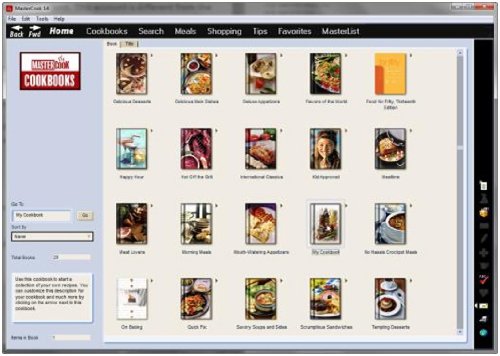
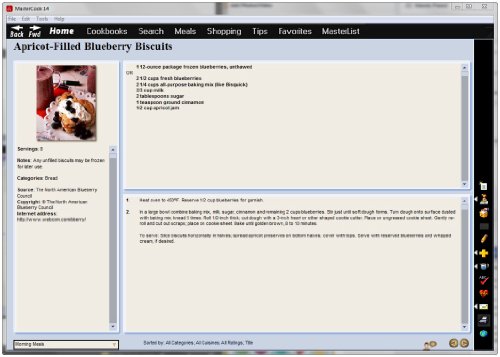
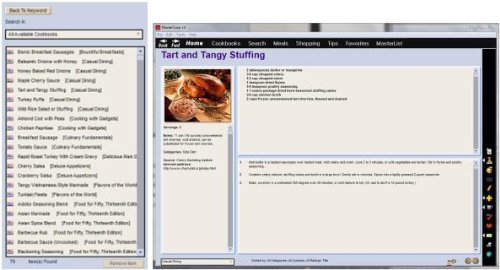
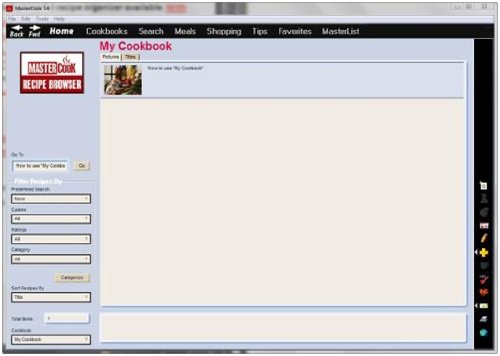
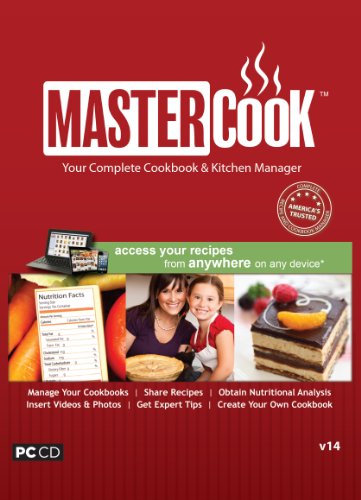
Key features
- •Keeps all your recipes in one place
- •Makes meal planning easier
- •Creates shopping lists from recipes and meal plans
- •Bonus web account
BrandMaster Cook
CategoryLifestyle & Hobbies
MasterCook V14
List Price: $37.71$33.94DEALYou Save: $3.77 (10%)
Free shippingFree Returns – 30 daysFree Order CancellationSecure Payment2–3 Days DeliveryGet It October 24, 2026In Stock (2)No marketing spamNo account requiredFulfilment by FedEx / Amazon / UPS / ShipwirePayPal / Card Buyer Protection
Customer Reviews
Reviews sourced from verified Amazon purchasers3.8
out of 5
Based on 10 reviews
5★
10%
4★
0%
3★
40%
2★
30%
1★
20%
Complicated
BLUZSDIVA•March 15, 2017
May work well but it will take some time to get there. Not easy to integrate with website. Does not recognized code for free on line data storage
I have used older versions of this program before and they were simple and easy. Anytime you want to add a picture to ...
J. Barbre•July 23, 2016
Confusing to use. I have used older versions of this program before and they were simple and easy. Anytime you want to add a picture to a recipe you enter it crashes.
No zoom function
LeRoque•February 10, 2016
I love to cook and I am legally blind. With enough magnification I can read recipes and make the measurements necessary to turning out a tasty meal. However, the recipes in my large 3-ring binder are becoming unmanageable, so when I came across MasterCook and read the reviews I thought it would solve my organizational problems as well as providing a few other bennfits.
It arrived and though the installation wasn't the smoothest it finally was installed and opened up to the Home page
It was too small to read, so I looked for the zoom function which in most programs is readily find-able. Then I checked the Help index. Guess what? No zoom function. OK, I thought, I'll just use the standard CTRL +/- function that zooms screens on nearly every other program on my computer. Guess what again? It didn't work. The nicely laid out screen remained unreadable.
Well, I thought, I must be missing something. No modern program is without a zoom function. So I sent an email to the MasterCook Service line and the next day they announced they had a 'solution' to my dilemma The solution was to reset my screen resolution to the lowest possible setting (600x800?) in Windows 7. It worked! I could now read the MasterCook screens.
The bad news? Not only my desktop but every other application on my computer became unusable. All screens were bloated off the edges of my 25? monitor. Their so-called 'solution was a kludgey work-around that destroyed the functionality of 98% of the things I use my computer for.
Thus my grade. The layout of this program appears to have been very well evolved and I'm sure it would be useful - IF ONLY IT COULD BE USED BY THOSE OF US WHO ARE VISUALLY CHALLENGED. (That's over seven million Americans if you are wondering). What earthly use is a fine tool if it cannot be used?
How could the developers have been so blind (pun intended) as to not include an internal zoom function or, at the very least, design the program to function with the universal CTRL +/-???
So, bottom line, if you are visually challenged, this is NOT the program that will solve all your cooking needs. Let me know if you are aware of a good cooking app that does have functional zoom capability.
Dick Colestock
It arrived and though the installation wasn't the smoothest it finally was installed and opened up to the Home page
It was too small to read, so I looked for the zoom function which in most programs is readily find-able. Then I checked the Help index. Guess what? No zoom function. OK, I thought, I'll just use the standard CTRL +/- function that zooms screens on nearly every other program on my computer. Guess what again? It didn't work. The nicely laid out screen remained unreadable.
Well, I thought, I must be missing something. No modern program is without a zoom function. So I sent an email to the MasterCook Service line and the next day they announced they had a 'solution' to my dilemma The solution was to reset my screen resolution to the lowest possible setting (600x800?) in Windows 7. It worked! I could now read the MasterCook screens.
The bad news? Not only my desktop but every other application on my computer became unusable. All screens were bloated off the edges of my 25? monitor. Their so-called 'solution was a kludgey work-around that destroyed the functionality of 98% of the things I use my computer for.
Thus my grade. The layout of this program appears to have been very well evolved and I'm sure it would be useful - IF ONLY IT COULD BE USED BY THOSE OF US WHO ARE VISUALLY CHALLENGED. (That's over seven million Americans if you are wondering). What earthly use is a fine tool if it cannot be used?
How could the developers have been so blind (pun intended) as to not include an internal zoom function or, at the very least, design the program to function with the universal CTRL +/-???
So, bottom line, if you are visually challenged, this is NOT the program that will solve all your cooking needs. Let me know if you are aware of a good cooking app that does have functional zoom capability.
Dick Colestock
I have used Mastercook for two decades and this revision adds all of nothing to the functionality of the program (save it works
Bill Franklin•April 5, 2015
ValueSoft bungled it again. Mastercook has so much potential, yet since Sierra dumped it, that potential hasn't been realized.. I have used Mastercook for two decades and this revision adds all of nothing to the functionality of the program (save it works better with Windows 8). You can upload recipes to Mastercook.com, but as Mastercook.com is not a synced cloud service, you are simply saving it to the website as a text file--without the scaling and other functions you get with the full app. Oh yeah, and you must upload your recipes one at a time at that.Also, contrary to the impression the marketing copy gives, there is no smartphone app. All you can do is see those recipes you uploaded on Mastercook.com via your phone (and any other internet device, for that matter). They advise you just leave the browser open if you want to view the recipe offline. Sometimes that will work, other times it won't.. In sum, if you have an earlier version of MC and it is working for you, don't bother with the upgrade. You won't gain anything significant, but will suffer the burden of getting your legacy files to run in the new version.
Three Stars
Patricia A. Zimmerman•February 19, 2015
Somewhat difficult to use, especially with the importing of recipes in Microsoft Word. Can't seem to make it work.
Page 1 of 2




![The Magnifier - Full Screen Software Magnifier [Download]](https://m.media-amazon.com/images/I/514bGroHR8L._SL500_.jpg)