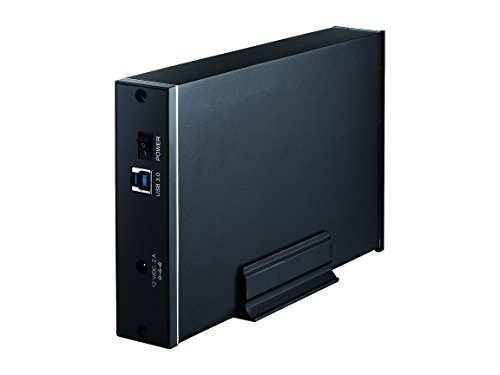
Hard Drive Dock, Inateck USB 3.0 to SATA Dual Bay External Hard Drive Docking Station for 2.5 or 3.5 HDD, SSD with Hard Drive Duplicator and Cloner Function, Support 10TB, FD2002

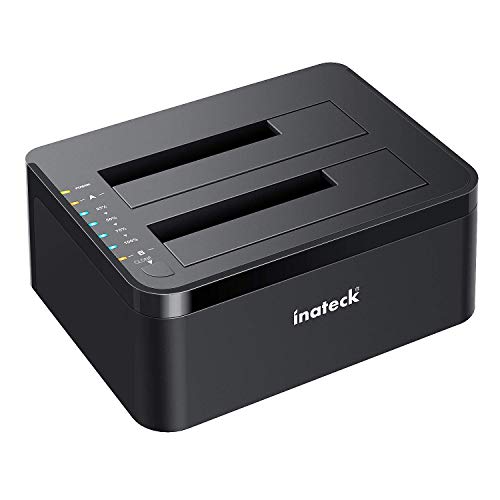
Key features
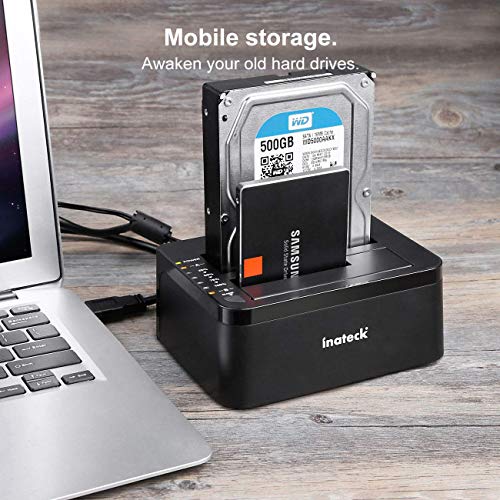
- •【Hard Drive dock】: supports standard desktop 2. 5 and 3. 5 inch SATA hard drives or SSD.
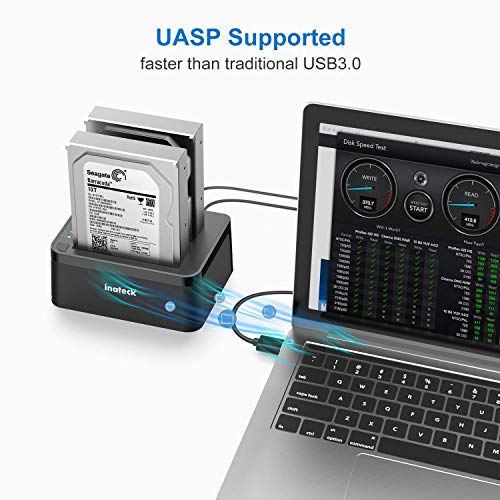
- •【Super speed】: date transfer speeds up to 5Gbps.10 times faster than USB2.0, backward compatible with USB2.0 and 1.1
- •【The most capacity】: support up to 10 TB.
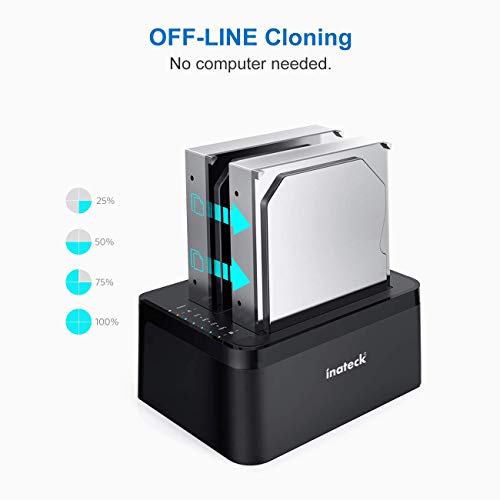
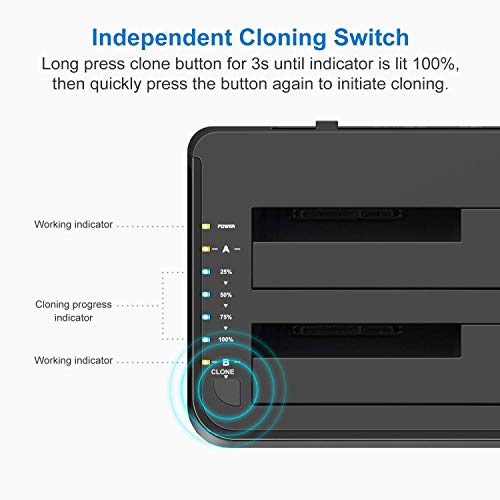
- •【Clone function】: support offline Clone, plug and play, no drives needed.
- •【Universal compatibility】: Compatible with Windows XP/ 7/8/10, Linux, Mac OS 9. 1/10. 8. 4 and above.
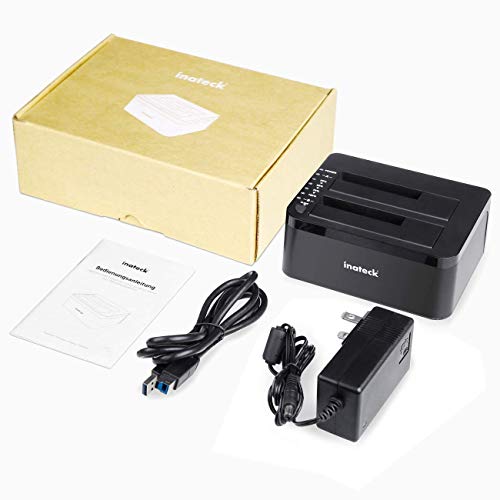
- •【What you get 】: 1x hard drive docking station, 1x 12V/3a power supply, 1x USB 3. 0 cable, 1x User Manual
Hard Drive Dock, Inateck USB 3.0 to SATA Dual Bay External Hard Drive Docking Station for 2.5 or 3.5 HDD, SSD with Hard Drive Duplicator and Cloner Function, Support 10TB, FD2002
List Price: $57.60$51.84DEALYou Save: $5.76 (10%)
Free shippingFree Returns – 30 daysFree Order CancellationSecure Payment2–3 Days DeliveryGet It October 25, 2026In Stock (1)No marketing spamNo account requiredFulfilment by FedEx / Amazon / UPS / ShipwirePayPal / Card Buyer Protection
Customer Reviews
Reviews sourced from verified Amazon purchasers4.4
out of 5
Based on 10 reviews
5★
60%
4★
30%
3★
10%
2★
0%
1★
0%
Good but not perfect
Lamar T.•August 28, 2017
I am using this as an in-the-field hard drive duplicator instead of a USB dock. In my job I sometimes need to reimage a computer from another one in the same location (changing the IP address, computer name, etc once the reimaged drive is installed). I had been using a rather old laptop that has Acronis installed on it, connecting the good drive up via a USB connector cable, making the image and putting it on an external drive, then reversing the process to load the image. This little wonder has made this process much simpler and worlds faster. It is almost perfect.
The "almost" is why I only gave it four stars. I have discovered that, as a duplicator, this gadget can be very picky. A 15 minute job became a 2.5 hour one due to the source disk having some minor errors; this cloning station completely balked at cloning said drive. After multiple attempts I ended up hooking the drive up to my old laptop and running scandisk on it to clean it up and only then would it clone the drive.
The "almost" is why I only gave it four stars. I have discovered that, as a duplicator, this gadget can be very picky. A 15 minute job became a 2.5 hour one due to the source disk having some minor errors; this cloning station completely balked at cloning said drive. After multiple attempts I ended up hooking the drive up to my old laptop and running scandisk on it to clean it up and only then would it clone the drive.
Worthless as a dock, won't read disks! Good Customer support though.
Michael Neuwirth•August 23, 2017
*** Update ***
I was contacted by Inateck Support who provided some possible causes for the issues I was experiencing. I had already returned the dock, and cloned my disk using another method so I was unable to verify if their suggestions would have worked.
They offered to send me another dock to test with, which was a nice gesture. Adding two stars for the quick response and attempts to remediate, but I still have concerns about the compatibility of this dock, and it seems like I'm not the only one having this type of issue.
*** Original Review ***
Really disappointed in the performance of this dock after reading pages of glorious 5-star reviews. I purchased the dock for the express purpose of cloning an existing 500GB 2.5" SSD to a 500GB 2.5" HDD. (Yes, I mean SSD>HDD). Of the four drives I inserted into the dock, only one was able to be read, an old 320GB HDD. The other three (750GB HDD, 500GB HDD, 500GB SSD) all were unreadable on two different computers. Windows would simply prompt me to format them when they were inserted, and showed the disk as RAW in Partition Manager.
Some of the reviews and forum threads I found suggest that this device may have issues reading and/or cloning drives with more than 4 partitions. I do not know if that is what is causing my problems, but in any case, the dock is unusable for me.
I was contacted by Inateck Support who provided some possible causes for the issues I was experiencing. I had already returned the dock, and cloned my disk using another method so I was unable to verify if their suggestions would have worked.
They offered to send me another dock to test with, which was a nice gesture. Adding two stars for the quick response and attempts to remediate, but I still have concerns about the compatibility of this dock, and it seems like I'm not the only one having this type of issue.
*** Original Review ***
Really disappointed in the performance of this dock after reading pages of glorious 5-star reviews. I purchased the dock for the express purpose of cloning an existing 500GB 2.5" SSD to a 500GB 2.5" HDD. (Yes, I mean SSD>HDD). Of the four drives I inserted into the dock, only one was able to be read, an old 320GB HDD. The other three (750GB HDD, 500GB HDD, 500GB SSD) all were unreadable on two different computers. Windows would simply prompt me to format them when they were inserted, and showed the disk as RAW in Partition Manager.
Some of the reviews and forum threads I found suggest that this device may have issues reading and/or cloning drives with more than 4 partitions. I do not know if that is what is causing my problems, but in any case, the dock is unusable for me.
Stable and reliable power source? What a joke.
Legion•May 5, 2017
They promptly sent me a replacement after I left the original review, and I now have no complaints. Was incredibly angry due to losing precious time on a work project... however that is a fault of mine and none of which is Inatecks. Does the Job perfectly, looks smooth, and has now been running my setup for over a week with no hiccups.
EDIT: ORIGINAL REVIEW
I get it in, check the device to see if power is going through to it, and lo and behold, one green unwavering power LED.
Turn it off, insert a hard drive, turn it back on, and now the led's just randomly turn on and off over a 5 second cycle or so.
0/5 got shipped something that doesn't work, regardless of what hard drive I use or wall outlet, and even similar power adapters that match the input/output of the stock ones for products that I know DO work don't make this function. Absolutely heated because I'm now stuck in a time crunch because of this snafu.
EDIT: ORIGINAL REVIEW
I get it in, check the device to see if power is going through to it, and lo and behold, one green unwavering power LED.
Turn it off, insert a hard drive, turn it back on, and now the led's just randomly turn on and off over a 5 second cycle or so.
0/5 got shipped something that doesn't work, regardless of what hard drive I use or wall outlet, and even similar power adapters that match the input/output of the stock ones for products that I know DO work don't make this function. Absolutely heated because I'm now stuck in a time crunch because of this snafu.
This thing is terrific!
MrChiSox•March 21, 2017
This thing is just the nuts! I purchased this yesterday and it arrived today. Talk about impressive delivery!
So I bought this because I have a drawer full of hard drives that I need to check and to be able to use as backups but I just hated the idea of having to open up the PC and hook each drive and then have to shut down the PC in order to remove each drive. Prior to yesterday I didn't even realize that such a product existed but when I came across it on Amazon I was really interested. I am currently backing up stuff to a 1 TB drive and then will begin on the 500 GB drive. Transfer speed isn't blazing fast but I knew this would be the case being that it's USB. I've gotten a bit spoiled I guess since moving into SSD drives so that might make this seem especially slow.
At this point I am really digging this tiny jobber-doober. It's smaller than I thought it would be and not yet placed in a permanent spot on my desk as I wanted to get started right away, and it really couldn't be any easier to use. I had to format these drives right off the bat and that only took a couple of minutes. Once drives were inserted and unit connected I powered it up and drives appeared. From there it was super simple. I have not tried the clone feature yet but am assuming it won't be any more difficult if/when the need arises. That's what the included instructions are for, right?
I really think that if you are a PC user with music and photo's and movies this is a must have item. It beats having to open up the PC case to do this by a wide margin. I would recommend this to anyone!
So I bought this because I have a drawer full of hard drives that I need to check and to be able to use as backups but I just hated the idea of having to open up the PC and hook each drive and then have to shut down the PC in order to remove each drive. Prior to yesterday I didn't even realize that such a product existed but when I came across it on Amazon I was really interested. I am currently backing up stuff to a 1 TB drive and then will begin on the 500 GB drive. Transfer speed isn't blazing fast but I knew this would be the case being that it's USB. I've gotten a bit spoiled I guess since moving into SSD drives so that might make this seem especially slow.
At this point I am really digging this tiny jobber-doober. It's smaller than I thought it would be and not yet placed in a permanent spot on my desk as I wanted to get started right away, and it really couldn't be any easier to use. I had to format these drives right off the bat and that only took a couple of minutes. Once drives were inserted and unit connected I powered it up and drives appeared. From there it was super simple. I have not tried the clone feature yet but am assuming it won't be any more difficult if/when the need arises. That's what the included instructions are for, right?
I really think that if you are a PC user with music and photo's and movies this is a must have item. It beats having to open up the PC case to do this by a wide margin. I would recommend this to anyone!
A great buy for your buck
J. Miltzer•March 14, 2017
It functions as a very quick SATA to USB 3.0 interface. I've been using two 5 TB drives in there and the read/write speeds are comparable to those of the SATA ports on my board.
Today I also used the offline disk cloning feature for two SSDs. I cloned a 128GB SSD to a 256GB SSD and it was fast and relatively easy. You have to hold the clone button down until the blue light goes on, then quickly tap the clone button again to begin the duplication procedure. It wasn't readily apparent and I had to look it up.
I am subtracting one point because the power management features of the Inateck interface aren't the best. Both drives will spin up even if I'm only requesting data from one of them. In addition, I can't safely eject the drives. Maybe this is a fault in Windows 10 but I don't seem to have trouble with other drives being ejected.
Today I also used the offline disk cloning feature for two SSDs. I cloned a 128GB SSD to a 256GB SSD and it was fast and relatively easy. You have to hold the clone button down until the blue light goes on, then quickly tap the clone button again to begin the duplication procedure. It wasn't readily apparent and I had to look it up.
I am subtracting one point because the power management features of the Inateck interface aren't the best. Both drives will spin up even if I'm only requesting data from one of them. In addition, I can't safely eject the drives. Maybe this is a fault in Windows 10 but I don't seem to have trouble with other drives being ejected.
Page 1 of 2

![Sabrent USB 3.0 to SATA/IDE 2.5/3.5/5.25-INCH Hard Drive Converter with Power Supply & LED Activity Lights [4TB Support] (USB-DSC9)](https://images-na.ssl-images-amazon.com/images/I/51H7CJMhCzL.jpg)