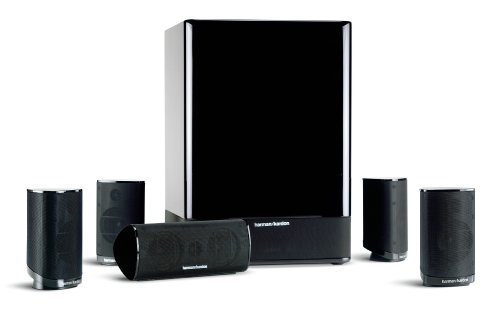
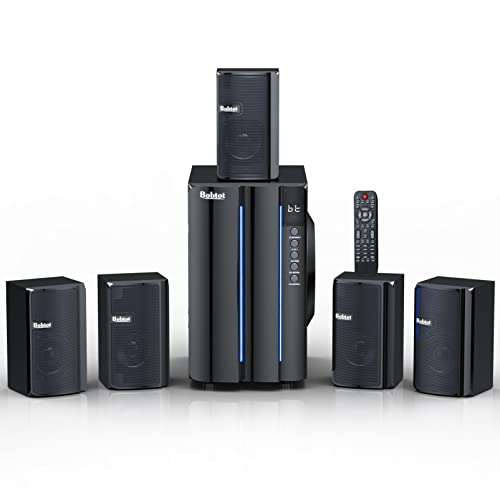
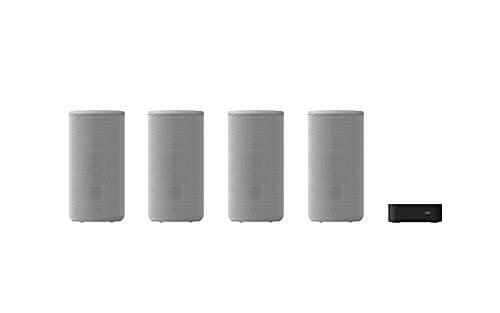
2016 Enclave Audio CineHome HD 5.1 Wireless Home Theater System
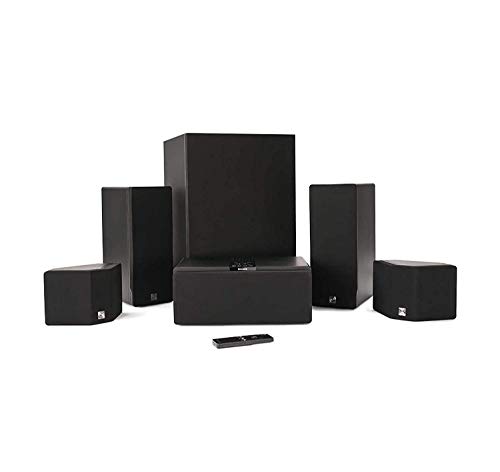


Key features
- •ELIMINATES THE NEED FOR AUDIO/VIDEO RECEIVER OR SPEAKER CABLES: The Enclave Smart Center serves as the central hub saving money and space without the need for an additional Audio/Video Receiver or running speaker any speaker cable.
- •CUSTOM DESIGNED AND TUNED HD AUDIO WiSA SPEAKERS: Listen to 360 degrees of 24 bit HD wireless audio. Each Enclave rear surround speaker contains two full-range drivers on opposing sides of the enclosure for a widespread, enveloping surround experience.
- •DOLBY DIGITAL AND DTS: Delivers an intense, cinema-like surround sound, even from stereo signals. For the those who prefer uncompressed audio, 5.1 channels of LPCM 24 bit uncompressed audio seamlessly surround you with zero lip-sync issues.
- •HDMI INPUT: 3 HDMI inputs to connect your cable box, dish, gaming console, DVD-Blu Ray Player, Streaming appliance (Apple TV, Amazon Fire, Roku, etc.), HDMI pass-thru, CEC, and ARC are all supported. Power Supply : AC-100-240 Volt,50-60Hz
- •3.5mm ANALOG, OPTICAL and BLUETOOTH INPUT: Use almost any signal type. Use the Enclave Audio app for Android/iOS to stream music from your device, local network, or a selection of music services via Bluetooth or Google Cast. (Chromecast required)
- •STORAGE TEMPERATURE: 32.0°F to 104°F (0°C to 40°C)
BrandEnclave Audio
CategoryHome Theater Systems
ColorBlack
WarrantyWarranty, Repairs, Updates only provided only to products purchased from authorized resellers
2016 Enclave Audio CineHome HD 5.1 Wireless Home Theater System
List Price: $1163.53$1047.18DEALYou Save: $116.35 (10%)
Free shippingFree Returns – 30 daysFree Order CancellationSecure Payment2–3 Days DeliveryGet It October 25, 2026In Stock (2)No marketing spamNo account requiredFulfilment by FedEx / Amazon / UPS / ShipwirePayPal / Card Buyer Protection
Customer Reviews
Reviews sourced from verified Amazon purchasers4.0
out of 5
Based on 10 reviews
5★
70%
4★
10%
3★
20%
2★
0%
1★
0%
Very nice surround sound system that is easy to setup
SirDigitalKnight•September 7, 2017
Living in a country that used all cement and block construction makes running speaker wires even harder as you don't even have baseboards you can pull off to run them under... So when I started looking at the best options this system seemed to fit the bill perfectly for my home theater project. Now I cannot honestly tell you how long it takes to set this system up in a normal house because as you can see from the pictures I have uploaded I did a complete custom installation of my system. I am using a short throw projector and a WD TV box and the Enclave HD system. Took me over 12 hours to install in my custom theater but like I said... My room is probably one of a kind... :-)
Sound from movies that I have tested out is very good in my un-acoustically treated room... Remember, all cement so nothing to absorb bouncing sound waves... Music also is very good and fills up my entire open space living area.
The center channel, which is the main brains to the system doesn't have any way of mounting it so I had to fabricate a mount to hang it next to my short throw projector. I also had to get a little creative on the front left and right speakers... The rears where the easiest to install. All the speakers are not too heavy so weight was not an issue for mounting... Drilling into concrete on the other hand.... But I digress... ;-)
The remote, as others have mentioned, is the weakest link in the system... I have to stand on a ladder and be pretty close to the head unit (center speaker) for it to work.. I was hoping they would have released an updated remote by now but my system came with the original, not so functional remote. Would be nice if it could be controlled over IP or Bluetooth...
That is it for now... I have only been using it for a few hours but I promise I will follow up with more information as I use the Enclave system more.
I will say it was money well spent and I am impressed with this completely "Speaker Wireless" system!
Sound from movies that I have tested out is very good in my un-acoustically treated room... Remember, all cement so nothing to absorb bouncing sound waves... Music also is very good and fills up my entire open space living area.
The center channel, which is the main brains to the system doesn't have any way of mounting it so I had to fabricate a mount to hang it next to my short throw projector. I also had to get a little creative on the front left and right speakers... The rears where the easiest to install. All the speakers are not too heavy so weight was not an issue for mounting... Drilling into concrete on the other hand.... But I digress... ;-)
The remote, as others have mentioned, is the weakest link in the system... I have to stand on a ladder and be pretty close to the head unit (center speaker) for it to work.. I was hoping they would have released an updated remote by now but my system came with the original, not so functional remote. Would be nice if it could be controlled over IP or Bluetooth...
That is it for now... I have only been using it for a few hours but I promise I will follow up with more information as I use the Enclave system more.
I will say it was money well spent and I am impressed with this completely "Speaker Wireless" system!
Good for wireless, so so as a receiver
William•March 4, 2017
Purchased this as I needed to go wireless for (rear channel) surround sound and didnt see many options reasonably priced, though I got what I paid for.
Pros
- Wireless for all speakers save Center channel which doesnt make any difference.
So - So
- As a surround sound receiver, its fairly weak compared to others I have used. There are no various modes to optimize speakers, say vs music vs movies, as one very basic thing.
- The plug adaptors are very large. To plug the front channel (which I really didnt need wireless, another mistake in hindsight) and center channel into a power strip I had to put adaptor/extenders on.
Poor
- the remote is poor, unresponsive, and not tactile
- USB connect to Alexa times out regularly and gave up using it
- the speakers glow bright blue at night can see them in bedroom
Plan to read through manual more and see if can do anything else to add value to this (I see Chromecast support, have Google home.)
Over all, I would have done more homework, perhaps spent more money.
Pros
- Wireless for all speakers save Center channel which doesnt make any difference.
So - So
- As a surround sound receiver, its fairly weak compared to others I have used. There are no various modes to optimize speakers, say vs music vs movies, as one very basic thing.
- The plug adaptors are very large. To plug the front channel (which I really didnt need wireless, another mistake in hindsight) and center channel into a power strip I had to put adaptor/extenders on.
Poor
- the remote is poor, unresponsive, and not tactile
- USB connect to Alexa times out regularly and gave up using it
- the speakers glow bright blue at night can see them in bedroom
Plan to read through manual more and see if can do anything else to add value to this (I see Chromecast support, have Google home.)
Over all, I would have done more homework, perhaps spent more money.
Great Speakers!
Nevin Absher•February 13, 2017
These speakers have been rock solid, and the sound from them is amazing. I was a bit skeptical at first due to so many problems with wireless in general.
No Speaker wires! Yay! HDCP problems. Fixable, but still, Boo! Overall, Yay, no speaker wires!
Max G.•January 11, 2017
Kittens and speaker cables don't mix. After endless issues with them pawing at the cords and causing our hyper-sensitive Sony amplifier to go into "protect" mode because a whisker of wire someplace touched something, I gave up and bought this. The reviews I read said it gave respectable sound, so I expected it to be so-so: better than a sound bar, but not as good as a wired system, just more convenient.
My old system was a mid-range Sony amplifier (STR-860), a Sony sub-woofer and Polk surround sound speakers. When it wasn't shorting out (which was most of the time), it sounded pretty good. Well, this new system sounds better, albeit for about twice the cost of the old system. It's a snap to set up--everything is labeled, so you can't do it wrong. We watched Inception and Jurassic Park as a test. The sub-woofer has good depth--better than our old one--and the surround sound speakers also have solid range and response. Best of all, no speaker wire cluttering up the bedroom! Yay!
While I'm happy with the sound quality and convenience, I have to say, not all is perfect. The system is only HDCP 1.4 compliant, not the newer 2.2 standard. The infuriating thing here, of course, is that the HDCP standard provides zero benefit to the consumer--it's a digital rights management scheme imposed by the industry and we all have to pay for it even though we get no benefit from it. The newer standard is, by design, not backward compatible with the old standard. So, if you have a new, 4K ultra-high-def TV, and your cable box, or Roku box, or whatever, ALSO uses the newer standard, it won't work to pass the signal through a device with the *older* standard. As far as the HDCP 2.2. TV and cable box are concerned, anything in between that's NOT HDCP 2.2 is trying to steal protected property and the transmission fails. As you can tell, the people who design these standards have, shall we say, a casual disdain for you and me, the consumer.
So anyway, IF one of your devices is sending HDCP 2.2 signals and IF your TV is trying to *accept* HDCP 2.2 signals, then when you try to pass the signal through your new Enclave system via HDMI cables, it fails. All you see is a blue screen, or, worse yet, a flashing, strobe-like image. Again, yay. This raises the question why the folks at Enclave chose to only implement the HDCP 1.4 standard, but I can guess why. Not only do you and I have to pay for this more-or-less crippled feature of our equipment, the *manufacturers* have to pay to USE the standard. It's cheaper to use the old standard than the new, so they kept their cost--and ours!--down by only implementing HDCP 1.4. Generally, if you're happy with Blue Ray level video (I am), then that works if you down grade the HDCP 2.2 signal to HDCP 1.4. That means you can kiss ultra-high-def video goodbye, since HDCP 2.2 is designed specifically to keep you from stealing the shows you are watching. But it ALSO means you've got to buy another box (for around $30) to make your system work if you wind up, as I did, with HDCP errors and no video.
Except...there IS another work-around. The Enclave system is designed like my old Sony amplifier: plug your "input" devices (cable box, Roku, Blue Ray player) into the Enclave smart center speaker, and then run one cable from the speaker to your TV to carry the video. As noted above, that can lead to HDCP failure and NO video. The alternative is to run your "input" devices directly to your TV, assuming both ends are HDCP 2.2 compliant. Then--assuming your TV lets you do this, and most do--you can run an optical audio cable from your TV to the optical jack on the Enclave smart center speaker, and the problem is solved! You've got the ultra-high-def video on your 4K TV and digitial sound (but not ultra-high-def sound) coming out of your speakers.
There are other issues with making THAT work having to do with how you set the Enclave system to know its input will be the optical sound port. A Harmony remote comes in handy for that, but this review is already too long.
The bottom line is that I like this system, although it turned out to be harder to set up than I'd expected due to HDCP errors. No matter--it was still a gazillion times easier than trying to track down which speaker wire the cats had jinxed.
My old system was a mid-range Sony amplifier (STR-860), a Sony sub-woofer and Polk surround sound speakers. When it wasn't shorting out (which was most of the time), it sounded pretty good. Well, this new system sounds better, albeit for about twice the cost of the old system. It's a snap to set up--everything is labeled, so you can't do it wrong. We watched Inception and Jurassic Park as a test. The sub-woofer has good depth--better than our old one--and the surround sound speakers also have solid range and response. Best of all, no speaker wire cluttering up the bedroom! Yay!
While I'm happy with the sound quality and convenience, I have to say, not all is perfect. The system is only HDCP 1.4 compliant, not the newer 2.2 standard. The infuriating thing here, of course, is that the HDCP standard provides zero benefit to the consumer--it's a digital rights management scheme imposed by the industry and we all have to pay for it even though we get no benefit from it. The newer standard is, by design, not backward compatible with the old standard. So, if you have a new, 4K ultra-high-def TV, and your cable box, or Roku box, or whatever, ALSO uses the newer standard, it won't work to pass the signal through a device with the *older* standard. As far as the HDCP 2.2. TV and cable box are concerned, anything in between that's NOT HDCP 2.2 is trying to steal protected property and the transmission fails. As you can tell, the people who design these standards have, shall we say, a casual disdain for you and me, the consumer.
So anyway, IF one of your devices is sending HDCP 2.2 signals and IF your TV is trying to *accept* HDCP 2.2 signals, then when you try to pass the signal through your new Enclave system via HDMI cables, it fails. All you see is a blue screen, or, worse yet, a flashing, strobe-like image. Again, yay. This raises the question why the folks at Enclave chose to only implement the HDCP 1.4 standard, but I can guess why. Not only do you and I have to pay for this more-or-less crippled feature of our equipment, the *manufacturers* have to pay to USE the standard. It's cheaper to use the old standard than the new, so they kept their cost--and ours!--down by only implementing HDCP 1.4. Generally, if you're happy with Blue Ray level video (I am), then that works if you down grade the HDCP 2.2 signal to HDCP 1.4. That means you can kiss ultra-high-def video goodbye, since HDCP 2.2 is designed specifically to keep you from stealing the shows you are watching. But it ALSO means you've got to buy another box (for around $30) to make your system work if you wind up, as I did, with HDCP errors and no video.
Except...there IS another work-around. The Enclave system is designed like my old Sony amplifier: plug your "input" devices (cable box, Roku, Blue Ray player) into the Enclave smart center speaker, and then run one cable from the speaker to your TV to carry the video. As noted above, that can lead to HDCP failure and NO video. The alternative is to run your "input" devices directly to your TV, assuming both ends are HDCP 2.2 compliant. Then--assuming your TV lets you do this, and most do--you can run an optical audio cable from your TV to the optical jack on the Enclave smart center speaker, and the problem is solved! You've got the ultra-high-def video on your 4K TV and digitial sound (but not ultra-high-def sound) coming out of your speakers.
There are other issues with making THAT work having to do with how you set the Enclave system to know its input will be the optical sound port. A Harmony remote comes in handy for that, but this review is already too long.
The bottom line is that I like this system, although it turned out to be harder to set up than I'd expected due to HDCP errors. No matter--it was still a gazillion times easier than trying to track down which speaker wire the cats had jinxed.
Easy setup, dimensions arguably inaccurate
Christopher Armstrong•December 15, 2016
Just got it yesterday, but I can comment on the following:
The Bad:
- The dimensions for the speakers listed here and on Enclave's site do NOT account for the little rubber feet that come pre-attached to the bottom. I had a very tight fit that I measured before purchasing and panicked a bit when I realized it wouldn't fit. However, the rubber feet were fairly easy to tear off (I used my fingers, but a butter knife would probably make it easier). If you do this you may opt to buy some thinner stick-on furniture pads from to prevent scratching, but the bottom of the center speaker doesn't seem to be particularly scratchy on my wooden console.
- The remote control situation sucks. There's no display on the unit itself, so messing with the settings requires running an HDMI cable from the center speaker to the TV and switching your TV's input to see the menus. Normally you can control the volume easily with the remote blindly, but the really stupid thing is that the control system is "stateful", so if you accidentally hit the menu button on the remote, the volume up/down buttons don't work, because they're instead just moving the selection in the menu. So if your remote isn't working, you have to switch the HDMI input and see what the heck is going on with the system.
They have said that they're working on firmware updates and a new version of the remote control, but that doesn't really help now. I purchased a separate universal remote which they say will work better for controlling the device; we'll see!
Setup:
- was very easy: connect the center speaker to my TV with an optical cable (it didn't come with one, but I had a couple lying around), then plug in each speaker to power. I made use of tiny extension cables to avoid problems with wall-warts blocking other outlets: 6-Inch Power Extension Cable, 5-Pack, Outlet Saver, 18 AWG. When I turned the system on it automatically paired with all nearby speakers.
- Upgrading the firmware was also very easy, but it didn't come with instructions on how to do it in the box. Basically, you just download the Enclave Audio app to your iOS/Android smartphone, pair your phone with the Enclave Audio system via bluetooth in the app, and click a button to install the update. If you don't have an iOS/Android smartphone, then I'm not sure what you can do...
Latency: I haven't experimented much, but latency seems fine. I'm a gamer, so this is important to me, and I'll update the review if I notice any lag.
The Bad:
- The dimensions for the speakers listed here and on Enclave's site do NOT account for the little rubber feet that come pre-attached to the bottom. I had a very tight fit that I measured before purchasing and panicked a bit when I realized it wouldn't fit. However, the rubber feet were fairly easy to tear off (I used my fingers, but a butter knife would probably make it easier). If you do this you may opt to buy some thinner stick-on furniture pads from to prevent scratching, but the bottom of the center speaker doesn't seem to be particularly scratchy on my wooden console.
- The remote control situation sucks. There's no display on the unit itself, so messing with the settings requires running an HDMI cable from the center speaker to the TV and switching your TV's input to see the menus. Normally you can control the volume easily with the remote blindly, but the really stupid thing is that the control system is "stateful", so if you accidentally hit the menu button on the remote, the volume up/down buttons don't work, because they're instead just moving the selection in the menu. So if your remote isn't working, you have to switch the HDMI input and see what the heck is going on with the system.
They have said that they're working on firmware updates and a new version of the remote control, but that doesn't really help now. I purchased a separate universal remote which they say will work better for controlling the device; we'll see!
Setup:
- was very easy: connect the center speaker to my TV with an optical cable (it didn't come with one, but I had a couple lying around), then plug in each speaker to power. I made use of tiny extension cables to avoid problems with wall-warts blocking other outlets: 6-Inch Power Extension Cable, 5-Pack, Outlet Saver, 18 AWG. When I turned the system on it automatically paired with all nearby speakers.
- Upgrading the firmware was also very easy, but it didn't come with instructions on how to do it in the box. Basically, you just download the Enclave Audio app to your iOS/Android smartphone, pair your phone with the Enclave Audio system via bluetooth in the app, and click a button to install the update. If you don't have an iOS/Android smartphone, then I'm not sure what you can do...
Latency: I haven't experimented much, but latency seems fine. I'm a gamer, so this is important to me, and I'll update the review if I notice any lag.
Page 1 of 2