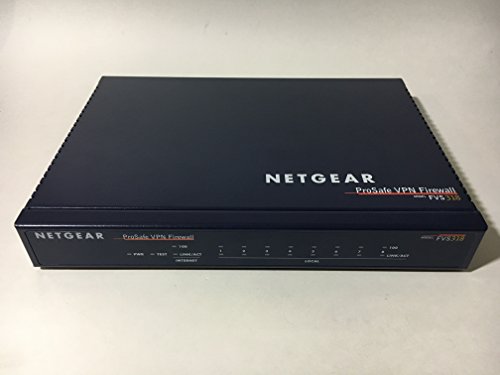
Ubiquiti EdgeRouter X Advanced Gigabit Ethernet Routers ER-X 256MB Storage 5 Gigabit RJ45 Ports



Key features
- •Versatile PoE Capability
- •Carrier-Class Reliability
- •Gigabit Connectivity
Ubiquiti EdgeRouter X Advanced Gigabit Ethernet Routers ER-X 256MB Storage 5 Gigabit RJ45 Ports
List Price: $177.51$159.76DEALYou Save: $17.75 (10%)
Free shippingFree Returns – 30 daysFree Order CancellationSecure Payment2–3 Days DeliveryGet It October 24, 2026In Stock (2)No marketing spamNo account requiredFulfilment by FedEx / Amazon / UPS / ShipwirePayPal / Card Buyer Protection
Customer Reviews
Reviews sourced from verified Amazon purchasers4.3
out of 5
Based on 10 reviews
5★
70%
4★
20%
3★
0%
2★
0%
1★
10%
50 bucks with great feature set. For what this is I don't really see a downside to the device.
Amazon User•February 3, 2018
If I wasn't already aware of pfSense and into that, this would probably be my go to for small deployments. The feature set is massive as it is literally just a network centric linux box with a pretty face. It does lack in some of the functionality of pfSense out of the box - That being said you could probably set some/much of that up via the terminal or by installing additional packages - just not sure how well it would work or be supported.
It wins out in price by a pretty good margin - 50 bucks - you can put together a good pfSense box around 150-200 bucks if you have no extra hardware laying around. That being said - pfSense is more versatile in general. With the ER-X you can do most things in some manner, with pfSense you can do most anything in a ton of ways.
In my first setup of one of these I used the following as reference
VLAN aware switching - creating and assigning 4 isolated networks with dot1q vlans per switch port for both native and tagged instances - This works well and i had no problems so far with the implementation
QoS - Smart queue - simple codel queue I believe - works as it should. Did not go out side of the simple "smart queue" setup for this, many options for this that I left untouched.
DHCP - good enough for most use cases. Did not see an option for passing specific DHCP options, but as this is a linux distro I would assume it is in the stack somewhere, might not be supported to use that being said.
DNS - Looks like a very simple forwarder to me - no real options besides what interfaces to listen to and dyndns. Not sure if anything additional for this is on the back end or if you could install bind and do your own.
Traffic analysis. At a glance - a trivial layer7 graphing system will tell you what is using traffic. Not that I used it for it, but from what I understand this might be used for layer7 inspection and firewall rules which could be useful in certain usage scenarios.
VPN - This was a nice bonus to have for a box this cheap, especially with how many options they give you. However - PPTP as a default option? Shame on you ubiquiti. PPTP was cracked years ago. L2TP - I was able to kill the egress back to the VPN clients from devices on the network, however I have not found a way to firewall traffic from being able to reach every management interface on the device. If someone connects to this they can then get to every service hosted on the Edgerouter on every interface (aside from my own intuition - I tried every suggestion I could find in every forum - L2TP creates a sub interface to use that then passes the traffic, I have not found a way to attach rules that to interface - This is not to say there is not a way, I just was not able to find it). Thankfully there is an OVPN server hidden on the device, so I was able to use that for my needs.
Firewall rules - If you are familiar with iptables - this is right up your alley - painful to configure from the GUI as it commits on every change. You can probably do this much faster from the configuration tree. You can certainly do this faster from the CLI.
CLI - Ok, I have to hand them this one - very nice. It's a 50 dollar device with a diagnostically functional CLI. MTR being left into the compile made me all warm and fuzzy. Then the configuration portion - Ok, I might be looking at this from a pretty narrow perspective, but I liked the way they did this. Set commands to setup options, unset to removed them. Command completion with descriptions. A system of commit and save which makes "oh crap, pull the power to roll back" viable, or from what I saw rollback functionality.
And the part (off the top of my head) that bugged me
PoE - 24v passive. It is pretty much useless for most things, ubiquiti seems to love 24v passive so if you have an all ubiquiti system that provides 24v - this will probably be fine, just keep in mind for that passthrough port to work you need to power the unit with 24v PoE or be running a 12 watt adapter (this unit only comes with a 6).
There were others, but this is the gist - If you need a low cost firewall that can push up to 950mbit (with hwnat) and can support multiple networks, QoS, and VPN for a small office (5-15 people) this is a good grab. There is a lot of documentation on configuration and such, and the documentation tends to be to the point.
It wins out in price by a pretty good margin - 50 bucks - you can put together a good pfSense box around 150-200 bucks if you have no extra hardware laying around. That being said - pfSense is more versatile in general. With the ER-X you can do most things in some manner, with pfSense you can do most anything in a ton of ways.
In my first setup of one of these I used the following as reference
VLAN aware switching - creating and assigning 4 isolated networks with dot1q vlans per switch port for both native and tagged instances - This works well and i had no problems so far with the implementation
QoS - Smart queue - simple codel queue I believe - works as it should. Did not go out side of the simple "smart queue" setup for this, many options for this that I left untouched.
DHCP - good enough for most use cases. Did not see an option for passing specific DHCP options, but as this is a linux distro I would assume it is in the stack somewhere, might not be supported to use that being said.
DNS - Looks like a very simple forwarder to me - no real options besides what interfaces to listen to and dyndns. Not sure if anything additional for this is on the back end or if you could install bind and do your own.
Traffic analysis. At a glance - a trivial layer7 graphing system will tell you what is using traffic. Not that I used it for it, but from what I understand this might be used for layer7 inspection and firewall rules which could be useful in certain usage scenarios.
VPN - This was a nice bonus to have for a box this cheap, especially with how many options they give you. However - PPTP as a default option? Shame on you ubiquiti. PPTP was cracked years ago. L2TP - I was able to kill the egress back to the VPN clients from devices on the network, however I have not found a way to firewall traffic from being able to reach every management interface on the device. If someone connects to this they can then get to every service hosted on the Edgerouter on every interface (aside from my own intuition - I tried every suggestion I could find in every forum - L2TP creates a sub interface to use that then passes the traffic, I have not found a way to attach rules that to interface - This is not to say there is not a way, I just was not able to find it). Thankfully there is an OVPN server hidden on the device, so I was able to use that for my needs.
Firewall rules - If you are familiar with iptables - this is right up your alley - painful to configure from the GUI as it commits on every change. You can probably do this much faster from the configuration tree. You can certainly do this faster from the CLI.
CLI - Ok, I have to hand them this one - very nice. It's a 50 dollar device with a diagnostically functional CLI. MTR being left into the compile made me all warm and fuzzy. Then the configuration portion - Ok, I might be looking at this from a pretty narrow perspective, but I liked the way they did this. Set commands to setup options, unset to removed them. Command completion with descriptions. A system of commit and save which makes "oh crap, pull the power to roll back" viable, or from what I saw rollback functionality.
And the part (off the top of my head) that bugged me
PoE - 24v passive. It is pretty much useless for most things, ubiquiti seems to love 24v passive so if you have an all ubiquiti system that provides 24v - this will probably be fine, just keep in mind for that passthrough port to work you need to power the unit with 24v PoE or be running a 12 watt adapter (this unit only comes with a 6).
There were others, but this is the gist - If you need a low cost firewall that can push up to 950mbit (with hwnat) and can support multiple networks, QoS, and VPN for a small office (5-15 people) this is a good grab. There is a lot of documentation on configuration and such, and the documentation tends to be to the point.
Inconsistent product quality -- seemingly related to software quirks (two identical units behave badly in different ways)
dp•December 18, 2017
I put several of these routers into operation simultaneously. Identical configs except the IP space and names of devices, network paths, etc. Each exhibits quirks of their own, each quirk different from the others. Below is a synopsis of my critique, as posted on the Ubiquiti forums, of just one router which decided to drop off the VPN it was participating in...
Well, I have to say I'm horribly disappointed in the response -- and equally disappointed with the quality of the product. Since I have provided detailed data, and received no helpful response, I decided to buy yet another ER-X (cringe, throwing good money after bad).
I just received a new ER-X, updated it to hotfix4, re-installed my previous config, and voila!!! the VPN is functioning again. The only difference between the non-working and working config is the device itself. Before buying a replacement, I completely wiped the malfunctioning unit to factory defaults, rolled back its firmware, re-updated the firmware, and re-installed the configs. To no avail. New unit? Worked perfectly. :-) For now. :-( Since, after all, the original unit worked perfectly in the beginning also. Getting similar complaints from my brother-in-law at his winery.
Really starting to re-consider the deployment of Ubiquiti gear at my house, not to mention the sizeable deployment at my sister's winery. I can't afford the wasted time troubleshooting unpredictable equipment. I also take strong exception to being asked to conduct troubleshooting for the manufacturer such as setting up SNMP to monitor memory leaks, etc -- something the manufacture should be doing *before* introducing the product to market with advertised capabilities, providing configuration guides, and then complaining "not many people use that service" (such as IGMP proxy) as an excuse for their own very poor QA.
Sad performance, really sad,
dp
PS - The reseller I just bought the replacement from said these types of complaints are not uncommon.
Well, I have to say I'm horribly disappointed in the response -- and equally disappointed with the quality of the product. Since I have provided detailed data, and received no helpful response, I decided to buy yet another ER-X (cringe, throwing good money after bad).
I just received a new ER-X, updated it to hotfix4, re-installed my previous config, and voila!!! the VPN is functioning again. The only difference between the non-working and working config is the device itself. Before buying a replacement, I completely wiped the malfunctioning unit to factory defaults, rolled back its firmware, re-updated the firmware, and re-installed the configs. To no avail. New unit? Worked perfectly. :-) For now. :-( Since, after all, the original unit worked perfectly in the beginning also. Getting similar complaints from my brother-in-law at his winery.
Really starting to re-consider the deployment of Ubiquiti gear at my house, not to mention the sizeable deployment at my sister's winery. I can't afford the wasted time troubleshooting unpredictable equipment. I also take strong exception to being asked to conduct troubleshooting for the manufacturer such as setting up SNMP to monitor memory leaks, etc -- something the manufacture should be doing *before* introducing the product to market with advertised capabilities, providing configuration guides, and then complaining "not many people use that service" (such as IGMP proxy) as an excuse for their own very poor QA.
Sad performance, really sad,
dp
PS - The reseller I just bought the replacement from said these types of complaints are not uncommon.
Ubiquiti is my favorite brand for home use.
Grayson Peddie•September 9, 2017
I'm using Ubiquiti EdgeRouter X in my dorm. I do have an EdgeRouter 5-Port PoE router at home in Altha, FL. Very easy to setup for someone with networking background, since I'll be passing A+ certification and hoping to get into Network+. I currently have Ubiquiti UniFi AC-Lite connected to my EdgeRouter through a PoE passthrough. My experience is that an included power adapter won't work with my UniFi, so I had to buy a PoE injector that plugs into my EdgeRouter X's PoE In.
Oh, and if you want to enable IPv6, in the Wizards page, then to Basic Setup, there's a " Enable DHCPv6 Prefix Delegation" checkbox that you'll need to check. If you have Comcast Residential High-Speed Internet, you'll want to choose a Prefix Length of /60. Amazon won't let me post a link to a how-to page, so you'll have to search on your own. I don't know if this is the same for Time Warner or Cox, but that's all I can help anyone with. Anyway, Anyway, if you already have a username and password, make sure "Keep existing users" is selected and then apply the changes. Give EdgeRouter-X a reboot and you should be good to go.
I won't buy any other router, AP, and switch other than Ubiquiti. To me, it's all about reliability and it works very well.
And yes, the router's configuration is incomplete out of the box for those who don't know enough about networking to have it plug-and-play. This is where you'll need to learn networking, but it does offer you a lot of flexibility such as basic WAN+1LAN setup (Basic Setup), configure EdgeRouter-X as a switch, or configure ER-X as WAN+2LAN where you can have two local networks as this is where subnetting comes into play.
Overall, I have no problems with my EdgeRouter so far.
Oh, and if you want to enable IPv6, in the Wizards page, then to Basic Setup, there's a " Enable DHCPv6 Prefix Delegation" checkbox that you'll need to check. If you have Comcast Residential High-Speed Internet, you'll want to choose a Prefix Length of /60. Amazon won't let me post a link to a how-to page, so you'll have to search on your own. I don't know if this is the same for Time Warner or Cox, but that's all I can help anyone with. Anyway, Anyway, if you already have a username and password, make sure "Keep existing users" is selected and then apply the changes. Give EdgeRouter-X a reboot and you should be good to go.
I won't buy any other router, AP, and switch other than Ubiquiti. To me, it's all about reliability and it works very well.
And yes, the router's configuration is incomplete out of the box for those who don't know enough about networking to have it plug-and-play. This is where you'll need to learn networking, but it does offer you a lot of flexibility such as basic WAN+1LAN setup (Basic Setup), configure EdgeRouter-X as a switch, or configure ER-X as WAN+2LAN where you can have two local networks as this is where subnetting comes into play.
Overall, I have no problems with my EdgeRouter so far.
Not Ready for PrimeTime Routers
B. Austin•May 20, 2017
This is a pretty decent router. I have an Unify AP that works wonderfully so when I needed a new router it made sense to try the EdgeRouter X.
Don't get me wrong, this is a rock solid router at least as good as any other manufacturer's lineup. However the EdgeOS software this box runs on is half-baked. For example, the software version on the router doesn't work. As in I could not connect to the internet. I had to install the latest firmware to get it to work. I'm not even sure how that's possible. Like, how are you supposed to update your firmware on an internet router that can't connect to the internet? Fortunately I had a different router that I was able to use long enough to update this one. And yes, I contacted their help support and their solution to my inability to get connected was installing the new firmware.
The support staff at Ubiquiti is awesome. Because the software is so buggy I've had to contact them on multiple occasions with my Unify AP and they always amaze me. They're the reason I buy this stuff. I wish I could say the software was as reliable.
Don't get me wrong, this is a rock solid router at least as good as any other manufacturer's lineup. However the EdgeOS software this box runs on is half-baked. For example, the software version on the router doesn't work. As in I could not connect to the internet. I had to install the latest firmware to get it to work. I'm not even sure how that's possible. Like, how are you supposed to update your firmware on an internet router that can't connect to the internet? Fortunately I had a different router that I was able to use long enough to update this one. And yes, I contacted their help support and their solution to my inability to get connected was installing the new firmware.
The support staff at Ubiquiti is awesome. Because the software is so buggy I've had to contact them on multiple occasions with my Unify AP and they always amaze me. They're the reason I buy this stuff. I wish I could say the software was as reliable.
Great device, not for the feint of heart.
Matt S.•May 8, 2017
This is a great little router. I am stunned by how much you get in such a cost efficient package.
I am a Network Professional by trade, and this little guy is packed with great features for a small office, or home. The only issues I had with this device, is more due to my over thinking how I wanted my network set up, and not relying on the wizards. Normally, I avoid wizards as a matter of professional pride, but in this case, save yourself some hassle and just use the wizards. They are very well written. As it is, I have now replaced a consumer grade device, with a business class router, while on a budget.
I am a Network Professional by trade, and this little guy is packed with great features for a small office, or home. The only issues I had with this device, is more due to my over thinking how I wanted my network set up, and not relying on the wizards. Normally, I avoid wizards as a matter of professional pride, but in this case, save yourself some hassle and just use the wizards. They are very well written. As it is, I have now replaced a consumer grade device, with a business class router, while on a budget.
Page 1 of 2
Related products



Fortinet FortiGate 80E and 1YR 24x7 UTM Protection BDL (FG-80E-BDL-950-12)
List: $2255.25$2029.73DEAL