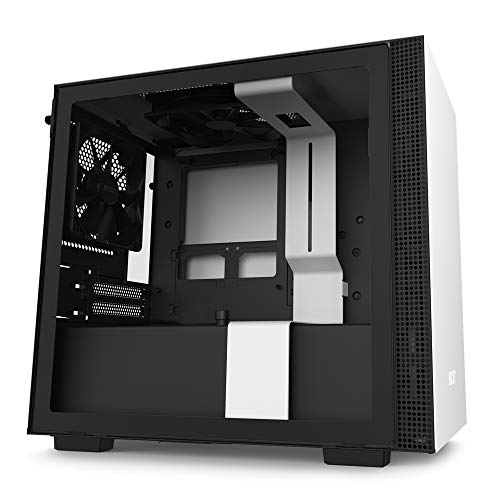
SilverStone Technology Mini-DTX Small Form Factor Computer Case SG13WB-Q Black/White

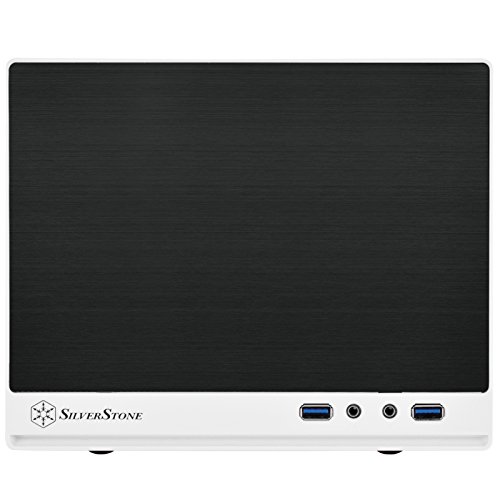
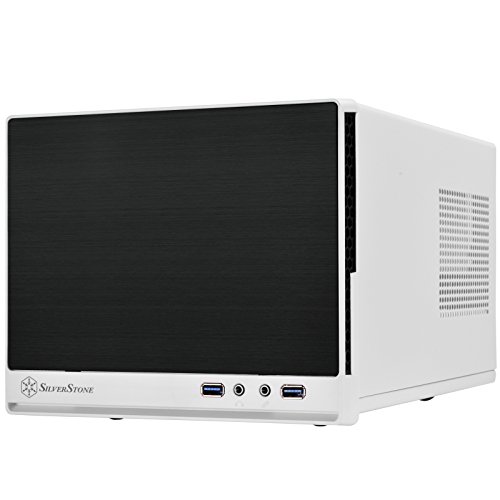

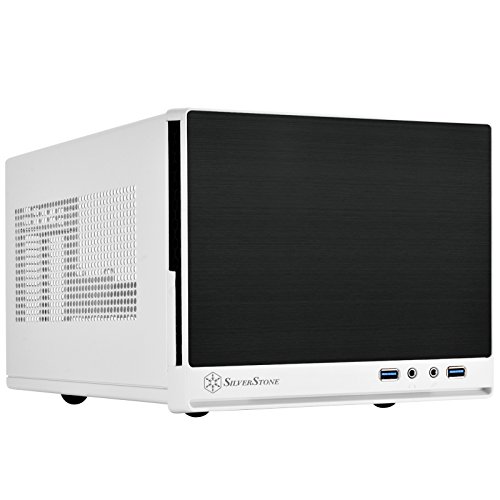
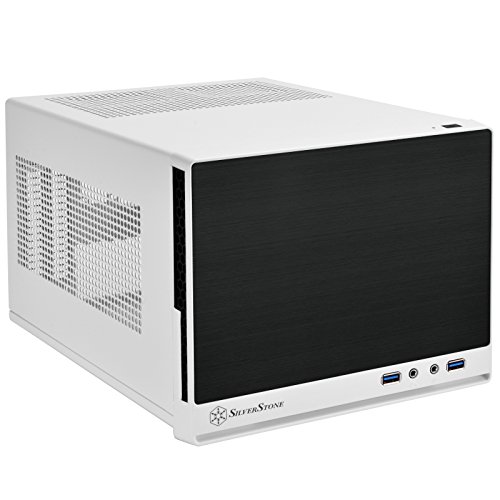

Key features
- •Supports standard-length expansion cards (10.5 inches)
- •Mini-DTX / Mini-ITX motherboard & ATX PSU compatible
- •Supports 120mm or 140mm single fan All-in-One Liquid Cooler
- •Supports 2.5" and 3.5" hard drives
- •Elevated standoff for motherboard back side components
SilverStone Technology Mini-DTX Small Form Factor Computer Case SG13WB-Q Black/White
List Price: $111.95$100.76DEALYou Save: $11.19 (10%)
Free shippingFree Returns – 30 daysFree Order CancellationSecure Payment2–3 Days DeliveryGet It October 25, 2026In Stock (9)No marketing spamNo account requiredFulfilment by FedEx / Amazon / UPS / ShipwirePayPal / Card Buyer Protection
Customer Reviews
Reviews sourced from verified Amazon purchasers4.4
out of 5
Based on 10 reviews
5★
60%
4★
40%
3★
0%
2★
0%
1★
0%
Good budget Mini ITX case with several color choices - i5 Gaming Build
MrAntill95✓ Verified Purchase•July 19, 2017
This review is for Silverstone's SG13WB (white variant). I used this case for a recent mini-itx build and have been pretty satisfied with it so far. At the time when I bought it, it was the cheapest mini-itx case available on Amazon that could still fit relatively large graphics cards. The price seems to fluxuate frequently on this case, I'd say when it's sub $45 it's a relatively good deal. Some of the main pros and cons are listed below
Pros:
-Style, color choices, sleek
-Good ventilation
-Small form factor
Cons:
-A little flimsy in areas
-Sharp corners and edges
-Few HDD mounts
-Tight fit with full size power supply
=My PC Parts Used & Prices=
Intel i5 7500 | http://amzn.to/2tah5Oy
GTX 1060 mini | http://amzn.to/2taZkyG
Silverstone Mini ITX SG13 | http://amzn.to/2u4xxfQ
MSI Mini ITX Gaming AC Motherboard | http://amzn.to/2sbbbrT
EVGA 500 W1 Mini ITX PSU | http://amzn.to/2sFV9cM
SanDisk Ultra II 240GB SSD | http://amzn.to/2sbmbFr
WD 1tb Harddrive | http://amzn.to/2rRlrpA
Crucial 8GB Single DDR4 | http://amzn.to/2t9C6Je
Pros:
-Style, color choices, sleek
-Good ventilation
-Small form factor
Cons:
-A little flimsy in areas
-Sharp corners and edges
-Few HDD mounts
-Tight fit with full size power supply
=My PC Parts Used & Prices=
Intel i5 7500 | http://amzn.to/2tah5Oy
GTX 1060 mini | http://amzn.to/2taZkyG
Silverstone Mini ITX SG13 | http://amzn.to/2u4xxfQ
MSI Mini ITX Gaming AC Motherboard | http://amzn.to/2sbbbrT
EVGA 500 W1 Mini ITX PSU | http://amzn.to/2sFV9cM
SanDisk Ultra II 240GB SSD | http://amzn.to/2sbmbFr
WD 1tb Harddrive | http://amzn.to/2rRlrpA
Crucial 8GB Single DDR4 | http://amzn.to/2t9C6Je
Great tiny case... with a couple of caveats...
Amazon User✓ Verified Purchase•March 13, 2017
It's a great tiny case for the money with a couple of caveats.. One of the LEDs came loose out of its tube but wiring was intact so just re-hot-glued it in place. I would recommend a modular SFX sized power supply due to space. 140mm front case fan doesn't fit with 10.5 inch (maximum for case) EVGA gtx-1080 SC card unless you drill new holes (too wide) so easier to go with 120mm fan. Don't put the power supply in until last! Connect the wires from the case to the motherboard before putting in the video card. Plan on using 2.5" SSDs due to space constraints and heat. Have fun!
A tight fight, but has some breathing room with proper cable management.
Earl Jay O. Caoile✓ Verified Purchase•February 14, 2017
Before getting into the review, here is my build:
Intel Core i7-4770K Quad-Core Desktop Processor (3.5 GHz, 8 MB Cache, Intel HD graphics, BX80646I74770K)
Corsair Hydro Series H80i v2 Extreme Performance Liquid CPU Cooler, Black
MSI Mini-ITX DDR3 LGA 1150 USB 3.0 + SATA (6Gb/s) Motherboard (H81I)
Corsair Vengeance 16GB (2x8GB) DDR3 1600 MHz (PC3 12800) Desktop Memory 1.5V
Samsung Electronics 840 Pro Series 2.5-Inch Solid State Drive, 256GB
Seagate 6TB BarraCuda Pro SATA 6Gb/s 256MB Cache 3.5-Inch Internal Hard Drive (ST6000DM004)
Gigabyte GeForce GTX 1060 Mini ITX OC 3GB GDDR5 Graphics Card (GV-N1060IXOC-3GD)
SilverStone Technology Platinum Certified Single +12V Rail ATX Power Supply, PS-ST55F-PT
I decided to take my old full tower build and fit as many parts as I could into a mini-ITX build. Clearly an ATX motherboard wouldn't fit in here. The MSI motherboard is fine, but I do have a minor annoyance with the layout. The front audio cable has to go all the way to other side of the case. I did have to get a new power supply because the old one (Corsair AX760) was too big. The PSU I got instead is adequate since it's 180 mm x 140 mm versus the standard 180 x 160 mm, but the cables are longer than I'd like them to be. An SFX form PSU would save a little more space, but you need to buy an extra mounting bracket for it. Low profile RAM would have saved even more space, but I wasn't about to buy more old DDR3 ram when mine still works fine. If I were feeling froggy, I would have taken off the heat spreaders.1
Installation was honestly a little frustrating but kinda fun at the same time. I had to put the build together and take it apart several times to figure out an optimal setup. Since I have a mini-ITX video card, I had space in the corner to cram excess cabling (looking at you, Silverstone PSU). I also had some space to put some of cables to the side of the video card as well (see 3rd picture).
Part of me wants to give this case 4 stars. There were tiny scratches on the front of the case, and I ended up creating more scratches while trying to install everything. That was partly my fault, though. Also, the right blue LED that shows up on the bottom front of the case came loose, so it doesn't look as bright as the left LED. That could have also been my fault when I was pulling out the front panel during installation.
I included a screenshot of my temperature range using RealTemp 3.70. Be sure to test your temps under load and also long afterwards to see if your build is properly getting rid of the heat. I actually had the fan in the wrong direction because I was going with the setup shown in the H80i v2 manual. It doesn't work the same way for this setup. You're trying to get rid of the hot air, not push it in. You are also limited to one 120mm fan. My PSU is also oriented with the fan facing down to blow cool air under load. You can't do that with air cooling solution that would have a fan typically blowing air up; therefore, I would recommend AIO liquid cooling.
If you're willing to be patient, I would highly recommend a mini-ITX build. When Ryzen and Vega come out later, I will probably keep this case and change out a few parts. For my purposes, there is no need for anything bigger. If it weren't for the AIO liquid cooler, I could probably get away with bringing it as a carry-on and traveling abroad.
Intel Core i7-4770K Quad-Core Desktop Processor (3.5 GHz, 8 MB Cache, Intel HD graphics, BX80646I74770K)
Corsair Hydro Series H80i v2 Extreme Performance Liquid CPU Cooler, Black
MSI Mini-ITX DDR3 LGA 1150 USB 3.0 + SATA (6Gb/s) Motherboard (H81I)
Corsair Vengeance 16GB (2x8GB) DDR3 1600 MHz (PC3 12800) Desktop Memory 1.5V
Samsung Electronics 840 Pro Series 2.5-Inch Solid State Drive, 256GB
Seagate 6TB BarraCuda Pro SATA 6Gb/s 256MB Cache 3.5-Inch Internal Hard Drive (ST6000DM004)
Gigabyte GeForce GTX 1060 Mini ITX OC 3GB GDDR5 Graphics Card (GV-N1060IXOC-3GD)
SilverStone Technology Platinum Certified Single +12V Rail ATX Power Supply, PS-ST55F-PT
I decided to take my old full tower build and fit as many parts as I could into a mini-ITX build. Clearly an ATX motherboard wouldn't fit in here. The MSI motherboard is fine, but I do have a minor annoyance with the layout. The front audio cable has to go all the way to other side of the case. I did have to get a new power supply because the old one (Corsair AX760) was too big. The PSU I got instead is adequate since it's 180 mm x 140 mm versus the standard 180 x 160 mm, but the cables are longer than I'd like them to be. An SFX form PSU would save a little more space, but you need to buy an extra mounting bracket for it. Low profile RAM would have saved even more space, but I wasn't about to buy more old DDR3 ram when mine still works fine. If I were feeling froggy, I would have taken off the heat spreaders.1
Installation was honestly a little frustrating but kinda fun at the same time. I had to put the build together and take it apart several times to figure out an optimal setup. Since I have a mini-ITX video card, I had space in the corner to cram excess cabling (looking at you, Silverstone PSU). I also had some space to put some of cables to the side of the video card as well (see 3rd picture).
Part of me wants to give this case 4 stars. There were tiny scratches on the front of the case, and I ended up creating more scratches while trying to install everything. That was partly my fault, though. Also, the right blue LED that shows up on the bottom front of the case came loose, so it doesn't look as bright as the left LED. That could have also been my fault when I was pulling out the front panel during installation.
I included a screenshot of my temperature range using RealTemp 3.70. Be sure to test your temps under load and also long afterwards to see if your build is properly getting rid of the heat. I actually had the fan in the wrong direction because I was going with the setup shown in the H80i v2 manual. It doesn't work the same way for this setup. You're trying to get rid of the hot air, not push it in. You are also limited to one 120mm fan. My PSU is also oriented with the fan facing down to blow cool air under load. You can't do that with air cooling solution that would have a fan typically blowing air up; therefore, I would recommend AIO liquid cooling.
If you're willing to be patient, I would highly recommend a mini-ITX build. When Ryzen and Vega come out later, I will probably keep this case and change out a few parts. For my purposes, there is no need for anything bigger. If it weren't for the AIO liquid cooler, I could probably get away with bringing it as a carry-on and traveling abroad.
Very good case. I was surprised to get what I ...
steeda1974✓ Verified Purchase•January 23, 2017
Very good case. I was surprised to get what I did in it. I thought it was a very easy build. Please make sure to use the proper screws on the front face plate when you put it back together. I used what I thought were the right ones but got it all together and found out that I had the case screws on it instead of the hard drive screws that should have been used. Easy fix, just giving advise as it will cause the outer shell cover to protrude at the front of the case.
Five Stars
Michael Plummer✓ Verified Purchase•August 10, 2016
I Love this case way more then Cooler Master 110. Extra Small computer I love it.
Page 1 of 2