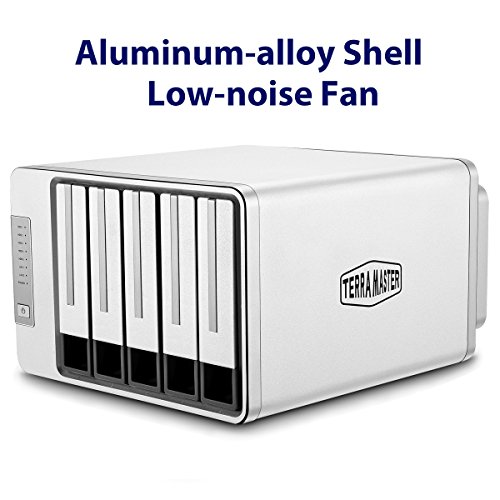
WD 6TB My Cloud Mirror Personal Network Attached Storage - NAS - WDBWVZ0060JWT-NESN


Key features
- •2-Bay, 6TB Personal Cloud Storage includes 2 x 3TB HDD
- •Centralized, whole-home storage and anywhere access with smartphones and tablets
- •Automatically creates a duplicate copy of all your content onto the second drive
- •Automatic backup for all your computers, and photos and videos on your mobile devices
- •Sync content across all your computers for up-to-date access anytime, anywhere. Compatible with Windows 10, Windows 8, Windows 7, Mac OS X El Capitan, Yosemite, Mavericks or Mountain Lion operating systems
- •Create one place for you, friends and family to collect and share memorable photos and videos
WD 6TB My Cloud Mirror Personal Network Attached Storage - NAS - WDBWVZ0060JWT-NESN
List Price: $552.89$497.60DEALYou Save: $55.29 (10%)
Free shippingFree Returns – 30 daysFree Order CancellationSecure Payment2–3 Days DeliveryGet It October 25, 2026In Stock (1)No marketing spamNo account requiredFulfilment by FedEx / Amazon / UPS / ShipwirePayPal / Card Buyer Protection
Customer Reviews
Reviews sourced from verified Amazon purchasers3.9
out of 5
Based on 10 reviews
5★
20%
4★
80%
3★
0%
2★
0%
1★
0%
Nice NAS for home use
tnj✓ Verified Purchase•October 11, 2023
I ordered this NAS after reading lots of reviews and considering other manufacturers (e.g Seagate, etc...). Prior to purchasing it I skimmed through the manual so I was familiar with most of the functions and features. I have two laptops (Win7) and a host of android devices (phones, tablets, kindles). I was mostly looking for backup capability for the laptops, since we had a recent HDD crash and it was a pain recovering and restoring that machine. We have a large digital photo collection, and we want make sure we don't loose it. I know this is not a RAID devices, but the primary storage is on one laptop and this separate device gives me protection from a single drive failure. The added feature of being able to share photos external to our network is nice since the In-Laws are out of state.
The unit was waiting for me Friday when I got home from work. After dinner I plugged it in and and downloaded/installed the desktop software from the WD website. The whole system was installed, configured, and running in less than an hour. The Win7 explorer immediately recognized the drive and the MyCloud desktop app works well. The device configuration (My Cloud Dashboard) is a web-based app and it was pretty easy to navigate to setup users, shares, and other settings.
Once I got it up and running, I installed WD's Smartware for backing up the two laptops. This gives you an option to continually back up files in the back ground. The setup is straight forward and it works. With that out of the way, I dragged the whole digital photo collection (12k+ photos) to the MyCloud public share and let it go. The initial time estimate was over 4 hours to complete this. My laptop was only on a Wifi connection and we don't have a Gigabit Ethernet router. So, I let it chug away over night. In the morning everything was transferred and both laptops had been backed up.
While the photos were being transferred, I played around with the MyCloud and WD Photo apps on my phone. I could see files that had been transferred. There is a bit of a lag in these apps, but nothing that I would consider excessive. remember they are transferring full resolution (1Mb to 2Mb) photos, so make sure you check the settings on WiFi only use and warn when on data plan.
I am playing around with different ways of sharing photos with the In-laws. I can either make them a user on the drive and they can hunt around the folders to find photos, or there is an email option. The email option is nice in that it does not attach the photos to an email. You select photos in the MyCloud app, right click on them and select email. It then generates an email with a unique URL for each photo. The resilient of the email clicks on the links to download the full resolution photos. I like this feature since I don't have to send each photo in a separate email or send a reduced resolution photo.
The only miss in my opinion is manual and support information. The manual is very complete and describes how to do everything with the MyCloud. However, is is not always obvious WHY you would want to do something and what are the consequences. It would be nice if WD would add some examples of how you would setup the overall system for different purposes. One example is the Smartware backup, the Smartware share defaults to a public share with R/W access for all users. I would think that you would want limited access to your backups so the kids don't get in there and muck things up. I just want to make sure that I don't screw up something else if I change these to private shares with limited access.
I did load our music collection to the MyCloud as well. I'm looking for a good way to organize it as I'm not sure how all of the album art files play into this. The MyCloud did find all of the files and put them in a database, but my Sony Bluray player could find the folders but could not play any of the music, not sure who's fault this is. I need to investigate this further.
The bottom line is that it works for my purposes. The installation was seamless, the desktop and android apps work. If it proves reliable in the long run it is a real winner.
The unit was waiting for me Friday when I got home from work. After dinner I plugged it in and and downloaded/installed the desktop software from the WD website. The whole system was installed, configured, and running in less than an hour. The Win7 explorer immediately recognized the drive and the MyCloud desktop app works well. The device configuration (My Cloud Dashboard) is a web-based app and it was pretty easy to navigate to setup users, shares, and other settings.
Once I got it up and running, I installed WD's Smartware for backing up the two laptops. This gives you an option to continually back up files in the back ground. The setup is straight forward and it works. With that out of the way, I dragged the whole digital photo collection (12k+ photos) to the MyCloud public share and let it go. The initial time estimate was over 4 hours to complete this. My laptop was only on a Wifi connection and we don't have a Gigabit Ethernet router. So, I let it chug away over night. In the morning everything was transferred and both laptops had been backed up.
While the photos were being transferred, I played around with the MyCloud and WD Photo apps on my phone. I could see files that had been transferred. There is a bit of a lag in these apps, but nothing that I would consider excessive. remember they are transferring full resolution (1Mb to 2Mb) photos, so make sure you check the settings on WiFi only use and warn when on data plan.
I am playing around with different ways of sharing photos with the In-laws. I can either make them a user on the drive and they can hunt around the folders to find photos, or there is an email option. The email option is nice in that it does not attach the photos to an email. You select photos in the MyCloud app, right click on them and select email. It then generates an email with a unique URL for each photo. The resilient of the email clicks on the links to download the full resolution photos. I like this feature since I don't have to send each photo in a separate email or send a reduced resolution photo.
The only miss in my opinion is manual and support information. The manual is very complete and describes how to do everything with the MyCloud. However, is is not always obvious WHY you would want to do something and what are the consequences. It would be nice if WD would add some examples of how you would setup the overall system for different purposes. One example is the Smartware backup, the Smartware share defaults to a public share with R/W access for all users. I would think that you would want limited access to your backups so the kids don't get in there and muck things up. I just want to make sure that I don't screw up something else if I change these to private shares with limited access.
I did load our music collection to the MyCloud as well. I'm looking for a good way to organize it as I'm not sure how all of the album art files play into this. The MyCloud did find all of the files and put them in a database, but my Sony Bluray player could find the folders but could not play any of the music, not sure who's fault this is. I need to investigate this further.
The bottom line is that it works for my purposes. The installation was seamless, the desktop and android apps work. If it proves reliable in the long run it is a real winner.
A Partial Storage Solution to a Large Issue... What to do With Your Personal Data.
C. Grove✓ Verified Purchase•October 2, 2023
I'm relatively pleased. It did take awhile to understand how to set up and use 2-way syncing. You are probably better off to set it up with a static IP address if you plan on just leaving it in one place. I had to manually edit an IP address in it's already established config file when WD-Sync could not set up a sync pair of folders.
Consider, if you can afford it, I would suggest, for redundancy sake, to buy the dual drive My Cloud "Mirror" for a proper backup. If you are using it with a few computers for 2-way syncing then you are, IN EFFECT, creating defacto backups. BUT that means having computers with very large internal drives to match the 2-4 or more TBs that the My Cloud has.
Re Physical security, as compared to online services... I'd suggest putting this drive out of sight somewhere... like running a Cat 6 ethernet line to the basement or a closet somewhere not near your other gear. This way, if your computer gear is stolen then it means that it is SOMEWHAT less likely to be stolen along with everything else and leaving you with no backups. Not the best of solutions but just one more thing that might help.
Added information: When your laptop is hooked up WITHIN your network then the syncing will be using the faster ethernet speeds of your network (make sure you have "Gigabit"-rated Ethernet routers and switches and not the older Fast100 equipment)... when your laptop is out in the real world then your syncing speeds will be very slow. Why? Remember that most people's home networks may have fast internet download speeds, which are great for watching movies but have very slow "upload" speeds (putting things OUT onto the net). It is this slow upload speed that your My Cloud (or any other brand of Network Attached Storage device) uses to feed files out to you in the real world. If that bothers you... if it is too slow... you may wish to talk with your Internet Service Provider to see if there are upload speed options (a higher price).
Just as an FYI... when this product uses the normal setup, the My Cloud "phones home" to Western Digital to let the system know where it is and what the dynamic IP address is, so that the laptop that you take on your trip or your smartphone you are using to take pix of your aunt's birthday party, know where to sync it's data and photos... that is ALL it is doing. It is NOT sending your data THROUGH Western Digital. THAT is MUCH more Private than cloud services where all your data is stored on THEIR ultra-big-hard-drive-arrays, only to be included in the ad marketing schemes of those big companies. You think it doesn't happen? Did you read the fine print of the user agreement that you blew through?
SECURITY is another matter and most of those large cloud storage companies have much better security than you will ever manage while storing your data on a single device in your den. Partial and limited solutions to that issue are to backup your data in more than one place (2-way syncing MAY do that somewhat)... putting your device in your basement or garage where the spread of a house-fire or a burglar is slightly lessened (heat goes up)... and the simple fact that you are a smaller, lesser known target means that maybe interested data thieves maybe won't know about your tax data stored on your drive... and use encryption on your data... or your whole system.
Speaking of which... if you are, indeed, storing your tax data on your My Cloud, (or the internet cloud, for that matter) I would STRONGLY suggest AT LEAST using some basic encryption technology to encrypt your personal data before storing it on something that could be the target at a cocktail party. A simple method would be to download the free "7-Zip" compression program (google it) and using that. It has a built-in encryption feature so that you can take all of your year's tax files, compress them all into one convenient file, and encrypt it using a long, complex and strong password. There are other free, (open source and therefore audited for security) encryption programs to consider as well... google "Axcrypt" file encryptor and "VeraCrypt" folder, drive and system encryption.
Consider, if you can afford it, I would suggest, for redundancy sake, to buy the dual drive My Cloud "Mirror" for a proper backup. If you are using it with a few computers for 2-way syncing then you are, IN EFFECT, creating defacto backups. BUT that means having computers with very large internal drives to match the 2-4 or more TBs that the My Cloud has.
Re Physical security, as compared to online services... I'd suggest putting this drive out of sight somewhere... like running a Cat 6 ethernet line to the basement or a closet somewhere not near your other gear. This way, if your computer gear is stolen then it means that it is SOMEWHAT less likely to be stolen along with everything else and leaving you with no backups. Not the best of solutions but just one more thing that might help.
Added information: When your laptop is hooked up WITHIN your network then the syncing will be using the faster ethernet speeds of your network (make sure you have "Gigabit"-rated Ethernet routers and switches and not the older Fast100 equipment)... when your laptop is out in the real world then your syncing speeds will be very slow. Why? Remember that most people's home networks may have fast internet download speeds, which are great for watching movies but have very slow "upload" speeds (putting things OUT onto the net). It is this slow upload speed that your My Cloud (or any other brand of Network Attached Storage device) uses to feed files out to you in the real world. If that bothers you... if it is too slow... you may wish to talk with your Internet Service Provider to see if there are upload speed options (a higher price).
Just as an FYI... when this product uses the normal setup, the My Cloud "phones home" to Western Digital to let the system know where it is and what the dynamic IP address is, so that the laptop that you take on your trip or your smartphone you are using to take pix of your aunt's birthday party, know where to sync it's data and photos... that is ALL it is doing. It is NOT sending your data THROUGH Western Digital. THAT is MUCH more Private than cloud services where all your data is stored on THEIR ultra-big-hard-drive-arrays, only to be included in the ad marketing schemes of those big companies. You think it doesn't happen? Did you read the fine print of the user agreement that you blew through?
SECURITY is another matter and most of those large cloud storage companies have much better security than you will ever manage while storing your data on a single device in your den. Partial and limited solutions to that issue are to backup your data in more than one place (2-way syncing MAY do that somewhat)... putting your device in your basement or garage where the spread of a house-fire or a burglar is slightly lessened (heat goes up)... and the simple fact that you are a smaller, lesser known target means that maybe interested data thieves maybe won't know about your tax data stored on your drive... and use encryption on your data... or your whole system.
Speaking of which... if you are, indeed, storing your tax data on your My Cloud, (or the internet cloud, for that matter) I would STRONGLY suggest AT LEAST using some basic encryption technology to encrypt your personal data before storing it on something that could be the target at a cocktail party. A simple method would be to download the free "7-Zip" compression program (google it) and using that. It has a built-in encryption feature so that you can take all of your year's tax files, compress them all into one convenient file, and encrypt it using a long, complex and strong password. There are other free, (open source and therefore audited for security) encryption programs to consider as well... google "Axcrypt" file encryptor and "VeraCrypt" folder, drive and system encryption.
If you can get through the initial frustration, it seems pretty sweet!
Steve Lawson✓ Verified Purchase•September 15, 2023
Man, what an ordeal getting this thing set up, but, now that it is, it seems to be great [I say "seems to be" because this is day one and I won't know for sure until after I, and my techno-phobic wife use it for awhile ;). I'm a quasi-power-user, so my sympathies to the technically challenged!
After opened the box, I followed the Quick Start guide and plugged it in and connected it to a switch I have in the living room [I gave up on WiFi and ran wires everywhere 'cuz we live in an apartment complex and the WiFi airwaves are quite congested [even with the old cable router I turned into a WiFi hotspot for the living room]. The switch serves as a signal conditioner and as an Internet access point for all our networked entertainment appliances -- such as the RoKu 3 and the Wii]. After that, I downloaded and ran the Setup Software from my Firefox browser. That went smoothly and I was able to create user accounts for my wife and I and then create a couple of "Shares" [basically shared directories on the MyCloud], and locate the MyCloud in a Win 7 File Explorer under the Network icon. There I found the shares I created and started transferring files from my PC to the Cloud. I have 100Mb Ethernet "pipes" so the transfer speed wasn't that great. It was estimating "1 day" as the time it would take to upload everything [around 477GB].
It was during the upload that I encountered my first problem. About an hour into it, it stopped with an error message that suggested that the network connection was down. After fiddling with it [link lights glowing all around and the MyCloud led glowing Blue] I started to suspect that the MyCloud had gone to sleep [as is typical of a default linux installation]. So, I reset the MyCloud, and re-started the transfer. Again, after about an hour, the network connection went down. So, I started Googling and learned that many others had suffered the same fate. I finally found a thread that spoke of an upgrade, so I gave it a try. It said to "Open the WD My Cloud Dashboard UI" "“ the What??!? I fumbled into an "Automatic Updater" and let it try "“ after about 15 minutes it failed. Everything seemed to still be working, but after another hour of transfers, it disconnected again!
Then I found my way to the actual Dashboard UI [though it's not actually called that "“ anywhere! "“ you see, there are a number of apps and applications and at the time, being a Newbee, I was confused "“ still am, a little bit!]. The Dashboard showed the firmware version, which was equivalent to the version number that the WD site claimed was the latest. But, because the automatic update had reported failure and because the disconnect problem was still raging, I decided to try a manual update "“ which is what that original article was trying to guide me through [remember my dismay when instructed to Open the Dashboard?] The manual update succeeded and cleared up the periodic disconnects.
Then I tried accessing the MyCloud from my wife's laptop. It wanted a login, so I tried the credentials I had entered when I created her user account. After many frustrating attempts, I discovered that the Password "switch" [on the Dashboard] was in the off position! [so why the heck was it asking for login credentials??!?]. The trick, I soon discovered, was to leave the password box blank! Son of a b.....
So, after many frustrating hours, I was finally able to get the whole thing up and running. The next hurdle will be to see if I can train my wife. She wants to use it for her business where she takes photos with her phone and then uploads them to Facebook and/or to a blogspot page. Sometimes I take the photos, and it was getting to be a mess to keep track of where they were and if where they were was a powered down computer "“ SOL!, hence the cloud "“ always on, single access point, nice! After installing the WD Cloud app on her cellphone, I was able to take some photos [with her phone], and then upload them [from the phone] to the MyCloud and then access them from both her laptop and her desktop "“ sweet!
After opened the box, I followed the Quick Start guide and plugged it in and connected it to a switch I have in the living room [I gave up on WiFi and ran wires everywhere 'cuz we live in an apartment complex and the WiFi airwaves are quite congested [even with the old cable router I turned into a WiFi hotspot for the living room]. The switch serves as a signal conditioner and as an Internet access point for all our networked entertainment appliances -- such as the RoKu 3 and the Wii]. After that, I downloaded and ran the Setup Software from my Firefox browser. That went smoothly and I was able to create user accounts for my wife and I and then create a couple of "Shares" [basically shared directories on the MyCloud], and locate the MyCloud in a Win 7 File Explorer under the Network icon. There I found the shares I created and started transferring files from my PC to the Cloud. I have 100Mb Ethernet "pipes" so the transfer speed wasn't that great. It was estimating "1 day" as the time it would take to upload everything [around 477GB].
It was during the upload that I encountered my first problem. About an hour into it, it stopped with an error message that suggested that the network connection was down. After fiddling with it [link lights glowing all around and the MyCloud led glowing Blue] I started to suspect that the MyCloud had gone to sleep [as is typical of a default linux installation]. So, I reset the MyCloud, and re-started the transfer. Again, after about an hour, the network connection went down. So, I started Googling and learned that many others had suffered the same fate. I finally found a thread that spoke of an upgrade, so I gave it a try. It said to "Open the WD My Cloud Dashboard UI" "“ the What??!? I fumbled into an "Automatic Updater" and let it try "“ after about 15 minutes it failed. Everything seemed to still be working, but after another hour of transfers, it disconnected again!
Then I found my way to the actual Dashboard UI [though it's not actually called that "“ anywhere! "“ you see, there are a number of apps and applications and at the time, being a Newbee, I was confused "“ still am, a little bit!]. The Dashboard showed the firmware version, which was equivalent to the version number that the WD site claimed was the latest. But, because the automatic update had reported failure and because the disconnect problem was still raging, I decided to try a manual update "“ which is what that original article was trying to guide me through [remember my dismay when instructed to Open the Dashboard?] The manual update succeeded and cleared up the periodic disconnects.
Then I tried accessing the MyCloud from my wife's laptop. It wanted a login, so I tried the credentials I had entered when I created her user account. After many frustrating attempts, I discovered that the Password "switch" [on the Dashboard] was in the off position! [so why the heck was it asking for login credentials??!?]. The trick, I soon discovered, was to leave the password box blank! Son of a b.....
So, after many frustrating hours, I was finally able to get the whole thing up and running. The next hurdle will be to see if I can train my wife. She wants to use it for her business where she takes photos with her phone and then uploads them to Facebook and/or to a blogspot page. Sometimes I take the photos, and it was getting to be a mess to keep track of where they were and if where they were was a powered down computer "“ SOL!, hence the cloud "“ always on, single access point, nice! After installing the WD Cloud app on her cellphone, I was able to take some photos [with her phone], and then upload them [from the phone] to the MyCloud and then access them from both her laptop and her desktop "“ sweet!
The devil is in the settings
ecburr✓ Verified Purchase•September 7, 2023
I have to admit I had some serious reservations purchasing this NAS based upon the sheer number of bad reviews. I read through them and there seemed to be a common thread to several of the problems.
1. Changes IP address
2. Loses connection / goes to sleep
3. To Slow
Knowing, I hoped :-), what I was getting into. I purchased the NAS. First let me say the NAS is dead quiet and this is good because it sits 2 feet away from me!
When I read the IP address was changing I figured it was a DHCP issue. It would make sense to assign a static IP to the NAS, however Western Digital chose not to do that so... During the initial setup the first screen tells you what the assigned IP is - WRITE IT DOWN - after you get through the setup and before you try and access the NAS you are going to need a few pieces of info.
1. The IP address for the NAS (for me it was (192.168.1.60)
2. Subnet info 255.255.255.0
3. Gateway info 192.168.1.1
4. DNS info (whatever your ISP DNS numbers are)
Now log into the NAS and look at the upper right of the screen, it should say "settings" with a gear symbol, click it. Now look for the tab that says "Network" and click on it. Change from DHCP to STATIC and fill in the blanks with the info you collected earlier and you're done, now the NAS won't lose its IP address.
(IMPORTANT) ****The new NAS IP**** be sure to choose an IP address that is above or below your pool of DHCP IP addresses to avoid conflicts****
Loses connection is what I think might be the NAS going into sleep mode...Sleep mode seemed counterintuitive to me for a NAS. So to eliminate this I again went into settings and under the "General" tab I found energy saver and turned off "drive sleep" Checking my electric meter, it hasn't exploded from the massive power draw (seriously kidding) this thing must have to place it in "energy saver" mode so I guess I am ok...
To slow was a wild card for me and it could have been a bunch of things, my bet was the antivirus software and for me I was spot on. Moving 20 gig's, wirelessly, took 2 hours with the antivirus on...turned it off and it cut that time in half.
I hope this is of some help to someone out there!.
Overall I really like the NAS which is why I gave it 4 stars, it would have been 5 but for some poor choices on the manufactures end with default settings, IMO
It has performed without issue so far and I will update this thread if there are any changes.
1. Changes IP address
2. Loses connection / goes to sleep
3. To Slow
Knowing, I hoped :-), what I was getting into. I purchased the NAS. First let me say the NAS is dead quiet and this is good because it sits 2 feet away from me!
When I read the IP address was changing I figured it was a DHCP issue. It would make sense to assign a static IP to the NAS, however Western Digital chose not to do that so... During the initial setup the first screen tells you what the assigned IP is - WRITE IT DOWN - after you get through the setup and before you try and access the NAS you are going to need a few pieces of info.
1. The IP address for the NAS (for me it was (192.168.1.60)
2. Subnet info 255.255.255.0
3. Gateway info 192.168.1.1
4. DNS info (whatever your ISP DNS numbers are)
Now log into the NAS and look at the upper right of the screen, it should say "settings" with a gear symbol, click it. Now look for the tab that says "Network" and click on it. Change from DHCP to STATIC and fill in the blanks with the info you collected earlier and you're done, now the NAS won't lose its IP address.
(IMPORTANT) ****The new NAS IP**** be sure to choose an IP address that is above or below your pool of DHCP IP addresses to avoid conflicts****
Loses connection is what I think might be the NAS going into sleep mode...Sleep mode seemed counterintuitive to me for a NAS. So to eliminate this I again went into settings and under the "General" tab I found energy saver and turned off "drive sleep" Checking my electric meter, it hasn't exploded from the massive power draw (seriously kidding) this thing must have to place it in "energy saver" mode so I guess I am ok...
To slow was a wild card for me and it could have been a bunch of things, my bet was the antivirus software and for me I was spot on. Moving 20 gig's, wirelessly, took 2 hours with the antivirus on...turned it off and it cut that time in half.
I hope this is of some help to someone out there!.
Overall I really like the NAS which is why I gave it 4 stars, it would have been 5 but for some poor choices on the manufactures end with default settings, IMO
It has performed without issue so far and I will update this thread if there are any changes.
BEWARE OF OLD REVIEWS
Randall S. Donadio✓ Verified Purchase•September 3, 2023
After noticing a lot of negative reviews were due to product purchases quite a long time ago, I decided to pick up the hard drive.
Setup was extremely simple and I was able to update the firmware effortlessly. (Beware, it can hang at 10% and 60%. It is updating just give it time). After doing so, I noticed the speeds were only at 10 mb/s and this is where I think a few poor reviews come in as I used my tech knowledge, that many might not have (especially since the HD simplicity is geared toward the average user) to figure out the problem . If you have VERIZON FIOS and signed up more than three months ago, your router does not have GIGABIT ETHERNET. The back of the My Cloud's Ethernet was lit yellow due to the router not splitting the Ethernet at max capacity. Fios' new routers (now given automatically to new customers who sign up as of three months ago), is capable of the desired Ethernet speed which is 1 Gigabit. 1 Gigabit is essentially 1000 megabits, not to be confused with megabytes, which 1000 megabits actually equals 100 megabytes. So having a 1 Gigabit enabled router allowed me to go from 10 megabytes a second to 100 megabytes a second (1 gigabit).
Sounds confusing, I know, but it really comes down to it being 10x faster on a proper router (or Ethernet Switch). If you do not want to upgrade your router, then you can get an Ethernet Switch on here for cheap that is gigabit enabled. Honestly, gigabit internet and N band routers have been the norm for quite some time now. Fios shouldn't have been giving that old G band router and should have switched their policy a long time ago. However, their outlook is that as long as it delivers the internet hard wired at the sold speed, then wireless is just a bonus and not guaranteed.
Nevertheless, if you are on a G band wireless router and actually use WiFi, I definitely recommend updating your router to a good dual band N router such as the ASUS RT-N66U. Most devices, even the first iPads have N band receivers and updating, which I had planned to do before getting the hard drive, has become one of the most noticeable upgrades I've made to my home network. The wireless connection speeds N delivers far surpasses G band and dual band makes it all the more better.
Now that I have the My Cloud transferring at the max read/write speed, things are great. Also, due to my new router, pulling movies and other videos from my drive to my devices or TV leads to absolutely no buffering. Seriously, a 4GB movie started playing and the entire thing was buffer downloaded within seconds. Allowing me to rewind and fast forward like it was my DVR. Amazing stuff.
So all-in-all, due to the fact that unless you have an SSD, 1 gigabit Ethernet is always going to be faster than the read/write speed of your hard drive. So having that hard drive as a network drive makes it extremely convenient. Being competitively priced with regular externals, containing an easy to use application for access anywhere on the planet, a quick and easy setup with a quiet operation makes this hard drive amazing in my eyes.
There are two things I do not like though; the fact that it doesn't come in black and the fact that WD has overseas support. (warning rant incoming). Overseas support is ruining this country and stripping jobs from Americans. The free trade agreement is supposed to help suppress immigration by creating jobs overseas. However, immigration has not slowed down. Immigration and the fact that jobs are being created overseas and not in America is causing many Americans to not have the opportunities they should. All this free trade garbage is just so corporations such as WD can make more of a profit. Prices remain competitive due to competition so the only people benefiting from this are the corporations themselves. We as Americans lose out so big corporations can profit hand over fist. In my eyes, companies like this are destroying the country for money and it should be illegal. This is why I lack respect for companies who do this. There are plenty of companies such as Microsoft and Apple that are extremely successful while limiting their overseas operations. Calling their support results in English speaking Americans helping Americans. That is how it should be. While many of these overseas representatives may speak English, they do not understand it fluently and telephone connections are not stable making it even harder to understand them. They also seemed to be looking up solutions as I asked questions. You are suffering so someone else can make more money. If this inspires you, please do what you can to speak up about these sorts of issues.
Setup was extremely simple and I was able to update the firmware effortlessly. (Beware, it can hang at 10% and 60%. It is updating just give it time). After doing so, I noticed the speeds were only at 10 mb/s and this is where I think a few poor reviews come in as I used my tech knowledge, that many might not have (especially since the HD simplicity is geared toward the average user) to figure out the problem . If you have VERIZON FIOS and signed up more than three months ago, your router does not have GIGABIT ETHERNET. The back of the My Cloud's Ethernet was lit yellow due to the router not splitting the Ethernet at max capacity. Fios' new routers (now given automatically to new customers who sign up as of three months ago), is capable of the desired Ethernet speed which is 1 Gigabit. 1 Gigabit is essentially 1000 megabits, not to be confused with megabytes, which 1000 megabits actually equals 100 megabytes. So having a 1 Gigabit enabled router allowed me to go from 10 megabytes a second to 100 megabytes a second (1 gigabit).
Sounds confusing, I know, but it really comes down to it being 10x faster on a proper router (or Ethernet Switch). If you do not want to upgrade your router, then you can get an Ethernet Switch on here for cheap that is gigabit enabled. Honestly, gigabit internet and N band routers have been the norm for quite some time now. Fios shouldn't have been giving that old G band router and should have switched their policy a long time ago. However, their outlook is that as long as it delivers the internet hard wired at the sold speed, then wireless is just a bonus and not guaranteed.
Nevertheless, if you are on a G band wireless router and actually use WiFi, I definitely recommend updating your router to a good dual band N router such as the ASUS RT-N66U. Most devices, even the first iPads have N band receivers and updating, which I had planned to do before getting the hard drive, has become one of the most noticeable upgrades I've made to my home network. The wireless connection speeds N delivers far surpasses G band and dual band makes it all the more better.
Now that I have the My Cloud transferring at the max read/write speed, things are great. Also, due to my new router, pulling movies and other videos from my drive to my devices or TV leads to absolutely no buffering. Seriously, a 4GB movie started playing and the entire thing was buffer downloaded within seconds. Allowing me to rewind and fast forward like it was my DVR. Amazing stuff.
So all-in-all, due to the fact that unless you have an SSD, 1 gigabit Ethernet is always going to be faster than the read/write speed of your hard drive. So having that hard drive as a network drive makes it extremely convenient. Being competitively priced with regular externals, containing an easy to use application for access anywhere on the planet, a quick and easy setup with a quiet operation makes this hard drive amazing in my eyes.
There are two things I do not like though; the fact that it doesn't come in black and the fact that WD has overseas support. (warning rant incoming). Overseas support is ruining this country and stripping jobs from Americans. The free trade agreement is supposed to help suppress immigration by creating jobs overseas. However, immigration has not slowed down. Immigration and the fact that jobs are being created overseas and not in America is causing many Americans to not have the opportunities they should. All this free trade garbage is just so corporations such as WD can make more of a profit. Prices remain competitive due to competition so the only people benefiting from this are the corporations themselves. We as Americans lose out so big corporations can profit hand over fist. In my eyes, companies like this are destroying the country for money and it should be illegal. This is why I lack respect for companies who do this. There are plenty of companies such as Microsoft and Apple that are extremely successful while limiting their overseas operations. Calling their support results in English speaking Americans helping Americans. That is how it should be. While many of these overseas representatives may speak English, they do not understand it fluently and telephone connections are not stable making it even harder to understand them. They also seemed to be looking up solutions as I asked questions. You are suffering so someone else can make more money. If this inspires you, please do what you can to speak up about these sorts of issues.
Page 1 of 2
Related products

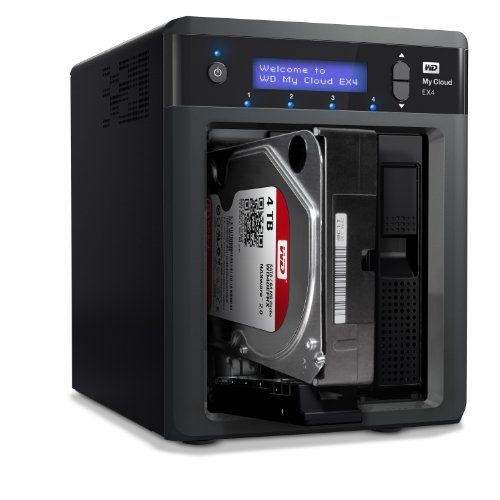

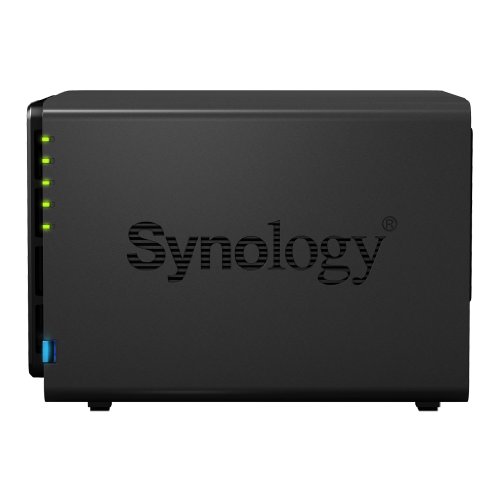
Synology America DiskStation 4-Bay Diskless Network Attached Storage (DS414)
List: $624.20$561.78DEAL