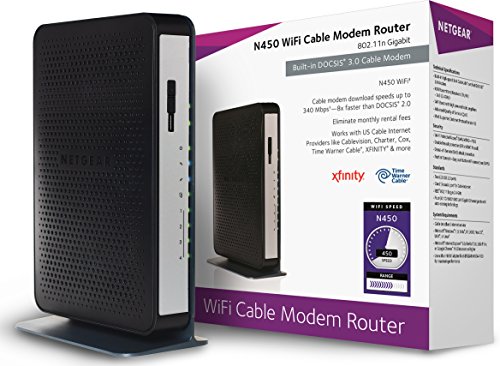
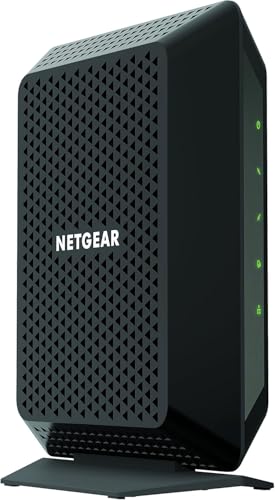
NETGEAR Cable Modem CM700 - Compatible with All Cable Providers incl. Xfinity, Spectrum, Cox | for Cable Plans up to 800Mbps | DOCSIS 3.0


Key features
- •Up to 1.4Gbps download and upload speed. Separate router required for WiFi. 32x8 channel bonding . Cable Broadband Internet service: Please check your cable Internet service provider web site for data speed tier compatibility.Microsoft Windows 7, 8, Vista, XP, 2000, Mac OS, or other operating systems running a TCP/IP network. Microsoft Internet Explorer 5.0, Firefox 2.0, Safari 1.4, or Google Chrome 11.0 browsers or higher
BrandNETGEAR
CategoryModems
Size32x8 Cable Modem (CM700)
ColorBlack
WarrantyThis product comes with a limited warranty that is valid only if purchased from a NETGEAR authorized reseller.
NETGEAR Cable Modem CM700 - Compatible with All Cable Providers incl. Xfinity, Spectrum, Cox | for Cable Plans up to 800Mbps | DOCSIS 3.0
List Price: $174.59$157.13DEALYou Save: $17.46 (10%)
Free shippingFree Returns – 30 daysFree Order CancellationSecure Payment2–3 Days DeliveryGet It October 24, 2026In Stock (1)No marketing spamNo account requiredFulfilment by FedEx / Amazon / UPS / ShipwirePayPal / Card Buyer Protection
Customer Reviews
Reviews sourced from verified Amazon purchasers4.0
out of 5
Based on 10 reviews
5★
80%
4★
0%
3★
0%
2★
0%
1★
20%
Trouble
Donna B.✓ Verified Purchase•March 14, 2018
I have had this modem for a little over 6 months and it has not been reliable. It was fine for the first three months but then it started loosing connection. I would restart the modem and it would work okay for awhile and start acting up again. All morning it has been working for about 15 mins and then it's down. I'm glad that I forgot to turn in the modem I had been renting from my ISP. I hooked it up and have not had any trouble. I am so disappointed in this modem. I am normally a Netgear fan but this has been nothing but trouble. I do more streaming than anything and I have work I have to do on my iPad a lot and this is unacceptable.
Stuck if ISP doesn't update the firmware
Emel Moonlight✓ Verified Purchase•February 22, 2018
Here is the issue with this product. The firmware of the device can not be upgraded manually. Netgear says ISPs will push the upgrade. Talking to the ISP in this case Optimum online says "They won't update customer's own devices". I called the Netgear support and the lady I spoke with said exactly what I read in the netgear site. "There is no manual upgrade available". She didn't believe me when I said ISP is not pushing the upgrades if they are not renting the modem. She actually made a call to optimum online support teleconferencing me in, after a lot of waiting she got the same answer. Finally she told me that there is no other way. I don't want to be stuck with old firmware forever. (Currently I had V2.01.15 and Comcast is already using V3.01.04. There is already a gap) Returning the modem now.
Average Guy, not a techie
InNJ✓ Verified Purchase•February 3, 2018
We have Comcast, this modem is supported by Comcast and it's super easy to set up. It took less than ten minutes. If you have Comcast there are specific instructions to set it up. Very easy.
The modem works so far. Our internet speeds are where they are supposed to be.
Stop renting your modem and buy it!
As for technical stuff I have no idea what any of it is without googling something.
I paired it with a LINKSYS EA7300 wireless router and am now enjoying way better connectivity.
The modem works so far. Our internet speeds are where they are supposed to be.
Stop renting your modem and buy it!
As for technical stuff I have no idea what any of it is without googling something.
I paired it with a LINKSYS EA7300 wireless router and am now enjoying way better connectivity.
How to get the MOST speed from your Gigabit internet (I have Xfinity)
One Happy Dude✓ Verified Purchase•June 13, 2017
I don't do reviews often but I want to help my geek friends save days of research and frustration that I went through to finally get the absolute most speed out of my Gigabit internet. There's some golden nuggets here that you need to know.
When I first upgraded to the new gigabit here in Denver (from Xfinity), it was using their new Cable Modem/Router device (XB6-A) and I was only getting 500 Mbps download speed. It was also lagging in our house when several people were gaming and others were downloading, or even accessing intensive web-pages. (lagging = pings were going up).
Since upgrading to this Netgear CM1000, upgrading my cabling, and factory resetting my router, I'm now getting the most download throughput (~941 Mbps) and the lowest pings I've EVER seen! Connection is rock solid throughout the house.
SHORT ANSWER: Get this Netgear CM, upgrade your ethernet cables to Cat 6 (or Cat 5E for short distances) and then Factory Reset your router to get the most speed. You still may need a new router to reach gigabit speeds. I'm getting the most download throughput (~941 Mbps) and the lowest pings I've EVER seen!
I did lots of tests comparing this cable modem to the XB6-A that Xfinity provided. Here are some big things I learned:
1) Make sure your ethernet cables going from the cable modem to the router and from the router to your PC are CAT6 or at least CAT5E (for short distances).
2) Upgrading to this Netgear CM1000 Cable Modem LOWERED my ping/latency compared to the XB6-A that Xfinity provided. I just got a 5 MS Ping to the google server here in Denver! UNHEARD OF. Most of the time it's around 8-9ms with this new cable modem. I was getting 11-14 w/ the Xfinity modem. If you're a gamer, a lower ping matters!
3) The Xfinity XB6-A modem/router combo doesn't work too well when you have your own router also connected to it. Xfinity recommends you only use their device and disconnect your router.
4) Around 941 mbps is the max download speed that modern gigabit routers/switches can do right now so don't be worried if you can't get above that.
5) Many routers can't handle gigabit download speeds, especially if you've enabled any of the features like QoS, Traffic Meter, Keyword block, etc. My Netgear Nighthawk (R7000) was only getting 400-500 mbps (using speedtest) because I had enabled some of these features. Even when I disabled these features, the speed was still low. Doing a FACTORY reset fixed it, and now I'm getting 937 - 943 mbps download speed!!!
The reason these routers slow down when you enable extra features is because it disables CTF (cut through forwarding) and the router no longer uses it's faster processor. Some of the newer routers can still maintain max download speeds of 941 mbps while also allowing you to use QoS and other features.
6) There's a great website called Small Net Builder that compared routers to see which could reach 941 mbps download speed. I recommend you check that out if you need a new router.
Keep in mind that this Netgear CM1000 is JUST a cable modem. It's not a router. So if you only have 1 device you want to wire into it, you're fine but if you want to have more devices, and wireless, then you'll need a router too.
The Xfinity provided XB6-A is both a cable modem and a wireless router in one. I personally think it has some flaws that need to be worked out but appears to be a beefy piece of hardware. You can save yourself the $10/month rental by getting this Netgear CM1000.
P.S. I do plan to upgrade my router so that I can still get 941 mbps download speed while enabling QoS. With QoS, it will set aside a portion of your bandwidth (say 20%) for high priority traffic like gaming that need low latency, and then it will limit all other connections (like large downloads) to the other 80% the connection. Keep in mind, if you enable this and run a speedtest, it will appear lower simply because it's now reserving part of your bandwidth for other devices/traffic in your home.
When I first upgraded to the new gigabit here in Denver (from Xfinity), it was using their new Cable Modem/Router device (XB6-A) and I was only getting 500 Mbps download speed. It was also lagging in our house when several people were gaming and others were downloading, or even accessing intensive web-pages. (lagging = pings were going up).
Since upgrading to this Netgear CM1000, upgrading my cabling, and factory resetting my router, I'm now getting the most download throughput (~941 Mbps) and the lowest pings I've EVER seen! Connection is rock solid throughout the house.
SHORT ANSWER: Get this Netgear CM, upgrade your ethernet cables to Cat 6 (or Cat 5E for short distances) and then Factory Reset your router to get the most speed. You still may need a new router to reach gigabit speeds. I'm getting the most download throughput (~941 Mbps) and the lowest pings I've EVER seen!
I did lots of tests comparing this cable modem to the XB6-A that Xfinity provided. Here are some big things I learned:
1) Make sure your ethernet cables going from the cable modem to the router and from the router to your PC are CAT6 or at least CAT5E (for short distances).
2) Upgrading to this Netgear CM1000 Cable Modem LOWERED my ping/latency compared to the XB6-A that Xfinity provided. I just got a 5 MS Ping to the google server here in Denver! UNHEARD OF. Most of the time it's around 8-9ms with this new cable modem. I was getting 11-14 w/ the Xfinity modem. If you're a gamer, a lower ping matters!
3) The Xfinity XB6-A modem/router combo doesn't work too well when you have your own router also connected to it. Xfinity recommends you only use their device and disconnect your router.
4) Around 941 mbps is the max download speed that modern gigabit routers/switches can do right now so don't be worried if you can't get above that.
5) Many routers can't handle gigabit download speeds, especially if you've enabled any of the features like QoS, Traffic Meter, Keyword block, etc. My Netgear Nighthawk (R7000) was only getting 400-500 mbps (using speedtest) because I had enabled some of these features. Even when I disabled these features, the speed was still low. Doing a FACTORY reset fixed it, and now I'm getting 937 - 943 mbps download speed!!!
The reason these routers slow down when you enable extra features is because it disables CTF (cut through forwarding) and the router no longer uses it's faster processor. Some of the newer routers can still maintain max download speeds of 941 mbps while also allowing you to use QoS and other features.
6) There's a great website called Small Net Builder that compared routers to see which could reach 941 mbps download speed. I recommend you check that out if you need a new router.
Keep in mind that this Netgear CM1000 is JUST a cable modem. It's not a router. So if you only have 1 device you want to wire into it, you're fine but if you want to have more devices, and wireless, then you'll need a router too.
The Xfinity provided XB6-A is both a cable modem and a wireless router in one. I personally think it has some flaws that need to be worked out but appears to be a beefy piece of hardware. You can save yourself the $10/month rental by getting this Netgear CM1000.
P.S. I do plan to upgrade my router so that I can still get 941 mbps download speed while enabling QoS. With QoS, it will set aside a portion of your bandwidth (say 20%) for high priority traffic like gaming that need low latency, and then it will limit all other connections (like large downloads) to the other 80% the connection. Keep in mind, if you enable this and run a speedtest, it will appear lower simply because it's now reserving part of your bandwidth for other devices/traffic in your home.
Works great with Cox Communications! Exceeds the rate I'm paying for! Stays cool to the touch!
D. Chapman✓ Verified Purchase•March 5, 2017
After reading all of the firmware comments, I was slightly skeptical. Others mentioned problems maintaining connections with Cox Communications. I noticed in the more recent comments there was a firmware update that supposedly resolved the problem. When the modem came up in a lightning deal, I jumped.
After contacting Cox to register the modem, it took several minutes to show as connected to the internet. They could see my modem and registered it as online, but my PC still showed connectivity issues. Just as I was about to get concerned, it performed a final reboot and came completely online. I suspect the delay was when it was updating the firmware because it cycled off several times. Once it finalized its boot sequence, it was off and running.
Like others have reported, it exceeds the rate I'm paying for. I subscribe to the 150mps download speed and the results at speedtest.net were clocking me at over 165mps. I've run the test several times since then and the results remain the same. I haven't had any connectivity issues since its registration.
Another note: Modem is well ventilated and has not heated up at all. Cool to the touch since day 1.
After contacting Cox to register the modem, it took several minutes to show as connected to the internet. They could see my modem and registered it as online, but my PC still showed connectivity issues. Just as I was about to get concerned, it performed a final reboot and came completely online. I suspect the delay was when it was updating the firmware because it cycled off several times. Once it finalized its boot sequence, it was off and running.
Like others have reported, it exceeds the rate I'm paying for. I subscribe to the 150mps download speed and the results at speedtest.net were clocking me at over 165mps. I've run the test several times since then and the results remain the same. I haven't had any connectivity issues since its registration.
Another note: Modem is well ventilated and has not heated up at all. Cool to the touch since day 1.
Page 1 of 2