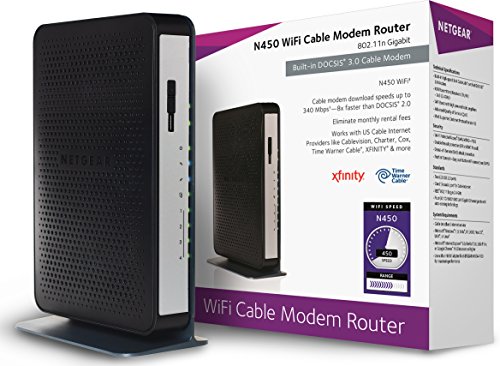
NETGEAR Cable Modem with Voice CM500V - For Xfinity by Comcast Internet & Voice | Supports Cable Plans Up to 300 Mbps | 2 Phone lines | DOCSIS 3.0, Black, 16x4 w/ Voice (CM500V-100NAS)



Key features
- •COMPATIBLE WITH XFINITY INTERNET & VOICE SERVICE: Certified by Comcast for Xfinity. NOT compatible with Verizon, AT&T, CenturyLink, DSL providers, DirecTV, DISH and non-Xfinity voice services.
- •SAVE MONTHLY RENTAL FEES: Model CM500V replaces your cable modem saving you up to $168/yr in equipment rental fees.
- •BUILT FOR FAST SPEED: Best for cable provider plans up to 300 Mbps speed.
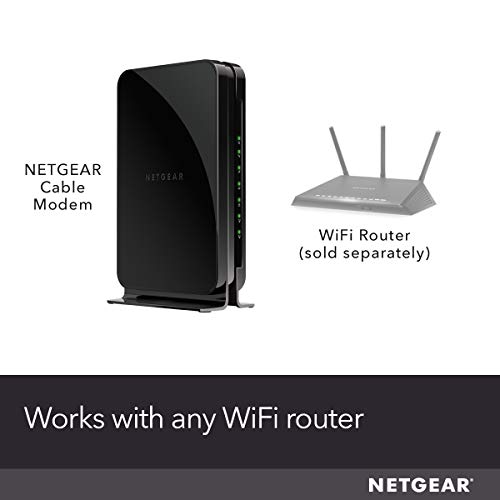
- •WORKS WITH ANY WiFi ROUTER: Connect any WiFi router to this modem's ethernet port to support all your wireless devices.
- •ETHERNET CONNECTIONS: 1 Gigabit Ethernet port connects to your computer or separate WiFi router.
- •VOICE PHONE SUPPORT: For use with Xfinity Voice service and up to 2 telephone lines with enhanced call features including caller ID, 3-way conference calling, call forwarding and more.
NETGEAR Cable Modem with Voice CM500V - For Xfinity by Comcast Internet & Voice | Supports Cable Plans Up to 300 Mbps | 2 Phone lines | DOCSIS 3.0, Black, 16x4 w/ Voice (CM500V-100NAS)
List Price: $152.70$137.43DEALYou Save: $15.27 (10%)
Free shippingFree Returns – 30 daysFree Order CancellationSecure Payment2–3 Days DeliveryGet It October 26, 2026In Stock (1)No marketing spamNo account requiredFulfilment by FedEx / Amazon / UPS / ShipwirePayPal / Card Buyer Protection
Customer Reviews
Reviews sourced from verified Amazon purchasers4.2
out of 5
Based on 10 reviews
5★
80%
4★
10%
3★
10%
2★
0%
1★
0%
Great modem, easy set up
Dawgstar•June 14, 2018
I read the reviews, which were very helpful, before installing to make sure there weren't any hickups. I followed the directions on the QuickStart insert that came with the Modem. Note - as other reviewers have said, and I emphasize here, do not hook up your router until you're activated your internet service with the ethernet connection to your computer. Trying to get internet via WiFi doesn't work. Once you're hardwired to your computer, the comcast webpage comes up and you just follow those directions. After that, connect to your router per the instructions on the back of the insert. For me, everything worked perfectly when I did it in the correct order. Also, follow the advice of the previous reviewers and the insert - call Comcast (the insert helpfully provides the Comcast contact number as well as the info that you need to provide) and make sure they've registered your modem. It's a little weird to have to activate your internet via the ethernet connection to your computer and then AGAIN by calling them and registering your modem (which the insert refers to as "activating your internet service) but it's fairly quick, and will save you the headache of having your service turned off after a week because Comcast doesn't recognize your modem.
Modem is excellent, but was a task to set up
b2b4•June 1, 2018
I had a heck of a time getting this set up. First, I downloaded the user manual before doing anything. (Netgear doesn't include it in the box, but that's okay with me.) There is also a Quick Start guide. I chose to follow the more extensive user manual, which was a mistake. The user manual instructs you to log on to your ISP's website (they include a table with all major ISPs) to activate the modem once you've hooked everything up. Everything worked well (internet and telephone) once I hooked everything up, and I was able to log onto Comcast Xfinity's activation website. It seemed to work, but I was never prompted to provide the modem's model number and MAC addresses. This worried me, per some reviews here, that my internet and phone would go down soon if I didn't give this Comcast.
The Quick Start guide didn't give any website addresses, but only said call Comcast to activate it. So, I called, and the automated system asked if I wanted to activate a device. I said "yes," and the system sent a reset to my modem. Nothing worked after that. Then I called the dreaded customer support.
After almost 90 minutes, the CS rep got my internet back up, but the not the telephone. The rep finally told me he was escalating the issue to "Level 3," and that I'd hear back from them within 24 hours. What, go without my phone for 24 hours, and no guarantee that they'd get it working? Nope, no way.
I told the rep to deactivate the CM500V, and I hooked back up my Comcast/Xfinity modem/telephone tower (the thing is really big) to make sure things were back to normal, but decided to try one more time. The second time I followed the instructions in the Quick Start guide rather than the user manual.
I first reset the modem to factory settings just in case something had been modified that I wasn't aware of. Next, I started everything up from scratch, got the internet and phone service working, but did not log onto Comcast's activation website. Instead, per the instructions, I called Comcast to activate it.
The tech rep told me that it was already set up. I asked him if he had the hardware's MAC addresses and model number, and he said yes. I asked him how they got it, and he said the system picked them up automatically. It has been working like a charm. I hooked it up to a new router with no problems.
Now that I'm up and running, I get much higher speeds that I was getting with the Comcast equipment, and I suspect that some of intermittent problems I've had with my internet are resolved now (such as being inexplicably disconnected form some web sites, sudden slowdowns, etc.). I have better control over my technology now and am saving $11 a month on top of that.
It appears (and I use that word with caution) that Comcast has actually streamlined the setup of this modem, and possibly others, by automatically picking up the hardware info. In the end, I'm very happy, and love my new Netgear modem.
The Quick Start guide didn't give any website addresses, but only said call Comcast to activate it. So, I called, and the automated system asked if I wanted to activate a device. I said "yes," and the system sent a reset to my modem. Nothing worked after that. Then I called the dreaded customer support.
After almost 90 minutes, the CS rep got my internet back up, but the not the telephone. The rep finally told me he was escalating the issue to "Level 3," and that I'd hear back from them within 24 hours. What, go without my phone for 24 hours, and no guarantee that they'd get it working? Nope, no way.
I told the rep to deactivate the CM500V, and I hooked back up my Comcast/Xfinity modem/telephone tower (the thing is really big) to make sure things were back to normal, but decided to try one more time. The second time I followed the instructions in the Quick Start guide rather than the user manual.
I first reset the modem to factory settings just in case something had been modified that I wasn't aware of. Next, I started everything up from scratch, got the internet and phone service working, but did not log onto Comcast's activation website. Instead, per the instructions, I called Comcast to activate it.
The tech rep told me that it was already set up. I asked him if he had the hardware's MAC addresses and model number, and he said yes. I asked him how they got it, and he said the system picked them up automatically. It has been working like a charm. I hooked it up to a new router with no problems.
Now that I'm up and running, I get much higher speeds that I was getting with the Comcast equipment, and I suspect that some of intermittent problems I've had with my internet are resolved now (such as being inexplicably disconnected form some web sites, sudden slowdowns, etc.). I have better control over my technology now and am saving $11 a month on top of that.
It appears (and I use that word with caution) that Comcast has actually streamlined the setup of this modem, and possibly others, by automatically picking up the hardware info. In the end, I'm very happy, and love my new Netgear modem.
A "NO BRAINER" if you are renting your modem from Comcast/Xfinity
E. B. Henry•May 17, 2018
I got this because the ARRIS modem that was provided by Comcast/Xfinity has an internal wifi router and its signal is not that strong enough to cover my entire house adequately. I use my own personal router for wifi connection, but the modem disconnected frequently with their router on and my personal router on. All the lights on the modem would be active, but no internet connection. I would call Comcast, and they would investigate and tell me the modem is offline, but all the lights were on and solid. To turn their router off in the modem you had to turn on Bridge Mode, but that would disable all but one ethernet ports in the modem, and I needed more than one ethernet port active to connect to other devices. I was using my TP-LINK Archer C50 AC1200 Wireless Dual Band Router for internet connection anyway and it already had 4 ethernet ports that I could use for connection to other devices. I decided to get this modem because it was a Comcast compatible and one of their recommended modems. It also had no internal router, so I didn't have to worry about whether to turn Bridge Mode on, and it had voice over IP functionality since I have Comcast internet, phone, and cable. Installation was very easy, once connected the Comcast online application will take you through the installation. Just make sure from Comcast's online application you remove their modem that you are replacing from your devices and choose the option of how you want to return it, or they will continue to charge the rental fee to your account But so far I've had no problems with the modem. It seems to be more reliable, faster and clearer phone service. So far I am very satisfied with the modem.
Decent Voice/Cable modem for the Price. Only good up to 400Mbps on Xfinity.
Alvin A. Santos•May 5, 2018
Decent cable modem with Xfinity voice. If you read the fine print - even though this modem is capable of 680Mbps it is only supported up to the 400Mbps tier of Xfinity. So even if you have a higher tier than 400Mbps you will only max out at 400Mbps. The disappointing thing - is I had an older Arris modem - that got 153Mbps down (max) and ~14Mbps up. I put this modem in - and I was getting ~400Mbps down but only 6Mbps up. It isn't the line - as the older Arris modem had more than double the upload. I upgraded to a Motorola 1Gbps modem - and am getting 40Mbps up on the same line. So in my case it had to be the tier/modem that stuck the upload speed so low.
Good but does not work with Xfinity Home Security
PK•March 29, 2018
Works great. Easy to install with Comcast. NOTE: This does not work with Xfinity Home Security which Comcast doesn't tell you anywhere on its site. They will need to come out and install a home security router for security to work. They came over and hooked up the Modem and the Xfinity Security router and then hooked that up to my personal router. Guy said it should be around 150mbps, instead we went from a solid 178 to 76 now. He said I could reverse it so it went Modem -> personal router -> Comcast Security router but he said he was not allowed to do that so I did and it fixed it. Note that the Comcast security routers are total crap and if you have security cameras throughout the house and outside they likely won't work since the signal is horrible. I had to move one I had in the garage. The tech said there was no way the security router's signal would reach my garage.
Page 1 of 2