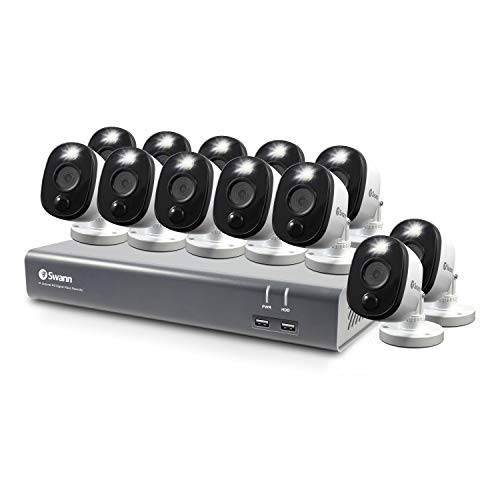
ONWOTE 1080P Full HD Wireless Security Camera System with 10.1" LCD Monitor and 1TB Hard Drive, All-in-one, Plug n Play


Key features
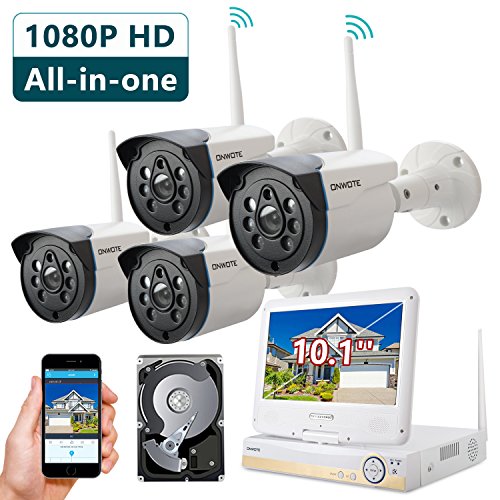
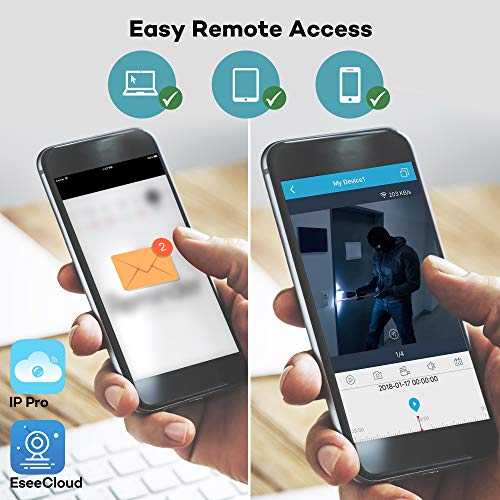
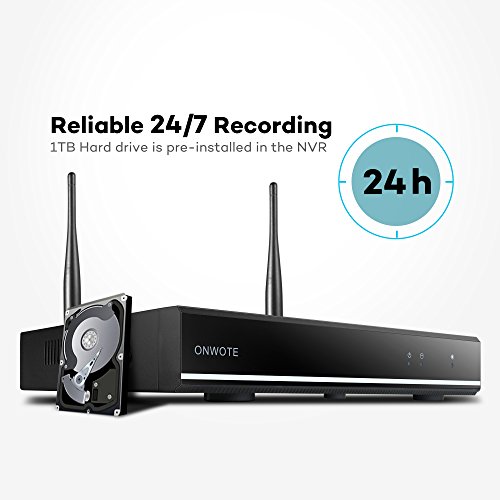
- •【All-in-one, Easy Remote Access】Built-in 10.1" monitor, this system is a complete remote monitoring system with everything you need. 1TB hard drive pre-installed, record 30+ days under motion detection. Easy live view on your smart phone from anywhere anytime; receive alerts when motion is detected.
- •【Auto-Pair Wireless, No Need to Run Video Cables】Cameras will auto pair to NVR recorder, no need to hook any video cables from the cameras to the NVR recorder, but cameras are not battery powered, each camera has a power supply with around 10 feet of power cord, and they will need to be plugged into a power outlet nearby.
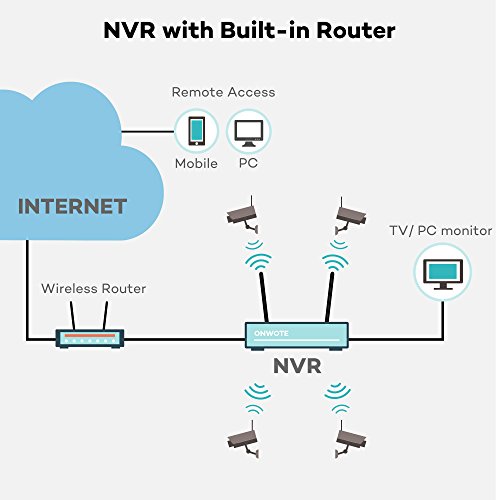
- •【NVR with Built-in Router, Reserves Your Home Wi-Fi 】-- NVR with built-in router ensures a better wi-fi coverage; It does not use your home router bandwidth, reserves your home wi-fi bandwidth for your TVs, tablets & phones. Internet is only required when you remote access cameras via phone, tablet and computer.
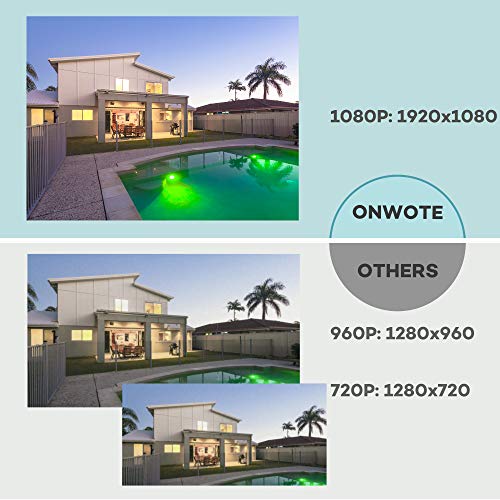
- •【1080P HD Video Day & Night, Indoors & Outdoors】-- See in stunning clarity and sharper details with 2.0 Megapixel (1920*1080) cameras. 1080P HD equals 720P HD + 1,152,200 pixels. With 6 LED arrays, IR night vision up to 80ft. Employing IP 66 weatherproof aluminum housing material, cameras can be used indoors and outdoors.
- •【1 Year Warranty and 24/7 Professional Technical support】--Employed the most advanced chipset solution and UL certified power supply for reliable video quality and wi-fi connection; Get support via email and Live chat at our official website. (6:00PM - 12:00AM, PDT Time); Email us to get phone support! Provide free brand-new parts for replacement.
BrandONWOTE
CategorySurveillance DVR Kits
Size4CH 1080P HD Kit with Monitor and 1TB Hard Drive
Color4CH 1080P NVR (4) 1080P Camera Kit with Monitor an
ONWOTE 1080P Full HD Wireless Security Camera System with 10.1" LCD Monitor and 1TB Hard Drive, All-in-one, Plug n Play
List Price: $581.99$523.79DEALYou Save: $58.20 (10%)
Free shippingFree Returns – 30 daysFree Order CancellationSecure Payment2–3 Days DeliveryGet It October 28, 2026In Stock (1)No marketing spamNo account requiredFulfilment by FedEx / Amazon / UPS / ShipwirePayPal / Card Buyer Protection
Customer Reviews
Reviews sourced from verified Amazon purchasers3.9
out of 5
Based on 10 reviews
5★
100%
4★
0%
3★
0%
2★
0%
1★
0%
Great system for the money!
Mascroft✓ Verified Purchase•December 13, 2017
This is a great little system, especially for the money. Very easy to set up. All you need to do is power on the cameras and then the NVR console. The NVR automatically finds the cameras. You will want to make sure they all work before installing them in their permanent locations. Once the system starts up, I would also recommend changing the login and password. You will need to go into the menu to set-up the cameras to record as you like, i.e. on a schedule or when movement is detected. The system had a lot of features in the menus that you can adjust to your liking. The app (I used Android) works well. All-in-all, a great system for the money. I would highly recommend.
Also - There was one review that stated the cameras were only adjustable up and down. This is incorrect. The cameras are also adjustable at 2 different places side-to-side. There are small Allen (hex) head set screws that need to be loosened in order to swivel them left and right. Once you have them adjusted, tighten the set screws and you are golden. The cameras are billed as being wireless (and they are) but they also appear to be able to run over a network cable and I assume they would be POE (Power over Ethernet) so you could draw power from your router but I haven't tried this yet. I have only used the included power adapters. Extensions for the power adapters are available if the cable isn't long enough.
Also - There was one review that stated the cameras were only adjustable up and down. This is incorrect. The cameras are also adjustable at 2 different places side-to-side. There are small Allen (hex) head set screws that need to be loosened in order to swivel them left and right. Once you have them adjusted, tighten the set screws and you are golden. The cameras are billed as being wireless (and they are) but they also appear to be able to run over a network cable and I assume they would be POE (Power over Ethernet) so you could draw power from your router but I haven't tried this yet. I have only used the included power adapters. Extensions for the power adapters are available if the cable isn't long enough.
Well worth the money!
S. Eiler✓ Verified Purchase•September 18, 2017
This system that I bought from ONWOTE is absolutely outstanding.. It was extremely easy to install , as well as to upgrade the hard drive .The video from the camera is crystal clear when viewed in either daytime or nighttime mode. I have already used it to record some incidents that happened to my neighbors and they wanted to have a video of it.The only problem is the instructions seems to be geared to that high tech person that understands all the babbling Goop instead of the ordinary everyday English that most people would be more comfortable In. I would definitely recommend this system for anyone that likes an easy set setup of a security system that actually works day or night..
the NVR needs to be in proximity to the cameras to have a good signal. Also
Me✓ Verified Purchase•September 10, 2017
This is exactly what I needed for my household. As it is shown on my pictures, most of the area around my house doesn't have fences, so I already dealt with two stolen bikes and someone breaking into my backyard in the middle of the night. For now I can't afford fences, so I decided that a fast solutions would be to install security cameras. This set brings a total of four, which was enough to install on the right corners of my home. Keep in mind that you will need a computer screen to see the images from the camera (I used an old Sony flat monitor) and you will also need a external hard drive for recording. If you want to use the camera without the hard drive it will work, but it won't record any of the footage. Also, you will need to connect the NVR recorder to your modem, so the NVR has to be at a close distance from the modem (or you need a long cable to reach the modem) and at the same time, the NVR needs to be in proximity to the cameras to have a good signal. Also, know that these cameras work with electricity (instead of batteries), so keep in mind that you will have to figure out where to plug them in. The installation is easy as long you read the manual. I personally hate reading manuals and I thought it would take me forever to read through, but it actually took me five minutes or so, which saved me a long time in the long run. The total installation time was about two hours. During this time we had to prepare and install all the wiring for the images to show through the screen, we installed the cameras, and did all the additional work. I personally needed at least one other person to work with me because not only did we need to install the cameras, but we also needed to make sure that the image and direction of the cameras were right where we needed it. The actual quality of the product is great, there is only about a 10 second delay or so, so I just bought a wifi amplifier to make it work faster. I'm not saying that everyone else will have a delay, but in my case this happened because we have too many devices using our wifi - 6 iPhones, 3 smart TV's, 7 laptops, one computer, 3 iPads, and the list goes on. I like being able to see all images at the same time, and that I have the option to click on a single camera to view 1 out of the 4 images. The images are also of great quality, it is not pixelated and the colors are very bright. Talking about the image, keep in mind that you will also need a hdmi cable and maybe additional screws as there were instances where the ones provided weren't sturdy enough. This set also brings a mouse that you get to connect to the NVR and it allows you to play around with the image and it's settings. One of its most exciting features is being able to monitor our home remotely on our iPhones. The manual come with a QR code that you can scan with android or iPhone, which then takes you to its own app. From there you just have to follow instructions on the manual on how to set up the user account, device, etc. The steps are detailed and there are a few codes and things to include (they also have an alarm feature which is great). My family is very excited with this product and we are so happy with the quality, the great image, and being able to keep an eye on our house.
Love It! Easy Sync and Mostly Intuitive NVR Interface. Install Materials Advice
Flagnar✓ Verified Purchase•September 6, 2017
I've had it up and running for about three weeks now and love it. It obviously sucks running the power cables through walls and such but doing it yourself saves a ton of money in labor costs and at least you're only running one cable to just the nearest power outlet. I just took the time to make it look nice and run the power cables behind the walls so it kind of sucked. I was able to use the 10ft power cables provided on two cameras but I needed 30 foot 12V power extension cables to reach the other two cameras. I would recommend you get some 30ft 12V power extension cables. Other than that the installation wasn't too horrible given that I didn't have to run any Ethernet or video cables. The wireless with these cameras has been excellent. Install your own CCTV hard drive, turn it on, format the hard drive, and that's pretty much it. The cameras automatically sync up really nice. My furthest camera at about 50 feet has 3 out of 4 bars on the wireless signal and goes through about 4 or 5 walls.
The Network Video Recorder (NVR) has been great so far for what I need. I thought the interface was fairly intuitive. Viewing footage of prior time frames and even saving the video files to a thumb drive was pretty easy to figure out. I couldn't get the feature to automatically email me motion detected footage to work though. The app has been mostly fine for my needs. After connecting the NVR to my home internet box via an Ethernet cable I can view my cameras in real time on my smart phone wherever I am and I can also scroll through past footage remotely. The directions in the user manual were easy enough for me to follow along. I haven't figured out how to get push notifications of motion detection yet though. You can fast forward through recorded footage directly from the NVR but for some reason the option to fast forward is not available on the app. If I'm reviewing past footage from my smartphone using the app there isn't a way to fast forward like there is if you are directly at the NVR.
I wish all four cameras had the 3.6mm lens so all four would have the wider 75 degree viewing angles. Two have 3.6mm lenses and two have 6mm lenses. The 6mm lenses are 60 degree field of view which is good if you want to see details a bit further out. I would've preferred to have all of them with wide angle for more coverage but I made it work with the two wide angle and two narrow angle cameras.
If you're a DIY kind of person then this kit is great for you. I would recommend the following additional items which I used for a successful DIY install in addition to this surveillance kit:
30ft 2.1x5.5mm Dc 12V Power Extension Cable, for each camera that cannot reach an outlet within 10 feet
Surveillance hard disk drive, 3.5 inch (I got the WD Purple 1TB, WD10PURZ)
50ft nylon fish tape from Harbor Freight for $7.49 (if you plan to run power cord behind walls or in limited access attic spaces)
3/16 in x 11 ft fiberglass wire running kit from Harbor Freight for $7.99 (if you plan to run power cord behind walls or in limited access attic spaces)
38/ in x 48 in flex drill bit from Harbor Freight for $7.99 (if you plan to drill through walls)
Drill and drill bits
Caulk for the holes in walls you may drill
Staple gun (used to run power cable for a camera through a wall and along my garage ceiling. stapled the power cable to the ceiling for this camera and looked fine)
Ladder
Get a cheap Logitec wireless mouse. The mouse that comes with the kit sucks.
The Network Video Recorder (NVR) has been great so far for what I need. I thought the interface was fairly intuitive. Viewing footage of prior time frames and even saving the video files to a thumb drive was pretty easy to figure out. I couldn't get the feature to automatically email me motion detected footage to work though. The app has been mostly fine for my needs. After connecting the NVR to my home internet box via an Ethernet cable I can view my cameras in real time on my smart phone wherever I am and I can also scroll through past footage remotely. The directions in the user manual were easy enough for me to follow along. I haven't figured out how to get push notifications of motion detection yet though. You can fast forward through recorded footage directly from the NVR but for some reason the option to fast forward is not available on the app. If I'm reviewing past footage from my smartphone using the app there isn't a way to fast forward like there is if you are directly at the NVR.
I wish all four cameras had the 3.6mm lens so all four would have the wider 75 degree viewing angles. Two have 3.6mm lenses and two have 6mm lenses. The 6mm lenses are 60 degree field of view which is good if you want to see details a bit further out. I would've preferred to have all of them with wide angle for more coverage but I made it work with the two wide angle and two narrow angle cameras.
If you're a DIY kind of person then this kit is great for you. I would recommend the following additional items which I used for a successful DIY install in addition to this surveillance kit:
30ft 2.1x5.5mm Dc 12V Power Extension Cable, for each camera that cannot reach an outlet within 10 feet
Surveillance hard disk drive, 3.5 inch (I got the WD Purple 1TB, WD10PURZ)
50ft nylon fish tape from Harbor Freight for $7.49 (if you plan to run power cord behind walls or in limited access attic spaces)
3/16 in x 11 ft fiberglass wire running kit from Harbor Freight for $7.99 (if you plan to run power cord behind walls or in limited access attic spaces)
38/ in x 48 in flex drill bit from Harbor Freight for $7.99 (if you plan to drill through walls)
Drill and drill bits
Caulk for the holes in walls you may drill
Staple gun (used to run power cable for a camera through a wall and along my garage ceiling. stapled the power cable to the ceiling for this camera and looked fine)
Ladder
Get a cheap Logitec wireless mouse. The mouse that comes with the kit sucks.
Just perfect and easy to setup
OTHMAN YACOUBI✓ Verified Purchase•September 5, 2017
I have been looking for a security camera for the longest time. Either I find some but there so expansive or they require so many cables and setup. But this ones are just perfect specially you get 4 cameras and a 10 inch monitor for them with a 1tb storage included. The setup can't be any easier literally just plug and play. All you have to do is connect it to power cable and then it connects automatically. First I was worried a little bit because my house is big and it a big distance between the cameras and the NVR but the signal that these have is just AMAZING no lag and the signal line was still at max. They also include Ethernet cable and a mouse. I would highly recommend this to everyone. The quality of the camera is clear and good I wasn't expecting that. Get one yourself and you WON'T regret it. And yes it dose have night vision as well.
Page 1 of 2