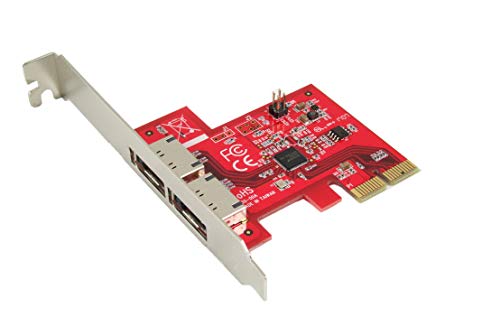
PCI-E X1 to 2 Ports 19 Pin USB 3.0 Header PCI Express to Dual 20 Pin USB 3.0 Card

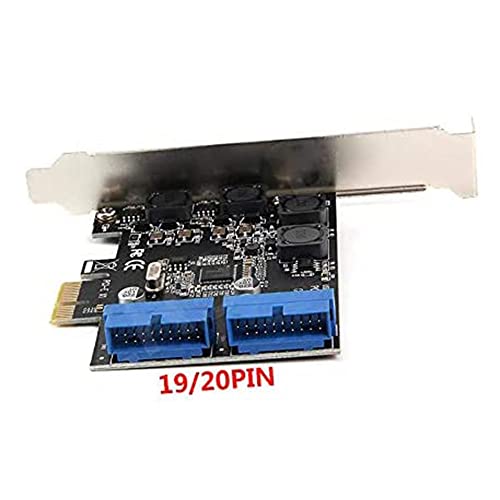
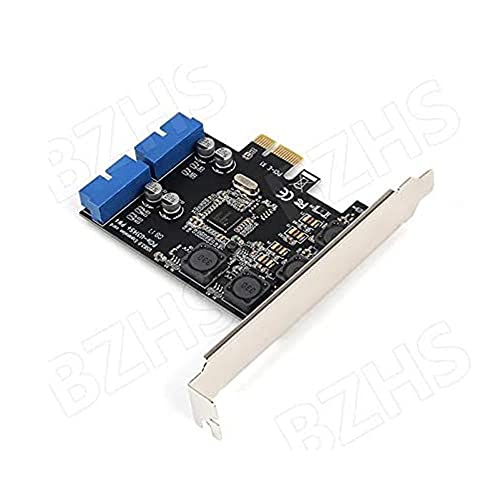
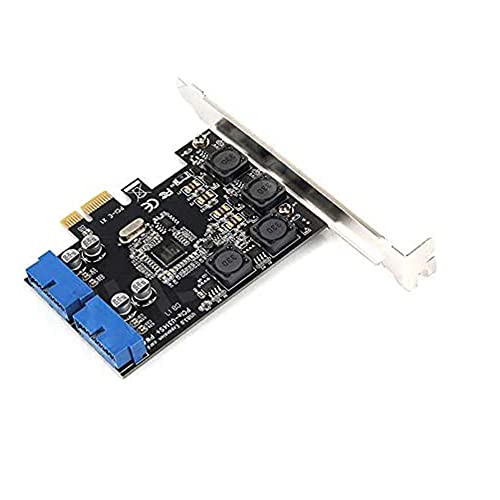

Key features
- •Chipset: NEC UPD720201
- •Extend with 2 USB3.0 19pin connector (can expand 4 USB 3.0 ports) from desktop PC which with one free PCIe slot.
- •SuperSpeed USB 3.0 is fully compatible with original USB system, peripherals and cables.
- •Fully compliant with onelane (x1) PCI Express 2.0 specification.
- •Two internal 5Gbps SuperSpeed USB 3.0 19pin headers.
BrandMustpoint
CategoryUSB Port Cards
PCI-E X1 to 2 Ports 19 Pin USB 3.0 Header PCI Express to Dual 20 Pin USB 3.0 Card
List Price: $39.44$35.50DEALYou Save: $3.94 (10%)
Free shippingFree Returns – 30 daysFree Order CancellationSecure Payment2–3 Days DeliveryGet It October 24, 2026In Stock (2)No marketing spamNo account requiredFulfilment by FedEx / Amazon / UPS / ShipwirePayPal / Card Buyer Protection
Customer Reviews
Reviews sourced from verified Amazon purchasers4.5
out of 5
Based on 10 reviews
5★
70%
4★
30%
3★
0%
2★
0%
1★
0%
Works well for adding front-mounted USB 3 ports.
Angry Beaver✓ Verified Purchase•October 9, 2023
I recently bought a new case for my home-built PC and it has two front USB 3.0 ports. My motherboard, which is a few years old now, supports USB 3.0 but doesn't have the headers built in, so no way to connect those ports. This card allowed me to get those much more conveniently located ports working instead of having to hook up all my newer USB devices via the back of the machine.
I subtracted one star only for poor documentation and the lack of an autorun file on the included CD, which contains multiple driver directories for several other of the manufacturer's products. Although not difficult, it was mildly annoying"”it took longer to figure out which of the installer directories was the correct one for this product than it did to physically install it.
I subtracted one star only for poor documentation and the lack of an autorun file on the included CD, which contains multiple driver directories for several other of the manufacturer's products. Although not difficult, it was mildly annoying"”it took longer to figure out which of the installer directories was the correct one for this product than it did to physically install it.
Great Compnent
Jarascurse✓ Verified Purchase•October 3, 2023
I installed this card on an MSI X570 system board running an AMD Ryzen 9 CPU. It has a single USB header yet I had two front USB panels. This extended my system board capability by adding 2 more headers. Works great!
Plug and play
Skylancer727✓ Verified Purchase•September 30, 2023
Plugged it into the PCIE slot above my GPU and it was recognized as soon as I plugged something into the USB ports leading to it. I did however download the drivers afterwards anyways.
Seems I was luckier than others though as other reviews talked about not having it recognized until installing the drivers or going crazy and installing it while the PC was running 😨 (don't do that), not getting the driver disc, not getting the extra riser cover for the back of the case (for smaller ITX cases), and people saying the disk had multiple drivers on it for differing products. Mine came with everything and the disk came with only 2 different product drivers. Can't remember what the other was but it was obviously the wrong one. The right one said it was a USB card. But it did have 2 versions of the driver for it so I just downloaded the newer one. No problems so far. Seems to be good as far as I can tell considering my DS4 controller is plugged into it 24/7 and continues to work (other than the stupid DS4 remote hitting the cable cutting the connection but that's the controller's fault for using micro USB😒).
So as far as I can tell, 3 months later and plugging and unplugging from it and it still works.
Seems I was luckier than others though as other reviews talked about not having it recognized until installing the drivers or going crazy and installing it while the PC was running 😨 (don't do that), not getting the driver disc, not getting the extra riser cover for the back of the case (for smaller ITX cases), and people saying the disk had multiple drivers on it for differing products. Mine came with everything and the disk came with only 2 different product drivers. Can't remember what the other was but it was obviously the wrong one. The right one said it was a USB card. But it did have 2 versions of the driver for it so I just downloaded the newer one. No problems so far. Seems to be good as far as I can tell considering my DS4 controller is plugged into it 24/7 and continues to work (other than the stupid DS4 remote hitting the cable cutting the connection but that's the controller's fault for using micro USB😒).
So as far as I can tell, 3 months later and plugging and unplugging from it and it still works.
Tested and delivers high speed data rates with minimal loss
David Musoke✓ Verified Purchase•September 29, 2023
I was very frustrated that no reviewer had managed to test this card to see if it delivers the speeds it claims to deliver. So, I bought a 400MB/s rated USB3.1 flash drive and tested and proved its speed. This setup was using the direct connection to the USB 3.2 Gen1 motherboard connector. As you can see, the sequential read speeds meet the rates 400MB/s for the drive. I then installed the card and moved the USB 3.2 Gen 1 ports to the PCI-e card and repeated the tests using Crystal Disk Mark as shown in the attached images. I lost about 30 MB/s speed in sequential reads going through this PCI-e card compared to the motherboard. The rest of the speed parameters were not affected. I optimized my Asus z690 bios and Windows 10 device manager to optimize the drive for performance. The 30MB/s loss, though surprising, is still good since I get high data rates on my four USB 3.2 Gen 1 ports on my front panel. Now the mobo USB 3.2 Gen 1 header is empty ... future additional USB ports maybe, though I already have plenty of USB 5GBps/10Gbps in the rear. Overall, the card delivers. In summary, do the following ...
1. Use Windows newest (June 2022 driver date as of this writing) and optimized drivers for the PCI card. They load up automatically. DO NOT USE NEC's DRIVERS THAT COME WITH THE CD ROM FROM 2012! Too slow at 250 MB/s versus the 370MB/s I'm getting... and windows will complain to you about using old drivers anyways.
2. Optimize the USB devices in device manager for best performance.
3. Optimize your bios for best performance. In my case, I told the bios that the PCI card is a Gen 3 card although its really Gen 2 (switched setting from AUTO to Gen 3). This helped me increase my speeds from ~ 350 MB/s to 370 MB/s. Not sure why this worked but it extracted the best possible speeds from the PCI card...again not sure why this worked.
PCI card is highly recommended, though its pricier than others ... Hope this helps & God bless!
EDIT (9/12/2022):
------
I tested other similar PCI-e cards (from Febsmart, Phoenix) offered here on Amazon and this card bested them overall. No doubt, if you are running or expecting high data transfer rates (e.g 400MB/s), you'll loose speed with all these PCI-e cards as they ALL use the NEC 72020 chip, which supports up to 4 USB 3.1 ports). Duals use the 72010 chip, which supports up to 2 USB 3.1 ports. It seems to be the only chip on the market that expands USB 3.1 Gen 1 ports.
I believe the data transfer limit of these cards is ~ 350MB/s. Its up to you to determine if this is a deal breaker or more than enough for you.
1. Use Windows newest (June 2022 driver date as of this writing) and optimized drivers for the PCI card. They load up automatically. DO NOT USE NEC's DRIVERS THAT COME WITH THE CD ROM FROM 2012! Too slow at 250 MB/s versus the 370MB/s I'm getting... and windows will complain to you about using old drivers anyways.
2. Optimize the USB devices in device manager for best performance.
3. Optimize your bios for best performance. In my case, I told the bios that the PCI card is a Gen 3 card although its really Gen 2 (switched setting from AUTO to Gen 3). This helped me increase my speeds from ~ 350 MB/s to 370 MB/s. Not sure why this worked but it extracted the best possible speeds from the PCI card...again not sure why this worked.
PCI card is highly recommended, though its pricier than others ... Hope this helps & God bless!
EDIT (9/12/2022):
------
I tested other similar PCI-e cards (from Febsmart, Phoenix) offered here on Amazon and this card bested them overall. No doubt, if you are running or expecting high data transfer rates (e.g 400MB/s), you'll loose speed with all these PCI-e cards as they ALL use the NEC 72020 chip, which supports up to 4 USB 3.1 ports). Duals use the 72010 chip, which supports up to 2 USB 3.1 ports. It seems to be the only chip on the market that expands USB 3.1 Gen 1 ports.
I believe the data transfer limit of these cards is ~ 350MB/s. Its up to you to determine if this is a deal breaker or more than enough for you.
Excellent!
SF34✓ Verified Purchase•September 14, 2023
I needed a reliable USB3 to run internal CF card readers for photography. I've tried several others but never got the speed or reliability necessary to sustain my workflow. This card, however, is a game changer. Supported with Windows drivers it was instantly recognized and configured without issue. Added on the internal readers and zero problems operating at speed. Finally, a product that does exactly what it''s supposed to do at a reasonable price. Can't go wrong with this.
Page 1 of 2