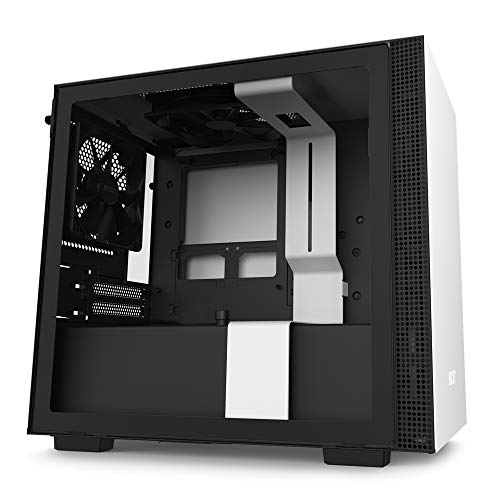
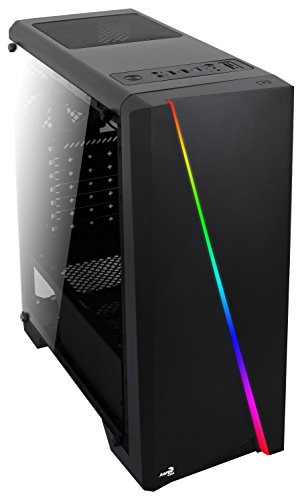
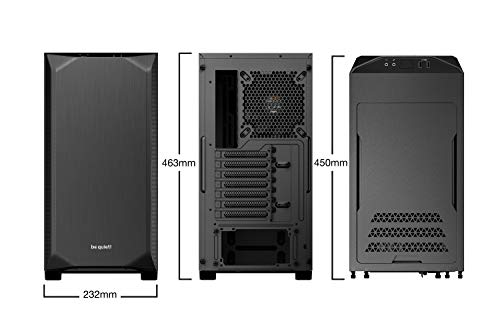
be quiet! BG034 Pure Base 500 Black, ATX, Midi Tower Computer Case, Two Preinstalled Fans



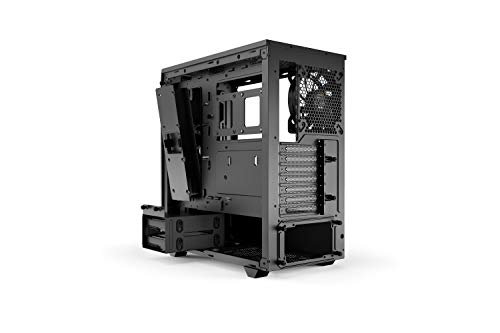
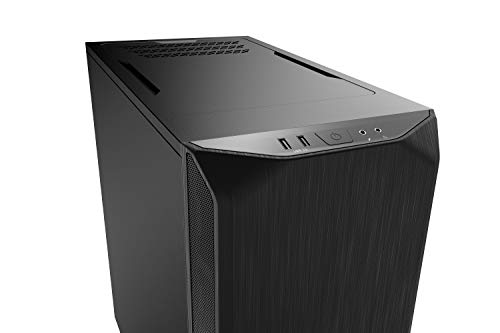

Key features
- •Exchangeable top cover for silent or high-performance systems
- •Two preinstalled pure wings 2 140mm fans ensure a silent airflow
- •Insulation mat on the front, sides and the regular top cover
- •Water cooling Ready for radiators of up to 360mm
- •Various options to Install up to five SSDs in total
- •Up to two SSDs can be installed prominently behind the window panel
be quiet! BG034 Pure Base 500 Black, ATX, Midi Tower Computer Case, Two Preinstalled Fans
List Price: $120.90$108.81DEALYou Save: $12.09 (10%)
Free shippingFree Returns – 30 daysFree Order CancellationSecure Payment2–3 Days DeliveryGet It October 24, 2026In Stock (8)No marketing spamNo account requiredFulfilment by FedEx / Amazon / UPS / ShipwirePayPal / Card Buyer Protection
Customer Reviews
Reviews sourced from verified Amazon purchasers4.8
out of 5
Based on 10 reviews
5★
90%
4★
10%
3★
0%
2★
0%
1★
0%
Excellent Build Quality, Quiet Airflow Case, Wished For Removable Fan Mounts
Steve Stringer✓ Verified Purchase•August 17, 2023
I just assembled a dream rig in this case. Noise levels and near silent operation were most important to me in this build, but so was a more compact mid-tower form factor to fit under my desk. I've used BeQuiet!, Phanteks, and Lian Li before for my custom work builds, and this one came down to a choice between the Phanteks P500A and this 500DX. I went with this for its size, noise levels, and thermals. I was worried about losing some of the premium features from the Phanteks, but I was pleasantly surprised. This looks great, is the right size, and is whisper quiet.
Specs:
* Gigabyte Aorus Pro x570
* AMD 5600X
* Noctua NH-D15S Chromax.black
* MSI 3080
* 5x Arctic P14 PWM fans
* BeQuiet Straight Power 11 850w
Great:
* Outstanding build quality, fit and finish.
* Optimal use of space inside. Compact but efficient.
* Excellent noise levels.
* Excellent thermals.
Needs Work:
* Once the motherboard is in--and especially with a chunky air cooler like the Noctua NH-D15S--things get really cramped in there quickly. The CPU power socket and the system fan pins in the upper left corner of the board are almost impossible to reach in this case. Even better if there were an extra 10-20 mils of height along the top edge of the motherboard.
* The BeQuiet logo cable cover to the right of the motherboard needs work. It's so close to the ATX board and the opening is so narrow, it makes it nearly impossible to route the thick main motherboard power cable. I ended up shooting it straight out in a really awkward way that cannot be great for the cable.
* Installing fans with the motherboard installed was nearly impossible. Lots of swearing and the purchase of a stubby philips head screw driver later, and they are finally in. Even better if the case had removable fan mounts that could be slid in once the fans were attached to the frame.
* I'm having trouble controlling and syncing the RGB on the front with two Phanteks NEON Digital RGB strips. All are plugged into the mobo, but I can't find software that can control them both. I don't care enough to find a solution, though. I settled on a soft blue glow on the case and matched the strips using the Gigabyte RGB app. Since I don't change these ever it wasn't a big deal.
One word to the wise: I purchased 5 Arctic P14 fans thinking the non-PWM Silent Wings that were included in the case weren't controllable (based on a previous experience with the non-DX 500 case a few years ago) or up to the task. I was wrong. This wasn't necessary and is totally overkill. In fact, I made it worse, not better, with regard to sound. The included fans were perfectly silent and up to the job.
Specs:
* Gigabyte Aorus Pro x570
* AMD 5600X
* Noctua NH-D15S Chromax.black
* MSI 3080
* 5x Arctic P14 PWM fans
* BeQuiet Straight Power 11 850w
Great:
* Outstanding build quality, fit and finish.
* Optimal use of space inside. Compact but efficient.
* Excellent noise levels.
* Excellent thermals.
Needs Work:
* Once the motherboard is in--and especially with a chunky air cooler like the Noctua NH-D15S--things get really cramped in there quickly. The CPU power socket and the system fan pins in the upper left corner of the board are almost impossible to reach in this case. Even better if there were an extra 10-20 mils of height along the top edge of the motherboard.
* The BeQuiet logo cable cover to the right of the motherboard needs work. It's so close to the ATX board and the opening is so narrow, it makes it nearly impossible to route the thick main motherboard power cable. I ended up shooting it straight out in a really awkward way that cannot be great for the cable.
* Installing fans with the motherboard installed was nearly impossible. Lots of swearing and the purchase of a stubby philips head screw driver later, and they are finally in. Even better if the case had removable fan mounts that could be slid in once the fans were attached to the frame.
* I'm having trouble controlling and syncing the RGB on the front with two Phanteks NEON Digital RGB strips. All are plugged into the mobo, but I can't find software that can control them both. I don't care enough to find a solution, though. I settled on a soft blue glow on the case and matched the strips using the Gigabyte RGB app. Since I don't change these ever it wasn't a big deal.
One word to the wise: I purchased 5 Arctic P14 fans thinking the non-PWM Silent Wings that were included in the case weren't controllable (based on a previous experience with the non-DX 500 case a few years ago) or up to the task. I was wrong. This wasn't necessary and is totally overkill. In fact, I made it worse, not better, with regard to sound. The included fans were perfectly silent and up to the job.
Great case but with two (major?) issues
R C✓ Verified Purchase•June 28, 2023
I purchased this case on Amazon for $107.89 on February 9, 2022.
I was planning on buying NZXT H510 Flow, but I decided against it because I have an MSI GeForce RTX 3080 Ti 12 GB GAMING X TRIO. The length of the GPU is 324 mm (12.76"L x 5.51"H). I was unsure if the case would accommodate this GPU, therefore, I began searching for another case that wasn't too expensive.
This case was listed as being 450mm in length, and it was highly rated on Amazon, so I went for it.
For the most part, I agree that the case is excellent. The build quality is solid, the airflow is very good. It also accommodates a 280mm radiator quite easily. I did not have any issue mounting it on the front with fans pushing outside air onto the radiator (push config).
To get RGB lighting to work, there is a SATA connector that needs to be plugged in to a SATA power cable from the PSU. Provided the front panel is in place, this should make the base RGB effects to work without the need of any software. This is excellent because I do not want to install RGB software to control the case lighting. The out of the box effects are very nice.
However, I did have an issue getting all this to work. After I finished the assembly, RGB lighting wouldn't work. I checked the SATA power cable, and everything seemed fine. I thought something was wrong with the front panel (more on that in a bit). I contacted the support fully expecting them to give me some generic answer.
I was pleasantly surprised when they responded and were actually helpful. The issue was with the connector on the back of the front I/O; this was not fully plugged in. I had to push it into place and that did the trick.
As far as the performance goes, absolutely no complaints here. The fans are very quiet and even under heavy load, I wouldn't say the fans are loud. The case allows for excellent airflow, and the dust filters are much appreciated. Temperatures in idle can vary anywhere from 29C to 35C depending on the ambient temperature, and how long I have been gaming etc. I am quite happy with this.
I certainly do not regret buying this case, but I have two big issues, and I might have reconsidered this case had I known about these.
Removing the front panel is a pain. There are no screws holding it in place, instead its held in place by a notches on either side, and the panel needs to be yanked hard by pulling at the bottom. This is just not good design in my opinion. For a case that costs over $100, I would have expected a better way to hold the front panel.
The second issue is the length of the case. While the case is barely spacious enough to accommodate as MSI GeForce RTX 3080 Ti 12 GB GAMING X TRIO. There is not enough clearance between the GPU and the radiator to mount a fan on the radiator. For this reason, I had to switch the position of the fans and mount them on the front frame of the case. Its not a big deal, but a full push pull configuration is not possible. There is only enough room for one fan in the pull config.
The height of the case prevents me from mounting two exhaust fans on the top of the case; the tubing from the radiator uses all the room needed for one fan, therefore I only mount one top exhaust fan. So now, I am left with a spare 140mm fan, and I decided to mount it on the radiator to pull air out. So I now have a full push, and half pull config. Not ideal, but it works just fine.
In addition to this, there is not enough room to mount a mechanical hard drive in the case. This is because while there is a mounting tray in the bottom of the case that is specifically designed for mechanical hard drives, I had to disconnect that to route PSU cables. I tried my best with PSU cable management, but I failed. Therefore, if you intend to use a mechanical hard drive, this is something you will want to consider.
I am kicking myself for not having come across the be quiet! Pure Base 600, which seems perfect for my build. Its even more painful considering its $10 cheaper at the time of this writing.
I was planning on buying NZXT H510 Flow, but I decided against it because I have an MSI GeForce RTX 3080 Ti 12 GB GAMING X TRIO. The length of the GPU is 324 mm (12.76"L x 5.51"H). I was unsure if the case would accommodate this GPU, therefore, I began searching for another case that wasn't too expensive.
This case was listed as being 450mm in length, and it was highly rated on Amazon, so I went for it.
For the most part, I agree that the case is excellent. The build quality is solid, the airflow is very good. It also accommodates a 280mm radiator quite easily. I did not have any issue mounting it on the front with fans pushing outside air onto the radiator (push config).
To get RGB lighting to work, there is a SATA connector that needs to be plugged in to a SATA power cable from the PSU. Provided the front panel is in place, this should make the base RGB effects to work without the need of any software. This is excellent because I do not want to install RGB software to control the case lighting. The out of the box effects are very nice.
However, I did have an issue getting all this to work. After I finished the assembly, RGB lighting wouldn't work. I checked the SATA power cable, and everything seemed fine. I thought something was wrong with the front panel (more on that in a bit). I contacted the support fully expecting them to give me some generic answer.
I was pleasantly surprised when they responded and were actually helpful. The issue was with the connector on the back of the front I/O; this was not fully plugged in. I had to push it into place and that did the trick.
As far as the performance goes, absolutely no complaints here. The fans are very quiet and even under heavy load, I wouldn't say the fans are loud. The case allows for excellent airflow, and the dust filters are much appreciated. Temperatures in idle can vary anywhere from 29C to 35C depending on the ambient temperature, and how long I have been gaming etc. I am quite happy with this.
I certainly do not regret buying this case, but I have two big issues, and I might have reconsidered this case had I known about these.
Removing the front panel is a pain. There are no screws holding it in place, instead its held in place by a notches on either side, and the panel needs to be yanked hard by pulling at the bottom. This is just not good design in my opinion. For a case that costs over $100, I would have expected a better way to hold the front panel.
The second issue is the length of the case. While the case is barely spacious enough to accommodate as MSI GeForce RTX 3080 Ti 12 GB GAMING X TRIO. There is not enough clearance between the GPU and the radiator to mount a fan on the radiator. For this reason, I had to switch the position of the fans and mount them on the front frame of the case. Its not a big deal, but a full push pull configuration is not possible. There is only enough room for one fan in the pull config.
The height of the case prevents me from mounting two exhaust fans on the top of the case; the tubing from the radiator uses all the room needed for one fan, therefore I only mount one top exhaust fan. So now, I am left with a spare 140mm fan, and I decided to mount it on the radiator to pull air out. So I now have a full push, and half pull config. Not ideal, but it works just fine.
In addition to this, there is not enough room to mount a mechanical hard drive in the case. This is because while there is a mounting tray in the bottom of the case that is specifically designed for mechanical hard drives, I had to disconnect that to route PSU cables. I tried my best with PSU cable management, but I failed. Therefore, if you intend to use a mechanical hard drive, this is something you will want to consider.
I am kicking myself for not having come across the be quiet! Pure Base 600, which seems perfect for my build. Its even more painful considering its $10 cheaper at the time of this writing.
One of the best, if at MSRP
Scott✓ Verified Purchase•June 13, 2023
This review is for the newer Pure Base 500FX sold in this listing page, not the 500DX also being listed, though they are almost identical except for the 500FX having better fans and lighting. It's a fairly long review, so the TL;DR version is it's mostly a great case with only a few non-deal breaking downsides.
For starters, this is my first full build, which I transplanted from another case. The instructions are lackluster with just a few photos and little explanation of the parts. That said, it's not a deal breaker for anyone that has been inside a case before doing upgrades or generally a computer enthusiast. The only other con in this case is the fans being connected to a single hub in the stock configuration mean there are no independent controls for them. All 4 fans (3 intake, 1 exhaust) are going to be locked to the same speed, though that speed can be controlled with third party software like Fan Control. It's not really a problem for me, but would've been nice to have the option for independent control. I do wish it had a second Type-A USB connection on the front instead of the Type-C.
The thing that really drew me to the case was the aesthetics and being pleased with he Be Quiet! Pure Rock 2 I already own. The stock RGB patterns include one of the best I've seen among other stock and third party light patterns, and I love the back side ring light design on the fans. The down side here is not all RGB platforms play well with each other, as I found out the hard way. Be Quiet! is compatible with Signal RGB, but my motherboard isn't compatible with the case hub or Signal. At best, I get minimal control through Asrock's own lighting software, but that is limited to solid colors only. I'm also unable to pass the case light control into Razer Chroma. This seems to be a problem with Asrock's implementation of RGB control rather than the case itself, as others don't seem to have this problem.
Performance wise, I don't have a very powerful system, so my temps didn't change much. I think I only saw a 1-2 degree drop at best, but this is from already low temps and could also be due to normal variance. On the up side, the fans can be set to zero RPM with a custom fan curve in the third part Fan Control software. I now have a custom curve set that lets my system idle without the case fans running, only ramping them up when under load and temps increasing. This will help keep dust out of the system and reduce cleaning frequency of it and the filters.
When setting the fans to full speed, I can't hear a thing from them. The front mesh opening is large enough and far enough away from the fans that I don't feel any air moving through it (in other words, no significant air restriction). These fans are great at what they do, and I have a very quiet system even when running under a full load.
Cable management was not very difficult. The only concern I had was the thick 24-pin motherboard connection from the PSU. The decorative cover plate has a cutout with a bend to route cables to the right side of the mobo, but my 24-pin cable was too thick to make that turn and then turn a second time to plug in. What I was able to do instead is route that cable out of the top of the cutout and back down, making for a fairly simple and unobtrusive routing that still let me keep the cover plate in place. I think I may like this better than the typical routing that comes through and makes a big u-turn that reaches half way to the side panel before coming back to plug into the mobo.
Panel securement may be a bit dated by using thumb screws instead of spring loaded latches like many other cases, but this isn't a big deal. Most people are not going to be in the case working around often enough to become an issue worth complaining about. Everything goes together smoothly and securely, which is what really matters here. I like that there are two HDD mounting locations, and that the HDD cage is adjustable. In the default position, the cage is mounted right behind the bottom intake fan. If you don't have tons of extra cables needing to be hidden, you can shift the cage back about an inch and get a bit more air from the bottom fan into the main compartment.
Accessing the filters is a bit hit and miss, depending on your perspective. The bottom PSU intake filter is easily removed from the front as a slide out filter. The top filter is in a sturdy frame that is secured with good magnets. The front intake filter requires removing the front mesh panel, which is where the complaints come in. A lot of people complain pulling that panel takes a concerning amount of force. This may be true, but there are no cables to worry about yanking out (yay push pin and pad connectors for the lighting), and the locking tabs may loosen up over time to become more reasonable.
All in all, the 500FX is a nice case that was fairly easy to build in. They even include a handy standoff tool in case you need to move those around for different mobo configurations (stock is ATX, but I have a micro-ATX mobo). If RGB isn't your thing, this may still be worth choosing over the 500DX simply for the extra fan if the price is right. You can turn the lights off if you don't want them. Their customer service was also very responsive to a concern I had.
For starters, this is my first full build, which I transplanted from another case. The instructions are lackluster with just a few photos and little explanation of the parts. That said, it's not a deal breaker for anyone that has been inside a case before doing upgrades or generally a computer enthusiast. The only other con in this case is the fans being connected to a single hub in the stock configuration mean there are no independent controls for them. All 4 fans (3 intake, 1 exhaust) are going to be locked to the same speed, though that speed can be controlled with third party software like Fan Control. It's not really a problem for me, but would've been nice to have the option for independent control. I do wish it had a second Type-A USB connection on the front instead of the Type-C.
The thing that really drew me to the case was the aesthetics and being pleased with he Be Quiet! Pure Rock 2 I already own. The stock RGB patterns include one of the best I've seen among other stock and third party light patterns, and I love the back side ring light design on the fans. The down side here is not all RGB platforms play well with each other, as I found out the hard way. Be Quiet! is compatible with Signal RGB, but my motherboard isn't compatible with the case hub or Signal. At best, I get minimal control through Asrock's own lighting software, but that is limited to solid colors only. I'm also unable to pass the case light control into Razer Chroma. This seems to be a problem with Asrock's implementation of RGB control rather than the case itself, as others don't seem to have this problem.
Performance wise, I don't have a very powerful system, so my temps didn't change much. I think I only saw a 1-2 degree drop at best, but this is from already low temps and could also be due to normal variance. On the up side, the fans can be set to zero RPM with a custom fan curve in the third part Fan Control software. I now have a custom curve set that lets my system idle without the case fans running, only ramping them up when under load and temps increasing. This will help keep dust out of the system and reduce cleaning frequency of it and the filters.
When setting the fans to full speed, I can't hear a thing from them. The front mesh opening is large enough and far enough away from the fans that I don't feel any air moving through it (in other words, no significant air restriction). These fans are great at what they do, and I have a very quiet system even when running under a full load.
Cable management was not very difficult. The only concern I had was the thick 24-pin motherboard connection from the PSU. The decorative cover plate has a cutout with a bend to route cables to the right side of the mobo, but my 24-pin cable was too thick to make that turn and then turn a second time to plug in. What I was able to do instead is route that cable out of the top of the cutout and back down, making for a fairly simple and unobtrusive routing that still let me keep the cover plate in place. I think I may like this better than the typical routing that comes through and makes a big u-turn that reaches half way to the side panel before coming back to plug into the mobo.
Panel securement may be a bit dated by using thumb screws instead of spring loaded latches like many other cases, but this isn't a big deal. Most people are not going to be in the case working around often enough to become an issue worth complaining about. Everything goes together smoothly and securely, which is what really matters here. I like that there are two HDD mounting locations, and that the HDD cage is adjustable. In the default position, the cage is mounted right behind the bottom intake fan. If you don't have tons of extra cables needing to be hidden, you can shift the cage back about an inch and get a bit more air from the bottom fan into the main compartment.
Accessing the filters is a bit hit and miss, depending on your perspective. The bottom PSU intake filter is easily removed from the front as a slide out filter. The top filter is in a sturdy frame that is secured with good magnets. The front intake filter requires removing the front mesh panel, which is where the complaints come in. A lot of people complain pulling that panel takes a concerning amount of force. This may be true, but there are no cables to worry about yanking out (yay push pin and pad connectors for the lighting), and the locking tabs may loosen up over time to become more reasonable.
All in all, the 500FX is a nice case that was fairly easy to build in. They even include a handy standoff tool in case you need to move those around for different mobo configurations (stock is ATX, but I have a micro-ATX mobo). If RGB isn't your thing, this may still be worth choosing over the 500DX simply for the extra fan if the price is right. You can turn the lights off if you don't want them. Their customer service was also very responsive to a concern I had.
Excellent case for air cooling, noise. A bit tight though!
This is an excellent case for those primarily using air cooling or a smaller AIO water cooling set up. Everything is largely well conceived, with filters in appropriate places and mostly easily accessible, and the stock set up of the fans is fine. This isn't a real "5-star" review because it should be possible to remove a half-star for some small annoyances that make so I can't give an unconditional recommendation.
1. The case is unaccountably tight. I have a mATX board (an Asus ROG Strix B550-F). Quite a few times between the power supply shroud and the top of the case I had to drop it straight down because otherwise there was zero clearance. Yet, once I've finished building it, there's... all this space. Good for thermals and noise, I suppose. If you have a big video card AND a water cooling system then tubing, reservoir, radiator and tubing might give you claustrophobia.
2. Cable management is a little weird. They really want you to route everything behind the mainboard tray and then have them pop out a series of gaps. Fine, but the back of the case has like...1.5" of clearance. There's padding to absorb noise and that cuts into the useful space back there. On the "front" you're kind of flapping in the wind. If you only have a single NVMe drive safely tucked away then it matters less, but routing a bunch of SATA cabling in this narrow space was a bit of a clown car.
3. Minor annoyances: the front case is supposed to pop off if you pull it, and it requires an enormous amount of force. Lots of space for SATA SSDs, but without necessarily a ton of thought on how that cabling will get from the MB to the back where they are hiding on this case. Or you can mount them in the front of the little strip that has the BeQuiet! logo, but then your SATA cables are gonna be bending in wacky ways too. Maybe in a few years the USB-C port on the front will be useful, but as of this writing even with a $200 mainboard there's no header for it; could have used another standard USB port there. BeQuiet! could have made the case a few bucks more and given us another fan for better balancing of airflow.
Otherwise it's a good case. Once you've got it set up and don't intend on messing with it then it just needs to sit there and be pretty and not make a ton of noise, which it does perfectly fine.
1. The case is unaccountably tight. I have a mATX board (an Asus ROG Strix B550-F). Quite a few times between the power supply shroud and the top of the case I had to drop it straight down because otherwise there was zero clearance. Yet, once I've finished building it, there's... all this space. Good for thermals and noise, I suppose. If you have a big video card AND a water cooling system then tubing, reservoir, radiator and tubing might give you claustrophobia.
2. Cable management is a little weird. They really want you to route everything behind the mainboard tray and then have them pop out a series of gaps. Fine, but the back of the case has like...1.5" of clearance. There's padding to absorb noise and that cuts into the useful space back there. On the "front" you're kind of flapping in the wind. If you only have a single NVMe drive safely tucked away then it matters less, but routing a bunch of SATA cabling in this narrow space was a bit of a clown car.
3. Minor annoyances: the front case is supposed to pop off if you pull it, and it requires an enormous amount of force. Lots of space for SATA SSDs, but without necessarily a ton of thought on how that cabling will get from the MB to the back where they are hiding on this case. Or you can mount them in the front of the little strip that has the BeQuiet! logo, but then your SATA cables are gonna be bending in wacky ways too. Maybe in a few years the USB-C port on the front will be useful, but as of this writing even with a $200 mainboard there's no header for it; could have used another standard USB port there. BeQuiet! could have made the case a few bucks more and given us another fan for better balancing of airflow.
Otherwise it's a good case. Once you've got it set up and don't intend on messing with it then it just needs to sit there and be pretty and not make a ton of noise, which it does perfectly fine.
Very Classy Case
Kevin Haskins✓ Verified Purchase•April 30, 2023
I'm an old fart and never thought I'd be writing a review about how I like the RGB features on my computer case. Somehow, be quiet! managed to make the RGB tasteful enough that even I enjoy looking at it. The case is fairly easy to build with, good quality throughout, and about the only thing missing would be some fan Y-splitters cables. I used one that came with my Sythe Puma 2 but plan ahead if your MB doesn't support enough fan headers for the three case fans plus your CPU. The only other complaint I have is with the front panel I/O. I don't really have the need for USB-C and I'd rather have an extra old-school USB port. I think the front I/O is something many case makers are missing out on. It would really be nice if someone would design something that could be upgraded on their cases around an expansion hub which could be bought as an option. A Thunderbolt hub with USB, CAT5, CF Card, USB-C, etc...etc.... is a missed opportunity here. Design a spot on the case where it attaches as an add-on part of the design. People would buy the case just for the I/O options. But I digress... the included fans are good. They are not PWM but they are low-noise and my i9-10900 and RTX 3070 are never near thermal limits so they are doing the job with low enough noise levels that I don't feel the need to either replace or supplement them. I built with an mATX board so I wasn't up against the power supply shroud with my PCB. A full-sized ATX board would be tighter but there are gaps to get all your cables routed around the board. I'm not so sure I like the SSD display mount. For one, I have no plans to buy another two SATA SSDs so the two spots look kind of naked on my non-SATA SSD build. It would have been a good idea to provide some sort of option for another RGB bling type of dummy SSD to mount in those locations. I normally wouldn't advocate for such a superfluous item but the case is fantastic looking so you may as well roll with it. Overall, I'm very happy with the quality of the case. I'd buy it again.
Page 1 of 2