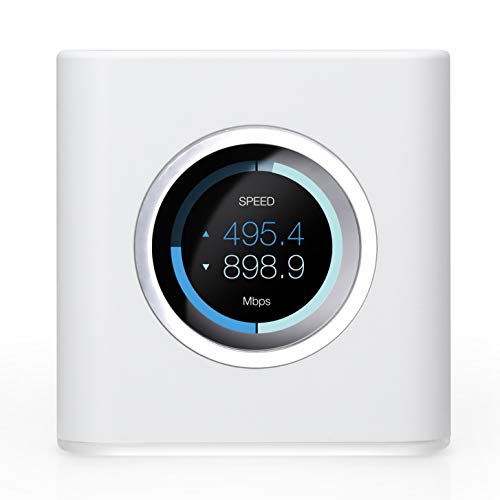
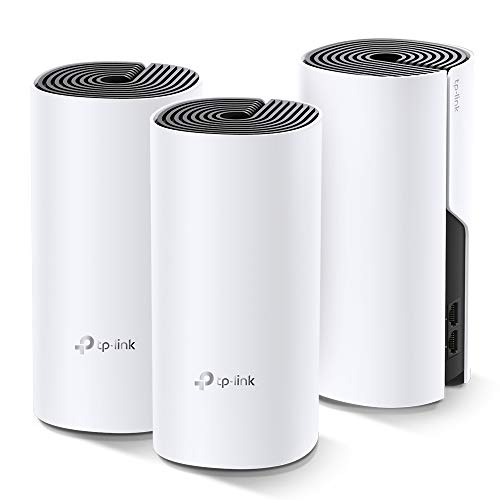
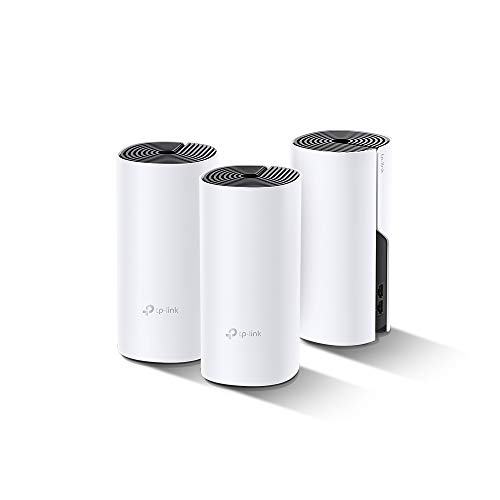
Meshforce Mesh WiFi System M3 (2023 Model) - Up to 4,500 sq. ft. Whole Home Coverage - Gigabit WiFi Router Replacement - Mesh Router for Wireless Internet (3 Pack)


Key features
- •Meshforce's Flagship Mesh WiFi: Here is M3s Mesh WiFi System upgraded from MeshForce M1 and M3, equipped with all gigabit ethernet and even greater coverage. The dual band WiFi creates a super powerful wireless network for entire home. Capable for up to 60 devices so everyone can enjoy seamless, flawless and fast Internet.
- •Your WiFi Jumps to Next Level: A true router replacement, as well as the wireless technology. With all new mesh WiFi technology, relax and enjoy seamless & secured single-SSID WiFi, just walk across your home and full WiFi all the time. 6+ bedrooms coverage and extension available, from basement to living room, door to backyard. Whole home, stay connected.
- •Quick and Simple Setup: With My Mesh mobile app, setup your new M3s WiFi system in only 10 minutes. Remote management allows you see and control the WiFi status even when you are outside. Guest WiFi, parental control and more advanced features, discover in the App.
- •Gigabit, Flexible, Secure: For the first time, M3s deploys full gigabit ethernet and more powerful wireless broadcasting performance. Also compatible with MeshForce M1 point and M3 dot, so you can extend the range with more choices. Encrypt WiFi password with WPA2-PSK, protect your smart home and connections from hack and attack.
- •Control in the Palm of Hand: Simple but smart app helps you to see connected devices, creates isolated guest WiFi zone, manage your kids' Internet access by device and period.
Meshforce Mesh WiFi System M3 (2023 Model) - Up to 4,500 sq. ft. Whole Home Coverage - Gigabit WiFi Router Replacement - Mesh Router for Wireless Internet (3 Pack)
List Price: $145.49$130.94DEALYou Save: $14.55 (10%)
Free shippingFree Returns – 30 daysFree Order CancellationSecure Payment2–3 Days DeliveryGet It October 25, 2026In Stock (3)No marketing spamNo account requiredFulfilment by FedEx / Amazon / UPS / ShipwirePayPal / Card Buyer Protection
Customer Reviews
Reviews sourced from verified Amazon purchasers4.3
out of 5
Based on 10 reviews
5★
70%
4★
30%
3★
0%
2★
0%
1★
0%
Limitations: No Attached Network Storage and Random Radio Band Assignments
58rpowell6✓ Verified Purchase•November 13, 2023
UPDATE: I've upgraded my previous review from three stars to four stars. I had previously reported an issue with my Ethernet print server which, ultimately, was resolved by replacing my outdated Ethernet switch.
The Meshforce M3s worked as advertised with regard to extending my WiFi signal throughout my home, however, the following items are limitations which I found to be marginally objectionable:
1. There is no built-in USB port to allow for the connection of an external hard drive for network storage. I did not notice this at first but discovered later there is no USB port on any of the Meshforce M3s modules. Other comparable mesh network systems do, in fact, include USB ports. I just assumed, without looking closely, the Meshforce units included USB. My bad. Again, likely not a big deal for most users. As an alternative, there are inexpensive USB-to-Ethernet adapters which allow for the networking of USB-equipped hard drive enclosures.
2. Unlike most traditional dual-band routers, all of the mesh network routers I've seen manage traffic on the two bands (2.4 GHz and 5 GHz, respectively) via some sort of software algorithm. With my single-point Linksys router I could choose which band/network I wanted to connect to with devices such as my laptop or my smartphone. Mesh networking utilizes a single SSID and will assign a band for you dependent upon a variety of factors such as traffic load, signal strength, etc. This is typically not an issue; however, there are instances when I absolutely require the additional throughput of the 5GHz band on my laptop. Problem is, dependent upon the factors just mentioned, I may not always be able to access the 5GHz band. This requires me to stop and examine which devices are active on my network and, subsequently, determine which devices I will be forced to shut down in order to free up space on the 5GHz band.
Tech support was reasonably responsive (email only) but most of what I received was scripted. It took several attempts to finally bring closure to the Ethernet print server issue I was having. I'm not sure the support person knew what function a print server/adapter actually performs let alone provide insight as to why it wouldn't work. Ultimately, I was simply told my devices were incompatible but with no technical explanation.
The Meshforce hardware is non-intrusive in its size and appearance. The modules look good and seem to blend in easily with most of our home décor.
The MyMesh app is well designed but doesn't always seem to reflect connected devices accurately. I'm sure there will be future upgrades to the app which will likely address this shortcoming.
Overall, I am very pleased with my Meshforce networking setup. We now have ubiquitous coverage for our 2,800 sq. ft., two-level home and we are finally able to leverage the full 200+ Mbps throughput from our internet subscription in every part of our home.
The Meshforce M3s worked as advertised with regard to extending my WiFi signal throughout my home, however, the following items are limitations which I found to be marginally objectionable:
1. There is no built-in USB port to allow for the connection of an external hard drive for network storage. I did not notice this at first but discovered later there is no USB port on any of the Meshforce M3s modules. Other comparable mesh network systems do, in fact, include USB ports. I just assumed, without looking closely, the Meshforce units included USB. My bad. Again, likely not a big deal for most users. As an alternative, there are inexpensive USB-to-Ethernet adapters which allow for the networking of USB-equipped hard drive enclosures.
2. Unlike most traditional dual-band routers, all of the mesh network routers I've seen manage traffic on the two bands (2.4 GHz and 5 GHz, respectively) via some sort of software algorithm. With my single-point Linksys router I could choose which band/network I wanted to connect to with devices such as my laptop or my smartphone. Mesh networking utilizes a single SSID and will assign a band for you dependent upon a variety of factors such as traffic load, signal strength, etc. This is typically not an issue; however, there are instances when I absolutely require the additional throughput of the 5GHz band on my laptop. Problem is, dependent upon the factors just mentioned, I may not always be able to access the 5GHz band. This requires me to stop and examine which devices are active on my network and, subsequently, determine which devices I will be forced to shut down in order to free up space on the 5GHz band.
Tech support was reasonably responsive (email only) but most of what I received was scripted. It took several attempts to finally bring closure to the Ethernet print server issue I was having. I'm not sure the support person knew what function a print server/adapter actually performs let alone provide insight as to why it wouldn't work. Ultimately, I was simply told my devices were incompatible but with no technical explanation.
The Meshforce hardware is non-intrusive in its size and appearance. The modules look good and seem to blend in easily with most of our home décor.
The MyMesh app is well designed but doesn't always seem to reflect connected devices accurately. I'm sure there will be future upgrades to the app which will likely address this shortcoming.
Overall, I am very pleased with my Meshforce networking setup. We now have ubiquitous coverage for our 2,800 sq. ft., two-level home and we are finally able to leverage the full 200+ Mbps throughput from our internet subscription in every part of our home.
Stopped working, but meshforce refunded
DavidStark✓ Verified Purchase•November 10, 2023
**UPDATE**
Meshforce ended up reaching back out to me and offered a full refund since I was still under warranty. They then offered to let me test a new model when it's available for testing.
"”"”"”"”"”"”"”
These things worked really well when I first got them. Fast wifi though out my entire house that was steady and strong. I had download speeds of over 500mbps on wifi which is pretty amazing. Then out of nowhere about 6 weeks ago, my speeds were dramatically slower. I discovered that the 5ghz band would stop broadcasting completely and all devices would switch to the 2.4ghz band, and were struggling to get 10-13mbps. At times the signal drops completely.
The 5ghz band only comes back if I reboot the whole mesh network and after that it only stays on for a few minutes before kicking everything to the 2.4ghz which also seems to be definitely since it's clearly struggling. Wired connections work great still, and my devices have no problems with other 5ghz networks so it's definitely a meshforce wifi problem.
Meshforce Support offered to send me an additional upgraded node, an M7 and said this would correct the problem. It didn't. Now I just have one short range m7 that only works in my living room, and 3 M3's that barely work at all. I reached back out to meshforce who still seems to not understand the problem at all despite the fact that I've been in communication with them since October 1st.
Their final solution was to either give me a 60% refund and allow me to keep them, or I return the units and receive an 80% refund. Their two solutions both require me to buy an entirely new system as my only two choices are to be stuck with bad wifi or no wifi at all. How is that fair?
I responded asking if it's possible to just have the defective units replaced but I think I'll just tell them I'd rather go with the 80% refund, cut my losses, and purchase from another company. I've completely lost my trust in Meshforce and it's probably best to not work with them again since their only solutions are to charge me for their own failure.
Meshforce ended up reaching back out to me and offered a full refund since I was still under warranty. They then offered to let me test a new model when it's available for testing.
"”"”"”"”"”"”"”
These things worked really well when I first got them. Fast wifi though out my entire house that was steady and strong. I had download speeds of over 500mbps on wifi which is pretty amazing. Then out of nowhere about 6 weeks ago, my speeds were dramatically slower. I discovered that the 5ghz band would stop broadcasting completely and all devices would switch to the 2.4ghz band, and were struggling to get 10-13mbps. At times the signal drops completely.
The 5ghz band only comes back if I reboot the whole mesh network and after that it only stays on for a few minutes before kicking everything to the 2.4ghz which also seems to be definitely since it's clearly struggling. Wired connections work great still, and my devices have no problems with other 5ghz networks so it's definitely a meshforce wifi problem.
Meshforce Support offered to send me an additional upgraded node, an M7 and said this would correct the problem. It didn't. Now I just have one short range m7 that only works in my living room, and 3 M3's that barely work at all. I reached back out to meshforce who still seems to not understand the problem at all despite the fact that I've been in communication with them since October 1st.
Their final solution was to either give me a 60% refund and allow me to keep them, or I return the units and receive an 80% refund. Their two solutions both require me to buy an entirely new system as my only two choices are to be stuck with bad wifi or no wifi at all. How is that fair?
I responded asking if it's possible to just have the defective units replaced but I think I'll just tell them I'd rather go with the 80% refund, cut my losses, and purchase from another company. I've completely lost my trust in Meshforce and it's probably best to not work with them again since their only solutions are to charge me for their own failure.
Thank You MeshForce!!!
Andrew Nunez✓ Verified Purchase•November 4, 2023
The media could not be loaded. The M3s from MeshForce have been the best upgrade to my home WiFi Network! When COVID hit the US, like many people we found ourselves utilizing more WiFi Internet at home for school, work, and leisure time. Even though we had 2 Netgear WiFi Routers, yes 2, one on each end of our home, WiFi was just always good enough. It did the job as you say. But then the frustration was settling in with the all day daily use. Buffering, connection issues when moving through the house, and only getting 25% of 200Mbps Download Speed (50Mbps) was just not doing it for us anymore. Come in MeshForce and their M3s and boom, buffering gone, I can walk around my house and I habe no connection issues, and now I am getting my full 200Mbps Download when I do a speed test. Setup was EASY with their app. I have Spectrum Cable Internet. All I did was take out my old Netgear WiFi Routers leaving only the Cable Modem. I then connected one (it could be any) of the M3s to the Cable Modem and followed the prompts on the app to set it up. The User Interface for the app by the way is so easy! After the first M3s was up and running, all I had to do was plug in the other two M3s and they immediately connected to the network. It took me maybe 10 minutes to do all of this. i used the same WiFi Name and Password that I had for my previous WiFi setup so that way my devices could just look for the same WiFi and logon. I was blown away by how easy it was and I was still able to connecty one desktop computer via the gigabit port available on the M3s. My family noticed the difference right away when doing anything online. All of a sudden Zoom Calls were easier, Netflix/Hulu Streaming was seamless, along with YouTube and Spotify being a breeze. WiFi Signal has been nice and strong, especially since using this traingle method suggested. Tech Support contact info is all over the devices and packaging. I also like how while even away from home I can see the status of my network telling me what devices are connected and to which M3s and how much data is being transferred. My home is now future proof and now O can install home WiFi security cameras knowing that my WiFi Network is strong and reliable now. You will definitely get your money's worth here. I should have done this way sooner! This M3s setup is kicking butt in my 2000sq ft home. I even connect to my WiFi Network when out in the driveway now. Now that summer is coming, garage door driveway theaters are definitely going to happen for me and my family. I provided pics of my speediest so you can see how awesome these devices are. VERY HAPPY CUSTOMER HERE! Box comes with everything you need and is very nicely packaged.
Excelente
anthony p.✓ Verified Purchase•October 12, 2023
Excelente producto cobre una amplia zona
Impressed! Competes with Netgear Nighthawk R8000-
Lou T.✓ Verified Purchase•September 22, 2023
Current setup:
Modem - ARRIS surfboard SB8200 DOCSIS 3.1
Router - Netgear Nighthawk R8000P
Provider: Cox Communications - Ultimate (500 mbps)
I puchased this product to compare with my current Netgear Nighthawk R8000p as I had heartburn spending $300 for a top of the line router when I had no need as I don't game and there are only 2 people using it.
The netgear cost me about $300 and this around $85. Given the price discrepancy, I would have expected the netgear product to provide 3.5x the speed. I really hoped that this product would work well enough so I can return and "downgrade" to the mesh force, but I don't notice a difference at all.
Our router is in the living room about 3 feet from the TV. Due to the set up, the TV is currently connected via WI-FI with the 5ghz. The speed is impressive and there are no buffering whatsoever. The Netgear app provides a "speed test" and I routinely got around 450-500mbps when doing a speed test. When I try the google fiber speed test online, I would get 250-300+mbps.
After connecting this router, I did not notice any difference in performance from the living room TV. I have a home office upstairs and the signal strength was identical as well as the speed test using the google fiber speed test that you can search online. I was getting around 250 when connected to the 5ghz.
Things I really liked:
1. The size of this router. Its way less bulkier than the nighthawk. The wife likes it better as its easier to hide and better on the eyes.
2. Price - its 1/4 the price for basically the same thing. Its good enough for me cause I don't game, but even if I did, I tested the speed...it was same same but different.
3. MESH - I only bought 1 of these, but you can get 2 more if you have a bigger house and have mesh technology so your signal is always strong. I could have bought 2, but then that would kinda defeat the purpose of saving money. I wanted the best value and one Mesh for 1500 sq ft is enough for me.
Things that I'm eh...with:
1. Performance degredation is minimal - I did notice that when outside and as you get further away from the router - the signal strength did not hold up as well as the netgear nighthawk.
2. Dual band - the netgear nighthawk was triband. I read somewhere that triband is the best for faster internet. Well obviously that depends on your provider. You cant expect to get gigabit speed with a 50mbps subscription. I dont have the fastest subscription so maybe the nighthawk would allow more devices to connect and keep up, at this point (2 people with around 20 things connected - smart lights/bulbs/switches - it works the same.)
3. There should be an option to buy 2 (at a discount) and not just straight to 3. I dont need 3 and buying 2 individual has no cost savings. Some people would love to buy 2 with some cost saving.
Overall: Works good enough for the price. If you want top of the line, you will pay for it. If you want something that works well enough thats an upgrade from your 2 year old router then this is it.
Modem - ARRIS surfboard SB8200 DOCSIS 3.1
Router - Netgear Nighthawk R8000P
Provider: Cox Communications - Ultimate (500 mbps)
I puchased this product to compare with my current Netgear Nighthawk R8000p as I had heartburn spending $300 for a top of the line router when I had no need as I don't game and there are only 2 people using it.
The netgear cost me about $300 and this around $85. Given the price discrepancy, I would have expected the netgear product to provide 3.5x the speed. I really hoped that this product would work well enough so I can return and "downgrade" to the mesh force, but I don't notice a difference at all.
Our router is in the living room about 3 feet from the TV. Due to the set up, the TV is currently connected via WI-FI with the 5ghz. The speed is impressive and there are no buffering whatsoever. The Netgear app provides a "speed test" and I routinely got around 450-500mbps when doing a speed test. When I try the google fiber speed test online, I would get 250-300+mbps.
After connecting this router, I did not notice any difference in performance from the living room TV. I have a home office upstairs and the signal strength was identical as well as the speed test using the google fiber speed test that you can search online. I was getting around 250 when connected to the 5ghz.
Things I really liked:
1. The size of this router. Its way less bulkier than the nighthawk. The wife likes it better as its easier to hide and better on the eyes.
2. Price - its 1/4 the price for basically the same thing. Its good enough for me cause I don't game, but even if I did, I tested the speed...it was same same but different.
3. MESH - I only bought 1 of these, but you can get 2 more if you have a bigger house and have mesh technology so your signal is always strong. I could have bought 2, but then that would kinda defeat the purpose of saving money. I wanted the best value and one Mesh for 1500 sq ft is enough for me.
Things that I'm eh...with:
1. Performance degredation is minimal - I did notice that when outside and as you get further away from the router - the signal strength did not hold up as well as the netgear nighthawk.
2. Dual band - the netgear nighthawk was triband. I read somewhere that triband is the best for faster internet. Well obviously that depends on your provider. You cant expect to get gigabit speed with a 50mbps subscription. I dont have the fastest subscription so maybe the nighthawk would allow more devices to connect and keep up, at this point (2 people with around 20 things connected - smart lights/bulbs/switches - it works the same.)
3. There should be an option to buy 2 (at a discount) and not just straight to 3. I dont need 3 and buying 2 individual has no cost savings. Some people would love to buy 2 with some cost saving.
Overall: Works good enough for the price. If you want top of the line, you will pay for it. If you want something that works well enough thats an upgrade from your 2 year old router then this is it.
Page 1 of 2