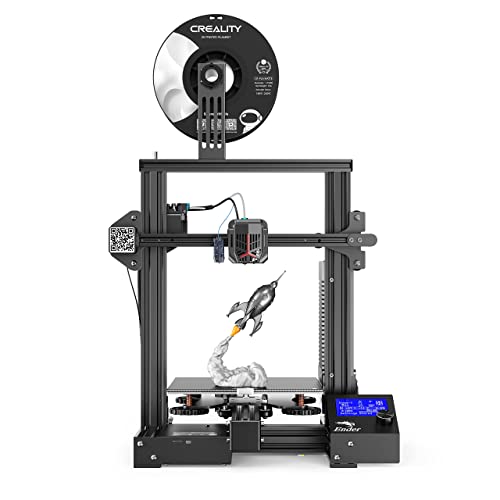
R QIDI TECHNOLOGY i Mates 3D Printer,All Metal Frame and Fully Closed Structure, Large Print Size 10.24''(L) X7.87''(W) X7.87'(H), 2021 New Model


Key features
- •Excellent industrial design, high-end manufacturing, it can be used out of the box. We adhere to high-standard production, strict process requirements, full mold design of the whole 3d printer,it is safer. Both closed printing and ventilated printing can be done on this 3d printer .When printing ABS and other filament which need to be closed printing, the printing effect is better. Really out of the box, open the package, take out the complete 3d printer directly without any tedious assembly.
- •Outstanding industrial structure. QIDI Technology has always adhered to the use of high-end industrial-grade FDM structure. The printing principle is different from theDIY structure. When printing large models, it is more stable and more accurate! The print size is 260×200×200mm, which can basically meet the daily printing needs
- •Unique extruder and special printing platform. QIDI's newly developed extruder, with a nozzle of 0.2mm,it can print the surface of the model more delicately, with an accuracy higher than that of the 0.4mm nozzle.The i mates 3d printer will be equipped with one set of 0.4 mm extruder and one set of 0.2mm extruder.
- •Excellent user experience, friendly UI interface.It's equipped with self-developed QIDI slicing software, two modes can be selected: normal mode and expert mode. The normal mode is suitable for novices, the parameter system has been intelligently set, no other operations are required, it is very simple. Expert mode is suitable for experienced users, who can deeply participate in modifying parameters and personalized printing models.
R QIDI TECHNOLOGY i Mates 3D Printer,All Metal Frame and Fully Closed Structure, Large Print Size 10.24''(L) X7.87''(W) X7.87'(H), 2021 New Model
List Price: $580.55$522.50DEALYou Save: $58.05 (10%)
Free shippingFree Returns – 30 daysFree Order CancellationSecure Payment2–3 Days DeliveryGet It October 25, 2026In Stock (1)No marketing spamNo account requiredFulfilment by FedEx / Amazon / UPS / ShipwirePayPal / Card Buyer Protection
Customer Reviews
Reviews sourced from verified Amazon purchasers4.6
out of 5
Based on 10 reviews
5★
100%
4★
0%
3★
0%
2★
0%
1★
0%
A perfect 3D printer for beginners, or anybody looking to just print without the usual hassles
Jeremiah Stewart✓ Verified Purchase•July 31, 2023
Over the last few years I've had some very mixed experiences with cheaper FDM 3D printers, and was looking to move out of that hobbyist/tinkering space I wasn't very fond of. The Prusa MK3S+ seemed like the obvious choice but reviews of this printer caught my attention so I decided to take a chance. I purchased two of these Qidi printers for less than I would have spent on the Prusa, and in my opinion that gamble paid off entirely.
The Pros
- Ready to print out right of the box:
Without any exaggeration, you will be able to start printing within minutes of getting the printer out of the box. The i-Mate S comes very close to household appliance levels of simplicity; the instructions are very clear and easy to follow, nothing with the hardware has to be tightened or tinkered with to get started.
- Default settings that just work:
Continuing from that easy starting point, the default settings in Qidi's slicer software are perfectly serviceable for getting started with 3D printing. Their slicer also strikes a great balance between beginner friendliness and more advanced usability. Starting off only the most important key settings are presented to the user, with most of the more advanced options being hidden behind an expert menu. As well, if for any reason you aren't keen on using their slicer, the printer is not locked down to it.
- Heated bed with magnetic flex plates:
The i-Mate S has a sturdy heated bed that is quick to heat up, and uses removable magnetic flex plates (I have seen them referred to as both PC and PEI coated, not entirely sure what they are) that provide excellent adhesion. To the point where the only common complain I have seen regarding this printer is that prints adhere too well. I've never experienced that problem personally, once you level properly and allow the plate to cool down fully, prints should pop right off with little effort.
- Hassle free wireless printing:
Connect the printer to your wifi network and you can print from any PC in your house with the push of a single button in the slicer software, I've been using wireless printing extensively for the two months I've had the printers and have never had the feature fail on me. (Still a smart idea to check on your prints shortly after they have started)
- Heated chamber:
Something I've never seen offered on a printer in this price range, included with the printer are magnetic attachments that convert the printer's frame into a heated chamber. (Important to note that you should always leave these parts off when printing PLA) This allows the i-Mate S to print ABS easily, and also allows for the possibility of more exotic filaments like Nylon which will heavily warp if printed outside of a heated chamber. (Though such exotic filaments would also require a different type of nozzle/print head than comes with the printer stock)
- Solidly built
A common failing of 3D printers in this price range is lacking build quality, something that isn't a problem at all with the i-Mate S. Underneath the admittedly cheap looking plastic outer covering is a rigid metal frame. Nothing about the printer, its belts, motors, or any other parts feel like they are at risk of coming loose. Everything feels solidly in place, even after months of regular use.
- Easy to remove and swap print heads:
This is one of the elements that ended up impressing me the most if only for the potential of it, even though it seemed like mostly a gimmick at the time of purchase. The print heads are extremely easy to remove and replace, making the printer very easy to service when problems do arise. This allow opens up the potential for having multiple nozzle types and sizes on hand that can quickly be swapped in as needed for your current project, though that idea is a bit hard to realize at the moment as Qidi are not selling additional print heads just yet.
- Absolute best aftermarket support I've ever seen from a 3D printer manufacturer:
Another huge plus that shouldn't be understated. I ended up running into a problem with one of the printers I purchased after a few weeks of use, and Qidi's support was a pleasure to deal with. They always responded quickly, worked me though troubleshooting options while providing instructions and video guides at every step of the way, and when the problem turned out to be unfixable on my end I had a replacement part in hand in less than a week. Even after the problem was resolved, Qidi support emailed back a few weeks later to follow up and make sure everything was still working well.
The Cons
- Build volume:
For both the price of the printer and the overall footprint it has, the print volume provided is well bellow average. It is especially lacking in the Z axis, which is normally a good deal higher on other printers.
- Manual bed leveling:
At this price range stock auto-bed leveling of some kind is starting to become more common. Though I will at least give them that this is the easiest manual bed leveling system I have ever used, and the knobs are really good at staying in place once set.
- Hardware modification:
Outside of the additional print heads that Qidi offer (Or don't offer at just this moment) the proprietary nature of the design leaves modification options limited. If you are looking for something to heavily tweak over time this isn't a 3D printer for you.
- No online community to be found:
Unlike Prusa or most Creality printers, Qidi's printers do not seem to have much of an online following or community around them. Though I can't say this is really all that much of a problem, with how good the out of the box experience is, and how good Qidi's own support is. While for example the Ender 3, without its massive community, would become borderline unusable.
The Pros
- Ready to print out right of the box:
Without any exaggeration, you will be able to start printing within minutes of getting the printer out of the box. The i-Mate S comes very close to household appliance levels of simplicity; the instructions are very clear and easy to follow, nothing with the hardware has to be tightened or tinkered with to get started.
- Default settings that just work:
Continuing from that easy starting point, the default settings in Qidi's slicer software are perfectly serviceable for getting started with 3D printing. Their slicer also strikes a great balance between beginner friendliness and more advanced usability. Starting off only the most important key settings are presented to the user, with most of the more advanced options being hidden behind an expert menu. As well, if for any reason you aren't keen on using their slicer, the printer is not locked down to it.
- Heated bed with magnetic flex plates:
The i-Mate S has a sturdy heated bed that is quick to heat up, and uses removable magnetic flex plates (I have seen them referred to as both PC and PEI coated, not entirely sure what they are) that provide excellent adhesion. To the point where the only common complain I have seen regarding this printer is that prints adhere too well. I've never experienced that problem personally, once you level properly and allow the plate to cool down fully, prints should pop right off with little effort.
- Hassle free wireless printing:
Connect the printer to your wifi network and you can print from any PC in your house with the push of a single button in the slicer software, I've been using wireless printing extensively for the two months I've had the printers and have never had the feature fail on me. (Still a smart idea to check on your prints shortly after they have started)
- Heated chamber:
Something I've never seen offered on a printer in this price range, included with the printer are magnetic attachments that convert the printer's frame into a heated chamber. (Important to note that you should always leave these parts off when printing PLA) This allows the i-Mate S to print ABS easily, and also allows for the possibility of more exotic filaments like Nylon which will heavily warp if printed outside of a heated chamber. (Though such exotic filaments would also require a different type of nozzle/print head than comes with the printer stock)
- Solidly built
A common failing of 3D printers in this price range is lacking build quality, something that isn't a problem at all with the i-Mate S. Underneath the admittedly cheap looking plastic outer covering is a rigid metal frame. Nothing about the printer, its belts, motors, or any other parts feel like they are at risk of coming loose. Everything feels solidly in place, even after months of regular use.
- Easy to remove and swap print heads:
This is one of the elements that ended up impressing me the most if only for the potential of it, even though it seemed like mostly a gimmick at the time of purchase. The print heads are extremely easy to remove and replace, making the printer very easy to service when problems do arise. This allow opens up the potential for having multiple nozzle types and sizes on hand that can quickly be swapped in as needed for your current project, though that idea is a bit hard to realize at the moment as Qidi are not selling additional print heads just yet.
- Absolute best aftermarket support I've ever seen from a 3D printer manufacturer:
Another huge plus that shouldn't be understated. I ended up running into a problem with one of the printers I purchased after a few weeks of use, and Qidi's support was a pleasure to deal with. They always responded quickly, worked me though troubleshooting options while providing instructions and video guides at every step of the way, and when the problem turned out to be unfixable on my end I had a replacement part in hand in less than a week. Even after the problem was resolved, Qidi support emailed back a few weeks later to follow up and make sure everything was still working well.
The Cons
- Build volume:
For both the price of the printer and the overall footprint it has, the print volume provided is well bellow average. It is especially lacking in the Z axis, which is normally a good deal higher on other printers.
- Manual bed leveling:
At this price range stock auto-bed leveling of some kind is starting to become more common. Though I will at least give them that this is the easiest manual bed leveling system I have ever used, and the knobs are really good at staying in place once set.
- Hardware modification:
Outside of the additional print heads that Qidi offer (Or don't offer at just this moment) the proprietary nature of the design leaves modification options limited. If you are looking for something to heavily tweak over time this isn't a 3D printer for you.
- No online community to be found:
Unlike Prusa or most Creality printers, Qidi's printers do not seem to have much of an online following or community around them. Though I can't say this is really all that much of a problem, with how good the out of the box experience is, and how good Qidi's own support is. While for example the Ender 3, without its massive community, would become borderline unusable.
Really nice printer
D M✓ Verified Purchase•July 26, 2023
Honest review, please read the entire thing if you are interested in getting a decent printer.
I bought this as a replacement for the ender 3 printer. With the ender 3, I felt like I was spending more time messing around with it trying to fix issues than actually printing; and when it was printing the prints only worked half the time if I was lucky. If you're reading this review, you're probably researching different printers. The short answer is, if you are ok with the price of this which I would say is in the mid range, then buy it. It was a quick setup since it mostly comes ready to go and connecting it to my wifi was fairly easy after reaching out to tech support. Their instructions in the paper printout that come with it vs their email is different, so if you have questions reach out to them and they respond reasonably quickly considering they are in China and the time zone is different.
Of the 50 or so prints I've done so far, only 1 has failed and I think that was because I didn't setup the supports correctly. This is the kind of printer where you click print and you can be confident that if you didnt make any mistakes with the slicing settings, it will come out as expected. One thing I would say though is the prints stick to their magnetic plate very well...too well. If you set the print bed temp above I would say 45C you will not get the print off the plate, or it will be very difficult. It practically glues to the plate above 45-50C. Theres literally instructions on the plate that recommend 50-55C plate temps but if you do that the print will glue to it and you will be a unhappy camper. After the initial leveling, I havent had to level it since and I havent had any issues. I think this is because the build plate is removable so you arent messing around with it and causing micro adjustments.
The slicing software it comes with/they recommend is ok, I dont have much to compare it to besides enders version but Im sure it has most features you're looking for. It comes with a little filament but not enough to really do anything, Im not sure why this is such a common question..just buy your own filament.
Its pretty heavy compared to the ender 3 but that just means it doesnt shake around and you dont need to stabilize it. If you plan to move the printer around and you do not have much body strength that might be an issue. I dont think this will apply to too many people but I thought I would just bring it up incase it does for you.
The print bed size is definitely smaller than more open designs but that hasnt affected what I print that much and if it does I slightly scale down the mode. If you plan to print larger things then maybe look for a different brand. All of the specs are in the description so you can see if it meets your size requirements.
Noise levels are good, it obviously makes a little noise while its printing but thats mostly from the print head belt moving back and forth. The steppers seem pretty quiet and the fans dont sound like a jet engine. Its a lot quieter than the ender 3 and you dont need to do any mods to make it like that too. With the ender 3 you print some special fan duct and upgrade the steppers to be quiet. This is just the way you want it right out of the box, no upgrades required. With that being said though, besides their tech support Im not sure how much of a community there is for this printer or if there even are many upgrades. Apparently theres an extruder upgrade so you can print at higher temps but I havent located it yet.
Overall I would buy this printer again and I have recommended it to a family member. My only comparison is to the ender 3 so I cant say its the absolute best on the market, but I am really happy with my purchase so far.
I bought this as a replacement for the ender 3 printer. With the ender 3, I felt like I was spending more time messing around with it trying to fix issues than actually printing; and when it was printing the prints only worked half the time if I was lucky. If you're reading this review, you're probably researching different printers. The short answer is, if you are ok with the price of this which I would say is in the mid range, then buy it. It was a quick setup since it mostly comes ready to go and connecting it to my wifi was fairly easy after reaching out to tech support. Their instructions in the paper printout that come with it vs their email is different, so if you have questions reach out to them and they respond reasonably quickly considering they are in China and the time zone is different.
Of the 50 or so prints I've done so far, only 1 has failed and I think that was because I didn't setup the supports correctly. This is the kind of printer where you click print and you can be confident that if you didnt make any mistakes with the slicing settings, it will come out as expected. One thing I would say though is the prints stick to their magnetic plate very well...too well. If you set the print bed temp above I would say 45C you will not get the print off the plate, or it will be very difficult. It practically glues to the plate above 45-50C. Theres literally instructions on the plate that recommend 50-55C plate temps but if you do that the print will glue to it and you will be a unhappy camper. After the initial leveling, I havent had to level it since and I havent had any issues. I think this is because the build plate is removable so you arent messing around with it and causing micro adjustments.
The slicing software it comes with/they recommend is ok, I dont have much to compare it to besides enders version but Im sure it has most features you're looking for. It comes with a little filament but not enough to really do anything, Im not sure why this is such a common question..just buy your own filament.
Its pretty heavy compared to the ender 3 but that just means it doesnt shake around and you dont need to stabilize it. If you plan to move the printer around and you do not have much body strength that might be an issue. I dont think this will apply to too many people but I thought I would just bring it up incase it does for you.
The print bed size is definitely smaller than more open designs but that hasnt affected what I print that much and if it does I slightly scale down the mode. If you plan to print larger things then maybe look for a different brand. All of the specs are in the description so you can see if it meets your size requirements.
Noise levels are good, it obviously makes a little noise while its printing but thats mostly from the print head belt moving back and forth. The steppers seem pretty quiet and the fans dont sound like a jet engine. Its a lot quieter than the ender 3 and you dont need to do any mods to make it like that too. With the ender 3 you print some special fan duct and upgrade the steppers to be quiet. This is just the way you want it right out of the box, no upgrades required. With that being said though, besides their tech support Im not sure how much of a community there is for this printer or if there even are many upgrades. Apparently theres an extruder upgrade so you can print at higher temps but I havent located it yet.
Overall I would buy this printer again and I have recommended it to a family member. My only comparison is to the ender 3 so I cant say its the absolute best on the market, but I am really happy with my purchase so far.
Excellent printer!
E. N. M.✓ Verified Purchase•July 24, 2023
This is my second 3d printer. I got a Qidi x-pro last year and loved using it. Qidi support is the main reason I got another Qidi printer. I am very happy with it so far. I'll try to update this review with additional pictures and updates over time.
The printer: I wanted something with a larger print area. I mainly print in PLA so I was fine getting this one without the side panels. This printer has great upgrade possibilities. It has a steel frame and a plastic shell around it. It is a single nozzle with a pfte tube. I haven't had to relevel it since I set it up. There are locking wing nuts to keep the leveling knobs in place. This is a great idea.
Prints: I printed large statues, bowls, and long thin items on here and they turned out great. I did print a brim on the long thin items to prevent warping. The build area is large and that was the main attraction to this printer. I didn't check the speeds before ordering. I was pleasantly surprised to find out it's about 20% faster than my x-pro. One model took about 8 hours on my x-pro printed in a little over 5 hours on the I-mate. I did speed up some functional prints and they printed without issue. On my x-pro, I keep the speed low to prevent the second nozzle from colliding. The I-mate doesn't have that issue since there is only one nozzle. I am very happy with the prints so far.
Modifications: this printer has a lot of potential for modifications. You can easily cut or print side panels and install via magnets or screws. My x-pro has magnets that snap to the same screws the i-mate has on the sides. I uploaded a picture showing the clearance between the steel frame and the outer plastic shell. You can easily fit insulated panels within the shell. This is not necessary for PLA. The insulation would be required for higher temp materials.
I plan to print a new spool holder. This is my only concern about the printer. It is fine, but I would like a free rolling design that uses skateboard roller bearings. I plan to design one and upload to thingiverse for other I-mate owners. I do really like how the spool is visible, so I can see how much filament is left.
Bed plate: the included removable Qidi plate is good. I am saving it for finicky prints that don't stick. It will need to get replaced after heavy use. I purchased a fysetc spring steel plate with a smooth pei top. I have used those on my x-pro and love them. This is not necessary. They leave a smoother bottom and are easy to remove. The Qidi plate allows a larger margin of error when leveling since the surface is textured. The heated build plate has lots of magnets. These help flatten out a warped removable plate. Other printers use clips, this doesn't need that.
Nozzle:
I haven't taken this apart yet. There is a decent modding community for Qidi printers. The I-mate is very similar to the x-plus, which has a lot of mods available. I originally planned to install a high temp hot end and fit panels, but I was pleasantly surprised with the pla print quality. I may end up leaving this nozzle as is and tinker with my x-pro instead.
Software: Qidi includes their own slicer. A slicer is a program to take a 3d .stl file and turn it into 3d printer code. I have tried a few programs and like the Qidi slicer the most. It is a modified cura slicer. I would recommend starting with their settings and find a small model to test out different settings, one at a time.
Support: this is the main reason to get a Qidi printer. I have been emailing support. It's great to have this resource. Most companies will have you rely on the internet and message boards. Qidi has responded with videos, pictures and detailed step by step instructions for all of my concerns. They have also helped me get replacement parts. I think this is a huge value.
Unboxing: this came ready to use. I unpacked the box and set it on the table. I found one typo on the setup instructions. They tell you to plug it in and have the printer move the bed plate up. The lower cable is under the bed plate. You will have to grab both sides of the build plate and slowly lift it up, evenly on each side. Then you can take out the power cable and continue on with the instructions. I was able to start printing writhing a half hour, and I was carefully reading the instructions. This comes with pla and a usb drive. The included scraper isn't the best. The flexible build plate negates some of the need for a scraper. There is also a spare tool kit. The spares came in handy multiple times on my x-pro. I am glad this is a Qidi standard.
There isn't much else to say. This is a GREAT value printer. It has a large print area, excellent support, room for many mods and improvements, and it works great out of the box. I had planned to make this be my secondary printer for larger items. I have had better results with this over my x-pro.
There is an I-mate S. That comes with the panels. If you plan on printing pla, I don't think you need the I-mate s. I have been leaving off the top panel on my x-pro for better pla results. I would rather save that money and fit my own panels.
The printer: I wanted something with a larger print area. I mainly print in PLA so I was fine getting this one without the side panels. This printer has great upgrade possibilities. It has a steel frame and a plastic shell around it. It is a single nozzle with a pfte tube. I haven't had to relevel it since I set it up. There are locking wing nuts to keep the leveling knobs in place. This is a great idea.
Prints: I printed large statues, bowls, and long thin items on here and they turned out great. I did print a brim on the long thin items to prevent warping. The build area is large and that was the main attraction to this printer. I didn't check the speeds before ordering. I was pleasantly surprised to find out it's about 20% faster than my x-pro. One model took about 8 hours on my x-pro printed in a little over 5 hours on the I-mate. I did speed up some functional prints and they printed without issue. On my x-pro, I keep the speed low to prevent the second nozzle from colliding. The I-mate doesn't have that issue since there is only one nozzle. I am very happy with the prints so far.
Modifications: this printer has a lot of potential for modifications. You can easily cut or print side panels and install via magnets or screws. My x-pro has magnets that snap to the same screws the i-mate has on the sides. I uploaded a picture showing the clearance between the steel frame and the outer plastic shell. You can easily fit insulated panels within the shell. This is not necessary for PLA. The insulation would be required for higher temp materials.
I plan to print a new spool holder. This is my only concern about the printer. It is fine, but I would like a free rolling design that uses skateboard roller bearings. I plan to design one and upload to thingiverse for other I-mate owners. I do really like how the spool is visible, so I can see how much filament is left.
Bed plate: the included removable Qidi plate is good. I am saving it for finicky prints that don't stick. It will need to get replaced after heavy use. I purchased a fysetc spring steel plate with a smooth pei top. I have used those on my x-pro and love them. This is not necessary. They leave a smoother bottom and are easy to remove. The Qidi plate allows a larger margin of error when leveling since the surface is textured. The heated build plate has lots of magnets. These help flatten out a warped removable plate. Other printers use clips, this doesn't need that.
Nozzle:
I haven't taken this apart yet. There is a decent modding community for Qidi printers. The I-mate is very similar to the x-plus, which has a lot of mods available. I originally planned to install a high temp hot end and fit panels, but I was pleasantly surprised with the pla print quality. I may end up leaving this nozzle as is and tinker with my x-pro instead.
Software: Qidi includes their own slicer. A slicer is a program to take a 3d .stl file and turn it into 3d printer code. I have tried a few programs and like the Qidi slicer the most. It is a modified cura slicer. I would recommend starting with their settings and find a small model to test out different settings, one at a time.
Support: this is the main reason to get a Qidi printer. I have been emailing support. It's great to have this resource. Most companies will have you rely on the internet and message boards. Qidi has responded with videos, pictures and detailed step by step instructions for all of my concerns. They have also helped me get replacement parts. I think this is a huge value.
Unboxing: this came ready to use. I unpacked the box and set it on the table. I found one typo on the setup instructions. They tell you to plug it in and have the printer move the bed plate up. The lower cable is under the bed plate. You will have to grab both sides of the build plate and slowly lift it up, evenly on each side. Then you can take out the power cable and continue on with the instructions. I was able to start printing writhing a half hour, and I was carefully reading the instructions. This comes with pla and a usb drive. The included scraper isn't the best. The flexible build plate negates some of the need for a scraper. There is also a spare tool kit. The spares came in handy multiple times on my x-pro. I am glad this is a Qidi standard.
There isn't much else to say. This is a GREAT value printer. It has a large print area, excellent support, room for many mods and improvements, and it works great out of the box. I had planned to make this be my secondary printer for larger items. I have had better results with this over my x-pro.
There is an I-mate S. That comes with the panels. If you plan on printing pla, I don't think you need the I-mate s. I have been leaving off the top panel on my x-pro for better pla results. I would rather save that money and fit my own panels.
A very smooth introduction to 3D printing
Matthew✓ Verified Purchase•July 6, 2023
The media could not be loaded. (Pics are prints using the included red PLA, and a blue PLA from Overture. The video was a timelapse taken with Octoprint.)
I've been resin printing for about 6 months now, but I had serious reservations about making the move to FDM. My perception was that FDM printers were finnicky machines with too many moving parts that needed tons of tweaking before you could get anything resembling a finished product.
I was wrong.
I did a fair amount of research, and I knew several of the larger companies from my resin printing experience already. I finally found the Qidi i-mates after being recommended it by someone on a 3D printing Discord server. The enclosure interested me: no fear of cats playing with a 200 degree nozzle! The Amazon reviews looked good, the price was right, and I pulled the trigger.
The i-mates arrived in a couple days and was very well-packed. There were foam inserts preventing any of the internals from movement and protecting the entire case. I actually think they may have gone a bit overboard, and it took some maneuvering to get the power cable out from under the foam protecting the bed. Setup was dead simple. I plugged in the printer, switched it on, leveled the bed (manually, but assisted by a simple bed leveling wizard), and loaded the included red PLA filament into the direct drive extruder. Qidi includes a test print with their USB, and it printed very cleanly with no issues right out of the box.
Qidi includes their slicer software on the USB along with documentation and the test print file. As far as I know, it's a customized version of an older Cura release. The slicer included on the USB itself is a bit out of date, and it's recommended that you download the newest release from their website. I didn't have any real issues with their slicing software, and the recommended settings worked fine for PLA. I printed a red benchy with no changes and it came out very clean. If you want to use actual Cura, you can find the printer profiles for Qidi printers on Github.
The Qidi Connect feature to send files and print over wifi works, but I found it to be a little bit slow and unreliable. That didn't really bother me, as I was able to very easily set up Octoprint on an old android phone using the Octo4a app, a USB OTG splitter cable, and a USB TTL adapter. Octoprint makes printing so much more fun (in my opinion), and I was really happy that I could get it working on the i-mates. If you decide to go the same route, there's a plugin called "Fix CBD Firmware" that I needed to make things work.
I did have a couple of hiccups, though most of them were normal things that I had expected to run into while learning to 3D print: filaments (especially silky PLA) needed to be dialed in to print smoothly, some uneven layers due to wobbling when the printer was on a desk that wasn't particularly solid, etc. The biggest issue I had was with the Z offset randomly changing. After leveling the bed, I'd get a perfect print. But if I printed again, even after homing each axis, the nozzle would usually be much too low and run into the bed. This resulted in my first nozzle making a deep gouge in the print bed and shearing off the tip of the brass nozzle itself. I contacted Qidi support, because I couldn't think of anything I had done wrong, and they were extremely helpful. They provided me with a few tests to run as well as firmware files and gcode settings, and examined the gcode of my past prints to see if any errors had slipped in. When everything else checked out, they shipped me out a new motherboard the same day. I received it about 4 business days later and it resolved my Z offset problem!
Overall, I'm very happy that I chose the i-mates as my first FDM printer. I was up and running the day I received it, and their Support was extremely attentive and helpful with the one issue I did have. They also provide a ton of extra parts with the printer. The 0.4mm nozzle I damaged was no problem, since there were extras included. They also include an entire extra hotend for use with their 0.2mm nozzle. There were extra thermal fuses and tools as well. If you want a frustration-free introduction to 3D printing, you can't go wrong with this printer.
I've been resin printing for about 6 months now, but I had serious reservations about making the move to FDM. My perception was that FDM printers were finnicky machines with too many moving parts that needed tons of tweaking before you could get anything resembling a finished product.
I was wrong.
I did a fair amount of research, and I knew several of the larger companies from my resin printing experience already. I finally found the Qidi i-mates after being recommended it by someone on a 3D printing Discord server. The enclosure interested me: no fear of cats playing with a 200 degree nozzle! The Amazon reviews looked good, the price was right, and I pulled the trigger.
The i-mates arrived in a couple days and was very well-packed. There were foam inserts preventing any of the internals from movement and protecting the entire case. I actually think they may have gone a bit overboard, and it took some maneuvering to get the power cable out from under the foam protecting the bed. Setup was dead simple. I plugged in the printer, switched it on, leveled the bed (manually, but assisted by a simple bed leveling wizard), and loaded the included red PLA filament into the direct drive extruder. Qidi includes a test print with their USB, and it printed very cleanly with no issues right out of the box.
Qidi includes their slicer software on the USB along with documentation and the test print file. As far as I know, it's a customized version of an older Cura release. The slicer included on the USB itself is a bit out of date, and it's recommended that you download the newest release from their website. I didn't have any real issues with their slicing software, and the recommended settings worked fine for PLA. I printed a red benchy with no changes and it came out very clean. If you want to use actual Cura, you can find the printer profiles for Qidi printers on Github.
The Qidi Connect feature to send files and print over wifi works, but I found it to be a little bit slow and unreliable. That didn't really bother me, as I was able to very easily set up Octoprint on an old android phone using the Octo4a app, a USB OTG splitter cable, and a USB TTL adapter. Octoprint makes printing so much more fun (in my opinion), and I was really happy that I could get it working on the i-mates. If you decide to go the same route, there's a plugin called "Fix CBD Firmware" that I needed to make things work.
I did have a couple of hiccups, though most of them were normal things that I had expected to run into while learning to 3D print: filaments (especially silky PLA) needed to be dialed in to print smoothly, some uneven layers due to wobbling when the printer was on a desk that wasn't particularly solid, etc. The biggest issue I had was with the Z offset randomly changing. After leveling the bed, I'd get a perfect print. But if I printed again, even after homing each axis, the nozzle would usually be much too low and run into the bed. This resulted in my first nozzle making a deep gouge in the print bed and shearing off the tip of the brass nozzle itself. I contacted Qidi support, because I couldn't think of anything I had done wrong, and they were extremely helpful. They provided me with a few tests to run as well as firmware files and gcode settings, and examined the gcode of my past prints to see if any errors had slipped in. When everything else checked out, they shipped me out a new motherboard the same day. I received it about 4 business days later and it resolved my Z offset problem!
Overall, I'm very happy that I chose the i-mates as my first FDM printer. I was up and running the day I received it, and their Support was extremely attentive and helpful with the one issue I did have. They also provide a ton of extra parts with the printer. The 0.4mm nozzle I damaged was no problem, since there were extras included. They also include an entire extra hotend for use with their 0.2mm nozzle. There were extra thermal fuses and tools as well. If you want a frustration-free introduction to 3D printing, you can't go wrong with this printer.
Quality Machine and 1st Class Customer Service
Brian T Shelton✓ Verified Purchase•June 18, 2023
This printer was puchased as an addition to a prototyping workflow for my business. I have 4 different Qidi Tech printers and they are all built like tanks. This is also in comparison to many other brands that we have. Yes it only has manual bed leveling but due to how robust the build is you only need to get it leveled once and will have to re-level after nozzle swaps, etc etc. This printer runs 3-4 12 hr prints per week for about the last 9 months. Qidi also has some of the best customer service in the business. May is super responsive and extremely helpful with any questions or issues I've run into. I highly recommend any of the Qidi printer line.
Page 1 of 2