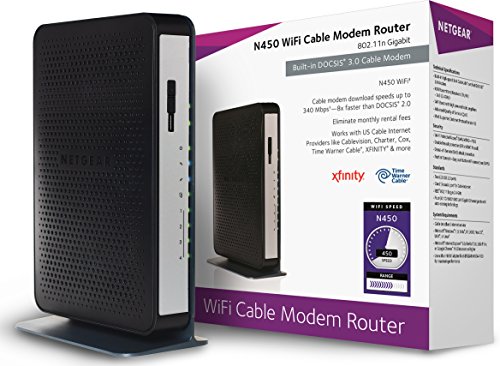
Arris (S33-RB) - Cable Modem - DOCSIS 3.1 Multi-Gigabit Cable Modem for Comcast Xfinity, Cox, Spectrum & More 1 & 2.5 Gbps Ports 2.5 Gbps Max Internet Speeds 4 OFDM Channels 1 Year Warranty - Renewed


Key features
- •Save Money: Own your modem and save. Reduce your cable bill up to $168 dollars per year in cable modem rental fees (Savings vary by cable service provider). Certified for use with most U.S. cable internet service providers. For a complete list see additional details below.
- •Modem Technology: DOCSIS 3.1 is the newest technology available from cable internet providers. Its 10x faster than DOCSIS 3.0, provides better security, reduces lag while gaming & enables multi-gig networking (ability to run fast speeds on your copper cable from your internet provider).
- •Simple and Secure Set-up: Plug-in the device, download the SURFboard Central App, and follow the instructions to activate the modem. Connect to a Wi-Fi router for networking.
- •Compatibility: The SURFboard S33 is compatible with major U.S. cable internet providers including Cox (Gigablast), Spectrum (Internet Gig), Xfinity (Blast!/Extreme Pro) and others. It's approved for cable internet speed plans up to 2.5-Gbps. Check your Internet Service Provider (ISP) website to confirm compatibility.
Arris (S33-RB) - Cable Modem - DOCSIS 3.1 Multi-Gigabit Cable Modem for Comcast Xfinity, Cox, Spectrum & More 1 & 2.5 Gbps Ports 2.5 Gbps Max Internet Speeds 4 OFDM Channels 1 Year Warranty - Renewed
List Price: $160.04$144.04DEALYou Save: $16.00 (10%)
Free shippingFree Returns – 30 daysFree Order CancellationSecure Payment2–3 Days DeliveryGet It June 24, 2026In Stock (1)No marketing spamNo account requiredFulfilment by FedEx / Amazon / UPS / ShipwirePayPal / Card Buyer Protection
Customer Reviews
Reviews sourced from verified Amazon purchasers4.2
out of 5
Based on 10 reviews
5★
30%
4★
70%
3★
0%
2★
0%
1★
0%
It works
DR✓ Verified Purchase•August 18, 2023
Was upgrading from old docsis protocol to support speed upgrades. Works like it should, no issues
Looks and works like brand new! Works fine with Optimum Online (Altice) in Northern NJ.
Mark (Bump)✓ Verified Purchase•August 6, 2023
I have Optimum Online (a.k.a. Altice, a.k.a. Cablevision) 500mbps broadband Internet to my home. I keep wanting to switch to Verizon FiOS, but every time I call Optimum to cancel they lower the price of my service. I figure in about 4 more years they'll be paying me to stay. Lol. Which is okay with me, because as bad as Optimum's tech support is, Verizon's billing department is worse. But I digress.
The product I received is virtually indistinguishable from new. The modem, the power supply (a 12V/1A wall wart), the box, even the documentation looks factory fresh, without a scratch, smudge or hint of dust. The only giveaway is a small "REFURBISHED" sticker on the back of the modem, and a lithographed "Refurbished Unit" sub-header under the Arris logo on the top of the box. I removed the Optimum-supplied Ubee WiFi gateway, plugged-in the Arris SB8200 and, from my phone, initiated a chat session with Optimum's tech support to provision the new modem. It took a total of around 30 minutes for the tech to finish provisioning the modem, but then I was up and running with speeds equal or even better than I had before.
Two things to note with the SB8200: 1.) it will only communicate with the device plugged-in to the LAN jack when it was rebooted; if you swap devices you need to reboot the modem to get back on the Internet, and 2.) Optimum provides only "best effort" technical support, and no warranty/repair services, for modems purchased from a third party. This applies whether the modem was bought new or refurbished.
I wanted to replace the Optimum-supplied Ubee WiFi gateway with simple modem because I run my own firewall (pfSense), switches (TP-Link Omada) and WiFi AP's (also TP-Link Omada). The Ubee was fine when set in bridge mode (disabling its router/firewall functions) but the Ubee's (extremely strong!) WiFi radios could not be turned-off, and that was interfering with my own AP's signals. Plus, by returning Optimum's gateway and using my own modem I'll save $10 a month, so this refurbished SB8200 will pay for itself in less than a year.
The product I received is virtually indistinguishable from new. The modem, the power supply (a 12V/1A wall wart), the box, even the documentation looks factory fresh, without a scratch, smudge or hint of dust. The only giveaway is a small "REFURBISHED" sticker on the back of the modem, and a lithographed "Refurbished Unit" sub-header under the Arris logo on the top of the box. I removed the Optimum-supplied Ubee WiFi gateway, plugged-in the Arris SB8200 and, from my phone, initiated a chat session with Optimum's tech support to provision the new modem. It took a total of around 30 minutes for the tech to finish provisioning the modem, but then I was up and running with speeds equal or even better than I had before.
Two things to note with the SB8200: 1.) it will only communicate with the device plugged-in to the LAN jack when it was rebooted; if you swap devices you need to reboot the modem to get back on the Internet, and 2.) Optimum provides only "best effort" technical support, and no warranty/repair services, for modems purchased from a third party. This applies whether the modem was bought new or refurbished.
I wanted to replace the Optimum-supplied Ubee WiFi gateway with simple modem because I run my own firewall (pfSense), switches (TP-Link Omada) and WiFi AP's (also TP-Link Omada). The Ubee was fine when set in bridge mode (disabling its router/firewall functions) but the Ubee's (extremely strong!) WiFi radios could not be turned-off, and that was interfering with my own AP's signals. Plus, by returning Optimum's gateway and using my own modem I'll save $10 a month, so this refurbished SB8200 will pay for itself in less than a year.
It'll do
Doplar✓ Verified Purchase•August 2, 2023
While my ISP contract is for 300 mbps I have always gotten up to 375 even 380 on occasion while using an Arris 6190 DOCSIS 3.0 for many years now. This hasn't changed with the DOCIS 3.1 and I wasn't really expecting it to since that would be an expectation too far. But when testing my speeds at different times throughout the day, with the 3.1 I get more consistent max to near max speeds.
Setting this modem up would have been a breeze if Spectrum's set up page actually worked when upgrading a modem vs installing a first time new one. I was hoping with fingers crossed that I could get 'er done in 15 mins max and not have to call for assistance. Not to be. Trying to use their chat was a waste of time as well. Whoever was on the other end was lost from the get go and abandoned me in no time flat. So after finally telling their robo recorded menu I wanted a human (customer support) which wasn't a choice on their menu, I broke through to someone who had a clue. So the 15 mins I was hoping for turned into the better part of an hour and a half for a simple setup.
One thing: the BRIGHT blue light that so many reviewers seem to be complaining about here, isn't that BRIGHT on my modem. In fact it isn't BRIGHT at all. It is just a blue smiley face light at the very bottom of this very tiny modem, and even looking at it in a completely darkened room it isn't BRIGHT. So I'm left to just Laugh Out Loud. ;-)
Lastly, this modem to the touch feels a tad warmer than the 3.0 but their is ample ventilation at it's top, where it should be, so that should not be a problem. Also, I have as yet been unable to access the modem's settings page. 192.168.100.1. I get nothing. Not really a big deal since my experience with that page for the 3.0 was that it gave the status of the modem. That's about it. No real settings to speak of. If it's status ever becomes 'not working' I'm sure I'll know that without needing to go the modem's web page.
Setting this modem up would have been a breeze if Spectrum's set up page actually worked when upgrading a modem vs installing a first time new one. I was hoping with fingers crossed that I could get 'er done in 15 mins max and not have to call for assistance. Not to be. Trying to use their chat was a waste of time as well. Whoever was on the other end was lost from the get go and abandoned me in no time flat. So after finally telling their robo recorded menu I wanted a human (customer support) which wasn't a choice on their menu, I broke through to someone who had a clue. So the 15 mins I was hoping for turned into the better part of an hour and a half for a simple setup.
One thing: the BRIGHT blue light that so many reviewers seem to be complaining about here, isn't that BRIGHT on my modem. In fact it isn't BRIGHT at all. It is just a blue smiley face light at the very bottom of this very tiny modem, and even looking at it in a completely darkened room it isn't BRIGHT. So I'm left to just Laugh Out Loud. ;-)
Lastly, this modem to the touch feels a tad warmer than the 3.0 but their is ample ventilation at it's top, where it should be, so that should not be a problem. Also, I have as yet been unable to access the modem's settings page. 192.168.100.1. I get nothing. Not really a big deal since my experience with that page for the 3.0 was that it gave the status of the modem. That's about it. No real settings to speak of. If it's status ever becomes 'not working' I'm sure I'll know that without needing to go the modem's web page.
should be easier
BBlack✓ Verified Purchase•July 7, 2023
Day one. I could not get the Arris application to connect it would not find the wi-fi signals, the instructions in the box gave me the wrong IP/address to access the settings, I should have used the old one. I called tech support, they spoke English with heavy accent that was a barrier, just a barrier not a complaint. Reset the modem redownload the app, still nothing. Then he gave me the correct IP/address and it worked right away. Why was this incorrect on the instructions int he box. Got it set up in a few minutes after that. The setting interface is not super intuitive but it's cleaner and better than the past interface. However every time I connect the setting for the modem it tells me the version of Chrome is old and may have trouble with some settings. I checked, nope Chrome is the newest version and apparently the setting menu is set to run off an older version, but it still works haven't found any issues. Back to the app. It sucks. You not only have to download one app but two apps. The second app changes your login from admin to your email. Thats a nice touch however I have had to go through the whole process of setting up the app each time and if it works it throws me back to the other app. I don't understand the reasoning for this. Either way I am hoping this has better connection and speeds looks like it is working once I called my internet provider, Sparklight does work with it. Should have been easier with all the "convenience" options starting with the correct IP/address.
Acceptable
Keith F✓ Verified Purchase•June 10, 2023
Works for internet but setup can be a little troublesome. So I had trouble following along in the app. You need internet access to set up. I had to reconnect my old modem to get registered. After that I connected this refurbished modem. I got as far as a reset signal was sent, waited 10 minutes. I then believed it was not working. Had 2 blue lights and 2 lights that seemed to be off or at least not green. The app will guide you along and get you connected to your internet provider via phone, that at least was a help. I got through to Spectrum and had a 2 minute wait. Be nice and explain simply, I said I bought a new modem to replace old modem. She verified my address, asked for the old mac id, then the new mac id. Next she said modem would reset which it did. At first I get one at a time up to 4 green lights, then the transmit and receive turned bright blue which makes it appear that the power and network light are off. This is what confused me. Over the next couple of hours I waited, unplugged and replugged modem a couple times, still same thing. After a search on the internet, yes i'm now connected. I found on several forums, or faq on manufacturer site that some units the lights will appear to be off. If you look through the open grill case, i can see inside that they appear green, blue, blue and green, yet on the outside I only see 2 bright blue. The lights are like flood light when they need to be accent lights. I also had trouble loging into the webpage for admin access to modem, gotta use your browser for this. I ended up doing a factory reset with paperclip into the hole on the back, after that I could get in. use admin and the last 8 digits of the serial number on bottom of modem to access. Nothing much in there I need to change, but i alays like to look around. I finished the setup in the app, which now is mostly useless. It only tells me the serial number and mac id and has a copy of spec sheet and manual. Nothing else. It would be nice if the app showed you the status (and allowed turn off of lights) and allowed you to login to the admin settings within the app instead of having to use a web browser. app is kinda lame and the setup procedure although was partially helpful not the best experience. I was excited to get a new modem with an app, but i doubt if I ever use the app again.
This still is a good choice. My old modem was bought 11 years go when speed was like 20Mbps. It had room to grow up to 150MBps. Spectrum increased to 200Mbps but that old modem was only giving me 125Mbps. Only ended up costing me like 7.67 a year to own vs renting which i'm sure is more than that. I decided it was time to upgrade even though it was still working.
This modem has room to allow for growth over the coming years. I'm now getting 233Mbps which is far below it's max rating of 1000Mbps. This is fine for video streaming movies and I have lots of smart lights and home control devices along with alexa for voice control. The new speed while not necessary does help. I notice some apps load data faster.
This still is a good choice. My old modem was bought 11 years go when speed was like 20Mbps. It had room to grow up to 150MBps. Spectrum increased to 200Mbps but that old modem was only giving me 125Mbps. Only ended up costing me like 7.67 a year to own vs renting which i'm sure is more than that. I decided it was time to upgrade even though it was still working.
This modem has room to allow for growth over the coming years. I'm now getting 233Mbps which is far below it's max rating of 1000Mbps. This is fine for video streaming movies and I have lots of smart lights and home control devices along with alexa for voice control. The new speed while not necessary does help. I notice some apps load data faster.
Page 1 of 2