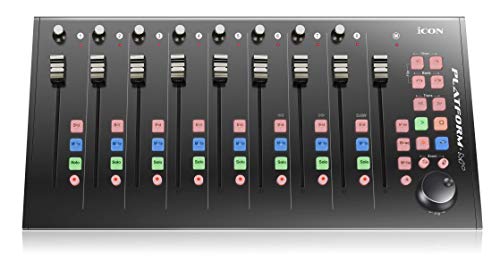
Elgato Stream Deck +, Audio Mixer, Production Console and Studio Controller for Content Creators, Streaming, Gaming, with customizable touch strip dials and LCD keys, works with Mac and PC


Key features
- •Tactile Control, Visual Feedback: LCD keys, touch strip, and dials for audio, video, lighting, and more. Know that your command has been executed.
- •Fully Customizable: Use as an audio mixer, studio controller, production console, etc.
- •Multi Actions, Smart Profiles: trigger multiple actions at once or sequentially, automatically switch between interface configurations for different apps.
- •Powerful Plugins: Elgato Wave Link, Camera Hub, Control Center, OBS, Twitch, YouTube, Twitter, Discord, Spotify, Philips Hue, and many more.
- •Stream Deck App and Store: drag and drop setup, download plugins, icons, thousands of royalty-free tracks, SFX, and more. Regular updates and new plugins frequently added.
Elgato Stream Deck +, Audio Mixer, Production Console and Studio Controller for Content Creators, Streaming, Gaming, with customizable touch strip dials and LCD keys, works with Mac and PC
List Price: $232.79$209.51DEALYou Save: $23.28 (10%)
Free shippingFree Returns – 30 daysFree Order CancellationSecure Payment2–3 Days DeliveryGet It October 24, 2026In Stock (10)No marketing spamNo account requiredFulfilment by FedEx / Amazon / UPS / ShipwirePayPal / Card Buyer Protection
Customer Reviews
Reviews sourced from verified Amazon purchasers4.6
out of 5
Based on 10 reviews
5★
100%
4★
0%
3★
0%
2★
0%
1★
0%
Loving this latest Stream Deck + with Spotify and mmhmm
Mary Pendleton ✓ Verified Purchase•October 4, 2023
The media could not be loaded. The newest Stream Deck + is pretty slick! I love having unlimited buttons to program, and the integrations with my favorite programs like Spotify and mmhmm.
One of the main way I use this is for Spotify. If I need to pause my music quickly, or I want to change the song, I don't have to search through my windows on my laptop to find the spotify player. I can just push a quick button on my streamdeck and it does the trick. It's kind of like having an old fashioned boom box, but it's programed to my laptop!
I also love it for using with my favorite presentation app, mmhmm. I can have Zoom going, and use the stream deck integration to change slides, change my camera effects, grow/shrink myself, and more. My audience is constantly asking what wizardry I'm using - it's all the stream deck + with mmhmm!
One of the main way I use this is for Spotify. If I need to pause my music quickly, or I want to change the song, I don't have to search through my windows on my laptop to find the spotify player. I can just push a quick button on my streamdeck and it does the trick. It's kind of like having an old fashioned boom box, but it's programed to my laptop!
I also love it for using with my favorite presentation app, mmhmm. I can have Zoom going, and use the stream deck integration to change slides, change my camera effects, grow/shrink myself, and more. My audience is constantly asking what wizardry I'm using - it's all the stream deck + with mmhmm!
One of the most important streaming tools
Casey Evans✓ Verified Purchase•October 3, 2023
The Stream Deck + was a much needed revision, and Elgato turned an already amazing device, into a more amazing device.
The volume knobs are amazing, and make it worth having one of these alone
There is a touchscreen bar directly above the knobs. The bar also acts as a next or back arrow, no longer wasting one of your buttons
The device is bigger, which it needed to be imo.
Any of my streaming buddies i tell to get one of these, if they dont already have one. 10000/10
The volume knobs are amazing, and make it worth having one of these alone
There is a touchscreen bar directly above the knobs. The bar also acts as a next or back arrow, no longer wasting one of your buttons
The device is bigger, which it needed to be imo.
Any of my streaming buddies i tell to get one of these, if they dont already have one. 10000/10
Great, even for non-streamers
Michael L✓ Verified Purchase•September 2, 2023
I'm not a content creator by any stretch of the imagination. I dont stream on twitch or record for youtube. I occasionally stream a game to my friends over discord, and edit photos, but that's about it. But I use this thing constantly.
Hooked into wave link, once you get all your programs set up into different channels it's super satisfying to be able to mix the audio without fumbling your way into Windows volume mixer. Want the game audio down low any Spotify cranked? Easy. Important call but you need to watch a video through it? Boom, change your browser and voice chat volumes as easy as turning two of the knobs. Someone specific in discord voice notorious for leaning away from their mic and sounding microscopic? With the discord plugin, you can individually fine-tune a single user's volume! And if you have a wave link, you can control the gain on the stream deck as well. While this may not be as robust as a dedicated mixer, its a huge step up from the one windows provides!
The added functionality of being a bed of hotkeys as well makes this stand apart. Shortcuts, soundboard, macros, you name it. In Affinity photo editor, I have the dials set to zoom, rotate, increase/decrease brush size, and change layers, with the keys set to my most frequently used tools.
I also use it to play funny soundboard files for when I'm in voice chat, because I am a nuisance.
The build quality is pretty solid, I wish that the base, however, was a little more grippy. It can shift slightly when pressing keys. Also the touch panel sometimes makes a sound like plastic creaking against plastic when touched, but it's nothing too concerning considering I usually push a dial in to activate it rather than use the touch strip. Even though the whole thing is a hunk of plastic, it's still solidly made and feels high quality overall.
Hooked into wave link, once you get all your programs set up into different channels it's super satisfying to be able to mix the audio without fumbling your way into Windows volume mixer. Want the game audio down low any Spotify cranked? Easy. Important call but you need to watch a video through it? Boom, change your browser and voice chat volumes as easy as turning two of the knobs. Someone specific in discord voice notorious for leaning away from their mic and sounding microscopic? With the discord plugin, you can individually fine-tune a single user's volume! And if you have a wave link, you can control the gain on the stream deck as well. While this may not be as robust as a dedicated mixer, its a huge step up from the one windows provides!
The added functionality of being a bed of hotkeys as well makes this stand apart. Shortcuts, soundboard, macros, you name it. In Affinity photo editor, I have the dials set to zoom, rotate, increase/decrease brush size, and change layers, with the keys set to my most frequently used tools.
I also use it to play funny soundboard files for when I'm in voice chat, because I am a nuisance.
The build quality is pretty solid, I wish that the base, however, was a little more grippy. It can shift slightly when pressing keys. Also the touch panel sometimes makes a sound like plastic creaking against plastic when touched, but it's nothing too concerning considering I usually push a dial in to activate it rather than use the touch strip. Even though the whole thing is a hunk of plastic, it's still solidly made and feels high quality overall.
Learning curve
Dylan✓ Verified Purchase•August 13, 2023
It's awesome once you understand the software but for what it is as an object is WAY overpriced
Productivity Powerhouse
Sam✓ Verified Purchase•July 21, 2023
I paid for premade profiles for DaVinci Resolve and am blown away at how this little tool has boosted my productivity. All kinds of shortcuts hidden in layers of menus are now at my fingertips. I now own an emulated jog wheel. And it's just plain fun to press those big bright chunky buttons or hear the click clack of a dial while doing mundane tasks like volume control.
Page 1 of 2