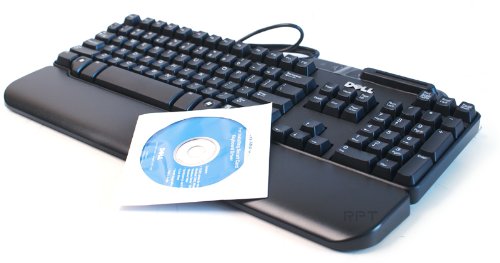
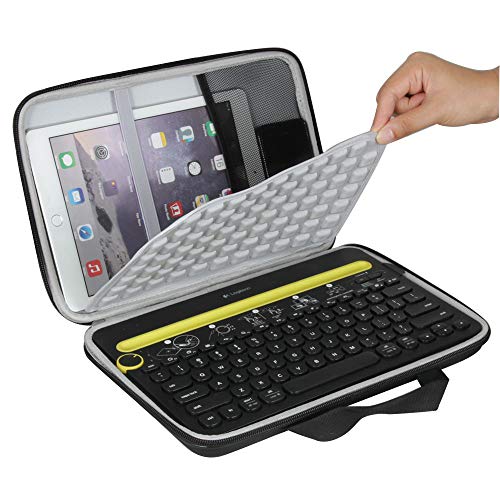
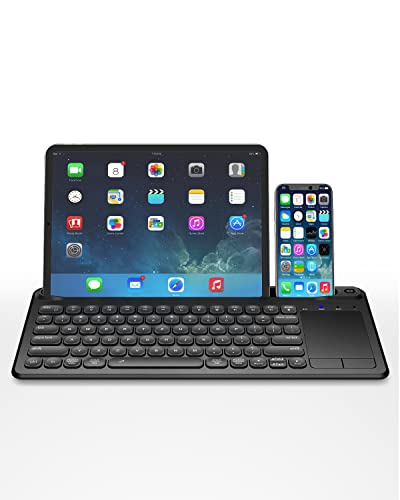
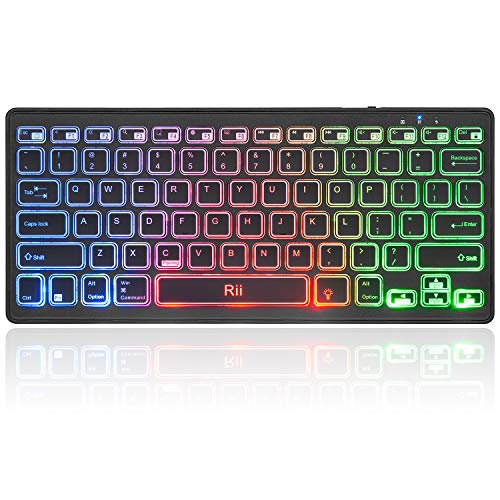
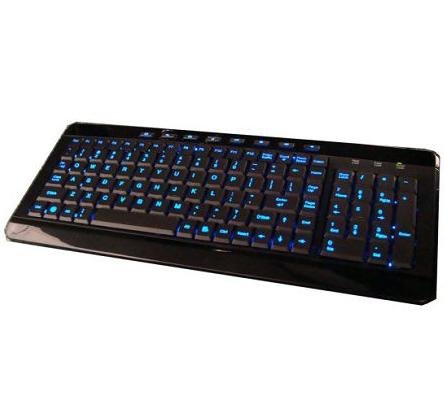
Anyware Computers Full Size Multimedia USB Lighted Keyboard w/ Backlit Blue LEDs



Key features
- •Make your gaming or multimedia computer complete with a slim and quiet LED keyboard whose keys light up in the dark!
- •Anti-Static, Anti-electromagnetic interference
- •Comprehensive multi-media keys to master the voice and image / One-touch Internet access, easy to browse the Web
- •Smooth quiet touch keys / Life of more than 10,000,000 percussion
- •Hot Keys: Email; Home Page: Multimedia; Mute; My Favorites; Volume Down; Internet; Search; Play/pause; Volume Up
Anyware Computers Full Size Multimedia USB Lighted Keyboard w/ Backlit Blue LEDs
List Price: $38.39$34.55DEALYou Save: $3.84 (10%)
Free shippingFree Returns – 30 daysFree Order CancellationSecure Payment2–3 Days DeliveryGet It October 25, 2026In Stock (2)No marketing spamNo account requiredFulfilment by FedEx / Amazon / UPS / ShipwirePayPal / Card Buyer Protection
Customer Reviews
Reviews sourced from verified Amazon purchasers3.5
out of 5
Based on 10 reviews
5★
30%
4★
20%
3★
30%
2★
10%
1★
10%
Easy to see and type on.
Kiah•November 5, 2017
Great keyboard. The area I work in is low light so It was hard to see the keys. This product solved that problem.
Good keyboard
Joy M. Hanawa•April 12, 2017
I like this keyboard and for the money it works well and the color is nice. But the keyboard was not big enough. I tried it for a month, before I gave up and got a full sized keyboard. I should have paid closer attention to the key board size.
This is a terrible keyboard. Several of the keys on the right ...
Curt•February 19, 2017
This is a terrible keyboard. Several of the keys on the right are scrunched. The all important "Backspace" key is reduced to the width of one key instead of the standard two. The reach to hit the Backspace is long and difficult to do with pinpoint accuracy, so you'll often hit "Insert" instead. These kinds of problems I solved using some simple AutoHotKey scripts. (turning "insert" into a second backspace key)
Furthermore, some keys require a lot more pressure than others to "click-down", so if you're not careful you'll drop letters all over the place. I tried using this keyboard (professionally so several hours a day) for about a month, and just couldn't get the hang of it.
Furthermore, some keys require a lot more pressure than others to "click-down", so if you're not careful you'll drop letters all over the place. I tried using this keyboard (professionally so several hours a day) for about a month, and just couldn't get the hang of it.
Run now while you still have the chance.
Hoftmeister•November 24, 2013
Dear fellow Amazonians. Let me just save you the trouble. The keyboard was obviously designed by some distant tribe of elves with absolute disregard for modern keyboard design. In what world do you put the home key next to the delete key? Or make the pg dn key to the right of the Return key? These are just a few of the flawed design thoughts you too could ponder should you mistakingly purchase this device. The blue backlight also seemed cool until my cravings for blueberrys and my need to have my eyes reexamed were overwhelming. After making it through 60 painstaking minutes of keyboard use, this product now sits back in the box where it belongs. Save yourself the trouble, avoid this disaster of an ASCII input device and look for a keyboard with a proper layout and non-blinding blue glow. I pray to the return gods at Amazon that they will gladly accept my return and that we shall never have to speak of this horrible event again.
Great keyboard with minor aesthetic issue
Drakah•June 19, 2013
I bought this keyboard because I wanted a real nice blue light-up keyboard that would be inexpensive. Now I am very picky about keyboards which is why I wanted to write my own little review. The blue lit keys have perfect lighting across the whole board and was plug-n-play, so no issue there. The few multimedia keys at the top are handy, however 1 key that I would had liked would had been the mute key, which is not found on this keyboard. I would had replaced either the Play or the Light key to remap it to it, but you can't. Aesthetically though, it is a tad small for myself, measuring approx 15 1/2" wide....my Dell keyboard is about 17" and my Microsoft keyboard is 18 1/4" (which I was replacing) but I am trying to adapt to it. I do a lot of typing and play several MMO games, and I find the keys to be somewhat small. There are 3 keys that are getting annoying due to the placement, namely the ALT, DEL and ENTER buttons. The Left-ALT key normally is directly to the left of the Spacebar....on this keyboard it is the "\|" key. Oddly enough, this key is repeated twice on this keyboard. One to the left of the spacebar and the other in its normal spot--above the enter button. I would have rathered the ALT keys to be the same size as the shift key, but they are tiny. The DEL key is next to the HOME key, so I am hitting HOME by accident too, and the DEL key is above the HOME key, and that is a tad odd as well. I am sure the placement of these keys are strategic to a smaller width keyboard, but for myself, over the long haul, I don't think I can adapt. Overall, I do really like this keyboard, especially the lighting, but for myself, being a small keyboard, my fingers just does not want to cooperate.
Page 1 of 2