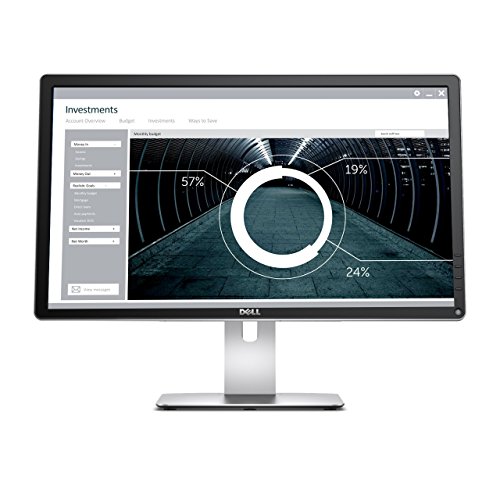
Dell Ultra HD 4K Monitor P2415Q 24-Inch Screen LED-Lit Monitor, Black


Key features
- •With 99% sRGB color coverage, and a factory color calibration report to certify that each monitor arrives at a deltaE of <3, youcan be sure that colors are as accurate as they can be.
- •Maximize your viewing options by adjusting the monitor to your desired height, or easily tilt or swivel to your preferred angle.Pivot from landscape to portrait view to easily see full pages at a glance.
- •Customize your viewing experience with the height adjustable stand, or save valuable desktop space by detaching the stand forwall mounting with a VESA-compatible 100mm x 100mm wall mount kit (wall mounting equipment sold separately)
Dell Ultra HD 4K Monitor P2415Q 24-Inch Screen LED-Lit Monitor, Black
List Price: $523.79$471.41DEALYou Save: $52.38 (10%)
Free shippingFree Returns – 30 daysFree Order CancellationSecure Payment2–3 Days DeliveryGet It October 24, 2026In Stock (1)No marketing spamNo account requiredFulfilment by FedEx / Amazon / UPS / ShipwirePayPal / Card Buyer Protection
Customer Reviews
Reviews sourced from verified Amazon purchasers4.2
out of 5
Based on 10 reviews
5★
40%
4★
60%
3★
0%
2★
0%
1★
0%
... of those people that writes reviews but I felt like I had to with this monitor after doing tons ...
JustinCentric ✓ Verified Purchase•July 28, 2023
I'm not normally one of those people that writes reviews but I felt like I had to with this monitor after doing tons of research before purchasing it.
Before I do that though: Yes, this is a wonderful, beautiful, delightful monitor. This has a non-glossy display and easy to access buttons. Now with that out of the way ...
Issues and Explanations
1. You're going to hear on a lot of different websites and from reviewers that the monitor has issues waking up which will require you to restart the monitor, wait an inordinate amount of time, try different ports etc. However, what I can tell you is that there are multiple versions of this same monitor from Rev A00 and up to Rev A03. You can find out which you have by checking the back of the monitor.
The earlier the version you have, the more likely you're going to have issues. The one that I have is A03. I don't have these issues with this monitor.
2. You're going to have to understand that when you buy a 4K monitor the resolution is different. So what that means in reality (especially if you have Windows 10, et. al.) is that you're going to need to adjust the scaling for your display. That means you're going to have to make the text bigger and the icons bigger so you can see what is happening on your screen without squinting. This works better on the MAC but on Windows you're really going to have to do some tweaking. (That is to say everything is really small.) The process for doing this is a little bit different for every version of windows and operating system. So if you hook this up and everything is really small do not panic. Pull out your phone and figure out how to scale the text and icons so that they are suitable for you to view.
3. Special note for GTX 970 people (since a lot of people are buying those and 980 for VR): I just bought a bunch of parts and built a computer. Gigabyte G7 z170 motherboard, Intel 6700K processor and so on. I also got an nvidia GTX 970 100 Million edition and it has issues (and it's not just the 970 edition that I have that has these issues) through HDMI. (Weird snow, black bars etc., black screen, grey screen etc.) The HDMI port on it does not like any monitor I plug this thing into. Apparently if you go over to the nvidia forums you'll find people with "HDMI glitches."
How does that relate to this monitor? If you went out and got a 970 card and are having issues through HDMI try Display Port. If you're okay with 1080p (then buy another monitor and save some money but ....) this monitor will work with that card and DVI to HDMI. Of course, it won't work as intended.
4. Last but not least if you find your mouse is acting strangely when your monitor is at 4K then you should probably check and make sure that your drivers are installed correctly or more accurately that your monitor is at 60 hertz instead of 30. If it's at 30 the mouse can look like it's kind of glitchy or lagging behind a little bit. If this happens reinstall the nVidia driver, switch from HDMI to Display Port and check and make sure your monitor is operating at the 60 hertz capacity.
5. This is not a Dell Ultrasharp monitor. This is a Dell Ultra HD 4K monitor. Similar names but the Ultrasharp is the top of the line monitor with the ability to have nearly perfect color reproduction. That's not knocking the color on this one. It's great. Just be aware of that before you buy the monitor.
Before I do that though: Yes, this is a wonderful, beautiful, delightful monitor. This has a non-glossy display and easy to access buttons. Now with that out of the way ...
Issues and Explanations
1. You're going to hear on a lot of different websites and from reviewers that the monitor has issues waking up which will require you to restart the monitor, wait an inordinate amount of time, try different ports etc. However, what I can tell you is that there are multiple versions of this same monitor from Rev A00 and up to Rev A03. You can find out which you have by checking the back of the monitor.
The earlier the version you have, the more likely you're going to have issues. The one that I have is A03. I don't have these issues with this monitor.
2. You're going to have to understand that when you buy a 4K monitor the resolution is different. So what that means in reality (especially if you have Windows 10, et. al.) is that you're going to need to adjust the scaling for your display. That means you're going to have to make the text bigger and the icons bigger so you can see what is happening on your screen without squinting. This works better on the MAC but on Windows you're really going to have to do some tweaking. (That is to say everything is really small.) The process for doing this is a little bit different for every version of windows and operating system. So if you hook this up and everything is really small do not panic. Pull out your phone and figure out how to scale the text and icons so that they are suitable for you to view.
3. Special note for GTX 970 people (since a lot of people are buying those and 980 for VR): I just bought a bunch of parts and built a computer. Gigabyte G7 z170 motherboard, Intel 6700K processor and so on. I also got an nvidia GTX 970 100 Million edition and it has issues (and it's not just the 970 edition that I have that has these issues) through HDMI. (Weird snow, black bars etc., black screen, grey screen etc.) The HDMI port on it does not like any monitor I plug this thing into. Apparently if you go over to the nvidia forums you'll find people with "HDMI glitches."
How does that relate to this monitor? If you went out and got a 970 card and are having issues through HDMI try Display Port. If you're okay with 1080p (then buy another monitor and save some money but ....) this monitor will work with that card and DVI to HDMI. Of course, it won't work as intended.
4. Last but not least if you find your mouse is acting strangely when your monitor is at 4K then you should probably check and make sure that your drivers are installed correctly or more accurately that your monitor is at 60 hertz instead of 30. If it's at 30 the mouse can look like it's kind of glitchy or lagging behind a little bit. If this happens reinstall the nVidia driver, switch from HDMI to Display Port and check and make sure your monitor is operating at the 60 hertz capacity.
5. This is not a Dell Ultrasharp monitor. This is a Dell Ultra HD 4K monitor. Similar names but the Ultrasharp is the top of the line monitor with the ability to have nearly perfect color reproduction. That's not knocking the color on this one. It's great. Just be aware of that before you buy the monitor.
Good value if you are looking for a no-frills 27" display with good image quality.
Aaron C✓ Verified Purchase•June 6, 2023
I bought this monitor for my home workstation which I share on occasion with my wife. We both have a 13" 2015 mac book pro and I wanted a large quality high res display that we both could use when needed to work on projects (mostly obscenely large spreadsheets or design work) that require a larger screen at eye level. My goal was to have a work station that we could both use seamlessly (the least cables going to our laptops the better). As a note, I live in a small apartment and hate clutter. Since the work station sits in my living room, design was as much a factor for me as ease of use, construction and image quality.
Overall: Good value if you are looking for a no-frills 27" display with good image quality and nothing else. For superior image quality and features look for higher-priced options.
I own both PCs and Macs. So I'm not necessarily an apple fanatic. However, if you are buying this display to use with a mac book pro as I did, you may want to stick to the Thunderbolt (unless you work on any particular task that requires a 4k resolution). IMO the seamless integration of the Thunderbolt (combining power, video, audio and peripherals with a single cable) and built in speakers make up for the Thunderbolt's lower resolution (which works just fine for most tasks). I ended up having to also buy a Dell 4k docking station ($160) and external speakers ($90), which takes away from the value, which is the main benefit of this display.
Pros:
-Nice 4k resolution.
-Accurately color calibrated.
-Easy set up with included Display Port or HDMI cable. Plug and Play with my MBP. Both options rendered crisp 4k image quality.
-I enjoy the ability to rotate adjust the height, tilt and rotation of the monitor.
-Solid construction.
On the fence:
-USB and audio port in the back are nice to have for easily connecting peripherals. However, using these USB ports requires you to to connect an additional cable to your laptop in addition to the DP cable (which I'm trying to minimize). Also, I noticed an annoying lag on my wireless mouse (which connects via a small USB thingy) when connected to the monitor ports. So I ended up plugging the mouse back directly to the laptop USB ports.
-The design isn't bad, but it isn't good either. For the frame and base they used a "brushed aluminum" plastic veneer that looks good from afar but looks and feels plasticky once you are closer to the desk. I wish they would have gone with the real thing. Also, the back of the display is just a big black light-sucking plastic rectangle. So it will not look nice if you are going to have the back of the display "displayed" (as opposed to placed against a wall).
Cons
-The display doesn't stay leveled on a horizontal position. Instead it tends to tilt slightly to the side as if it was a loose and heavier on right side. This may not be a big deal for some people, but it drives me crazy looking at slightly tilted screen (and therefore slightly tilted spreadsheets and web browsers) for hours. It may be only a few degrees, but the large size of the display accentuates this problem. I couldn't find a way to tighten the rotating parts so I solved it by placing a piece of folded paper underneath the right side of the base. This is too bad as the base/pedestal was very sturdy and stable. It is not so stable after I placed the paper (but at least it is now leveled)
-Black levels could be darker (I know it is an issue with the technology rather than the specific monitor, but still...)
-No speakers. I really don't need loud, premium speakers. But a small set of speakers for me to listen to computer sounds or the occasional Youtube video would have been nice. I have to keep an external set of speakers cluttering my desktop.
Overall: Good value if you are looking for a no-frills 27" display with good image quality and nothing else. For superior image quality and features look for higher-priced options.
I own both PCs and Macs. So I'm not necessarily an apple fanatic. However, if you are buying this display to use with a mac book pro as I did, you may want to stick to the Thunderbolt (unless you work on any particular task that requires a 4k resolution). IMO the seamless integration of the Thunderbolt (combining power, video, audio and peripherals with a single cable) and built in speakers make up for the Thunderbolt's lower resolution (which works just fine for most tasks). I ended up having to also buy a Dell 4k docking station ($160) and external speakers ($90), which takes away from the value, which is the main benefit of this display.
Pros:
-Nice 4k resolution.
-Accurately color calibrated.
-Easy set up with included Display Port or HDMI cable. Plug and Play with my MBP. Both options rendered crisp 4k image quality.
-I enjoy the ability to rotate adjust the height, tilt and rotation of the monitor.
-Solid construction.
On the fence:
-USB and audio port in the back are nice to have for easily connecting peripherals. However, using these USB ports requires you to to connect an additional cable to your laptop in addition to the DP cable (which I'm trying to minimize). Also, I noticed an annoying lag on my wireless mouse (which connects via a small USB thingy) when connected to the monitor ports. So I ended up plugging the mouse back directly to the laptop USB ports.
-The design isn't bad, but it isn't good either. For the frame and base they used a "brushed aluminum" plastic veneer that looks good from afar but looks and feels plasticky once you are closer to the desk. I wish they would have gone with the real thing. Also, the back of the display is just a big black light-sucking plastic rectangle. So it will not look nice if you are going to have the back of the display "displayed" (as opposed to placed against a wall).
Cons
-The display doesn't stay leveled on a horizontal position. Instead it tends to tilt slightly to the side as if it was a loose and heavier on right side. This may not be a big deal for some people, but it drives me crazy looking at slightly tilted screen (and therefore slightly tilted spreadsheets and web browsers) for hours. It may be only a few degrees, but the large size of the display accentuates this problem. I couldn't find a way to tighten the rotating parts so I solved it by placing a piece of folded paper underneath the right side of the base. This is too bad as the base/pedestal was very sturdy and stable. It is not so stable after I placed the paper (but at least it is now leveled)
-Black levels could be darker (I know it is an issue with the technology rather than the specific monitor, but still...)
-No speakers. I really don't need loud, premium speakers. But a small set of speakers for me to listen to computer sounds or the occasional Youtube video would have been nice. I have to keep an external set of speakers cluttering my desktop.
Excellent as second monitor on iMac 5K (and Win10 in bootcamp)
GCL✓ Verified Purchase•June 4, 2023
I just received this monitor today and have been using it for a couple hours. I usually wait before I write a review, but I thought it could be useful to others as my setup is a bit different than most. I'll edit it if something happens in the future.
I'm using this monitor (P2415Q) as a secondary monitor on an iMac 5k (retina), both on OSX (El Capitan) and Windows 10 (in bootcamp). 24" is a bit of an overkill here, but I wanted HiDPI because there is no way I can use a non-"retina-like" monitor next to the iMac's gorgeous screen, and for some reason, manufacturers are so attached to the 4K label that they won't make smaller ones with very high PPI. Anyway.
I chose this one for several reasons. The main ones are :
- Ultra HD, same quality as a retina screen.
- IPS panel
- SST (Single Stream Transport), which means the monitor is seen as a single normal monitor, not as two side-by-side ones, which is a common trick used by many 4K monitors to bypass physical limitations.
Less important but nice to have :
- It's a Dell. You may think what you want about Dell, but they're actually very good at monitors.
- Semi-matte screen. Yay !
- USB ports galore. While it will take up one USB port on your iMac, you get an additional 3 USB 3.0 ports for your trouble.
- All the cables you need are included.
- It supports portrait mode. While that can be awkward on a 24" 16:9 monitor, it's also useful from time to time.
First impressions
- It looks nice enough. The bezels are ok. The overall finition is very good, and it feels sturdy and well made.
- I'm using it on a VESA stand, so I didn't take a very good look at the stand, but again, it's sturdy, and looks like most Dell stands. I like having the option, and knowing that if I ever need it, it's fully adjustable (height, tilt and pivot).
- The VESA mount : the screws are included. Thank you, Dell. Mounted and connected in 5 minutes, tops.
- It's light enough that it won't pull my stand's arm down and it's easy to adjust and move around.
Detection
The monitor was automatically detected when I plugged it in - I didn't even restart the iMac. It's recognized as P2415Q, resolution is the right one right away, refresh rate is 60Hz, and, well, you plug it in and it just works. Awesome.
One thing I was really surprised by : it works just the same in Windows 10 in Bootcamp. I was a bit worried about that, but I just booted into Windows, and the monitor was working, automatically set at the max resolution and 60Hz. I didn't have anything to do there either.
Portrait mode also "just works" in both OS.
All in all, I was expecting a bit of work, but it was all set and done as soon as I plugged the monitor in the iMac.
Image and text quality
As I'm now very much used to Retina, I didn't get the "wow" factor a lot of you have. But it's as good as you'd expect. The text is extremely crisp, clear and readable, even at 3840x2160. The only thing is, it's not very bright and I will have to play a bit with the settings. Side by side with the iMac, the whites are much less white by default, and it's clearly not as bright, even with the setting at 100% (probably a side effect of the semi-matte coating). But the definition is excellent.
Note that I mostly work with text, so I can't and won't comment on photos and colors - not my domain.
Conclusion : if you want a HiDPI monitor but can't afford, or don't have room for a 27" - go for it without hesitation. If you can get a 27" then please do : 3860x2160 on 24" will give you very small texts and icons. Although it's very readable, most people will have to play with scaling settings. If you do, be aware that a lot of apps, especially on Windows, don't manage that very well just yet. Windows itself does, but a fair number of apps look bad with scaling.
No problems on Mac, since Retina has been there for 3 years and Apple pushed everybody to adjust their software.
I'm using this monitor (P2415Q) as a secondary monitor on an iMac 5k (retina), both on OSX (El Capitan) and Windows 10 (in bootcamp). 24" is a bit of an overkill here, but I wanted HiDPI because there is no way I can use a non-"retina-like" monitor next to the iMac's gorgeous screen, and for some reason, manufacturers are so attached to the 4K label that they won't make smaller ones with very high PPI. Anyway.
I chose this one for several reasons. The main ones are :
- Ultra HD, same quality as a retina screen.
- IPS panel
- SST (Single Stream Transport), which means the monitor is seen as a single normal monitor, not as two side-by-side ones, which is a common trick used by many 4K monitors to bypass physical limitations.
Less important but nice to have :
- It's a Dell. You may think what you want about Dell, but they're actually very good at monitors.
- Semi-matte screen. Yay !
- USB ports galore. While it will take up one USB port on your iMac, you get an additional 3 USB 3.0 ports for your trouble.
- All the cables you need are included.
- It supports portrait mode. While that can be awkward on a 24" 16:9 monitor, it's also useful from time to time.
First impressions
- It looks nice enough. The bezels are ok. The overall finition is very good, and it feels sturdy and well made.
- I'm using it on a VESA stand, so I didn't take a very good look at the stand, but again, it's sturdy, and looks like most Dell stands. I like having the option, and knowing that if I ever need it, it's fully adjustable (height, tilt and pivot).
- The VESA mount : the screws are included. Thank you, Dell. Mounted and connected in 5 minutes, tops.
- It's light enough that it won't pull my stand's arm down and it's easy to adjust and move around.
Detection
The monitor was automatically detected when I plugged it in - I didn't even restart the iMac. It's recognized as P2415Q, resolution is the right one right away, refresh rate is 60Hz, and, well, you plug it in and it just works. Awesome.
One thing I was really surprised by : it works just the same in Windows 10 in Bootcamp. I was a bit worried about that, but I just booted into Windows, and the monitor was working, automatically set at the max resolution and 60Hz. I didn't have anything to do there either.
Portrait mode also "just works" in both OS.
All in all, I was expecting a bit of work, but it was all set and done as soon as I plugged the monitor in the iMac.
Image and text quality
As I'm now very much used to Retina, I didn't get the "wow" factor a lot of you have. But it's as good as you'd expect. The text is extremely crisp, clear and readable, even at 3840x2160. The only thing is, it's not very bright and I will have to play a bit with the settings. Side by side with the iMac, the whites are much less white by default, and it's clearly not as bright, even with the setting at 100% (probably a side effect of the semi-matte coating). But the definition is excellent.
Note that I mostly work with text, so I can't and won't comment on photos and colors - not my domain.
Conclusion : if you want a HiDPI monitor but can't afford, or don't have room for a 27" - go for it without hesitation. If you can get a 27" then please do : 3860x2160 on 24" will give you very small texts and icons. Although it's very readable, most people will have to play with scaling settings. If you do, be aware that a lot of apps, especially on Windows, don't manage that very well just yet. Windows itself does, but a fair number of apps look bad with scaling.
No problems on Mac, since Retina has been there for 3 years and Apple pushed everybody to adjust their software.
easy to read
Zero Dawn✓ Verified Purchase•May 28, 2023
Update 9/14/2016:
I had to return this monitor even though I really loved it because my MBP 2011 just could not drive 4k at full res @ 60hz - I could only do 4k at 30hz max. Believe me, if you can't drive 4k at 60hz, don't bother with 4k. 30hz is just terrible to work with. I would have kept it if I could afford another computer that can do 4k. I was to return it because I really enjoyed the quality of the display even at 30hz - it was so crisp and clean, with absolutely no eye strain at all. When I have a new computer, I'll definitely repurchase this monitor. As such, I had to go with the Dell 2417H @ 1080p. :( But if you have a computer that can drive 4k, do yourself a favor and get this monitor, especially if you have to do a lot of online reading or coding that requires you to stare at a monitor all day. I would shop around though because I noticed that the price has gone up from north of $400.
---Original review----
I do a lot of research so reading online is a must for me. I recently bought this monitor in 27 inch size and have been using it as a secondary monitor from my early 2011 Macbook Pro (4k won't work for me if I mirror it because my MBP is too old).
PROs:
- Once you get the full 4k resolution, the image is exceptionally clear and crisp. Texts are clear and sharp, easy to read, easy on my eyes. I had an ASUS MX279h and that monitor, while also a great monitor, was giving me too much eye strain and was just too bright in general, no matter what I did. Granted, it was a 1080p. Still, I have a 1080p older Dell model at work and I have to say, when it comes to text display, Dell just wins, hands down. I found that with the Asus, I kept having to look away from the screen because it was really hurting my vision.
- The factory setting right out of the box by Dell is perfect, as always in true fashion of a Dell. I've never even had to mess around much except to change the MST to "secondary" to get the 4k display. I suspect that I might only need to adjust the display up or down, if needs be.
- I like the stand, the way it snaps into the back of the panel. For some reasons, it just seems more secure to me.
- The menu buttons are neatly laid out and positioned on the side, unlike that touch-sensitive hot mess on the Asus or others like it. I really hate touch-sensitive fake buttons. You either are a pressable button or you're not, OK?
CONs:
- Dell always looks like a typical business dad when it comes to external construction of the panel - boring, boxy looking but it works. So definitely, function over form in this case, which I don't mind. I'd rather have a thing that works and looks boring than to have something edgy and cool but fails to perform and just sucks the fun out of everything! (I'm looking at you, Asus MX279h!)
- Connections should be on the side instead of under the panel. I see the point of the design, but it still makes it a little bit of a challenge trying to connect cables into the monitor.
Overall, a fantastic monitor! I have to say, I don't think I can go back to reading text on a 1080p after this. I don't have a PC that can drive 4k in terms of gaming so I can't comment on that aspect. However, I doubt that if you're a serious gamer and looking for 4k, you would get this anyway. The response time in Dell monitors generally are always higher (8ms +) and input lag is probably a bit higher than normal anyway. But what I can comment on is that if you're a programmer or someone who has to read or do a lot of office work on the monitor a lot, this is for you. I've had this for a few days now and so far, no problem yet. If there are problems, I will update. And just to emphasize, since I've been using this, I never once have to look away from the monitor for my eyes to rest or to adjust because the monitor is too bright or anything of that nature. Comfort is the first and foremost important aspect in considering a monitor, for me at least, because I need to be able to comfortably look at it for long periods of time before deciding on any other factors such as response time, input lag, blah blah blah. If you can't comfortably look at your monitor, who cares if it has negative input lag and response time or whatever it is that you're looking for in a monitor!
One last tidbit, if you have a old Macbook Pro like I do, I think you should invest in upgrading to an solid state drive (SSD) and to at least 8 GB of RAM. It will make your machine run like the day you got it and will make your life so much easier. It's worth it. There are tons of instructions on Youtube - I used sakitech because he used very clear and precise instructions.
I had to return this monitor even though I really loved it because my MBP 2011 just could not drive 4k at full res @ 60hz - I could only do 4k at 30hz max. Believe me, if you can't drive 4k at 60hz, don't bother with 4k. 30hz is just terrible to work with. I would have kept it if I could afford another computer that can do 4k. I was to return it because I really enjoyed the quality of the display even at 30hz - it was so crisp and clean, with absolutely no eye strain at all. When I have a new computer, I'll definitely repurchase this monitor. As such, I had to go with the Dell 2417H @ 1080p. :( But if you have a computer that can drive 4k, do yourself a favor and get this monitor, especially if you have to do a lot of online reading or coding that requires you to stare at a monitor all day. I would shop around though because I noticed that the price has gone up from north of $400.
---Original review----
I do a lot of research so reading online is a must for me. I recently bought this monitor in 27 inch size and have been using it as a secondary monitor from my early 2011 Macbook Pro (4k won't work for me if I mirror it because my MBP is too old).
PROs:
- Once you get the full 4k resolution, the image is exceptionally clear and crisp. Texts are clear and sharp, easy to read, easy on my eyes. I had an ASUS MX279h and that monitor, while also a great monitor, was giving me too much eye strain and was just too bright in general, no matter what I did. Granted, it was a 1080p. Still, I have a 1080p older Dell model at work and I have to say, when it comes to text display, Dell just wins, hands down. I found that with the Asus, I kept having to look away from the screen because it was really hurting my vision.
- The factory setting right out of the box by Dell is perfect, as always in true fashion of a Dell. I've never even had to mess around much except to change the MST to "secondary" to get the 4k display. I suspect that I might only need to adjust the display up or down, if needs be.
- I like the stand, the way it snaps into the back of the panel. For some reasons, it just seems more secure to me.
- The menu buttons are neatly laid out and positioned on the side, unlike that touch-sensitive hot mess on the Asus or others like it. I really hate touch-sensitive fake buttons. You either are a pressable button or you're not, OK?
CONs:
- Dell always looks like a typical business dad when it comes to external construction of the panel - boring, boxy looking but it works. So definitely, function over form in this case, which I don't mind. I'd rather have a thing that works and looks boring than to have something edgy and cool but fails to perform and just sucks the fun out of everything! (I'm looking at you, Asus MX279h!)
- Connections should be on the side instead of under the panel. I see the point of the design, but it still makes it a little bit of a challenge trying to connect cables into the monitor.
Overall, a fantastic monitor! I have to say, I don't think I can go back to reading text on a 1080p after this. I don't have a PC that can drive 4k in terms of gaming so I can't comment on that aspect. However, I doubt that if you're a serious gamer and looking for 4k, you would get this anyway. The response time in Dell monitors generally are always higher (8ms +) and input lag is probably a bit higher than normal anyway. But what I can comment on is that if you're a programmer or someone who has to read or do a lot of office work on the monitor a lot, this is for you. I've had this for a few days now and so far, no problem yet. If there are problems, I will update. And just to emphasize, since I've been using this, I never once have to look away from the monitor for my eyes to rest or to adjust because the monitor is too bright or anything of that nature. Comfort is the first and foremost important aspect in considering a monitor, for me at least, because I need to be able to comfortably look at it for long periods of time before deciding on any other factors such as response time, input lag, blah blah blah. If you can't comfortably look at your monitor, who cares if it has negative input lag and response time or whatever it is that you're looking for in a monitor!
One last tidbit, if you have a old Macbook Pro like I do, I think you should invest in upgrading to an solid state drive (SSD) and to at least 8 GB of RAM. It will make your machine run like the day you got it and will make your life so much easier. It's worth it. There are tons of instructions on Youtube - I used sakitech because he used very clear and precise instructions.
Great External Monitor for MacBook Air (Mid 2012)
Sandanayake✓ Verified Purchase•May 27, 2023
I was shopping for a UHD monitor for some time and finally decided to buy this a week ago. I was a little skeptical due to many reviews that indicated some issues of the monitor, so I bought this with caution, to return if necessary. But, things worked out for me well. Let me write down my experiences in the areas of the problems that others have mentioned in Amazon as well as many other forums.
Use with a MacBook Air (Mid 2012)
First of all, regardless of what Apple technical specifications say, MacBook Air mid 2012 (Intel HD Graphics 4000) supports UHD resolution (3840 x 2160 pixels) out of the box at 30Hz. Just press "˜Options' key when selecting "˜Scaled' radio button and you will have UHD option at the top. But, the UI components are extremely tiny and this resolution will work only at 30Hz. Not bad for a UHD movie or flipping through photos.
I use this monitor with MBA for long times and at times the fan runs fast (when watching movies etc.) but never noticed an alarming level of temperature.
Screen Not Waking Up at Times
Yes, this was there when I first connected my laptop. I would close the lid of my laptop and rather than my desktop getting displayed in the external monitor, both the laptop and the external monitor would go to sleep. When the laptop wakes up, the monitor would not come up. I'd have to power cycle the monitor and/or laptop in order to get things going. My workaround was based on many comments on the forums "“ reset NVRAM. Now, when I close the lid, desktop transfers to the external monitor and works well. No sporadic issues. I may not have opened my laptop for a few days now. If I want to sleep the laptop, I simply select "˜Sleep' from Apple menu and press any key of the external keyboard to wake it up. No hassle there!
Optimum Resolution for Me
I found 2560 x 1440 at 60Hz to be the best for me. Great screen real state. There's an unnoticeable level of interpolation with this resolution, but you will hardly notice it when sitting in front of the screen. There are really good reviews on the graphics of this monitor elsewhere on the Internet that I found which greatly helped the calibration of this monitor to suit my likes. The preset profiles are greatly calibrated by Dell and I use both "˜Standard' and "˜Multimedia' presets depending on what I do.
Yes, 1920 x 1080 Resolution is Retina Like, But Only at 30Hz w/ MBA (Mid 2012)
Do not expect 1920 x 1080 retina like resolution to be at 60Hz. This only works at 30Hz for me with my MacBook Air. This is a HiDPI resolution. If you want 1920 x 1080 at 60Hz, then there's visible level of interpolation. If you want to understand why, there are some great articles on the Internet.
Construction
The stand is steady and made of Aluminum. However the top of the stand is plastic, but you won't feel anything bad about it. There's nothing special (pro or con) about this monitor. It's sufficiently thin and very flexible with orientation.
The monitor comes in an all cardboard box / packing with no Styrofoam. Bravo for being environmentally conscious!
After all, I may not return this. I got this for $422 on Amazon and it is a good price for a UHD monitor. So far, I really like it.
Use with a MacBook Air (Mid 2012)
First of all, regardless of what Apple technical specifications say, MacBook Air mid 2012 (Intel HD Graphics 4000) supports UHD resolution (3840 x 2160 pixels) out of the box at 30Hz. Just press "˜Options' key when selecting "˜Scaled' radio button and you will have UHD option at the top. But, the UI components are extremely tiny and this resolution will work only at 30Hz. Not bad for a UHD movie or flipping through photos.
I use this monitor with MBA for long times and at times the fan runs fast (when watching movies etc.) but never noticed an alarming level of temperature.
Screen Not Waking Up at Times
Yes, this was there when I first connected my laptop. I would close the lid of my laptop and rather than my desktop getting displayed in the external monitor, both the laptop and the external monitor would go to sleep. When the laptop wakes up, the monitor would not come up. I'd have to power cycle the monitor and/or laptop in order to get things going. My workaround was based on many comments on the forums "“ reset NVRAM. Now, when I close the lid, desktop transfers to the external monitor and works well. No sporadic issues. I may not have opened my laptop for a few days now. If I want to sleep the laptop, I simply select "˜Sleep' from Apple menu and press any key of the external keyboard to wake it up. No hassle there!
Optimum Resolution for Me
I found 2560 x 1440 at 60Hz to be the best for me. Great screen real state. There's an unnoticeable level of interpolation with this resolution, but you will hardly notice it when sitting in front of the screen. There are really good reviews on the graphics of this monitor elsewhere on the Internet that I found which greatly helped the calibration of this monitor to suit my likes. The preset profiles are greatly calibrated by Dell and I use both "˜Standard' and "˜Multimedia' presets depending on what I do.
Yes, 1920 x 1080 Resolution is Retina Like, But Only at 30Hz w/ MBA (Mid 2012)
Do not expect 1920 x 1080 retina like resolution to be at 60Hz. This only works at 30Hz for me with my MacBook Air. This is a HiDPI resolution. If you want 1920 x 1080 at 60Hz, then there's visible level of interpolation. If you want to understand why, there are some great articles on the Internet.
Construction
The stand is steady and made of Aluminum. However the top of the stand is plastic, but you won't feel anything bad about it. There's nothing special (pro or con) about this monitor. It's sufficiently thin and very flexible with orientation.
The monitor comes in an all cardboard box / packing with no Styrofoam. Bravo for being environmentally conscious!
After all, I may not return this. I got this for $422 on Amazon and it is a good price for a UHD monitor. So far, I really like it.
Page 1 of 2