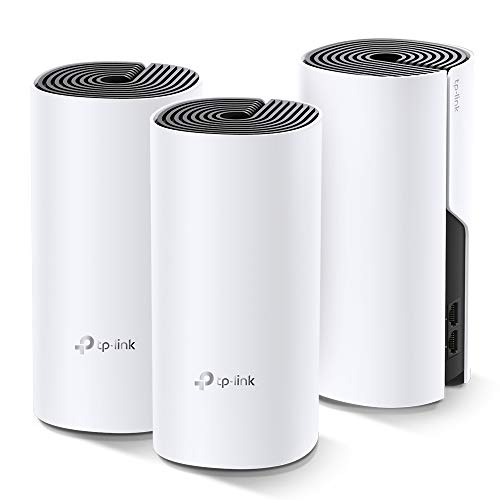
Meshforce M3 Mesh WiFi System, Up to 4,500 Sq.ft Coverage, AC1200 Gigabit Routers for Wireless Internet, Mesh WiFi Router Replacement, App Control, Guest Network and Parental Control(White)



Key features
- •【New Series, New WiFi Experience】Meshforce M3 dedicates to bring you high performance WiFi experience. It's ideal for extending WiFi to devices like your mobile, PC, TV, IP camera. More friendly app configuration and greater coverage than original version.
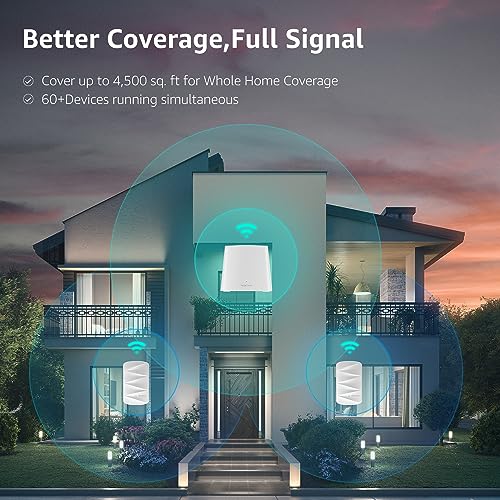
- •【Better Coverage, Full WiFi Signal】Meshforce M3 suite working seamlessly to create a mesh network that can cover homes up to 4,000 sq. ft- from living room to your garage. Supports up to 60 devices connects to WiFi simultaneously.
- •【One SSID, Dual Band】 Meshforce M3 allows you to enjoy seamless roaming throughout the house with a single network name and password.Dual Band connections are perfect for lag-free HD video streaming and gaming. Reliable signal through the wall without loss.
- •【Your Data is Secured】Gurantee your network and connected devices with WPA/WPA2 Mixed security level password encryption. Welcome your visitors with guest network in isolated WiFi zone, gurantee your data and smart home access.
- •【Easy to Setup and Manage】Get your new home network up and running in few minutes with Mymesh app. Manage your connections and guest network at home or remotely, anytime and anyplace.
BrandMeshforce
CategoryWhole Home & Mesh Wi-Fi Systems
Size1 WiFi Point + 2 WiFi Dots
ColorWhite
Warranty365 days
Meshforce M3 Mesh WiFi System, Up to 4,500 Sq.ft Coverage, AC1200 Gigabit Routers for Wireless Internet, Mesh WiFi Router Replacement, App Control, Guest Network and Parental Control(White)
List Price: $145.49$130.94DEALYou Save: $14.55 (10%)
Free shippingFree Returns – 30 daysFree Order CancellationSecure Payment2–3 Days DeliveryGet It October 24, 2026In Stock (2)No marketing spamNo account requiredFulfilment by FedEx / Amazon / UPS / ShipwirePayPal / Card Buyer Protection
Customer Reviews
Reviews sourced from verified Amazon purchasers4.2
out of 5
Based on 10 reviews
5★
90%
4★
10%
3★
0%
2★
0%
1★
0%
More coverage than I need and simple setup
Jay P✓ Verified Purchase•October 11, 2023
The media could not be loaded. Introductions -
My setup for this review of the Meshforce M3 Suite black Whole Home System is installed in a 2000sq ft home with 7 people each having multiple devices not including my 14month old daughter stealing my iPad. There are 4smart TVs, 4 tv streaming devices (aptv, firestick) 6 phones, 5 computers, 5 tablets, 2 gaming machines and a plethora of smart devices from multiple security cameras, ac controllers, multiple smart hubs and more techie stuff coming in so probably about 30-40 devices needing to connect to the router and peaking when the brother and his family comes over on some weekends with their multiple devices and could easily be 50 devices. Yes, family is pretty techie.
Peak performance is reached daily as kids are distance learning and adults are working from home all while either streaming movies or music for background as it starts to feel stale just focused doing things on computer. Kids are on laptop live streaming with teacher on google meets so heavy data traffic throughout day. The problem I had previously was dead zones in some areas of the house, backyard, and front yard that we frequent.
First impressions -
Received package in the early morning and was anxious to open it up. Surprised to see how small the box was and was expecting much bigger which is a good thing. First thing I notice is registration/instruction manual and 3 nicely packaged compact items. 1 router and 2 satellites (or dots). Behind it, you have a small power supply and Ethernet cable. Have to say the power supply being smaller in size is a nice touch. I have trouble with my current router's (nighthawk r7000/ac1900) power supply because it is too big and hard to maneuver around my surge protectors leaving some unused outlets I could use for a clean wire setup.
Upon unwrapping each device I see how compact and sleek it is in in black. The main router is almost cubed-shaped much shorter than my iPhone 12 pro and depth about the same and the dots (satellites) are maybe the same size as the plug-in air fresheners and I can already see I can put these anywhere without taking too much space in a tight 2000sq ft home. The aesthetic compact design and sleek black look, makes it a nice welcome in any decor in any home.
Initial hardware setup -
I have basic knowledge of home networking from years of experience and was a requirement for a tech school in the early 2000s. In no way I am a professional at this. Placement Setup for me is a breeze as I have everything connected to a network switch so all I needed was to replace router, replace power supply and switch 2 Ethernet cable to the ports.
Setup configuration -
This is pretty straight forward if you look at ten simple instructions provided. Download the My Mesh app and follow the walkthrough instructions in-app. Connect to the default WiFi provided SSID/password credentials underneath the router and it will auto detect internet connection. Once done, you change your SSID and password to your liking. Then just need to add the dots to an outlet within 32ft from router where you need coverage. Just plug it in and give it a minute or so to link up with router. If not, you can add it manually within the app. According to the chart, 1 dot is 3000sq ft and 2 dots 4000sq ft of coverage so a bit of an overkill for my needs.
Router configurations -
Configurations are limited but still very much there. Seeing how simple the process of installing the router through the app, I was almost sure there were little to none configurations as a lot of companies are doing away with some advanced configuration as most consumers won't touch them. Me... I like to tinker with a lot of configuration settings.
Guest network and Parental controls are a nice feature and you can set how long you want it valid for (4,8, or indefinite) and set a password. My previous router was a pain just to turn it on and off and wouldn't require them to put a password which was useless to me. As far as Parental controls, you can group devices to a person and set multiple periods of time to turn on their internet (bedtime, school time, dinner, etc) which is great while before I had to manually turn on/off each device and easily tend to forget.
The QOS feature is super limited to just and can only input dl/ul settings while I'm guessing the router detects and prioritizes what is gaming and streaming. I want to manually configure each device or have a feature to bandwidth limitation to each device and also see what apps are utilizing that bandwidth as I've seen some asus routers do that while watching reviews. Other features this include is fast roaming, capacity oriented mode, smart assists, port forwarding, UPnP and DHCP. Some of these feature don't give you any information what it actually does specifically fast-roaming and capacity-oriented mode. It gives a short description what it is but I don't know if I'm hindering certain speed. I could do a search and read through a bunch of things to find out but why bother.
One part that is lacking that I like to do is ip binding for each device as this is what I'm accustomed to doing for some file sharing between network devices and prioritization. Finally in the maintenance scheduling when to reboot is a nice feature as well. The one feature lacking in-app is to manually reboot the device through the app rather then the schedule or unplugging the router.
***********************************************************************************************
Overall, I am very satisfied with my Meshforce M3 suite system. Previously I had 2 separate SSIDs for the 2.4ghz and 5ghz band. This system provides one SSID to utilize both bands. I have no more dead zones in and out of the house that we frequent to and have a lot more coverage than I actually need. Of course I like to be overkill on everything since it gives me the satisfaction that it's covered. We have plans for doing extensions to the house, and this will still cover the area it needs. The installation was super super simple but had some trouble directly connecting wired device. A simple reboot of each device did the trick to find it on the network. Also did have a frustrated moment where a few devices dropped off on the first few hours but I suspect it was because I was changing DHCP server IP while adding about 30+ devices. Reboot the device and it was fine. Did not have anything drop off again. The configurations are there and limited but I'm sure firmware updates can easily fix that. If the company is reading, please add ip binding for each device, bandwidth limiting for each device, show what apps/sites are utilizing internet traffic for each device on network (currently you can see live traffic for each device), expand QOS and add a reboot router to the app. I should send a ticket to them for that. These missing mentioned features aren't a dealbreaker for me not to have but if you add that, it may be a dealbreaker for other consumers to choose this mesh router system as the overall design is nice, compact, sleek, good coverage, great features and more importantly it works especially at this price point.
***********************************************************************************************
Pros
Compact sleek black design (goes along with home decor and does not take much real estate.
Compact power supply (great for clean wire setup on surge protector)
Dots/Satelites just plug into wall outlet
Simplistic Setup
Great Features
Guest network can be a time period (4hrs,8hrs)
Parent Controls can group multiple devices and multiple time period schedules
Lots of coverage
Maintenance schedule
Cons
Not WiFi6/ax (not sure this is a con since majority of today devices have not upgraded compatibility. Only wifi6 capable in my home is 4 iPhones (11 pros and 12 pros) and upcoming PS5. Personally gaming systems should be wired and iPhones don't need that much speed data for streaming/browsing. I think only beneficial for large data transfers in a home network)
Not Tri-band. A second 5ghz band could be great for having many devices and can separate devices.
Limited advanced configurations you can do.
QOS needs to be expanded
No bandwidth limitation
No Statistical view of internet traffic through each app/site for each device
No manual IP assignment for each device on network
Bottom half of the cons can easily be added through a firmware upgrade. I'll pray they make a future update to it soon.
My setup for this review of the Meshforce M3 Suite black Whole Home System is installed in a 2000sq ft home with 7 people each having multiple devices not including my 14month old daughter stealing my iPad. There are 4smart TVs, 4 tv streaming devices (aptv, firestick) 6 phones, 5 computers, 5 tablets, 2 gaming machines and a plethora of smart devices from multiple security cameras, ac controllers, multiple smart hubs and more techie stuff coming in so probably about 30-40 devices needing to connect to the router and peaking when the brother and his family comes over on some weekends with their multiple devices and could easily be 50 devices. Yes, family is pretty techie.
Peak performance is reached daily as kids are distance learning and adults are working from home all while either streaming movies or music for background as it starts to feel stale just focused doing things on computer. Kids are on laptop live streaming with teacher on google meets so heavy data traffic throughout day. The problem I had previously was dead zones in some areas of the house, backyard, and front yard that we frequent.
First impressions -
Received package in the early morning and was anxious to open it up. Surprised to see how small the box was and was expecting much bigger which is a good thing. First thing I notice is registration/instruction manual and 3 nicely packaged compact items. 1 router and 2 satellites (or dots). Behind it, you have a small power supply and Ethernet cable. Have to say the power supply being smaller in size is a nice touch. I have trouble with my current router's (nighthawk r7000/ac1900) power supply because it is too big and hard to maneuver around my surge protectors leaving some unused outlets I could use for a clean wire setup.
Upon unwrapping each device I see how compact and sleek it is in in black. The main router is almost cubed-shaped much shorter than my iPhone 12 pro and depth about the same and the dots (satellites) are maybe the same size as the plug-in air fresheners and I can already see I can put these anywhere without taking too much space in a tight 2000sq ft home. The aesthetic compact design and sleek black look, makes it a nice welcome in any decor in any home.
Initial hardware setup -
I have basic knowledge of home networking from years of experience and was a requirement for a tech school in the early 2000s. In no way I am a professional at this. Placement Setup for me is a breeze as I have everything connected to a network switch so all I needed was to replace router, replace power supply and switch 2 Ethernet cable to the ports.
Setup configuration -
This is pretty straight forward if you look at ten simple instructions provided. Download the My Mesh app and follow the walkthrough instructions in-app. Connect to the default WiFi provided SSID/password credentials underneath the router and it will auto detect internet connection. Once done, you change your SSID and password to your liking. Then just need to add the dots to an outlet within 32ft from router where you need coverage. Just plug it in and give it a minute or so to link up with router. If not, you can add it manually within the app. According to the chart, 1 dot is 3000sq ft and 2 dots 4000sq ft of coverage so a bit of an overkill for my needs.
Router configurations -
Configurations are limited but still very much there. Seeing how simple the process of installing the router through the app, I was almost sure there were little to none configurations as a lot of companies are doing away with some advanced configuration as most consumers won't touch them. Me... I like to tinker with a lot of configuration settings.
Guest network and Parental controls are a nice feature and you can set how long you want it valid for (4,8, or indefinite) and set a password. My previous router was a pain just to turn it on and off and wouldn't require them to put a password which was useless to me. As far as Parental controls, you can group devices to a person and set multiple periods of time to turn on their internet (bedtime, school time, dinner, etc) which is great while before I had to manually turn on/off each device and easily tend to forget.
The QOS feature is super limited to just and can only input dl/ul settings while I'm guessing the router detects and prioritizes what is gaming and streaming. I want to manually configure each device or have a feature to bandwidth limitation to each device and also see what apps are utilizing that bandwidth as I've seen some asus routers do that while watching reviews. Other features this include is fast roaming, capacity oriented mode, smart assists, port forwarding, UPnP and DHCP. Some of these feature don't give you any information what it actually does specifically fast-roaming and capacity-oriented mode. It gives a short description what it is but I don't know if I'm hindering certain speed. I could do a search and read through a bunch of things to find out but why bother.
One part that is lacking that I like to do is ip binding for each device as this is what I'm accustomed to doing for some file sharing between network devices and prioritization. Finally in the maintenance scheduling when to reboot is a nice feature as well. The one feature lacking in-app is to manually reboot the device through the app rather then the schedule or unplugging the router.
***********************************************************************************************
Overall, I am very satisfied with my Meshforce M3 suite system. Previously I had 2 separate SSIDs for the 2.4ghz and 5ghz band. This system provides one SSID to utilize both bands. I have no more dead zones in and out of the house that we frequent to and have a lot more coverage than I actually need. Of course I like to be overkill on everything since it gives me the satisfaction that it's covered. We have plans for doing extensions to the house, and this will still cover the area it needs. The installation was super super simple but had some trouble directly connecting wired device. A simple reboot of each device did the trick to find it on the network. Also did have a frustrated moment where a few devices dropped off on the first few hours but I suspect it was because I was changing DHCP server IP while adding about 30+ devices. Reboot the device and it was fine. Did not have anything drop off again. The configurations are there and limited but I'm sure firmware updates can easily fix that. If the company is reading, please add ip binding for each device, bandwidth limiting for each device, show what apps/sites are utilizing internet traffic for each device on network (currently you can see live traffic for each device), expand QOS and add a reboot router to the app. I should send a ticket to them for that. These missing mentioned features aren't a dealbreaker for me not to have but if you add that, it may be a dealbreaker for other consumers to choose this mesh router system as the overall design is nice, compact, sleek, good coverage, great features and more importantly it works especially at this price point.
***********************************************************************************************
Pros
Compact sleek black design (goes along with home decor and does not take much real estate.
Compact power supply (great for clean wire setup on surge protector)
Dots/Satelites just plug into wall outlet
Simplistic Setup
Great Features
Guest network can be a time period (4hrs,8hrs)
Parent Controls can group multiple devices and multiple time period schedules
Lots of coverage
Maintenance schedule
Cons
Not WiFi6/ax (not sure this is a con since majority of today devices have not upgraded compatibility. Only wifi6 capable in my home is 4 iPhones (11 pros and 12 pros) and upcoming PS5. Personally gaming systems should be wired and iPhones don't need that much speed data for streaming/browsing. I think only beneficial for large data transfers in a home network)
Not Tri-band. A second 5ghz band could be great for having many devices and can separate devices.
Limited advanced configurations you can do.
QOS needs to be expanded
No bandwidth limitation
No Statistical view of internet traffic through each app/site for each device
No manual IP assignment for each device on network
Bottom half of the cons can easily be added through a firmware upgrade. I'll pray they make a future update to it soon.
Pretty decent and easy to use wireless mesh system
gman91478✓ Verified Purchase•September 22, 2023
Being a network engineer, I was curious how a home wireless mesh system worked. My house is just big enough to need a little boost in some far corners from our home router/wireless access point. The Meshforce M3 Suite popped up in my search, had decent reviews, and had a $10-off coupon, so I decided to go with this one.
The system does require a smartphone app, My Mesh, to set up and configure, but it is very easy to do. Out of the box, I just plugged in the WiFi Point, connected it to my modem, connected to the Meshforce default wireless SSID indicated on the bottom of the WiFi Point, opened the My Mesh app, and I was in. The My Mesh app recognized the system immediately. It prompts you to change the wireless SSID/Name and password before you do anything else, which is good... everyone should change their default wireless SSID to reduce security risks.
The system included 2 mesh WiFi Dots, preprogrammed to connect to the main WiFi Point, so the Point recognized the Dots as soon as they powered on. The instructions indicate you can add up to 6 Dots (4 additional from the 2 included Dots) just by opening the My Mesh app and scanning the QR code on the bottom of the Dot. I only have the 2 that came with the system, so I cannot speak to that.
The first image shows the home screen of the My Mesh application when all devices are connected and operational. Each device also shows which devices are connected. I took the screen shot very early in the morning, so only my phone was connected. When everyone is awake, there have been up to 18-20 devices connected to the entire system at once. You can actually click each mesh device on that screen to see what devices are connected to that particular mesh device. It's a good way to see if your kids are actually off their phones and asleep at night.
The My Mesh application is very basic and easy to navigate and configure. The settings (next 2 images) range anywhere from very basic to somewhat advanced and everywhere in between. Unless you are a network engineer or have a firm grasp of networks and wireless systems, most home users will not use at least half of the settings. One thing I would like to see - the option to select the security encryption protocol. It automatically selects the security for you - WPA/WPA2-TKIP/AES hybrid. As a network engineer, that makes me a bit squeamish. I feel Meshforce missed the mark by: 1) not giving you the option to select your security protocol; and 2) not offering WPA2/3-AES encryption. Which leads me to my next item...
Technical/Customer support is quite good. Emailing them is very easy, and they actually respond within a timely manner (most were within 24 hours). In fact, I have been in contact with the same person over several emails - being a network engineer, I had tons of questions, concerns, and comments/feedback. In the latest email I received, she informed me that she forwarded my concern to their technical development staff regarding the security protocol options and that it will be addressed in a future firmware update (she indicated "the next update," so I assume she meant firmware).
The final 2 images show speed tests for both our old router/wireless access point compared to the Meshforce system. I live in a semi-rural area with okay-ish internet, but not the best. But the results are there - I got about a 25% increase in Mbps download with the Meshforce system (upload remained about the same). Testing method: both speed tests were performed within minutes of each other, on my iPhone, with the same devices (laptops, phones, streaming television, etc.) in operation. The only difference was the old router (68Mbps) compared to the Meshforce system (92Mbps).
To sum it up, for an introductory and easily configured wireless mesh system, the Meshforce M3 Suite is a decent system. There is definitely room for improvement. If this is a fairly new company, there is definitely a lot of potential on the development side. And, based on my interactions with their technical/customer support, they are opened to both help you and accept comments/concerns for improvements.
Pros:
- Very easy to set up and configure, especially if you are not too tech-savvy
- Can monitor devices connected to the mesh system
- Increase in Mbps (especially if you are used to a 5+ year old router)
- Responsive and Quality technical/customer support
Cons:
- No options for choosing security settings (only offers a dynamic WPA/WPA2-TKIP/AES hybrid), but, as I stated above, security improvements are coming with a future update
- Some configuration options are too simplistic for my taste... but I am a network engineer
The system does require a smartphone app, My Mesh, to set up and configure, but it is very easy to do. Out of the box, I just plugged in the WiFi Point, connected it to my modem, connected to the Meshforce default wireless SSID indicated on the bottom of the WiFi Point, opened the My Mesh app, and I was in. The My Mesh app recognized the system immediately. It prompts you to change the wireless SSID/Name and password before you do anything else, which is good... everyone should change their default wireless SSID to reduce security risks.
The system included 2 mesh WiFi Dots, preprogrammed to connect to the main WiFi Point, so the Point recognized the Dots as soon as they powered on. The instructions indicate you can add up to 6 Dots (4 additional from the 2 included Dots) just by opening the My Mesh app and scanning the QR code on the bottom of the Dot. I only have the 2 that came with the system, so I cannot speak to that.
The first image shows the home screen of the My Mesh application when all devices are connected and operational. Each device also shows which devices are connected. I took the screen shot very early in the morning, so only my phone was connected. When everyone is awake, there have been up to 18-20 devices connected to the entire system at once. You can actually click each mesh device on that screen to see what devices are connected to that particular mesh device. It's a good way to see if your kids are actually off their phones and asleep at night.
The My Mesh application is very basic and easy to navigate and configure. The settings (next 2 images) range anywhere from very basic to somewhat advanced and everywhere in between. Unless you are a network engineer or have a firm grasp of networks and wireless systems, most home users will not use at least half of the settings. One thing I would like to see - the option to select the security encryption protocol. It automatically selects the security for you - WPA/WPA2-TKIP/AES hybrid. As a network engineer, that makes me a bit squeamish. I feel Meshforce missed the mark by: 1) not giving you the option to select your security protocol; and 2) not offering WPA2/3-AES encryption. Which leads me to my next item...
Technical/Customer support is quite good. Emailing them is very easy, and they actually respond within a timely manner (most were within 24 hours). In fact, I have been in contact with the same person over several emails - being a network engineer, I had tons of questions, concerns, and comments/feedback. In the latest email I received, she informed me that she forwarded my concern to their technical development staff regarding the security protocol options and that it will be addressed in a future firmware update (she indicated "the next update," so I assume she meant firmware).
The final 2 images show speed tests for both our old router/wireless access point compared to the Meshforce system. I live in a semi-rural area with okay-ish internet, but not the best. But the results are there - I got about a 25% increase in Mbps download with the Meshforce system (upload remained about the same). Testing method: both speed tests were performed within minutes of each other, on my iPhone, with the same devices (laptops, phones, streaming television, etc.) in operation. The only difference was the old router (68Mbps) compared to the Meshforce system (92Mbps).
To sum it up, for an introductory and easily configured wireless mesh system, the Meshforce M3 Suite is a decent system. There is definitely room for improvement. If this is a fairly new company, there is definitely a lot of potential on the development side. And, based on my interactions with their technical/customer support, they are opened to both help you and accept comments/concerns for improvements.
Pros:
- Very easy to set up and configure, especially if you are not too tech-savvy
- Can monitor devices connected to the mesh system
- Increase in Mbps (especially if you are used to a 5+ year old router)
- Responsive and Quality technical/customer support
Cons:
- No options for choosing security settings (only offers a dynamic WPA/WPA2-TKIP/AES hybrid), but, as I stated above, security improvements are coming with a future update
- Some configuration options are too simplistic for my taste... but I am a network engineer
Affordable and surprisingly good quality mesh WIFI system
Juraj✓ Verified Purchase•August 20, 2023
After struggling for some time at my house with WIFI coverage I decided to upgrade my WIFI system and replace outdated power line extenders with a mesh system.
My house is about 3000 sq. ft. with many devices from cellphones and laptops to smart TVs, firesticks and google mini's distributed throughout 2 floors. WIFI strength and stability on the second floor and around the house has always been a problem.
There are many different mesh WIFI systems around but are they worthy of the price? I have looked around and this one caught my attention. It is affordable and has exceptionally good reviews. I decided to give it a try.
I ordered a M3 system with two dots. I installed the main mesh router unit on the bottom of my house in the kitchen and placed one dot in our bedroom and another one on the upper floor.
The mesh system is surprisingly small and portable, no antennas sticking around. It covers dual-band WIFI (5GHz and 2.4GHz) in case you have some older 2.4G devices. The router is smart enough to assign the one according to your device. If your phone supports 5G, you are automatically assigned 5G. There is LAN support on both dots. It comes with their own smartphone app MeshForce which guides you through the installation. The setup was very easy, it didn't take more than 4 minutes. Â
The app has several features. It allows you to monitor  which dot is active, what is the upload and download speed and how many devices are connected. It gives you also detailed information about connected devices (if they are using 2.4G or 5G, duration, IP address and MAC address). It allows you to create a guest network and set the validity period, it has parental control, through access management allows you to block particular devices, it supports QoS.
The total speed it supports is 1000Mbps. That is a combination of speed over 5G and 2.4G. In other words, the 5G network supports 867Mbps while 2.4G supports 300Mbps. It is 1000+Mbps when combined.
While mine old power line extender diminished the speed with the distance mesh router did not. No matter if I was connected to the main unit or the dots the speed remained almost the same. The speed at the main MeshForce unit was around 212 Mbps and on the top floor about 198 Mbps.
I tested the speed at the main unit, at the first dot and second dot and speed was always higher than speed of the main modem-router or on the power line extender. The same was true for strength and stability of the signal. For both, 2.4 GHz and 5GHz, measured upstairs the MeshForce signal (on the images named wii-007-m) strength was much better than signal from my main modem/router (wii-007-2.4 and wii-007) or TP-Link powerline extender (wii-007h) that supported only 2.4 GHz.
In the past I have tried to install different older routers as a repeater as well as power line extenders. Every time I moved from the bottom of my house to the upstairs my phone and laptop WIFI needed to disconnect and then connect to repeater, resulting in signal loss and disconnections. With the mesh router I don't need to worry about this problem anymore. No more disconnections, signal is stable and strong throughout my whole house and single WIFI name around the whole house.
If I were to buy a new mesh WIFI system again, I would not hesitate to choose MeshForce. Because of the signal strength, signal stability, features, and price. MeshForce M3 is very affordable when you compare it with other mesh systems that offer a similar coverage area. It includes smart features and the network quality is great. I have not experienced any dropouts, random restarts, disconnections, or any other problems since I have installed it. I will keep running and post more updates later.
So far, I am really happy with this router so I don't have a problem recommending it to anyone. If you are looking for affordable and good quality mesh Wi-Fi system, this might be the one waiting for you.
My house is about 3000 sq. ft. with many devices from cellphones and laptops to smart TVs, firesticks and google mini's distributed throughout 2 floors. WIFI strength and stability on the second floor and around the house has always been a problem.
There are many different mesh WIFI systems around but are they worthy of the price? I have looked around and this one caught my attention. It is affordable and has exceptionally good reviews. I decided to give it a try.
I ordered a M3 system with two dots. I installed the main mesh router unit on the bottom of my house in the kitchen and placed one dot in our bedroom and another one on the upper floor.
The mesh system is surprisingly small and portable, no antennas sticking around. It covers dual-band WIFI (5GHz and 2.4GHz) in case you have some older 2.4G devices. The router is smart enough to assign the one according to your device. If your phone supports 5G, you are automatically assigned 5G. There is LAN support on both dots. It comes with their own smartphone app MeshForce which guides you through the installation. The setup was very easy, it didn't take more than 4 minutes. Â
The app has several features. It allows you to monitor  which dot is active, what is the upload and download speed and how many devices are connected. It gives you also detailed information about connected devices (if they are using 2.4G or 5G, duration, IP address and MAC address). It allows you to create a guest network and set the validity period, it has parental control, through access management allows you to block particular devices, it supports QoS.
The total speed it supports is 1000Mbps. That is a combination of speed over 5G and 2.4G. In other words, the 5G network supports 867Mbps while 2.4G supports 300Mbps. It is 1000+Mbps when combined.
While mine old power line extender diminished the speed with the distance mesh router did not. No matter if I was connected to the main unit or the dots the speed remained almost the same. The speed at the main MeshForce unit was around 212 Mbps and on the top floor about 198 Mbps.
I tested the speed at the main unit, at the first dot and second dot and speed was always higher than speed of the main modem-router or on the power line extender. The same was true for strength and stability of the signal. For both, 2.4 GHz and 5GHz, measured upstairs the MeshForce signal (on the images named wii-007-m) strength was much better than signal from my main modem/router (wii-007-2.4 and wii-007) or TP-Link powerline extender (wii-007h) that supported only 2.4 GHz.
In the past I have tried to install different older routers as a repeater as well as power line extenders. Every time I moved from the bottom of my house to the upstairs my phone and laptop WIFI needed to disconnect and then connect to repeater, resulting in signal loss and disconnections. With the mesh router I don't need to worry about this problem anymore. No more disconnections, signal is stable and strong throughout my whole house and single WIFI name around the whole house.
If I were to buy a new mesh WIFI system again, I would not hesitate to choose MeshForce. Because of the signal strength, signal stability, features, and price. MeshForce M3 is very affordable when you compare it with other mesh systems that offer a similar coverage area. It includes smart features and the network quality is great. I have not experienced any dropouts, random restarts, disconnections, or any other problems since I have installed it. I will keep running and post more updates later.
So far, I am really happy with this router so I don't have a problem recommending it to anyone. If you are looking for affordable and good quality mesh Wi-Fi system, this might be the one waiting for you.
Super simple setup almost instant browsing
Rav3n✓ Verified Purchase•July 27, 2023
Previous Network Setup:
I had 2 routers (to segment off some devices) and allow for a rather complex configuration which was not conducive to 'ease of management' but did achieve having some very insecure devices on their own network with zero access to critical devices in my primary browsing network. It's a bad design; but it works for me and allows for the security I want within my network.
Other Setups:
For a short while; I used the Google WiFi system which allowed me to combine the networks and made the management a little easier, but not completely ideal. I ultimately went back to the complex setup because of some configuration needs around my IoT devices.
MyMesh and MeshForce M3:
Setup was super simple. The app does all of the heavy lifting. Gives the user a point-and-click interface for configuration and very little in the way to cause confusion. I enjoyed this as it made getting the main router and the dots set up very easily without needing to scan multiple QR codes or configure multiple devices to play nicely with each other. I think the overall change took me 10 minutes and that includes wrangling the 20ish IoT devices in my home.
Meshforce Network:
I did some minor port forwarding to make my server appliances (Plex/Synology/Docker Containers) play nicely with the external world. The setup was quick and painless; and if the addresses of my devices changed for some reason; it was easy to re-configure the rules for the new address without too much effort. I rate this an A+ for the ease of manipulation for the rules over a delete and reconfigure approach.
IoT Devices:
I had a simple time getting the IoT devices onto the Meshforce WiFi with little effort for the most part. I had some older speakers that didn't exactly like the new configuration; but a reset of those devices allowed the connection. This is to be expected when the devices are a bit older and only support one technology for WiFi.
WiFi Life on Meshforce:
Life on Meshforce was pretty easy; my devices seamlessly transitioned from the main router to each of the dot devices as I roamed the house. My home layout is a bit odd; I did have a dead-spot, but this was normal in my house with all other WiFi configurations I've used.
All of my devices that used the wireless network were able to connect without concern or issue. Meshforce only broadcasts one single SSID and does some heavy lifting in determining what the device will support through it's handshake with the device. This was nice; because for me it meant not needing to remember which network technology my devices supported.
Support:
I did not have to contact support to get my device online; I cannot give detail about the support experience. I can say that there is troubleshooting steps within the app that worked for me as I ran into issues (mostly with the spacing of my dots).
Overall:
As a plug-and-play system; it's perfect. There's little in the way of configuration that needs to be done to get the devices installed and online and you communicating with the rest of the world via the internet. Going a little further into complexity with port forwarding it's still great as the rules can be configured and re-configured without needing to rebuild entirely (port ranges and IPs could be updated on the fly). The device does allow you to force DNS for filtration purposes (for those running Pi-Hole or subscribing to an external service). The setting is easy to update and not buried in other menu preferences.
I had 2 routers (to segment off some devices) and allow for a rather complex configuration which was not conducive to 'ease of management' but did achieve having some very insecure devices on their own network with zero access to critical devices in my primary browsing network. It's a bad design; but it works for me and allows for the security I want within my network.
Other Setups:
For a short while; I used the Google WiFi system which allowed me to combine the networks and made the management a little easier, but not completely ideal. I ultimately went back to the complex setup because of some configuration needs around my IoT devices.
MyMesh and MeshForce M3:
Setup was super simple. The app does all of the heavy lifting. Gives the user a point-and-click interface for configuration and very little in the way to cause confusion. I enjoyed this as it made getting the main router and the dots set up very easily without needing to scan multiple QR codes or configure multiple devices to play nicely with each other. I think the overall change took me 10 minutes and that includes wrangling the 20ish IoT devices in my home.
Meshforce Network:
I did some minor port forwarding to make my server appliances (Plex/Synology/Docker Containers) play nicely with the external world. The setup was quick and painless; and if the addresses of my devices changed for some reason; it was easy to re-configure the rules for the new address without too much effort. I rate this an A+ for the ease of manipulation for the rules over a delete and reconfigure approach.
IoT Devices:
I had a simple time getting the IoT devices onto the Meshforce WiFi with little effort for the most part. I had some older speakers that didn't exactly like the new configuration; but a reset of those devices allowed the connection. This is to be expected when the devices are a bit older and only support one technology for WiFi.
WiFi Life on Meshforce:
Life on Meshforce was pretty easy; my devices seamlessly transitioned from the main router to each of the dot devices as I roamed the house. My home layout is a bit odd; I did have a dead-spot, but this was normal in my house with all other WiFi configurations I've used.
All of my devices that used the wireless network were able to connect without concern or issue. Meshforce only broadcasts one single SSID and does some heavy lifting in determining what the device will support through it's handshake with the device. This was nice; because for me it meant not needing to remember which network technology my devices supported.
Support:
I did not have to contact support to get my device online; I cannot give detail about the support experience. I can say that there is troubleshooting steps within the app that worked for me as I ran into issues (mostly with the spacing of my dots).
Overall:
As a plug-and-play system; it's perfect. There's little in the way of configuration that needs to be done to get the devices installed and online and you communicating with the rest of the world via the internet. Going a little further into complexity with port forwarding it's still great as the rules can be configured and re-configured without needing to rebuild entirely (port ranges and IPs could be updated on the fly). The device does allow you to force DNS for filtration purposes (for those running Pi-Hole or subscribing to an external service). The setting is easy to update and not buried in other menu preferences.
Answer to the problem.
DJ Swafford ✓ Verified Purchase•July 6, 2023
So my mesh system worked great for us. Areas that we could not get a signal especially my she shed we now have internet which is an amazing Improvement.
Page 1 of 2