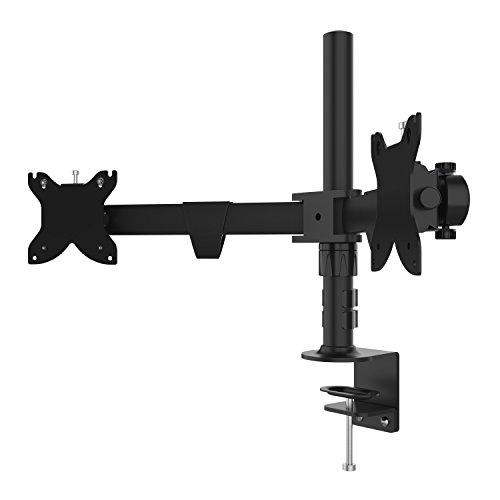
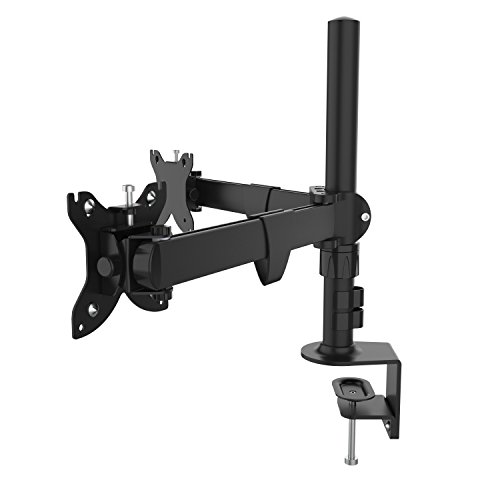
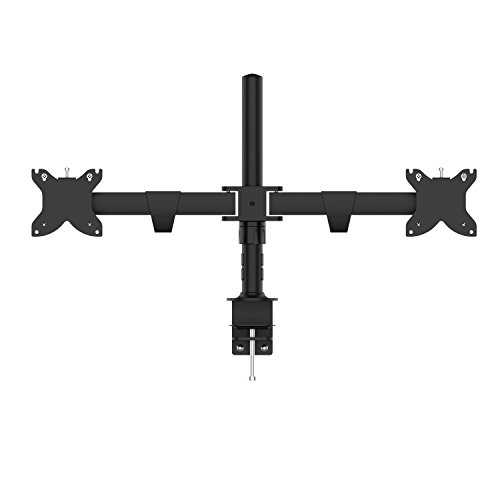
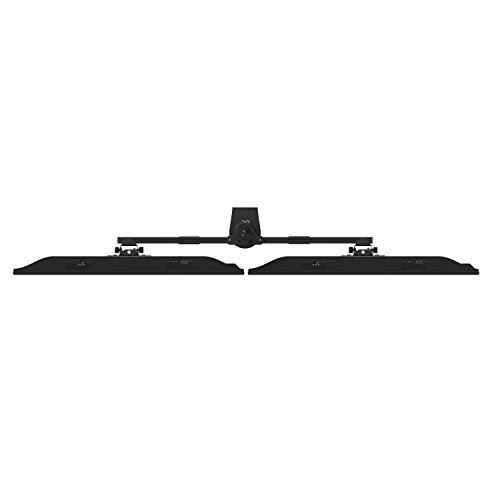
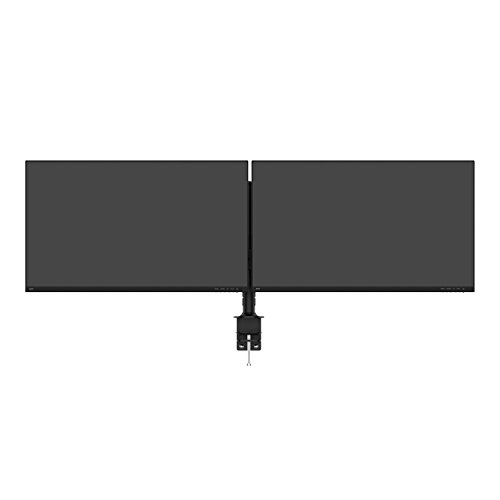
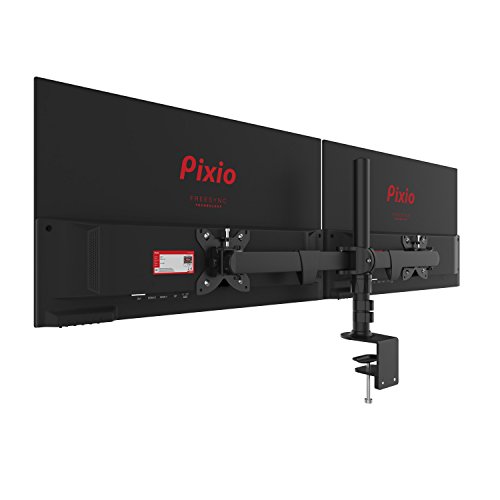
Pixio Universal Gaming Dual Monitor Desk Clamp Mount - 100x100 75x75 VESA Compatible Accessory Dual Monitor Display Mount Up to Two 27-inch
Key features
- •Universal Monitor Dual Desk Clamp Mount compatible with VESA Standards for 100x100mm or 75x75mm
- •Fits up to 27 inch Monitors, TV or Displays
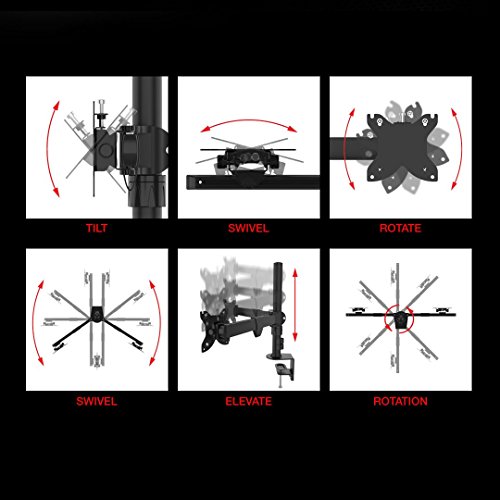
- •Adjustable Functions: Tilt, Height, Pivot and Swivel (Portrait and Landscape Rotations)
- •Perfect Accessory to your everyday gaming or streaming needs.
- •Includes : Stand Assembly Set, Manual and Screws
Pixio Universal Gaming Dual Monitor Desk Clamp Mount - 100x100 75x75 VESA Compatible Accessory Dual Monitor Display Mount Up to Two 27-inch
List Price: $61.09$54.98DEALYou Save: $6.11 (10%)
Free shippingFree Returns – 30 daysFree Order CancellationSecure Payment2–3 Days DeliveryGet It June 25, 2026In Stock (2)No marketing spamNo account requiredFulfilment by FedEx / Amazon / UPS / ShipwirePayPal / Card Buyer Protection
Customer Reviews
Reviews sourced from verified Amazon purchasers3.9
out of 5
Based on 10 reviews
5★
100%
4★
0%
3★
0%
2★
0%
1★
0%
Holds My New Samsung C27HG70 with Ease!
Patrick Williams✓ Verified Purchase•January 20, 2018
I bought this stand to mount my new Samsung C27HG70 monitor too. The stand that comes stock with the monitor has an enormous adjustable arm on the back of it, which would have bumped into the wall behind my desk and caused me to have to move the monitor closer to me, and it would have been too close to my eyes.
Now, I do want to start the review by stating that this stand came to me missing the mounting screws used to assemble it. I was able to get it safely put together using the screws that came with my new Samsung monitor, but I honestly was a little agitated that there were no screws in the box like the instructions said there should have been.
That said, Pixio was quick to fix this. I contacted them here on Amazon and explained the situation to them, and they were more than happy to mail me a bag of screws, free of charge. They came in rather quickly too, and everything is as it should be now!
So, what do I think about this monitor stand? Well, I love it. It's amazing, and it holds my new monitor up with ease. The height is completely adjustable, the base is very sturdy, everything swivels as it's supposed to, etc. It's a little off-putting that the stand seems to weigh more than the monitor itself does, but I guess that's a good thing, since it's a sign of how sturdy it is!
If there was one thing I could change about this monitor, it would probably be the footprint of it; it's pretty large. I've been able to get around that by getting clever with the positioning, but at one point I did find that my mouse cable kept getting snagged on the foot of the stand. I actually fixed that by very loosely affixing a cable tie to the foot and feeding the mouse cable through it, which allows it to stay in a certain position and move freely, without getting snagged. Other than that, I have no complaints!
All in all, I love this stand. It does exactly what I wanted it to, and I'm very pleased with it!
Now, I do want to start the review by stating that this stand came to me missing the mounting screws used to assemble it. I was able to get it safely put together using the screws that came with my new Samsung monitor, but I honestly was a little agitated that there were no screws in the box like the instructions said there should have been.
That said, Pixio was quick to fix this. I contacted them here on Amazon and explained the situation to them, and they were more than happy to mail me a bag of screws, free of charge. They came in rather quickly too, and everything is as it should be now!
So, what do I think about this monitor stand? Well, I love it. It's amazing, and it holds my new monitor up with ease. The height is completely adjustable, the base is very sturdy, everything swivels as it's supposed to, etc. It's a little off-putting that the stand seems to weigh more than the monitor itself does, but I guess that's a good thing, since it's a sign of how sturdy it is!
If there was one thing I could change about this monitor, it would probably be the footprint of it; it's pretty large. I've been able to get around that by getting clever with the positioning, but at one point I did find that my mouse cable kept getting snagged on the foot of the stand. I actually fixed that by very loosely affixing a cable tie to the foot and feeding the mouse cable through it, which allows it to stay in a certain position and move freely, without getting snagged. Other than that, I have no complaints!
All in all, I love this stand. It does exactly what I wanted it to, and I'm very pleased with it!
Tiny footprint for a big monitor
JackBNimble✓ Verified Purchase•January 16, 2018
I have minimal space to place my monitor, but a desire for massive screen real estate. The Pixio stand was my saving grace when upgrading to a 34 inch ultrawide monitor. Every other stand was way too deep, and would not fit on my current desk. The Pixio however, supplies a stable footing and fits on the tiny ledge I have to place my monitor. Without this stand I would not have been able to upgrade to a larger monitor. This is the stand to get if you want a giant monitor on a stand they doesn't take up a ton of depth on your desk.
Sturdy, Sleek, & small foorprint
Adam L.✓ Verified Purchase•January 9, 2018
Well made product, easy to put a few screws in and its done. Looks like the Vender added extra screws with a washer to make sure the bottom is secure. I am using it for a 30" HP Z Display Monitor and It works great. Once the monitor is on you and raise and lower to your liking. I also like the small footprint on my desk. I know there were cheaper stands out there but this one seemed well made and sleeker. I am glad I paid a few extra to get quality . I would recommend .
Five Stars
F J L✓ Verified Purchase•October 21, 2017
No problems.
Pixio PX277 VESA Install,
Corbin W.✓ Verified Purchase•October 21, 2017
After buying the PX277 last year, the MFG warranty finally went out and I bought the Pixio-400 stand for it.
Installation for PX277:
Tools needed:
- Plastic trim removal tool
- 2 Phillips screw driver (screw heads change for mount since one is slightly smaller)
How to open PX277 Monitor:
- Remove 4 Phillips screws located on back
- Take plastic prying tool looking from the back having the monitor safely placed on a table; Start at the lower right hand corner working counter clockwise until you reach the starting position. The back facing uses clips that while holding the pry tool, you'll feel the difference where the clip is to its corner. Lightly press until you release the pressure clip. Once all of them are done, the backing will open up slightly to less than 85 degrees.
-Lastly if you have the correct size Phillips head screw driver or an electric drill with a Phillips head with a long enough extension, remove the two screws to remove the stubby stand. Replace backing and 4 screws and you're done.
-Be extra careful with the screw driver while inside the monitor since the deflection rating for the monitor drops tremendously without its backing.
VESA Mount install:
- Install the 4 bigger bolts into the back of the monitor with bigger head phillips
- Install 4 smaller bolts to bottom with smaller Phillips head
Total install time:
23 mins with careful removal and no instructions on how to do so since I bough it used. Apparently if you look hard enough in YouTube, there's a low quality video of how to do it.
VESA mount review:
Only complaint with the mount was I could tell the box was heavily destroyed, but it said that on the Amazon warehouse thing. Also, the spring for the VESA mount has a higher TQ rating than the monitor's weight, and I'm guessing through the shipping process the spring shifted to the tallest position were it lied in a warehouse for a long period of time. When the monitor was torqued to the stand, it didn't want to go down at first, or maybe it was because I didn't take it on enough dates. Idk, but once set and slightly leveled, it rotates and makes the PX277 look soooooo much better. I'm guessing the material is CNC'D steel, with stainless innards, with an anodized black coating with a plastic casing. Not that it matters, but the quality is way better than the chinesium stuff you see for 30 or 50 bucks on Amazon. Definitely wouldn't want a high $$$ monitor to break because the materials were as cheap as Kobe's steel. But hey, I'm only an Engineer. What do I know lol
Installation for PX277:
Tools needed:
- Plastic trim removal tool
- 2 Phillips screw driver (screw heads change for mount since one is slightly smaller)
How to open PX277 Monitor:
- Remove 4 Phillips screws located on back
- Take plastic prying tool looking from the back having the monitor safely placed on a table; Start at the lower right hand corner working counter clockwise until you reach the starting position. The back facing uses clips that while holding the pry tool, you'll feel the difference where the clip is to its corner. Lightly press until you release the pressure clip. Once all of them are done, the backing will open up slightly to less than 85 degrees.
-Lastly if you have the correct size Phillips head screw driver or an electric drill with a Phillips head with a long enough extension, remove the two screws to remove the stubby stand. Replace backing and 4 screws and you're done.
-Be extra careful with the screw driver while inside the monitor since the deflection rating for the monitor drops tremendously without its backing.
VESA Mount install:
- Install the 4 bigger bolts into the back of the monitor with bigger head phillips
- Install 4 smaller bolts to bottom with smaller Phillips head
Total install time:
23 mins with careful removal and no instructions on how to do so since I bough it used. Apparently if you look hard enough in YouTube, there's a low quality video of how to do it.
VESA mount review:
Only complaint with the mount was I could tell the box was heavily destroyed, but it said that on the Amazon warehouse thing. Also, the spring for the VESA mount has a higher TQ rating than the monitor's weight, and I'm guessing through the shipping process the spring shifted to the tallest position were it lied in a warehouse for a long period of time. When the monitor was torqued to the stand, it didn't want to go down at first, or maybe it was because I didn't take it on enough dates. Idk, but once set and slightly leveled, it rotates and makes the PX277 look soooooo much better. I'm guessing the material is CNC'D steel, with stainless innards, with an anodized black coating with a plastic casing. Not that it matters, but the quality is way better than the chinesium stuff you see for 30 or 50 bucks on Amazon. Definitely wouldn't want a high $$$ monitor to break because the materials were as cheap as Kobe's steel. But hey, I'm only an Engineer. What do I know lol
Page 1 of 2